EEvlarSoft

Routing Table Manager

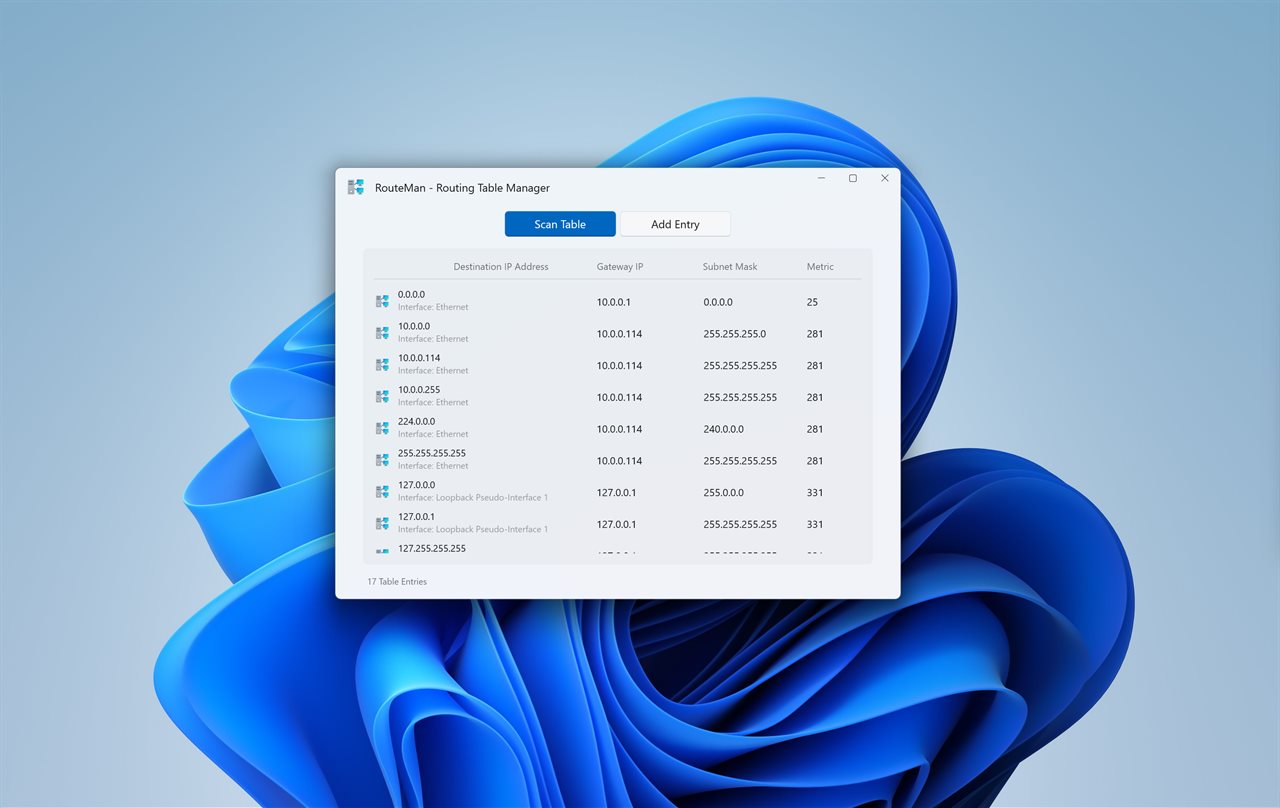
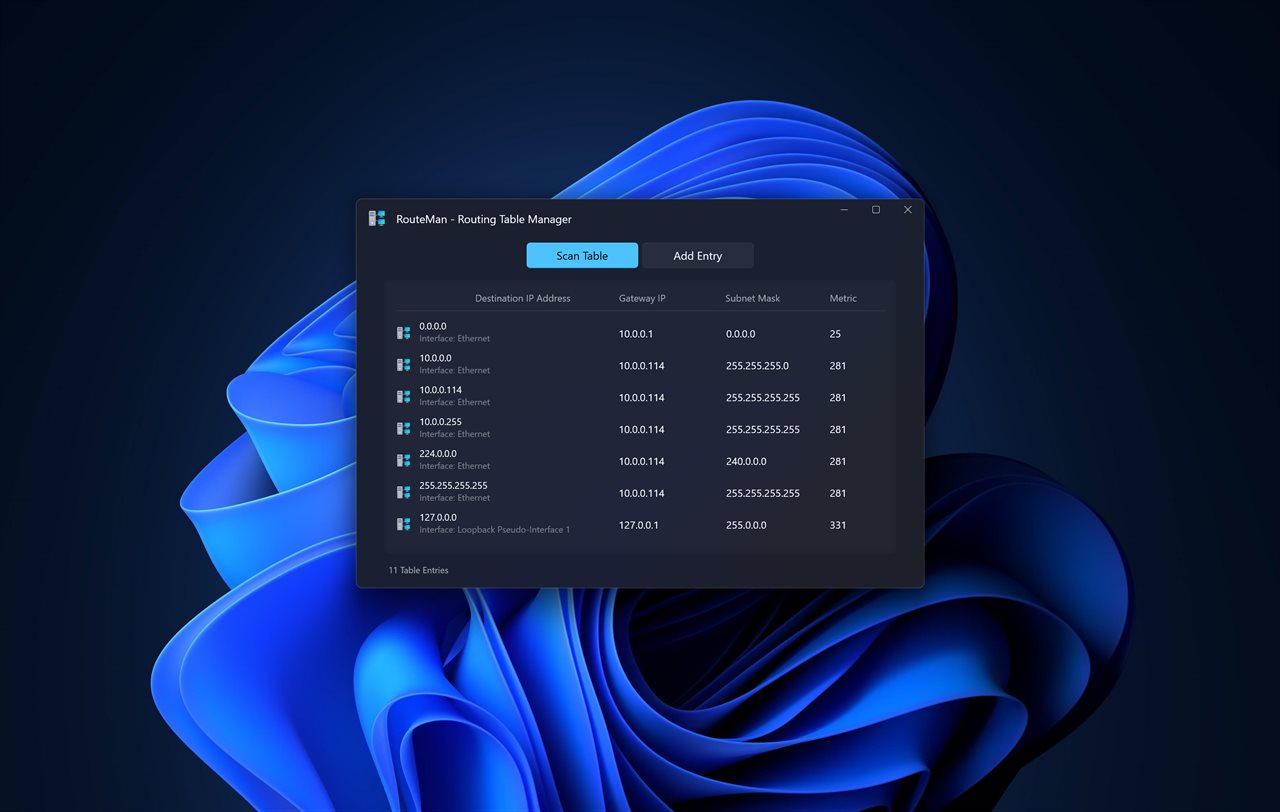
A graphical view of the Windows routing table that adds and deletes routes, and shows which one any address will actually follow, and why.

Buy for $1.99
One payment. No subscription.
14-day money-back guarantee.
5.0
Routing Table Manager screenshot 1
Routing Table Manager screenshot 2
Routing Table Manager screenshot 3
190,000+downloads of EvlarSoft apps
Signed by EvlarSoftVerified US publisher
14-day money-backNo questions asked
Updates includedNo upgrade fees

Reading the Windows routing table without guessing

Every packet your PC sends is matched against the Windows routing table. The command-line output from route print lists the entries, but it leaves the hard part to you: working out which of several overlapping routes wins for one particular address, especially once a VPN or a second adapter adds its own.

Routing Table Manager answers that directly. Type an IP address or a host name into the box at the top and the app writes the address out in binary, lines each candidate route up underneath it, and highlights the winner. A route that does not match shows the exact bit where it diverges. A single sentence states the reason, whether a longer prefix won or two equal prefixes were split by metric, and the winning row is marked in the table below.

The comparison follows the rules Windows uses: longest prefix match first, then the lowest total metric, which is the route metric plus the interface metric.

How to add a static route in Windows that survives a restart

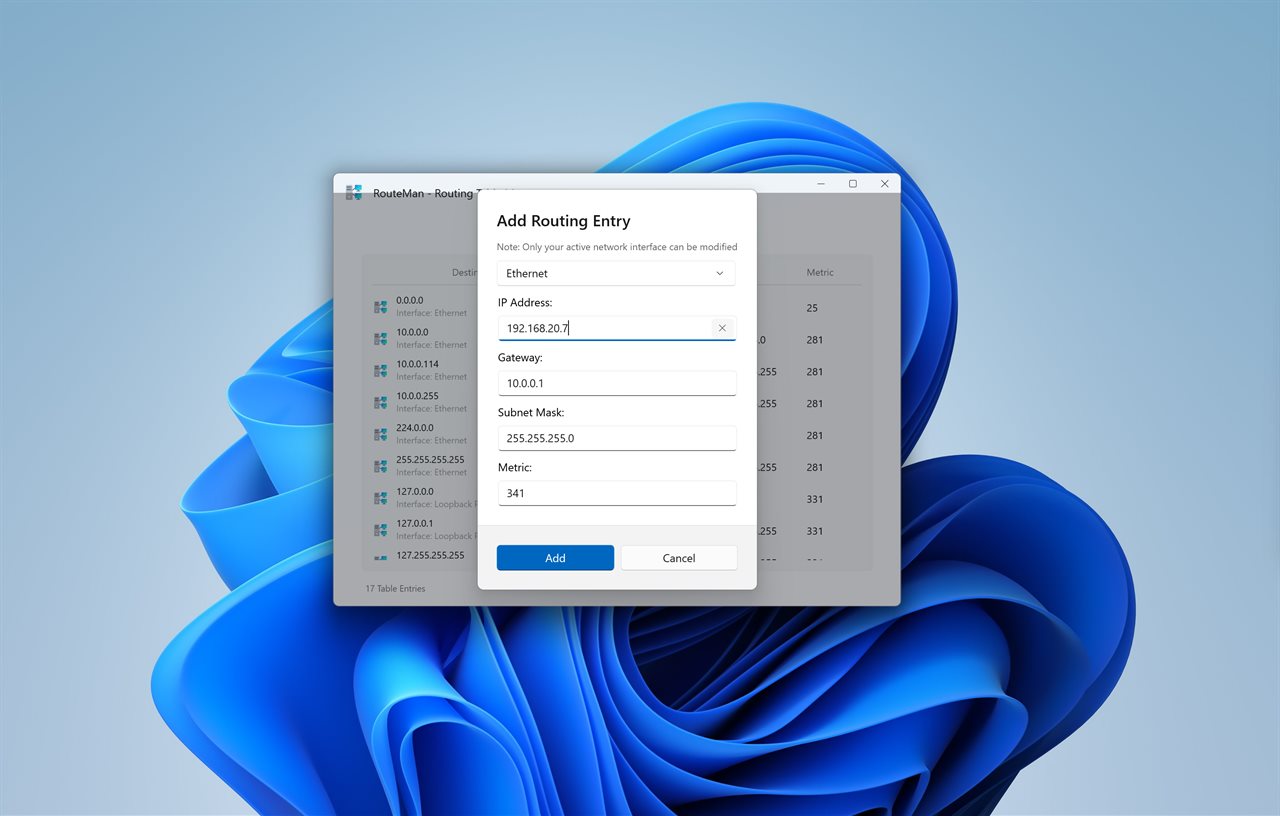
Each field is checked as you go, so a malformed address or mask is flagged on that field before anything is sent. Persistent routes show a pin in the Kept after restart column, which makes it easy to spot leftovers from an old project.

  • Click Add route.
  • Choose the Interface the traffic should leave by.
  • Enter the Destination network, for example 10.20.0.0.
  • Under Mask or prefix length, type either a dotted mask such as 255.255.0.0 or just 16.
  • Fill in Gateway with the next-hop router, or leave it empty for an on-link route.
  • Set the Metric. It starts at 300; lower numbers are preferred when prefixes tie.
  • Tick Keep after restart for a persistent route, then press Add and accept the Windows permission prompt.

Delete a route, or check that its gateway answers

Select a row and press Delete to remove it; Windows asks for permission for that one change and nothing else. Ping gateway sends a quick check to an IPv4 next hop, which settles whether a route is broken or merely unused. Right-click any row to copy its destination or gateway, or to hide it until the next refresh.

Longest prefix match, route metric and the VPN problem

Longest prefix match means the most specific route wins. A /24 route for 192.168.5.0 beats the 0.0.0.0/0 default route for 192.168.5.40, however low the default's metric is. Only when two routes are equally specific does the metric decide.

That is how many VPNs take over all traffic. Some install a default route with a lower metric than your Wi-Fi; others add two /1 routes that are more specific than any default. When the app sees either, it shows a warning naming the VPN adapter, which explains why a printer or file share on your home network has gone unreachable. Type the device's address into the tester to see which route is winning.

Inside the app

  • Route tester for IP addresses and host names with a bit-by-bit diagram
  • Plain-language reason for the winning route
  • VPN takeover warning when a tunnel holds the default path
  • Add route dialog with per-field validation and on-link support
  • Keep after restart for persistent routes, shown with a pin
  • Delete and Ping gateway buttons
  • IPv4 and IPv6 tables, switched by a selector or by typing an IPv6 address
  • Refresh every 5 seconds, 10 seconds, 30 seconds or 1 minute
  • Optional Show routes Windows keeps for itself for loopback, multicast and broadcast entries
  • Runs without administrator rights; elevation is requested per change

What's new in 2.0.0

  • New: type an address or host name and see which route it takes, and why
  • New: a warning when a VPN sets itself as the default route
  • New: IPv6 routes
  • New: keep a route after restart, and see which routes are kept
  • New: add on-link routes, with no gateway
  • New: ping a route's gateway, copy it, or hide it
  • Fixed: you no longer run the app as administrator. Windows asks only when you add or delete a route
  • Fixed: a mistyped address or mask is pointed out on its field instead of the form starting over

Questions

Anything else? Ask us

How does it decide which route an address will take?

The same way Windows does: of the routes that match, the longest prefix wins, and between routes of the same length the lowest metric wins. The metric it compares is the route metric plus the interface metric, which is the number Windows itself uses.

Can I test a host name instead of an IP address?

Yes. A name is looked up first and the app tests the address it gets back, preferring an IPv4 address when the name has both. If the name can't be found, it says so instead of guessing.

Do I need to run it as administrator?

No. Reading and testing the table need no special rights. Adding or deleting a route runs netsh with administrator rights, so Windows shows its permission prompt for that change only, and nothing is changed if you say no.

Can I add a route that survives a restart?

Yes. Tick Keep after restart and the route is saved to the persistent store as well as the live table. Routes that are kept show a pin in the table.

How does it know a VPN has taken over my internet traffic?

It warns when a VPN adapter holds a default route with a lower metric than your Wi-Fi, Ethernet or cellular one, or adds the pair of /1 routes many VPNs use to override the default. VPN adapters are recognized by their interface type and by common names such as WireGuard, OpenVPN, AnyConnect and Tailscale.

Does it support IPv6 routes?

Yes. You can view, test, add and delete IPv6 routes, and typing an IPv6 address switches to that table. Pinging a gateway works only for IPv4 gateways.

What is the difference between route print and this app?

Both read the same table. route print shows text output; this app shows the same routes as a table, marks persistent ones, and tests which route an address will take, including the reason it wins.

Can I type a prefix length instead of a subnet mask?

Yes. The Mask or prefix length field accepts either form, such as 255.255.255.0 or 24, and a mistake is pointed out on that field.

Which routes are hidden by default?

Loopback, multicast, broadcast and the host routes for the PC's own addresses. Turn on Show routes Windows keeps for itself in Settings to list them.

Which versions of Windows does it run on?

Windows 10 (version 1809 or later) and Windows 11.

Is it a subscription?

No. Routing Table Manager is a one-time purchase of $1.99, and updates are included.

How do I get it?

Buy it on this page and your license key arrives by email. If the button says Notify me, Routing Table Manager is not on sale here yet; leave your email and we will tell you when it is.