A regex tester that tells you what your pattern means
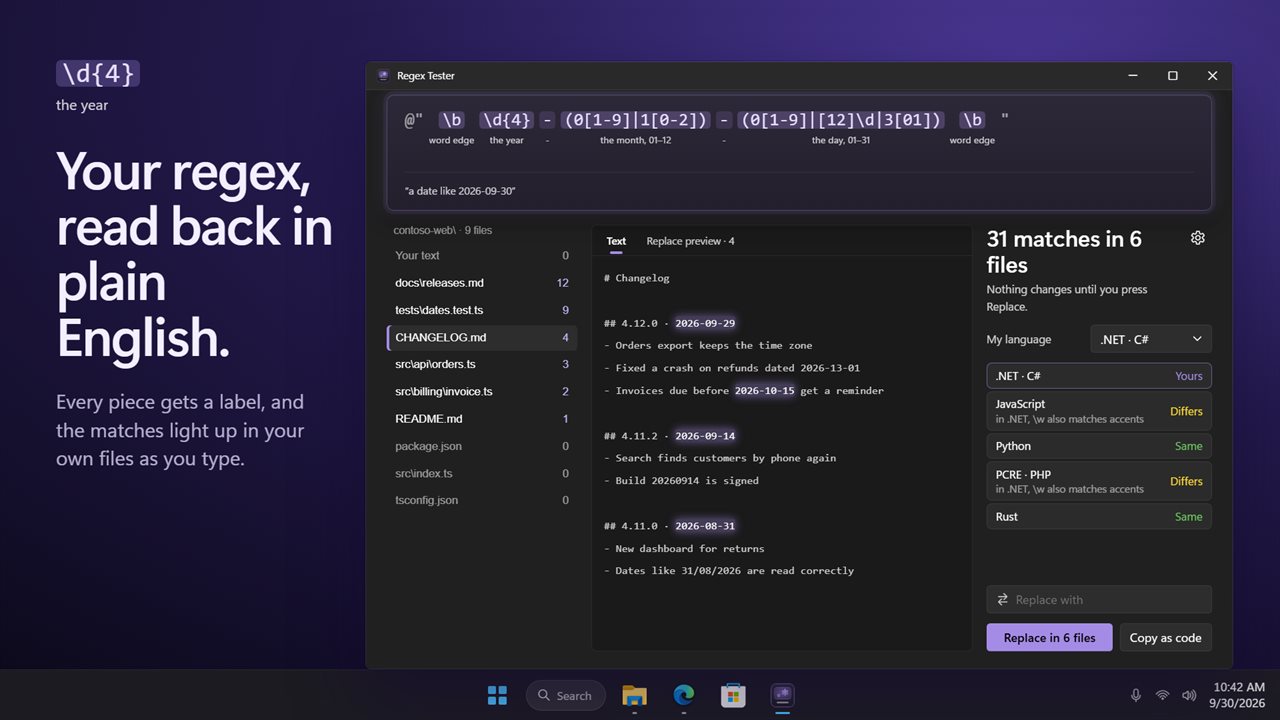
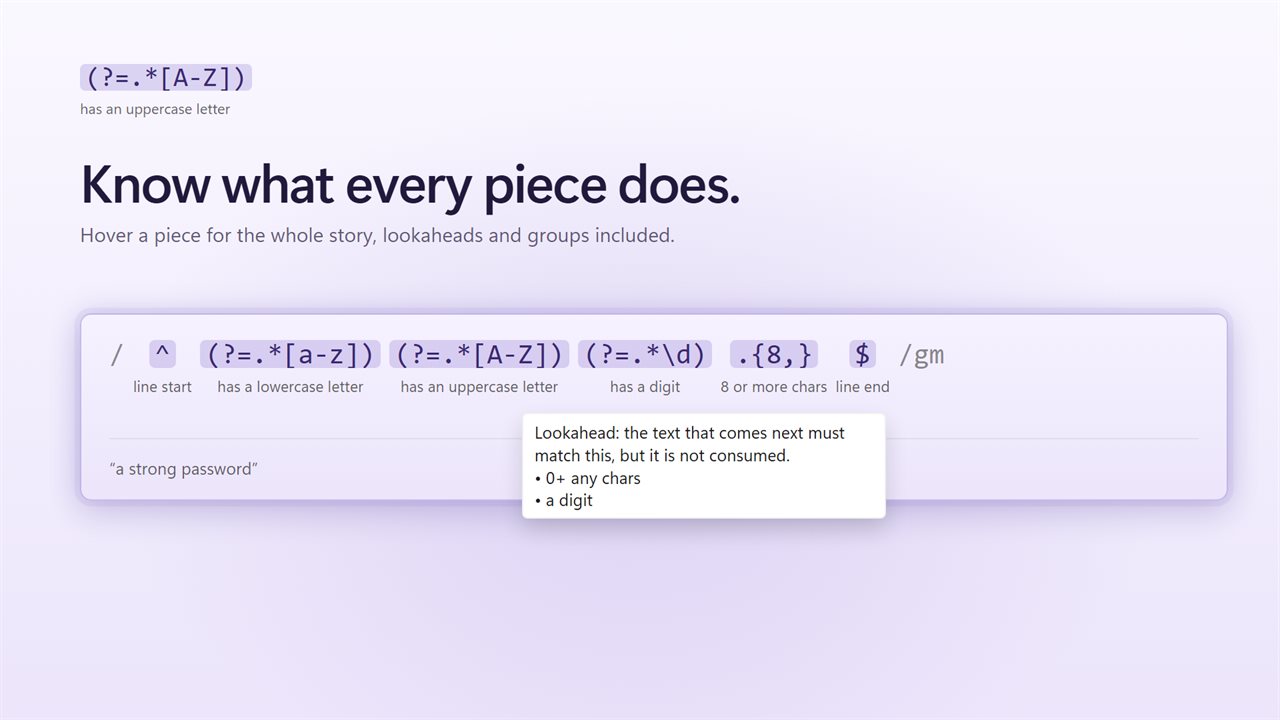
Most time spent in a regex tester goes on one question: why does this match that? Regex Tester answers it on the pattern itself. Each token gets a small caption underneath, such as "the year", "word edge" or "a domain like shop.co.uk", and hovering any piece opens a full description of what it matches, including groups, lookaheads and quantifiers.
Matches are highlighted in the sample as you type, and the work happens off the main window. If a pattern backtracks catastrophically, the run is cut off after about two and a half seconds and marked as too slow, so a stray (a+)+ never locks up the app.
Flags sit next to the pattern: i ignore case, m lines, s dot matches all, u Unicode and y sticky, with global matching always on.
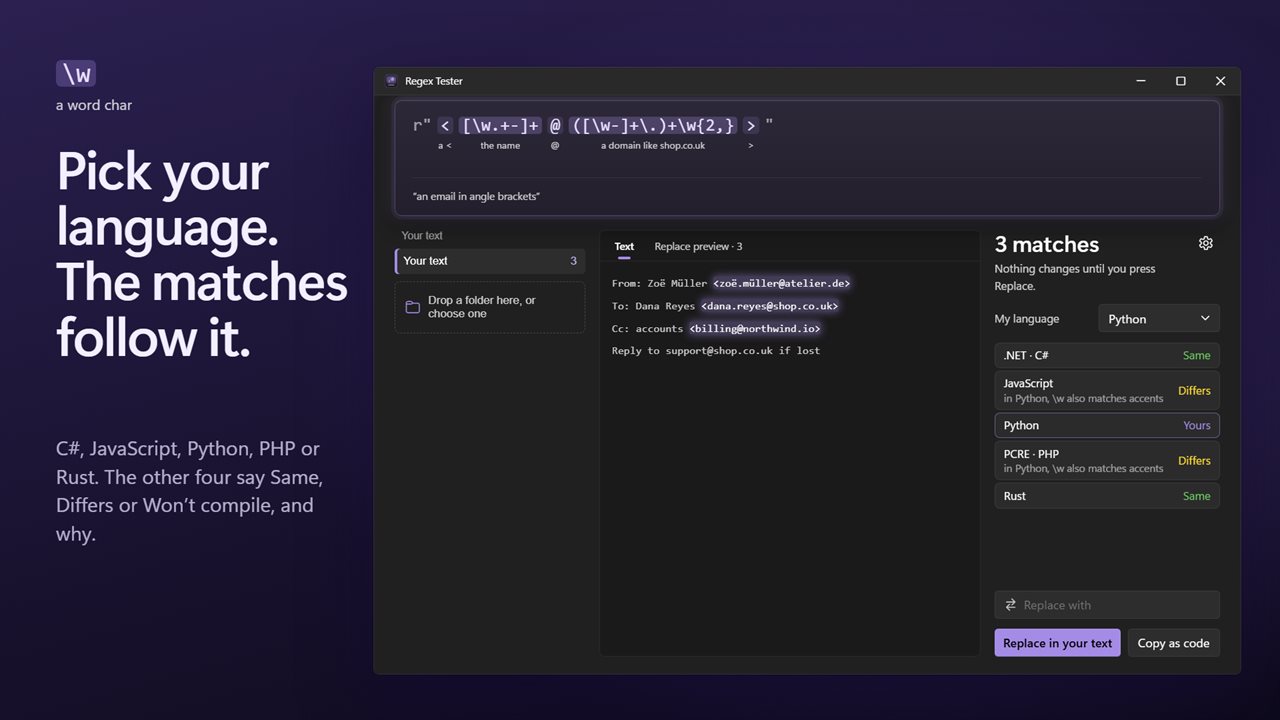
Test regex for C#, Python, JavaScript, PHP and Rust
A regular expression that works in a browser console can fail in .NET, and the reverse. Under My language choose .NET · C#, JavaScript, Python, PCRE · PHP or Rust. The pattern is rewritten in that language's syntax and the matches are adjusted to its rules. Two examples that catch people out: \w matches accented and non-Latin letters in C#, Python and Rust but not in JavaScript, and $ matches before a trailing newline in C#, Python and PHP.
Every other language is then given a verdict of Same, Differs or Won't compile, plus a short explanation. That makes it a quick check before you move a validation rule from a front end to a back end. Matching itself runs on the JavaScript engine, so constructs JavaScript lacks, like atomic groups or recursion, show as Won't compile.
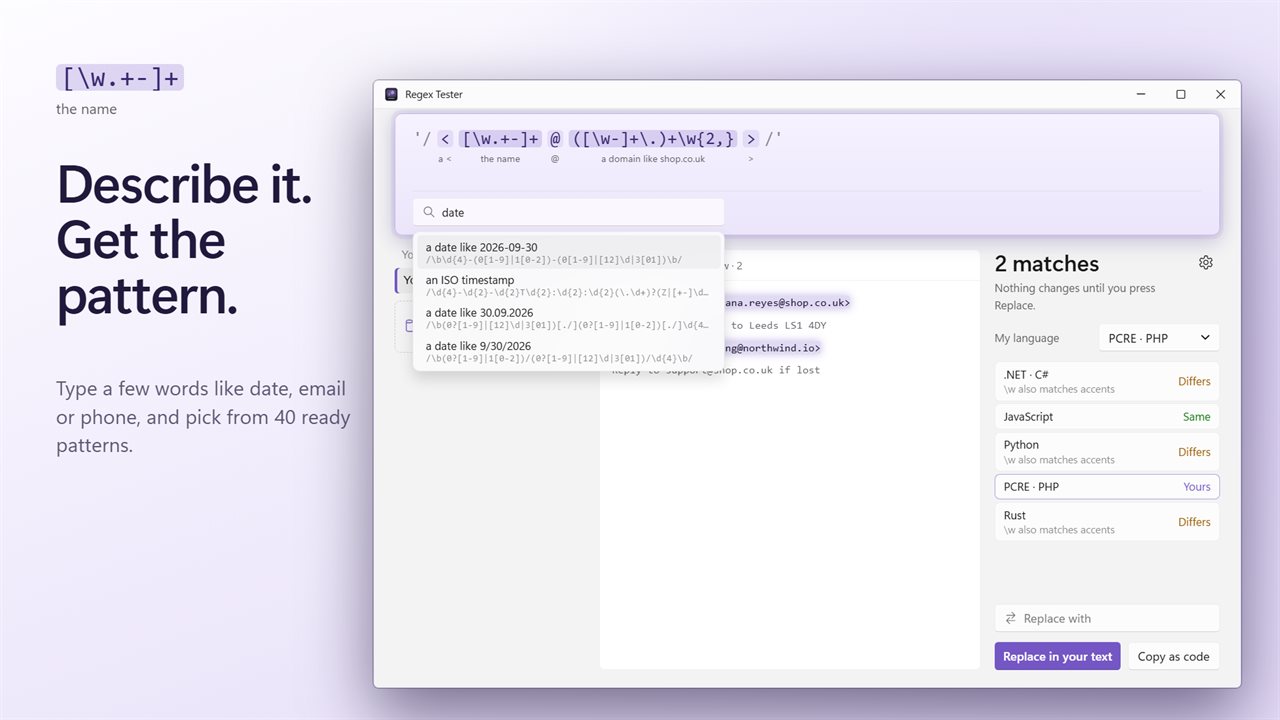
Build a regex from a description
Not sure where to start? Type into Describe it: email, date, GUID, phone… and a list of 40 ready-made patterns filters as you type. They cover the requests that come up again and again:
- Email and web addresses, domain names, IPv4, full IPv6 and MAC addresses
- Dates in ISO, US and European order, 24-hour and AM/PM times, ISO timestamps
- US and international phone numbers, UK postcodes, US ZIP codes
- Hex colors, GUIDs, version numbers, dollar amounts, percentages, hashtags and @mentions
- Windows file paths, image file names, HTML tags, TODO comments and log levels
- Clean-up jobs: blank lines, trailing spaces and accidentally repeated words
Find and replace with regex across multiple files
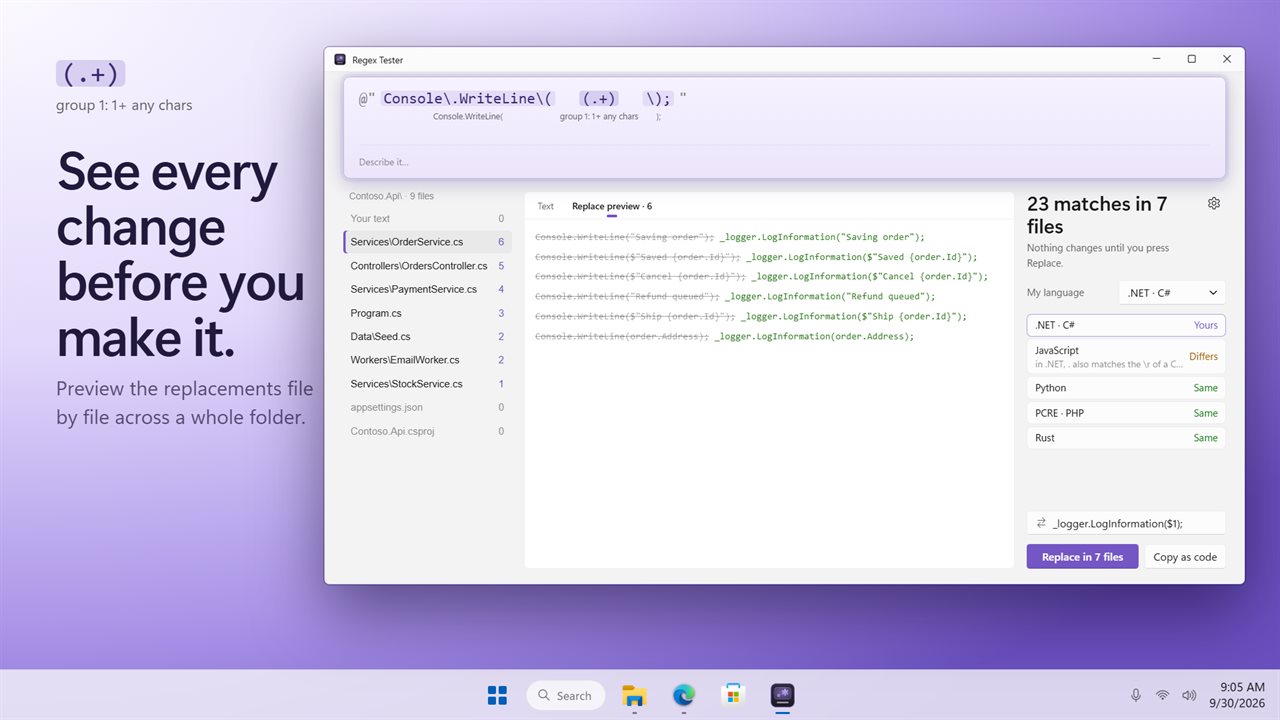
Drag a folder onto the app, or click Drop a folder here, or choose one, and the Files view lists every file with its match count, highlighting matches in whichever file you open. Binary files are ignored, so are files over the limit set in Skip files larger than (1, 4, 16 or 64 MB), and, with Skip build and source-control folders on, directories such as .git, node_modules, bin, obj, target and dist.
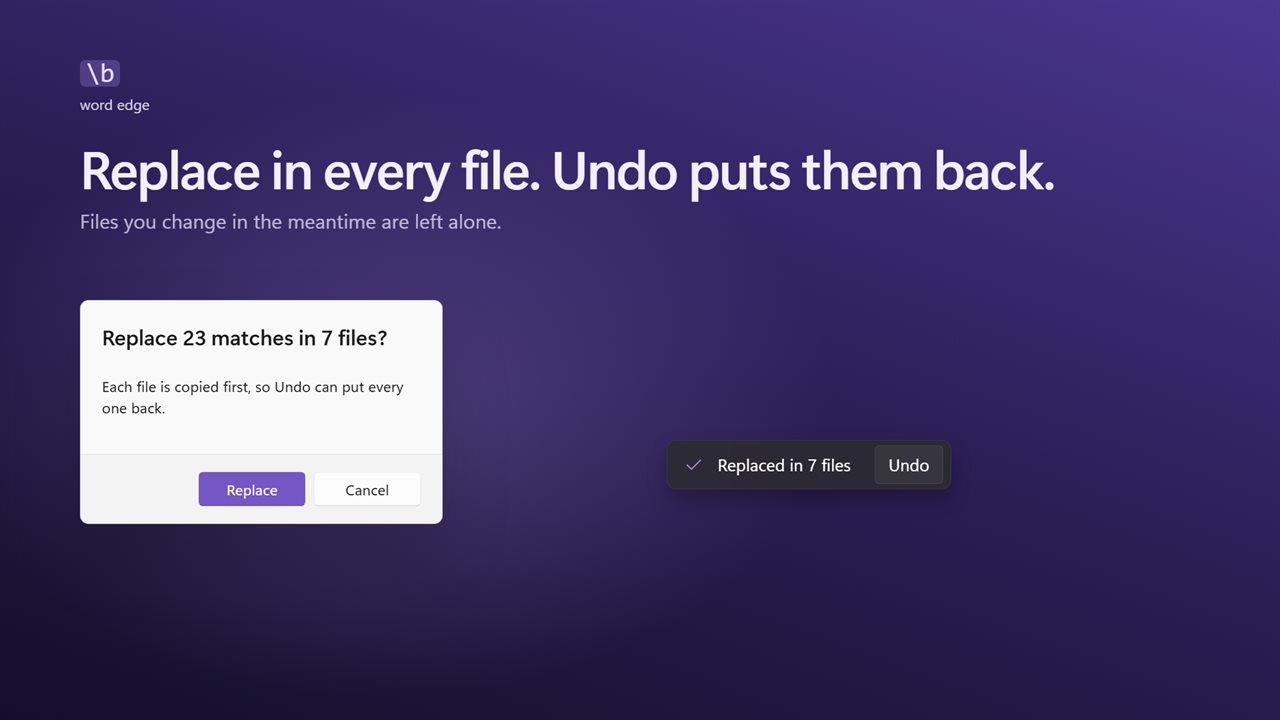
Enter text in Replace with and Replace preview lists each pending change, grouped by file, before a single byte is written. Replace then applies them all. Every file is backed up first, its original encoding is preserved, and a file that changed after the preview is left untouched. Undo puts back what the last replace changed.
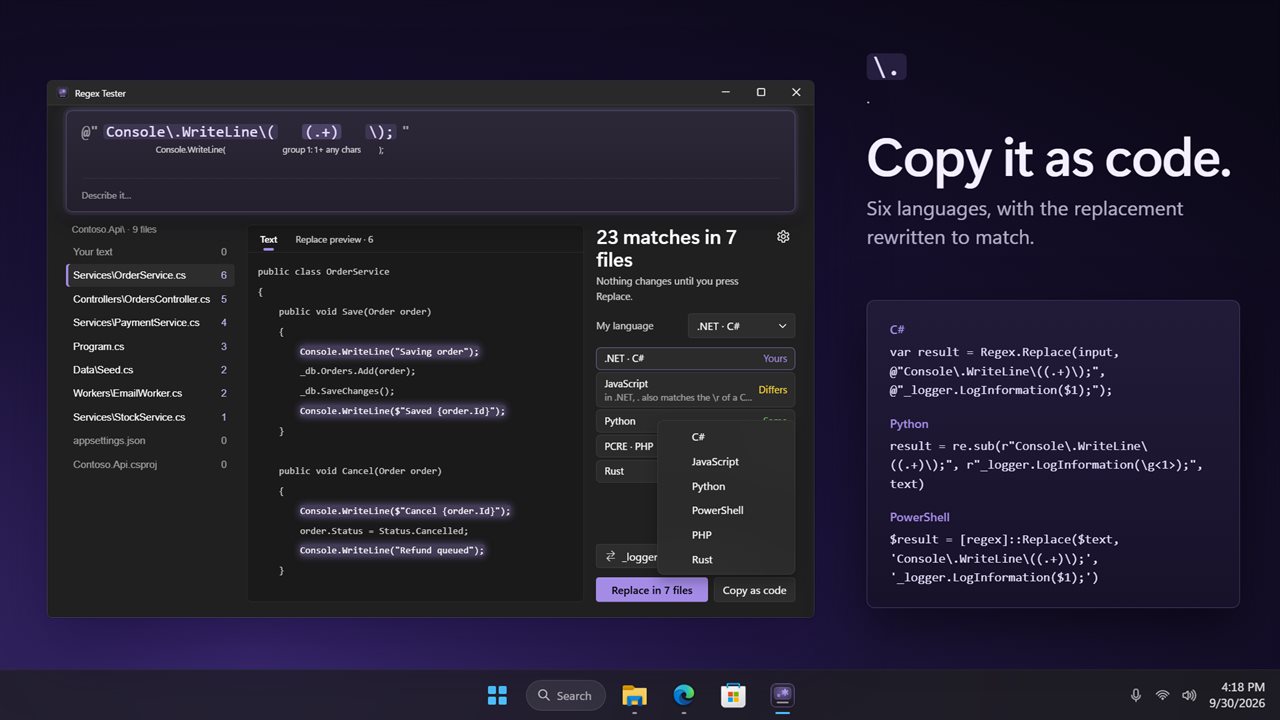
Copy the regex as code
When the pattern is right, Copy as code produces a ready-to-paste snippet for C#, JavaScript, Python, PowerShell, PHP or Rust. Escaping, flags and the replacement string are converted for the target, so a $1 back-reference arrives in the form that language expects.