EEvlarSoft

Strobe Guitar Tuner

Tune guitar, bass or ukulele on your PC with a strobe display that shows which way a string is off, how fast it is moving, and when it is dead on.

Buy for $1.99
One payment. No subscription.
14-day money-back guarantee.
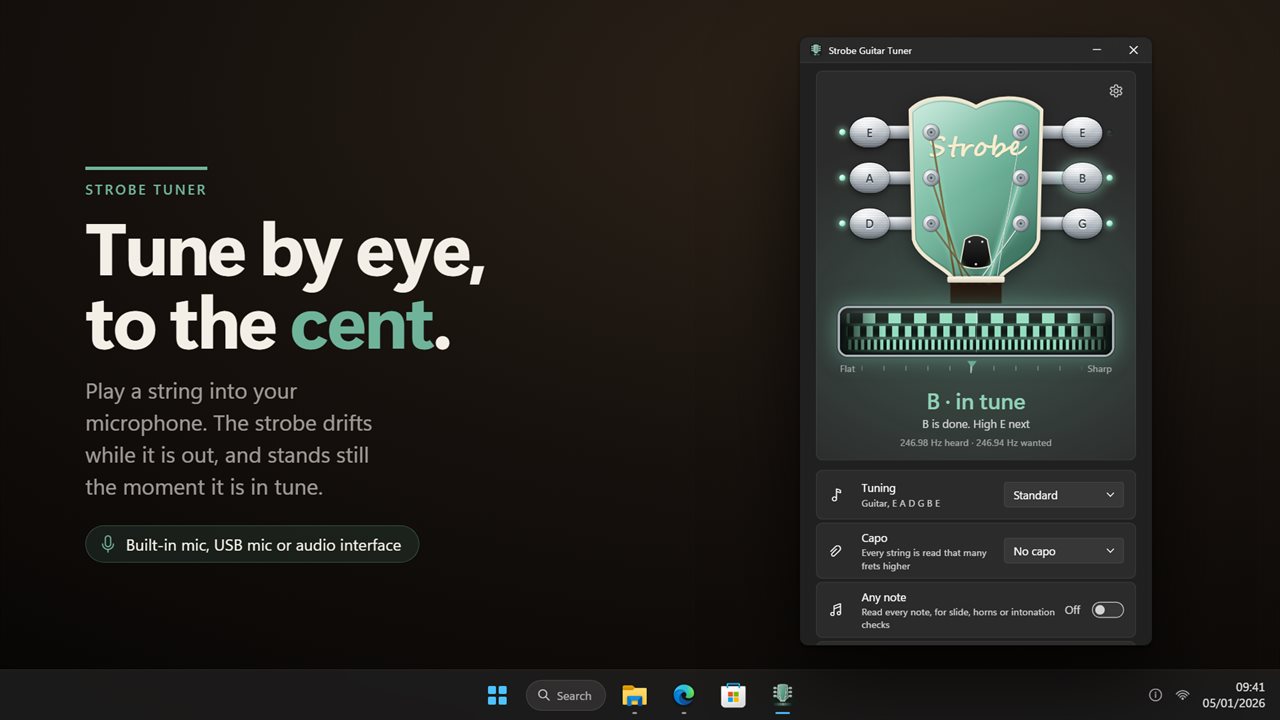
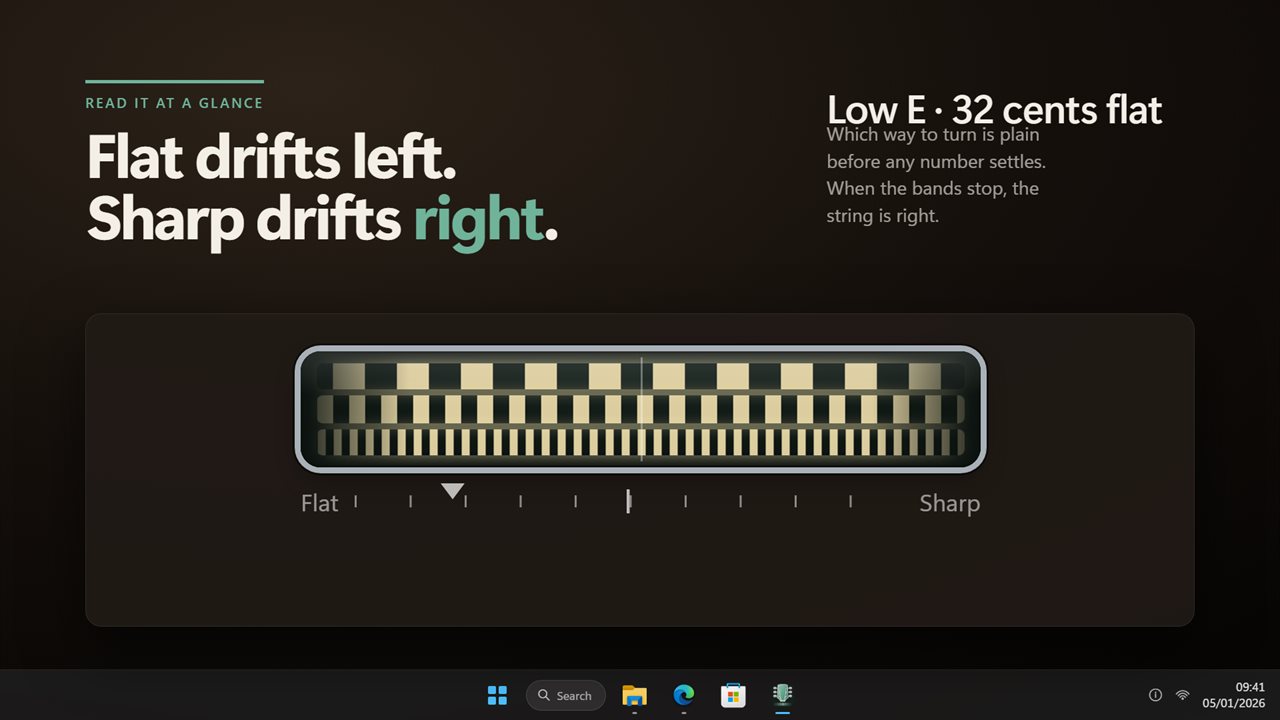
Play a string into your microphone. The strobe drifts while it is out and stands still when it is in tune.
Flat drifts left, sharp drifts right, so which way to turn is plain at a glance.
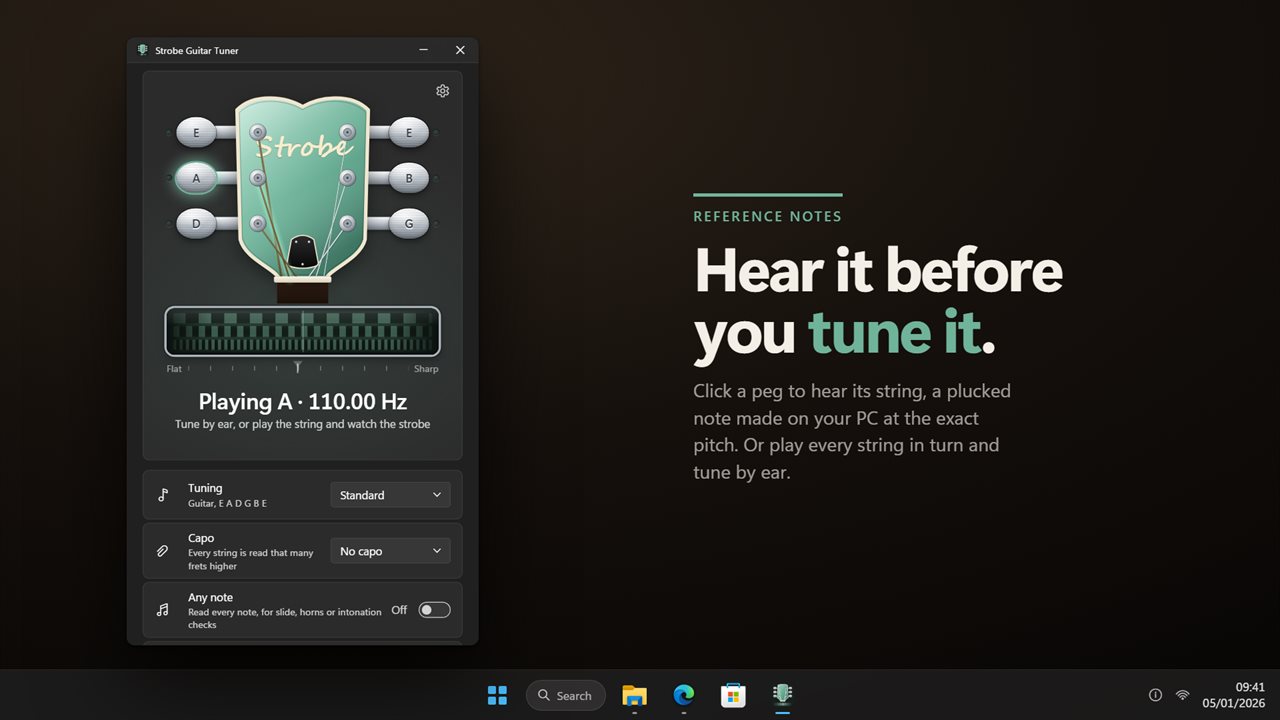
Click a peg to hear its string, a plucked note made at the exact pitch.
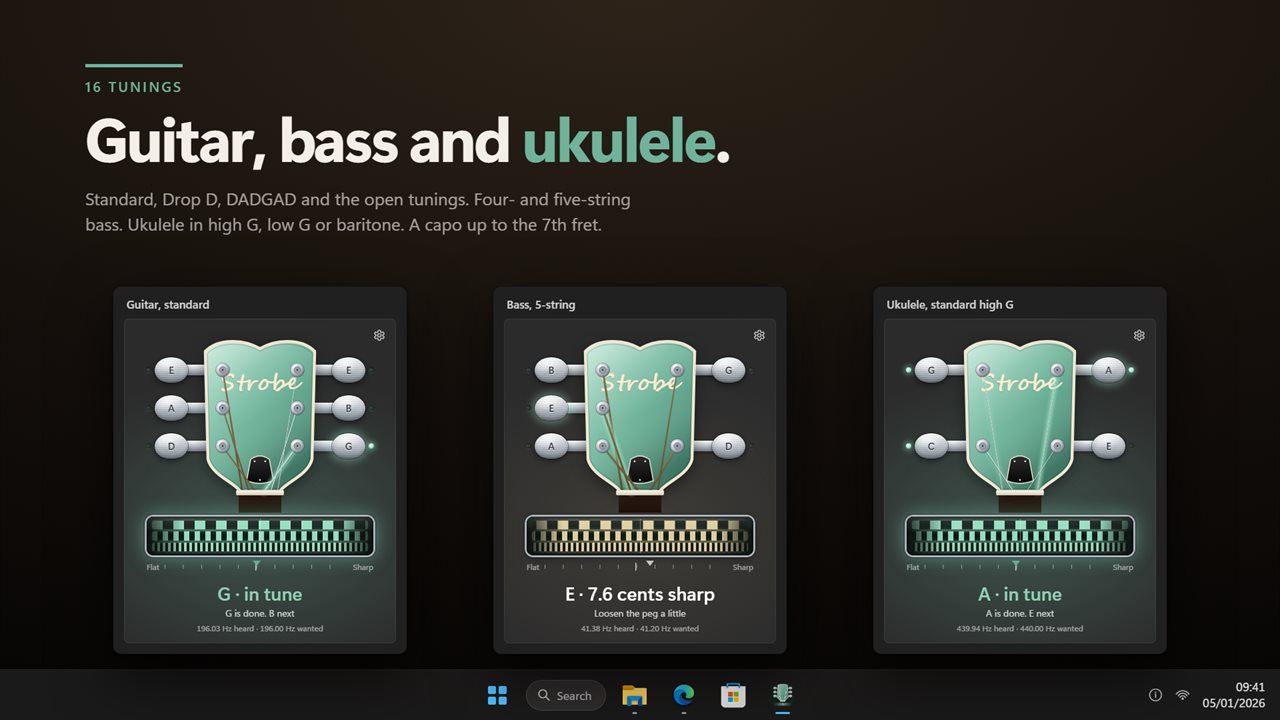
Guitar, bass and ukulele in 16 tunings, with a capo up to the 7th fret.
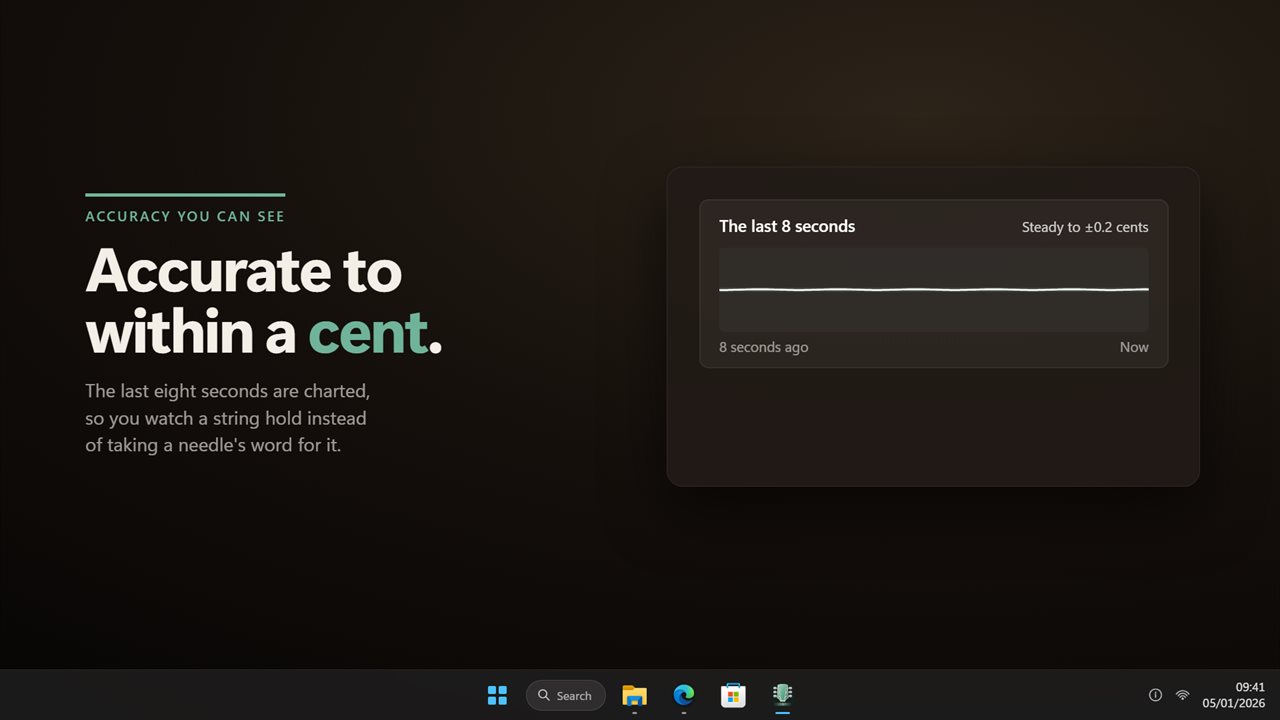
Accurate to within a cent, with the last eight seconds charted so you can see a string hold.

Play a string into your microphone. The strobe drifts while it is out and stands still when it is in tune.

190,000+downloads of EvlarSoft apps
Signed by EvlarSoftVerified US publisher
14-day money-backNo questions asked
Updates includedNo upgrade fees

Why tune with a strobe tuner instead of a needle

A needle tuner shows a single position that jitters while the note rings, so close to the target it is hard to tell whether you are a hair flat or simply watching noise. A strobe tuner shows motion instead. Its bands slide one way when the string is flat and the opposite way when it runs sharp, and the speed of the slide tells you how far off you are. When the pattern freezes, the string is in tune.

Strobe Guitar Tuner brings that display to the PC. Play an open string into a microphone or audio interface and the app works out which string it is, then writes a plain headline such as Low E · 18 cents flat, with advice underneath: Tighten the peg slowly, Loosen the peg a little, or Hold it there. A second line shows the frequency it heard against the frequency it wanted, to two decimal places.

Above the strobe sits a drawn headstock with the right number of pegs for the instrument you picked. A peg's lamp lights once its string stays on pitch, and when every string is there the headline reads, for example, All six strings in tune.

How to tune a guitar on your PC

You need a microphone for an acoustic, or an audio interface for an electric or bass. Then:

  • Choose your input under Microphone. Windows default is preselected, and the Input level meter confirms the signal is arriving.
  • Pick a Tuning, and a Capo position if you use one.
  • Pluck a string and let it ring. Watch the strobe: bands sliding left mean the string is flat, so tighten; sliding right means sharp, so loosen.
  • To focus on one string, click its peg. The app plays that string's reference note and tunes only that string until you click it again, or press A to release it.
  • Glance at The last 8 seconds chart. Steady to ±0.5 cents means the string has settled; Wandering means it is still stretching or the peg is slipping.

Drop D, open G, DADGAD and other alternate tunings

Guitarists get ten presets: Standard; Half step down and Whole step down for detuned rock and blues; the dropped Drop D and Drop C; DADGAD for Celtic and fingerstyle playing; and the four open chords, G, D, E and C, for slide. Bass players get 4-string, 4-string drop D and 5-string, and ukulele players get standard high G, Low G and Baritone. The Tuning row lists the target notes for whichever you choose, so you can see at a glance that Drop D drops only the low string.

Capo moves every target up from the 1st to the 7th fret, for players who retune with a capo on. For anything outside the list, Any note reads every pitch rather than six open strings.

Checking guitar intonation and tuning by ear

Intonation is whether a fretted note is in tune once the open string is. With Any note on, play the open string, then the same string at the 12th fret: if the 12th fret reads sharp, the saddle needs to move back; if flat, forward. Set Counts as in tune within to 1 cent for studio work, or 5 cents for a noisy rehearsal room.

If you would rather use your ears, Hear every string plays each open string in turn, lowest first. Under Sound choose Plucked string, the easiest to match, or Pure tone, which has no overtones to confuse you. The tuner pauses listening while it plays, so it never chases its own speaker.

Features

  • Strobe display with flat, sharp and in-tune motion
  • Automatic string detection, or click a peg to lock one string
  • A headstock drawn for guitar, bass or ukulele, with lamps on tuned pegs
  • 16 tunings across guitar, bass and ukulele
  • Capo from the 1st to the 7th fret, and an Any note mode
  • Plucked string or pure tone reference notes
  • Eight-second stability chart
  • Concert pitch, tolerance, sensitivity and sharps or flats settings
  • Left-handed headstock and Always on top
  • Number keys to pick a string, P to play it

Questions

Anything else? Ask us

Which tunings does it include?

16 in all. Ten for guitar (standard, half step down, whole step down, Drop D, Drop C, DADGAD, open G, open D, open E and open C), three for bass (4-string, 4-string drop D and 5-string) and three for ukulele (standard high G, low G and baritone). You cannot enter a custom tuning, but Any-note mode reads whatever note you play.

Can I tune to A=432 Hz or another concert pitch?

Yes. Concert pitch can be set anywhere from 430 to 450 Hz in 1 Hz steps, and every string target and reference note follows it.

Can I plug an electric guitar or bass in through an audio interface?

Yes. You can pick any recording device Windows lists, including an audio interface, and the app shows its live input level. A built-in or USB microphone works the same way for an acoustic instrument.

Does it work with a capo?

Yes. Set the capo from the 1st to the 7th fret and every string target moves up to match.

Can it tune instruments other than guitar, bass and ukulele?

Yes, in Any-note mode. It then reads every note rather than a set of open strings, which also suits slide playing and checking intonation up the neck.

Will it pick up its own reference note from the speakers?

No. While a reference note is playing the tuner stops reading the microphone, and starts again a moment after the note ends. You can choose a plucked string or a pure tone for the reference.

What is a strobe tuner?

A tuner that shows pitch as a moving pattern rather than a needle. The pattern drifts one way when a note is flat and the other way when it is sharp, faster the further off it is, and stops when the note is in tune.

Why does the tuner say Listening is paused?

It stops reading the microphone when its window is not on screen and starts again when you bring it back. If Windows is blocking microphone access, the app says so and offers a button to Open privacy settings.

Which versions of Windows does it run on?

Windows 10 (version 1809 or later) and Windows 11.

Is it a subscription?

No. Strobe Guitar Tuner is a one-time purchase of $1.99, and updates are included.

How do I get it?

Buy it on this page and your license key arrives by email. If the button says Notify me, Strobe Guitar Tuner is not on sale here yet; leave your email and we will tell you when it is.