EEvlarSoft

Evlar Mastering Studio

Master a finished mix on your PC: pick a loudness target in LUFS, shape the tone for your genre, check it will survive streaming, and export.

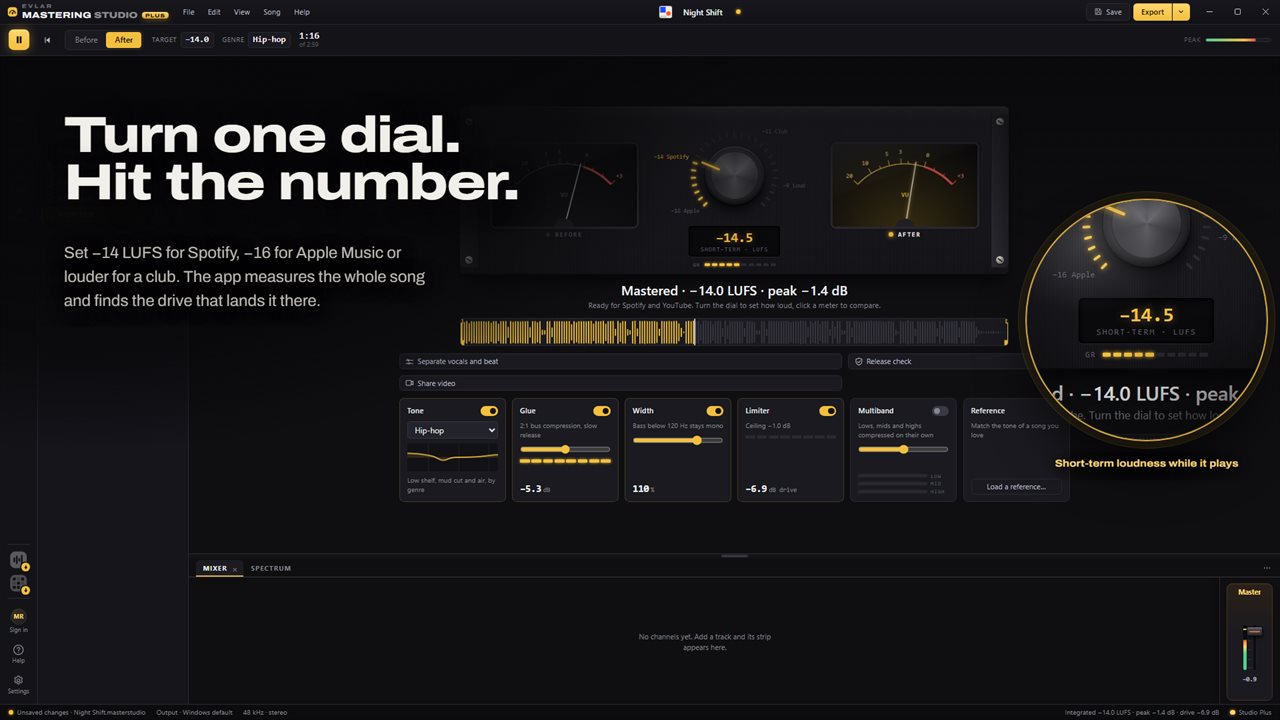
One dial sets the loudness; the whole song is measured to hit it.
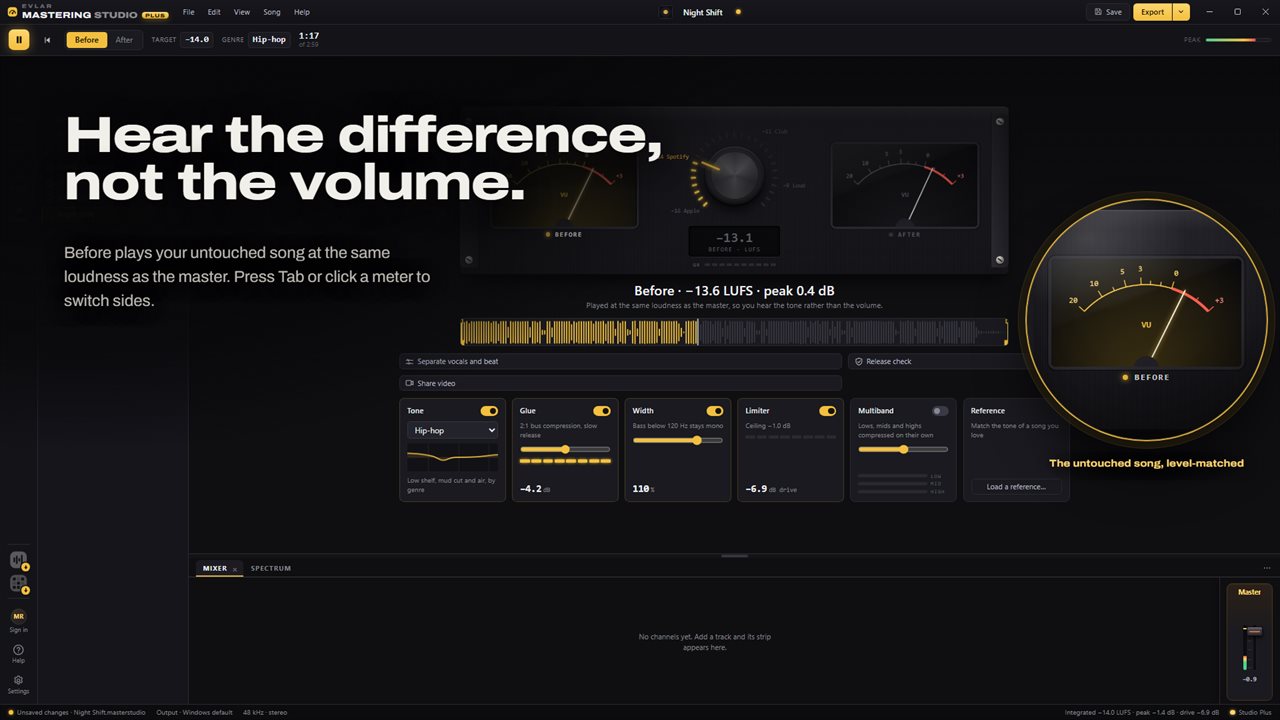
Before and after at the same loudness, so you hear the tone, not the volume.
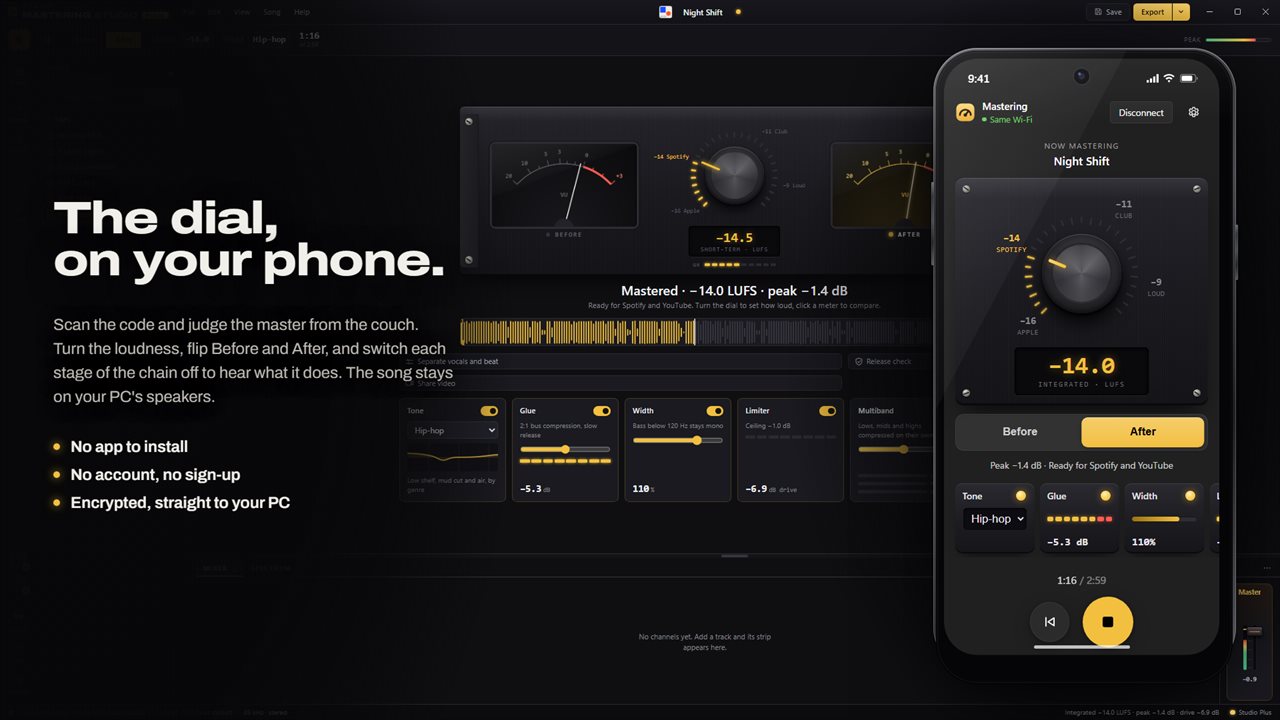
The loudness dial, Before and After and the chain on your phone, while you listen from across the room. No app to install, no account.
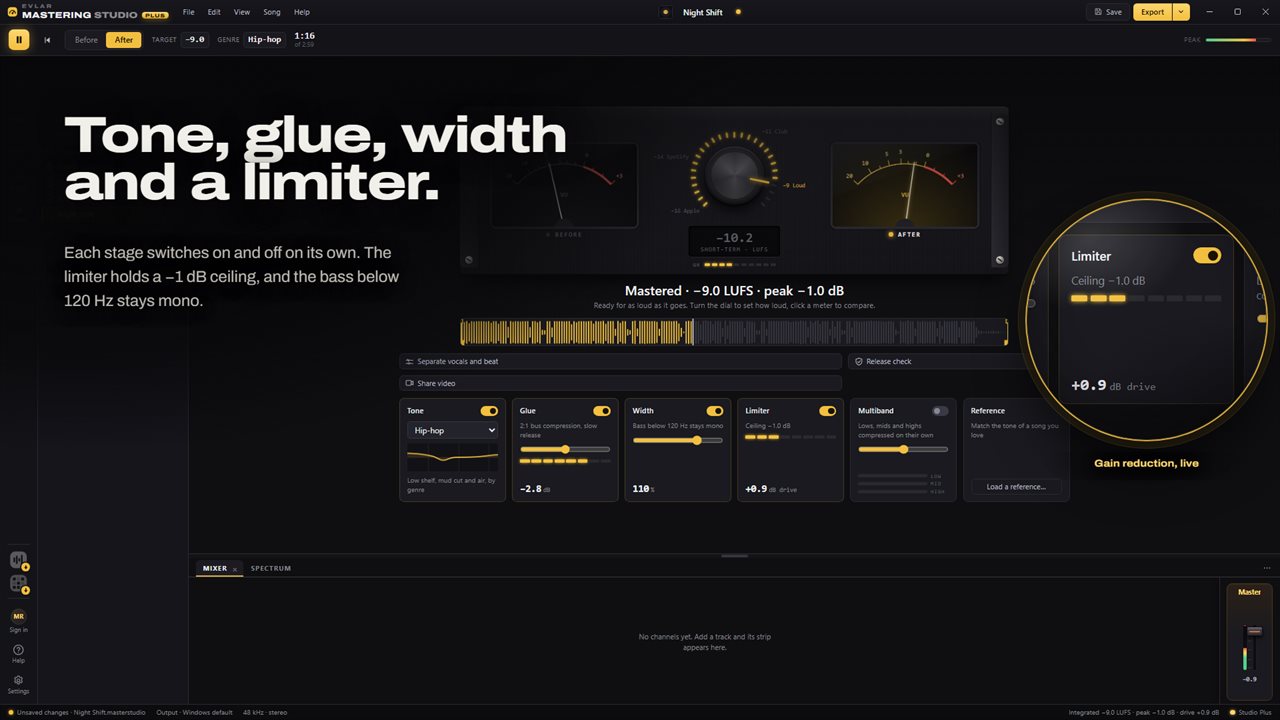
Tone, glue, width and a limiter, each switched on its own.
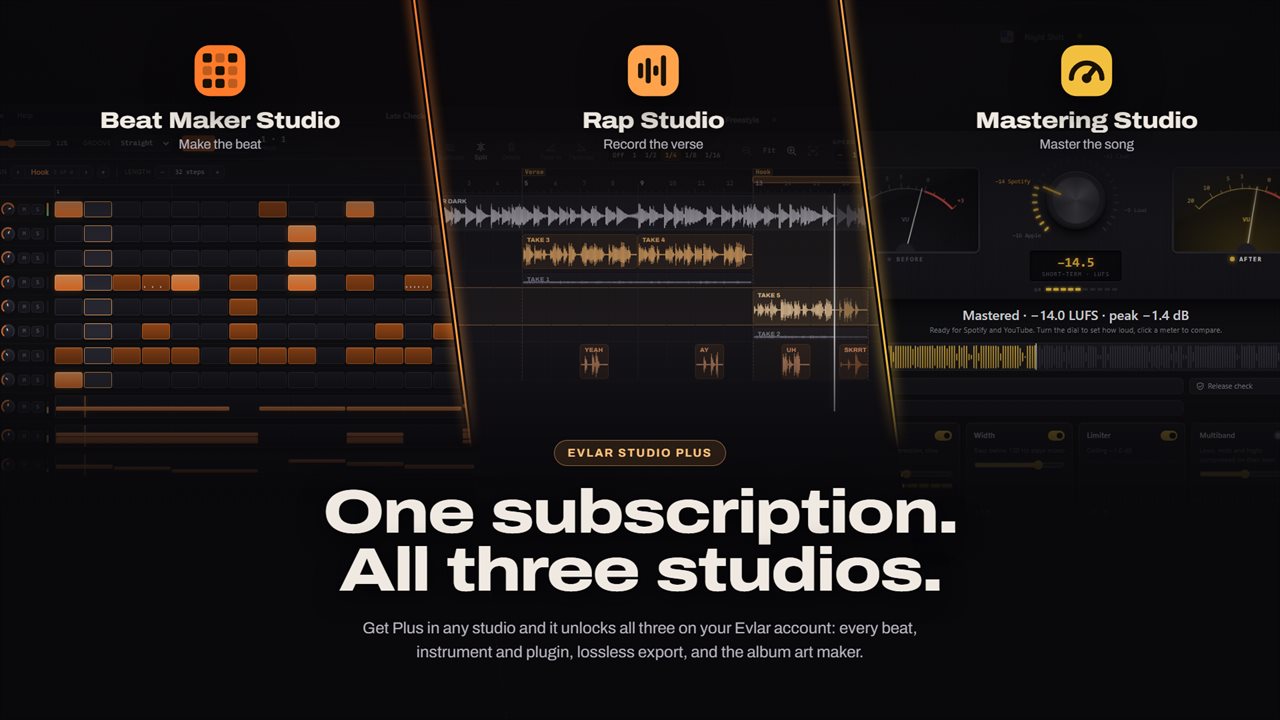
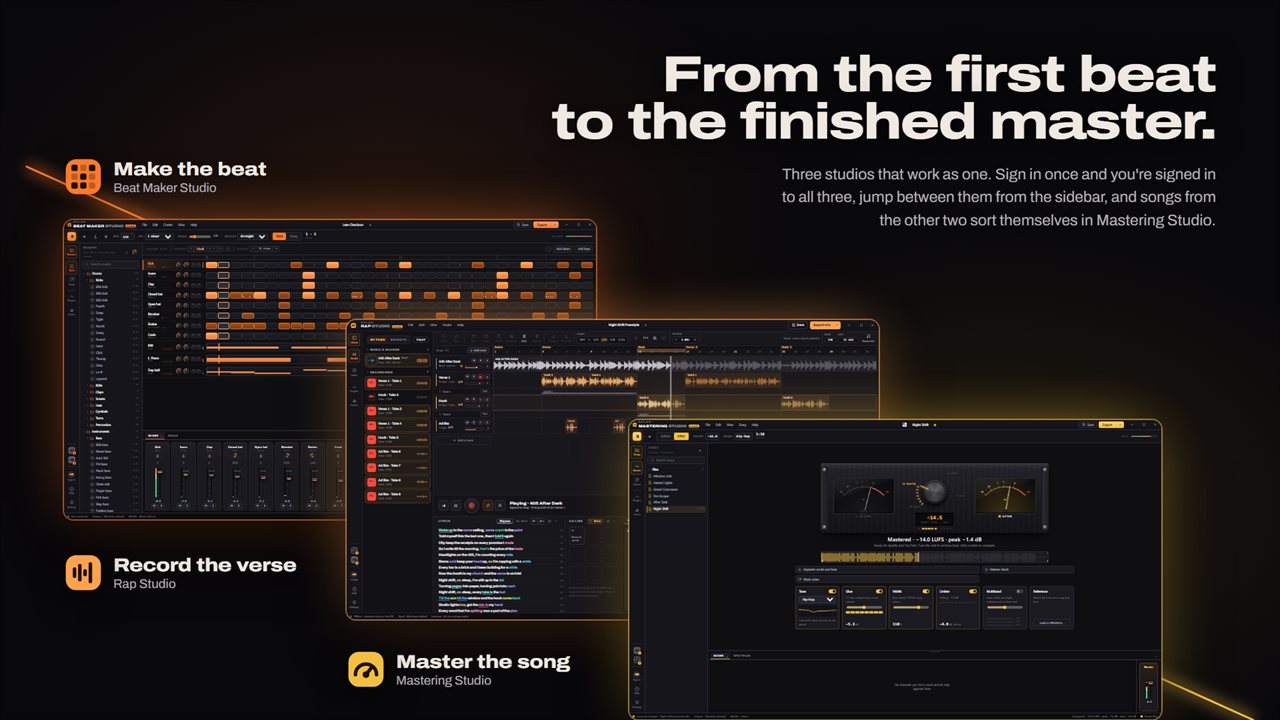
One Evlar Studio Plus subscription unlocks Mastering, Rap Studio and Beat Maker.
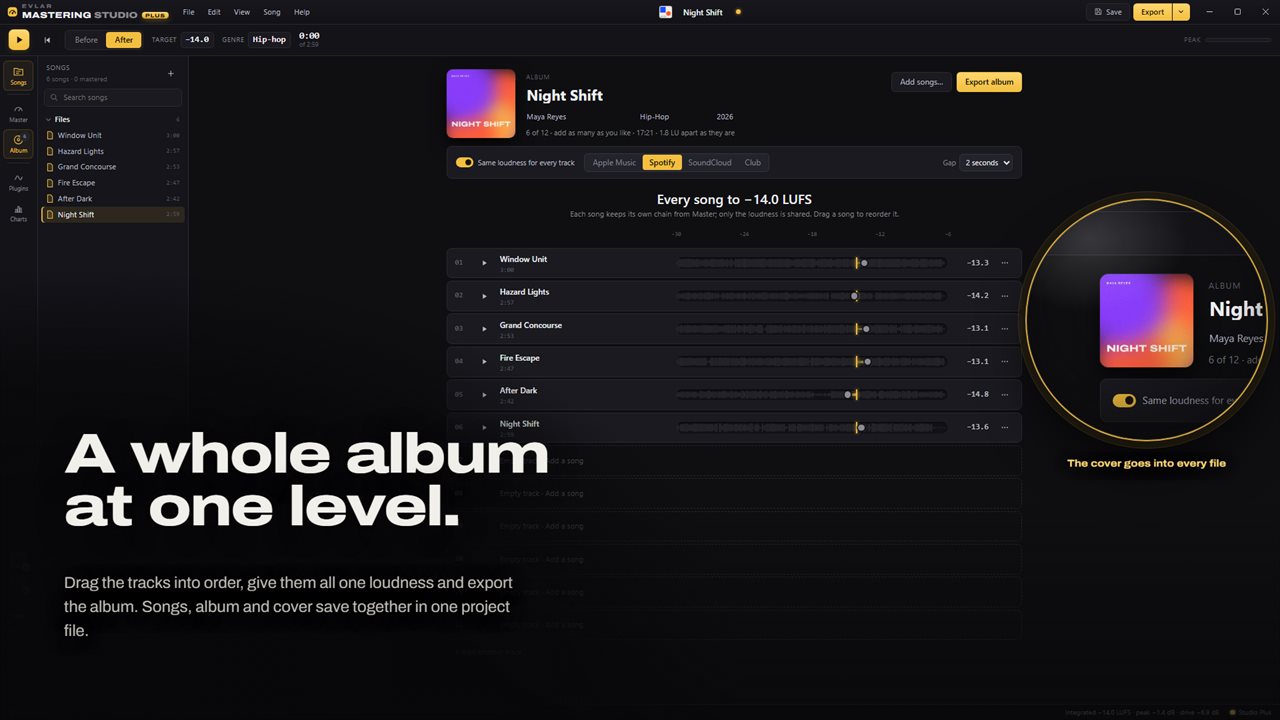
Order the tracks, master the album to one loudness and save it all in one project.
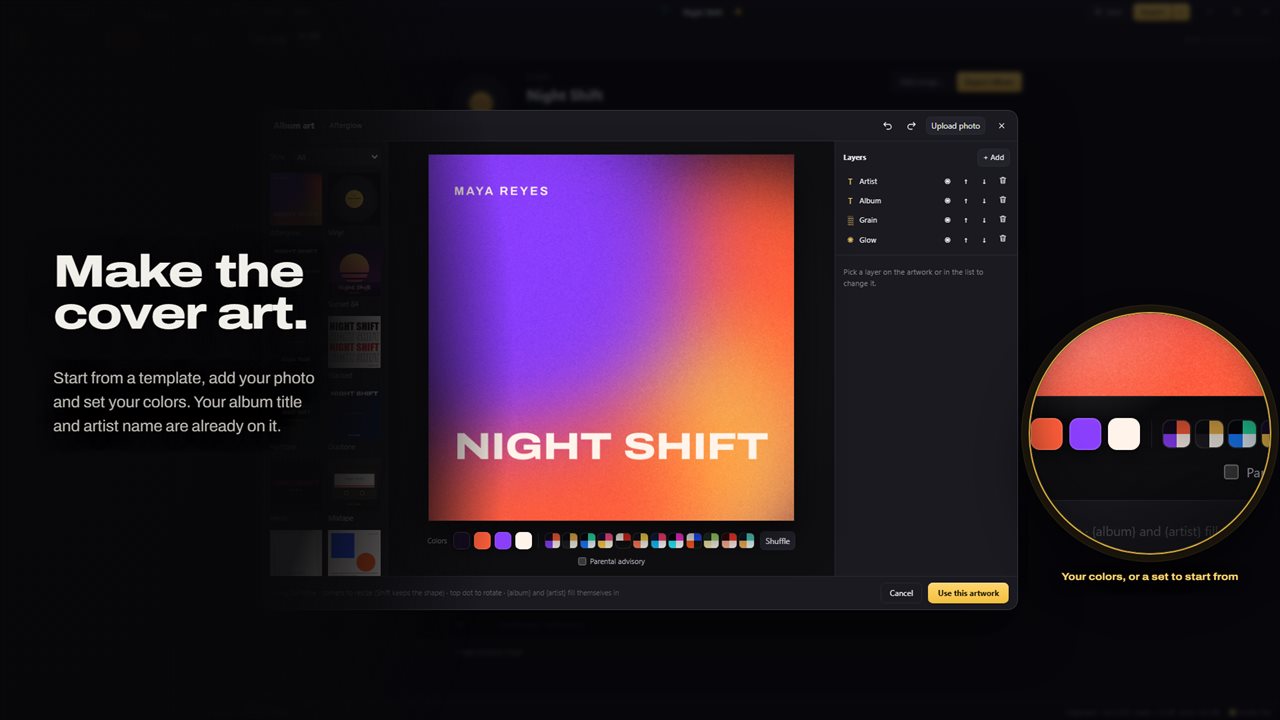
Design album art from a template, your photo and your colors.
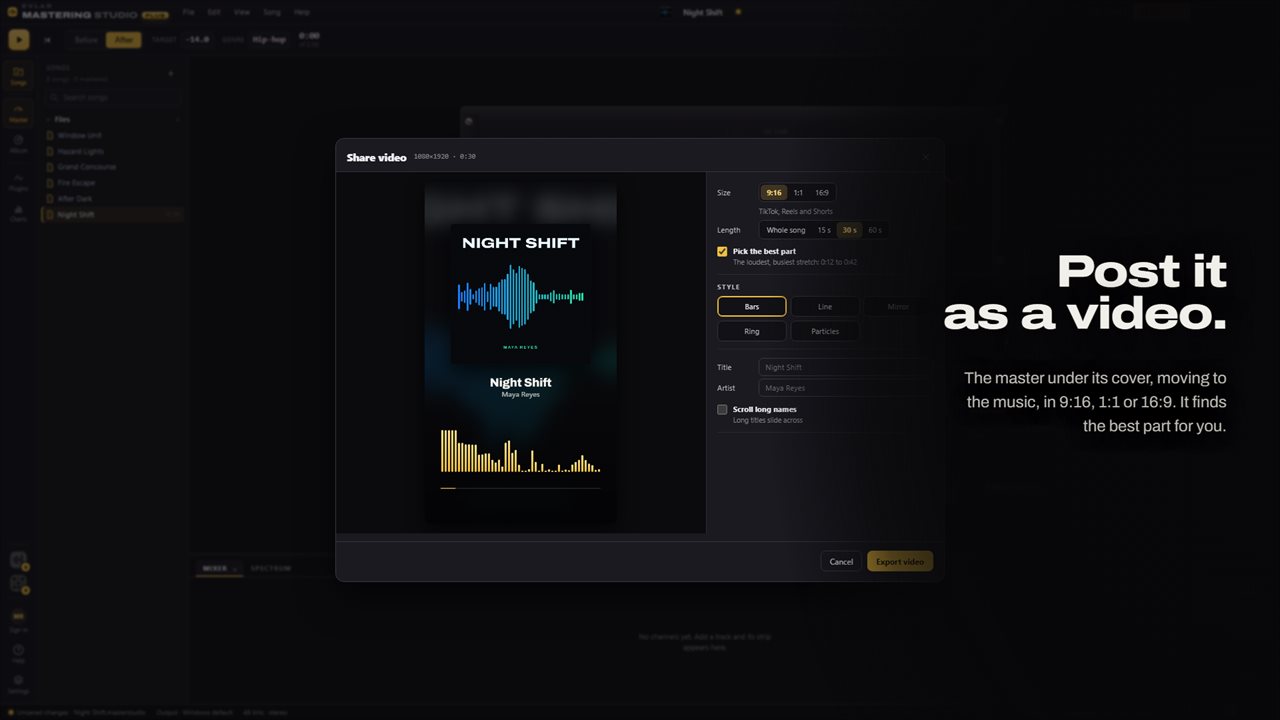
Post the master as a video in 9:16, 1:1 or 16:9, from its best part.
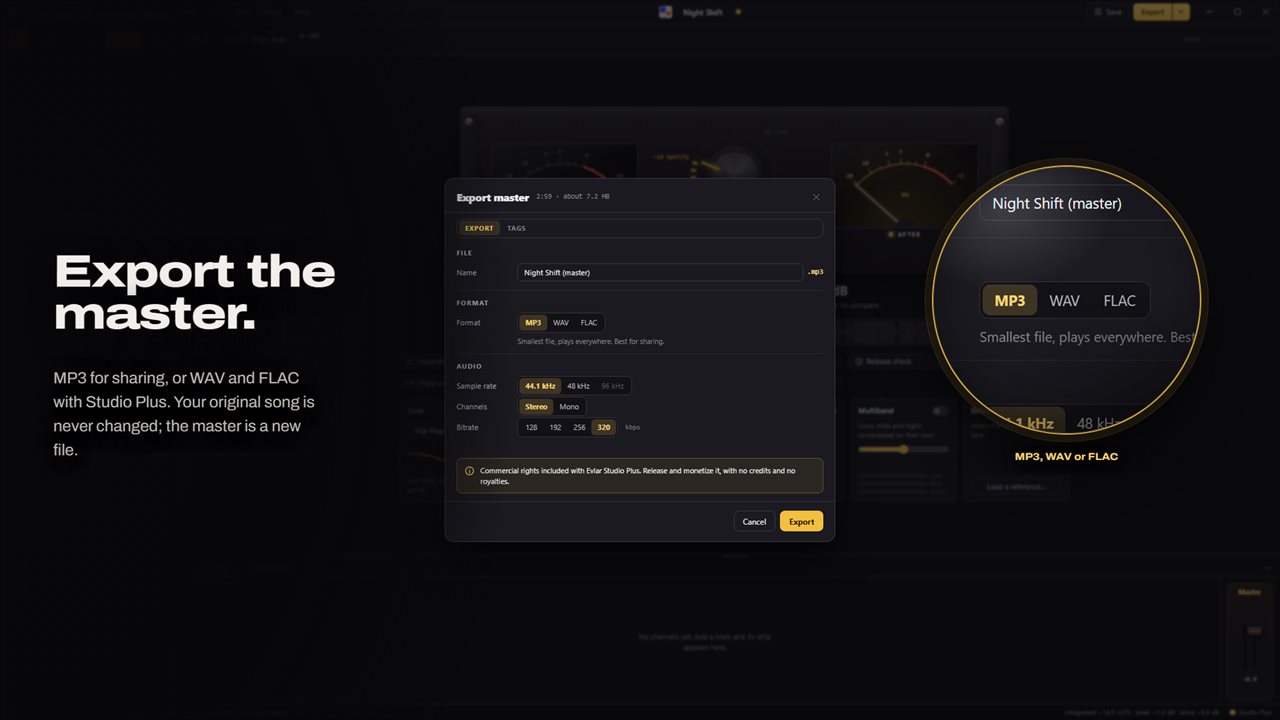
Export the master as MP3, WAV or FLAC.
From the first beat to the finished master: one sign-in across all three studios.

One dial sets the loudness; the whole song is measured to hit it.

190,000+downloads of EvlarSoft apps
Signed by EvlarSoftVerified US publisher
Free, no stringsNo timer, no sign-up
Kept up to dateEvery version, free

Audio mastering software that starts from a loudness number

Most audio mastering software hands you a rack of processors and leaves the hard question unanswered: how loud should this be? Evlar Mastering Studio starts from that question. A single dial sets the integrated loudness you want, between −16 LUFS at the quiet end and −8 at the loud end. The full track is analyzed to ITU-R BS.1770, then the app calculates how hard to drive the chain to land on it.

Around the dial sits a short, opinionated chain of four stages (tone curve, glue compressor, stereo width, limiter), each with one job and its own on/off switch. Whatever you change in the chain, the loudness target holds, so you are always comparing tone at the level you will release at.

The app reads your audio and never writes over it. Masters are new files, and the project keeps its own copy of each song, so it opens on another PC even if the originals have moved.

How to master a song in five steps

Bring a mix that already sounds the way you want; mastering finishes a mix, it does not rescue one.

  • Choose Add songs… from the File menu or drop the file on the window. Common lossless and lossy formats open, including WAV, FLAC and MP3.
  • Turn the dial to your target. Double-click resets it to −14; the arrow keys move half a step and Page Up or Page Down move two.
  • Pick the Tone curve for your genre: hip-hop, trap, drill, R&B, pop, lo-fi and more, or flat.
  • Press Tab, or click the Before or After meter, to switch between the untouched mix and the master at matched loudness.
  • Press Ctrl+E. The song is rendered in full, checked against the target and saved.

LUFS meter, true peak and the release check

The loudness plate is a LUFS meter: during playback it follows the current loudness, and once you stop it shows the integrated figure for the entire track. Two VU meters sit beside it, and small lights show when the glue and limiter are pulling the level down.

Before a master goes out, run the release check. It renders the song exactly as the export will and grades it on six points: hitting your loudness target, true-peak headroom, any clipped samples, the highest sample value, how the mix folds to mono, and whether an MP3 encode overshoots. Every point gets a pass, a warning or a fail, along with the one change that fixes it.

Loudness for streaming, and why the comparison is level-matched

Streaming platforms normalize playback, so a master pushed far past their reference is simply turned down, and loses punch for nothing. The presets on the dial cover the usual targets: −16 LUFS at the quiet end, −14 for the most common streaming reference, −11 for club play and −9 when you want it loud. The limiter's −1 dB ceiling leaves room for the lossy encoders those services use.

Level matching matters for the same reason. Ears mistake louder for better, and that bias is how masters get crushed. Here the untouched mix is turned up or down to match the master before you hear it, so flipping between the two reveals what Tone, Glue and Width did to the sound and nothing else.

Album mastering, artwork and a video for social posts

The Album page sequences a whole release. Add songs, reorder them by right-clicking or with Alt+Up and Alt+Down, and either master every track to one shared loudness or let each keep its own. Export album writes every song numbered and tagged into a folder you pick. The cover designer starts from a template or a photo of yours and writes the finished artwork into each file. For promotion, the app can also render an MP4 that plays the master over its artwork with a moving visualizer, framed 9:16, 1:1 or 16:9.

What it includes

  • A loudness dial from −16 to −8 LUFS measured to ITU-R BS.1770
  • Target presets for quiet, streaming, club and loud releases
  • Live and whole-song LUFS readout with VU meters
  • Loudness-matched Before and After switching on Tab
  • Genre tone curves, 2:1 glue compression, mono-below-120 Hz width and a −1 dB limiter
  • Six-point release check with one fix per result
  • Trim and fade the start and end of each song
  • Album sequencing with shared or per-song loudness
  • Cover art designer and MP4 share video
  • Use your phone as a remote for the loudness target, the A/B switch and the chain

Who it is for

Independent artists releasing singles

Get a master onto streaming at a sensible level without guessing, and catch a clipped peak before a distributor does.

Producers finishing beat tapes

Sequence a whole tape on the Album page, give every beat the same loudness, and export it numbered with the cover embedded.

Rappers working across the Evlar studios

A mix sent from Evlar Rap Studio or Evlar Beat Maker Studio lands in its own folder here and updates when you save it again there.

Questions

Anything else? Ask us

What loudness can it master a song to?

Anywhere from −16 to −8 LUFS, with presets at −16 (Apple), −14 (Spotify), −11 (Club) and −9 (Loud), and −14 as the starting point. The song is measured to the ITU-R BS.1770 standard that streaming services use, and the limiter keeps peaks under a −1 dB ceiling.

Does mastering change my original audio file?

No. It opens WAV, MP3, FLAC, OGG, M4A and AAC files and writes the master as a new file. The original is left as it was.

Which formats can I export the master in?

MP3 is included. WAV and FLAC export need Evlar Studio Plus. An album exports as numbered, tagged tracks, and a share video exports as an MP4 in 9:16, 1:1 or 16:9.

What does the release check test?

It renders the master as it will be exported and checks loudness against your target, true peak, clipping, sample peak, how it holds up in mono, and whether an MP3 encode pushes the peaks over 0 dB. Each result is a pass, a warning or a fail, with one fix.

Is my song uploaded to split the vocals from the beat?

No. Vocal separation, a Studio Plus feature, runs on your PC with a model that is installed with the app. It is best effort, so some of the beat can bleed into the vocals and back.

Does the song play on my phone when I use it as a remote?

No. The song plays on your PC's speakers, and the phone is a remote for the loudness dial, Before and After, play and stop, and the chain. You connect by scanning a code with your phone's camera, with no app to install, and one phone can connect at a time.

What is LUFS?

LUFS, Loudness Units relative to Full Scale, measures how loud audio sounds to a listener rather than how high its peaks go. Streaming services use it to normalize playback, which is why the dial is set in LUFS.

Can I switch parts of the chain off?

Yes. Tone, Glue, Width and the Limiter each have their own switch, and Reset the chain in the Edit menu returns everything to the starting settings.

What keys control playback?

Space plays and stops, Home returns to the start, the left and right arrows jump five seconds, Tab toggles Before and After, B shows Songs, Ctrl+S saves the project and Ctrl+E exports.

Which versions of Windows does it run on?

Windows 10 (version 1809 or later) and Windows 11.

Is it free?

Yes. Evlar Mastering Studio is free to download.

How do I get it?

Download it from this page. If the button says Notify me, Evlar Mastering Studio is not ready to download here yet; leave your email and we will tell you when it is.

More from EvlarSoft