EEvlarSoft

Ambient Noise Player

Layer rain, fire crackle, brown noise or ocean waves into one soundscape on your PC, set each sound's level, and let a sleep timer fade it all out.

Buy for $2.99
One payment. No subscription.
14-day money-back guarantee.
4.4
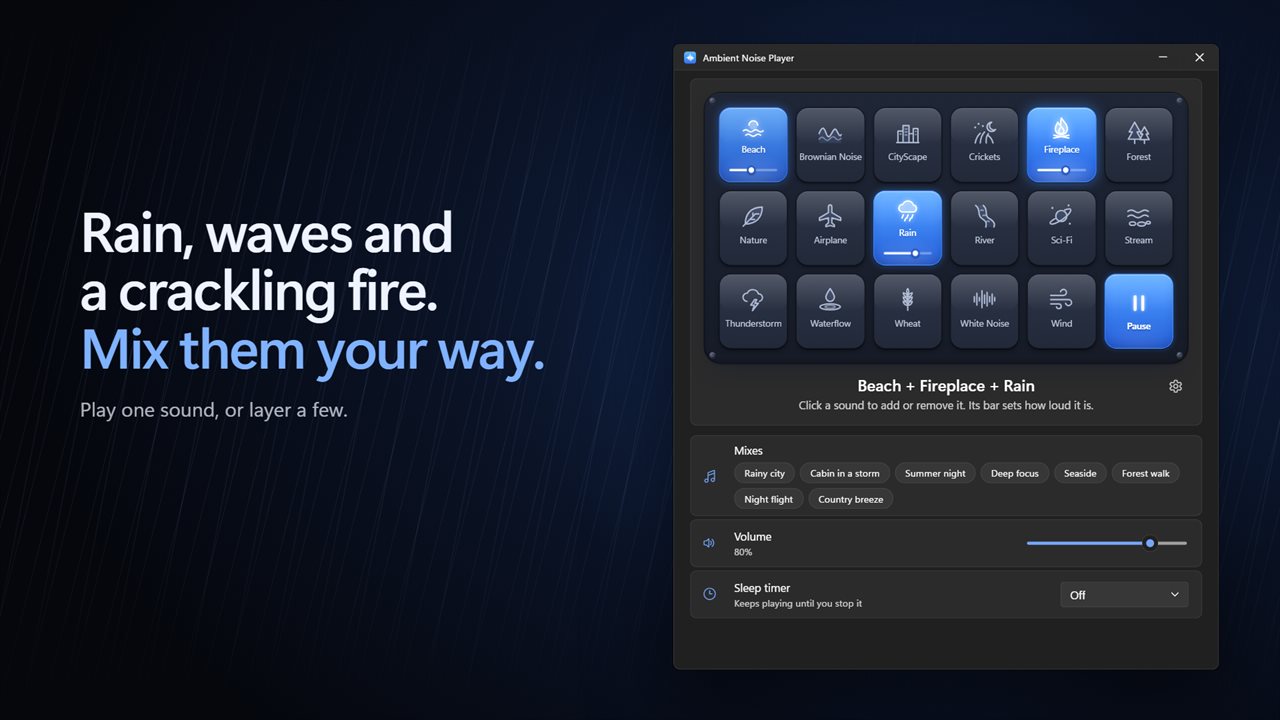
Rain, waves and a crackling fire. Mix them your way.
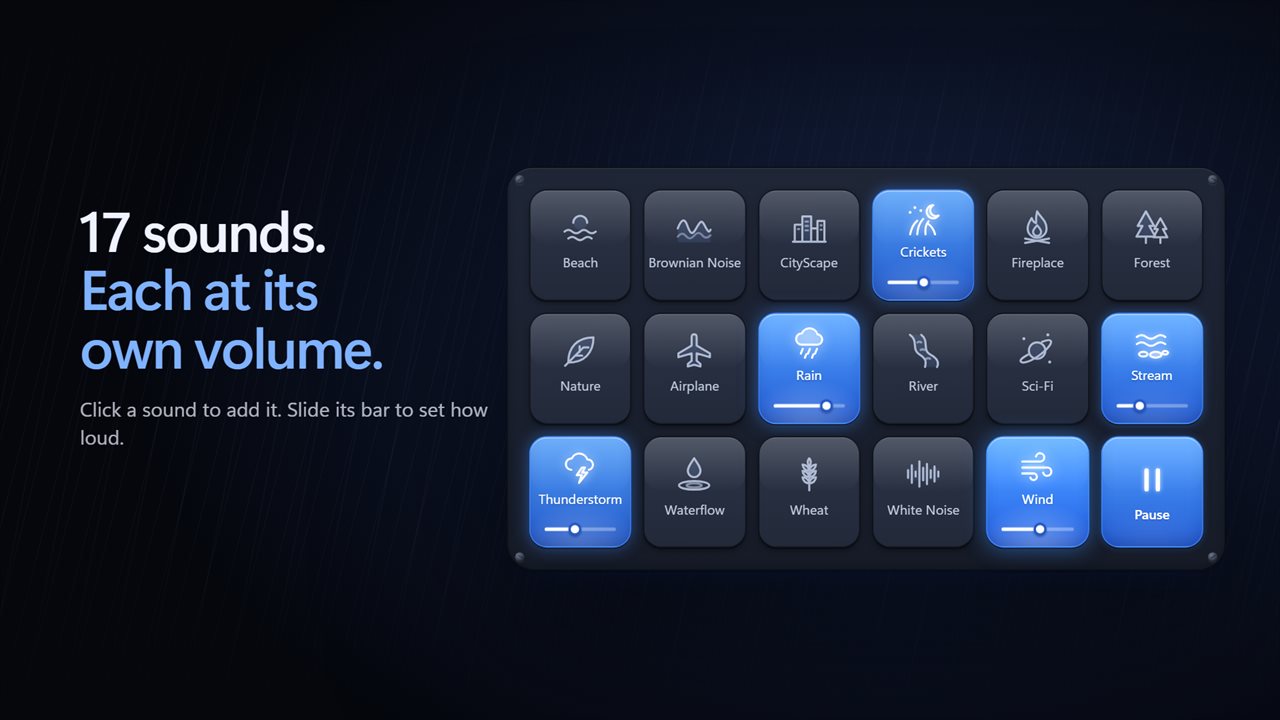
17 sounds, each at its own volume.
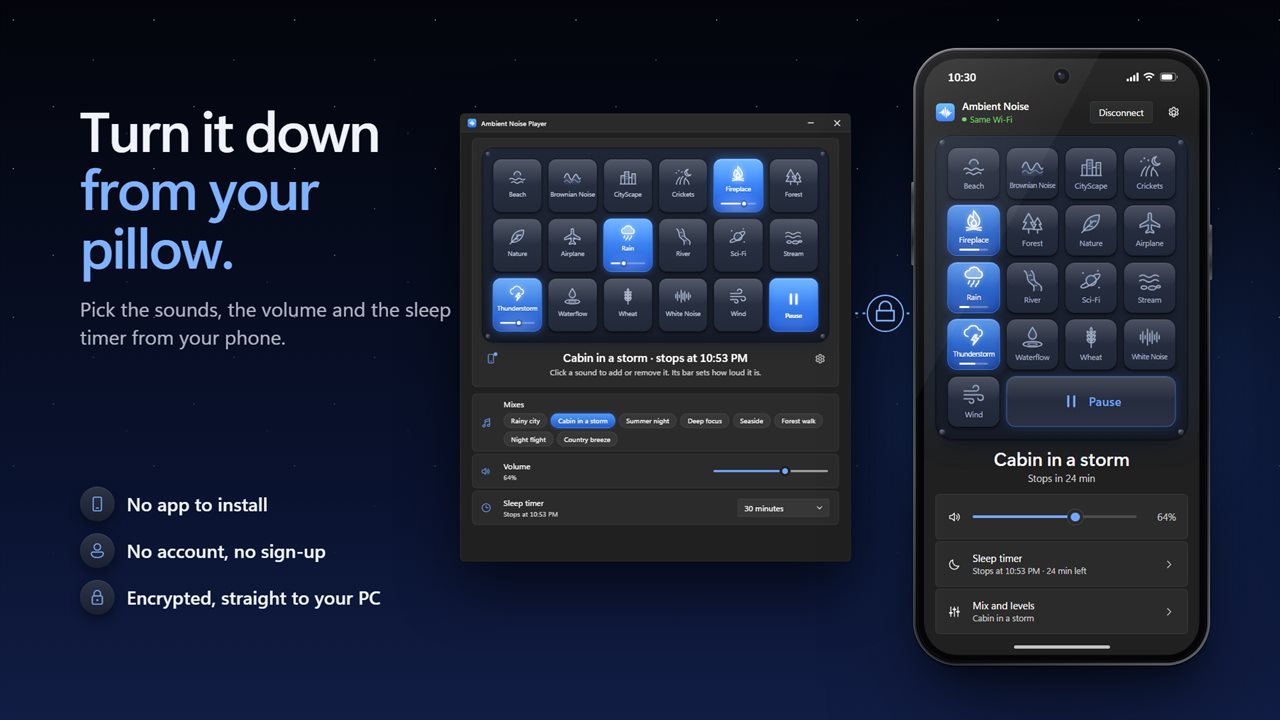
Use your phone as a bedside remote. No app to install, no account, and an encrypted link straight to your PC.
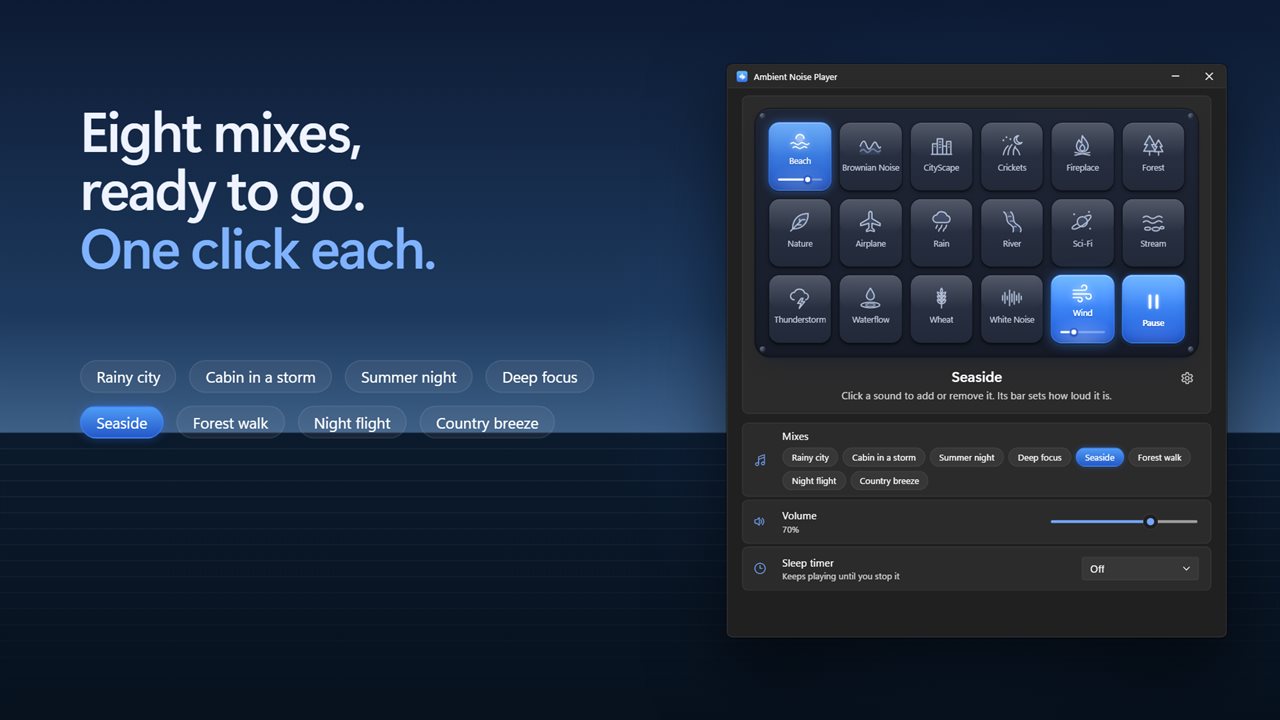
Eight ready-made mixes, one click each.
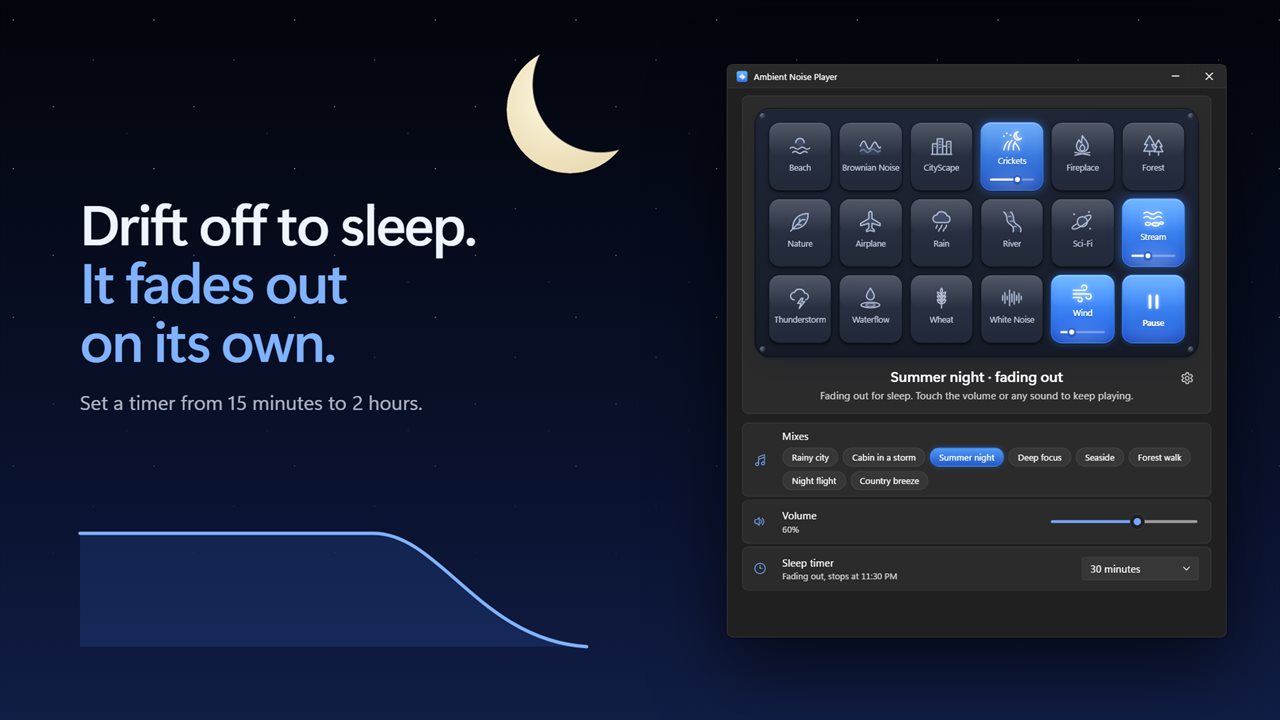
A sleep timer that fades the sound out on its own.
Block out the noise while you work.
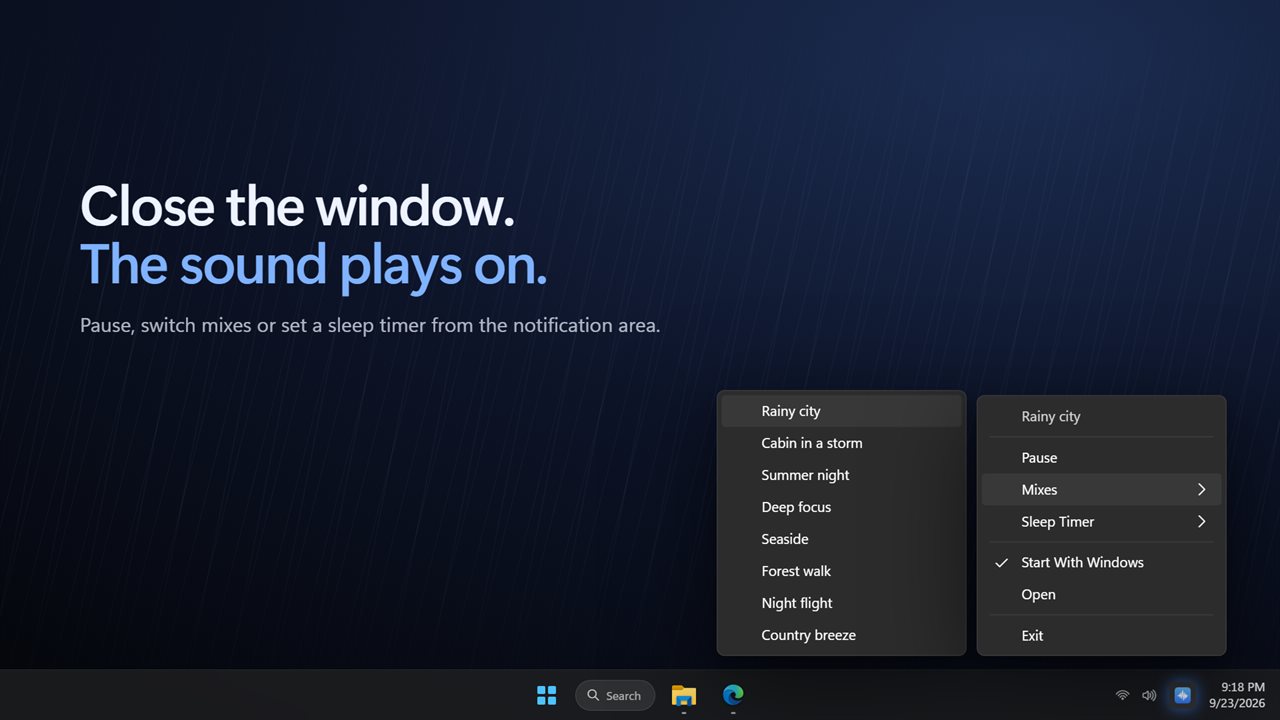
Close the window and the sound plays on from the notification area.
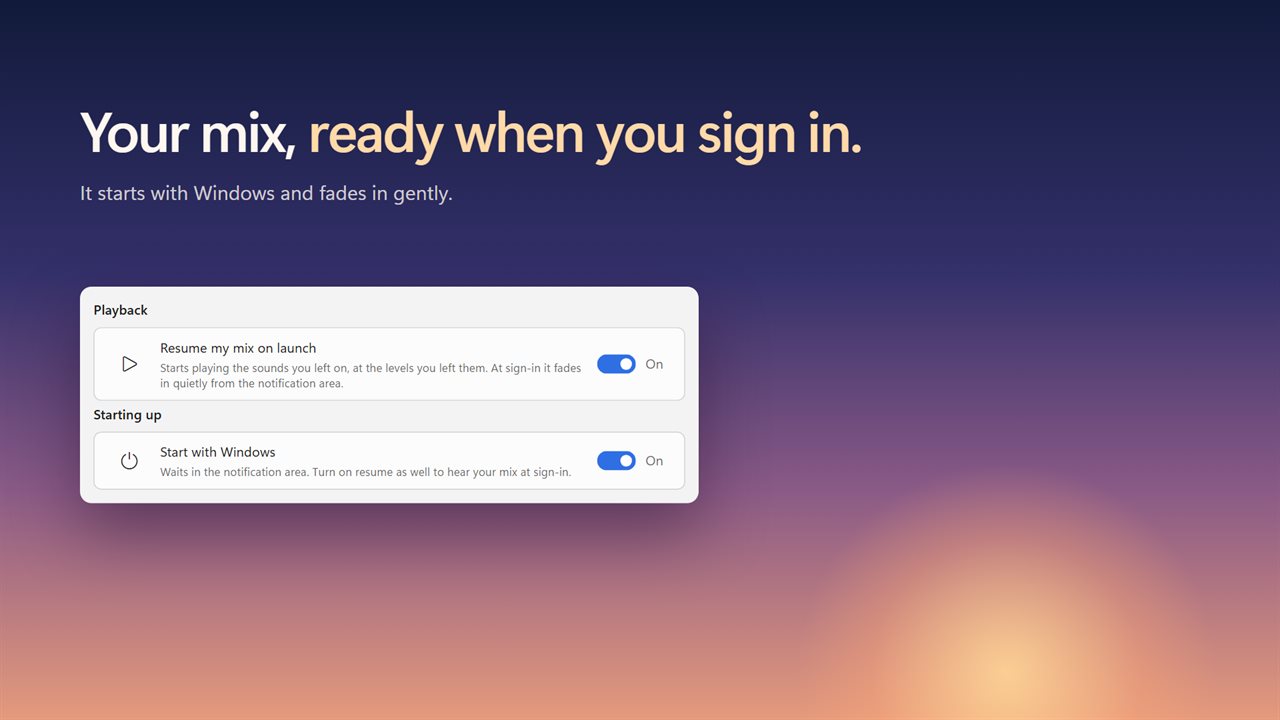
Starts with Windows and picks up your mix when you sign in.

Rain, waves and a crackling fire. Mix them your way.

190,000+downloads of EvlarSoft apps
Signed by EvlarSoftVerified US publisher
14-day money-backNo questions asked
Updates includedNo upgrade fees

An ambient noise generator you build layer by layer

An ambient noise generator earns its place when a single track is not quite right. Rain alone can feel thin; rain under a city at night, or brown noise with a little rain on top, is the background that actually lets you concentrate or drift off. Ambient Noise Player is built for that kind of mixing.

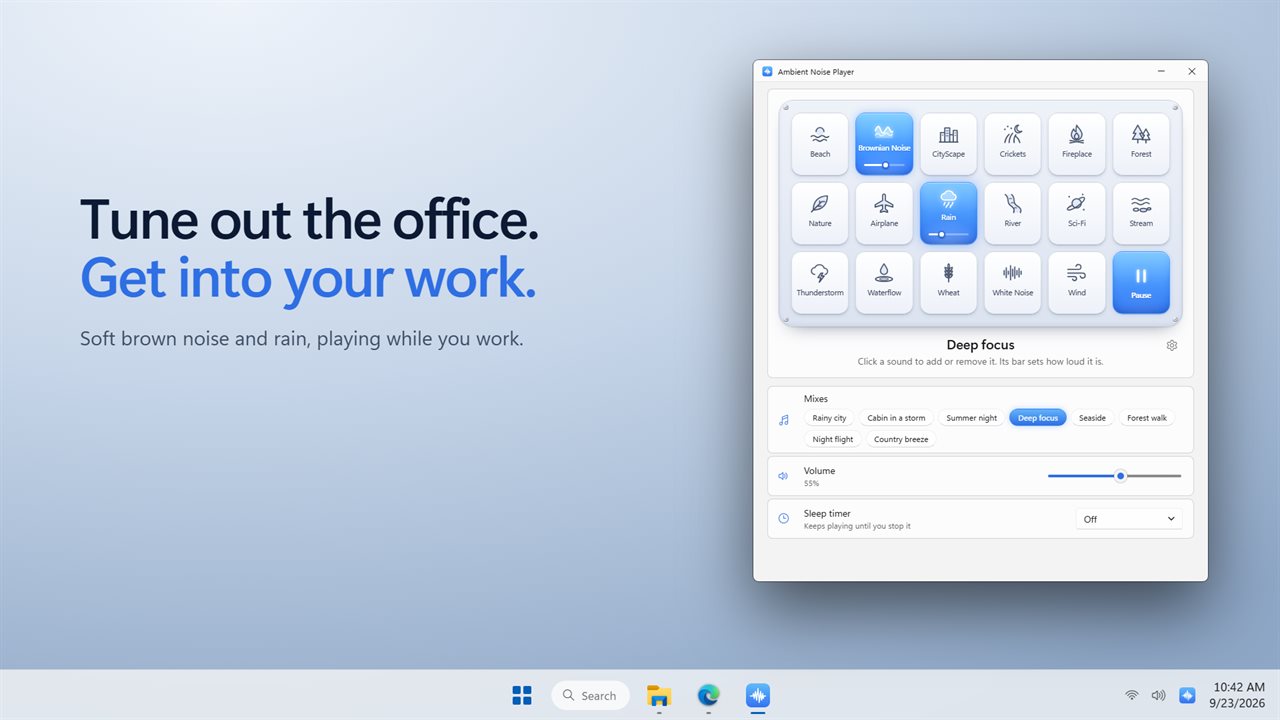
The window is a plate of 17 sound tiles. Click a tile to bring that sound in, and it lights up while it plays. Every tile has its own level bar, and a master Volume scales everything together, so the fire can sit quietly under a heavy thunderstorm or the other way round.

Each sound plays from two copies that crossfade as the track nears its end, so there is no gap or tick as it loops. It keeps going until you pause it or the sleep timer ends.

The 17 sounds, from white noise to thunderstorms

Every sound is bundled with the app, so nothing streams, and you can run as many at the same time as you like.

  • Noise: White Noise and Brownian Noise, the deeper, softer cousin many people prefer for focus.
  • Water: Rain, Thunderstorm, Beach, River, Stream and Waterflow.
  • Outdoors: Forest, Nature, Crickets, Wind and Wheat.
  • Indoors and travel: Fireplace, CityScape, Airplane and Sci-Fi.

Brown noise for focus, and seven other one-click mixes

If you would rather not build a mix yourself, eight are ready to start with one click, and clicking it again pauses. Deep focus pairs Brownian Noise with soft rain. Rainy city sets rain over city ambience. Cabin in a storm layers thunder, a fireplace and rain. Night flight, Country breeze, Summer night, Forest walk and Seaside cover the rest, from crickets by a stream to the drone of an airplane cabin.

Starting a mix sets the tiles to its levels, and you can adjust any of them from there.

A sleep sound machine with a timer that fades

A sound that cuts off abruptly can wake you as surely as an alarm. The sleep timer runs 15, 30, 45, 60, 90 or 120 minutes, and with Fade out at the end of the sleep timer on, the mix sinks away over half a minute, one minute or five before going silent.

Not asleep yet? Touch the volume or any tile during the fade and the timer is cancelled, so the sound carries on.

Control it from your phone, in bed

Getting up to turn the PC down defeats the point. Scan the code the app shows with your phone's camera and the phone becomes a remote, with no app to install. From it you can switch sounds on and off, set levels and the master volume, pick a mix and start the sleep timer. The sound still comes from the PC's speakers, and the timer runs on the PC, so the mix stops on schedule even if the phone locks or disconnects.

Features

  • 17 built-in ambient sounds, any number at once
  • Per-sound level bars and a master volume
  • Gapless loops through crossfading copies
  • Eight ready-made mixes, including Deep focus and Cabin in a storm
  • Sleep timer from 15 minutes to 2 hours
  • Optional fade-out of half a minute, one minute or five
  • Keeps playing from the notification area after the window closes
  • Tray menu to pause, switch mixes or set the timer
  • Resume my mix on launch, with a quiet fade-in at sign-in
  • Phone remote from a QR code, with no phone app needed

When people use it

Studying and deep work

Brownian Noise with a touch of rain gives a low, steady bed of sound that covers voices and keyboard clatter, softer than plain white noise.

Falling asleep at the desk PC

Start Cabin in a storm, set 45 minutes with a 5-minute fade, and adjust it from your phone once you are under the covers.

Open-plan offices

Leave a low CityScape and Stream mix running from the notification area through headphones all afternoon.

What's new in 2.1.3

  • New: play as many sounds at once as you like, each with its own volume
  • New: 8 ready-made mixes, one click each
  • New: a sleep timer that fades the sound out gently
  • New: keeps playing from the notification area when you close the window
  • New: start with Windows and resume your mix when you sign in
  • New: light and dark themes
  • The sound you had picked in the previous version carries over as your first mix

Questions

Anything else? Ask us

Can Ambient Noise Player play several sounds at the same time?

Yes. Any of its 17 sounds can play together, each with its own volume bar, and one more volume sets the whole mix. There are also 8 ready-made mixes, such as Rainy city and Deep focus, that start with one click.

Does it work without an internet connection?

Yes. All 17 sounds are built into the app, so nothing is streamed. Only the optional phone remote needs a network connection.

Is there a gap or click when a sound loops?

No. Each sound plays from two copies that crossfade over the last few seconds of the track, so the loop has no silent gap. Every sound keeps looping until you stop it or the sleep timer ends.

Does the sleep timer stop the sound suddenly?

No. The timer runs for 15, 30 or 45 minutes, 1 hour, 90 minutes or 2 hours, and the sound fades out over 30 seconds, 1 minute or 5 minutes before it stops, or you can turn the fade off. If you touch the volume or a sound during the fade, the timer is cancelled and the mix keeps playing.

Does the sound keep playing when I close the window?

Yes. Closing the window sends the app to the notification area and the mix plays on. Right-click the icon there to pause, pick a mix, set the sleep timer or exit.

Can I add my own sound files or save my own named mixes?

No. The app plays its 17 built-in sounds and 8 built-in mixes only. It does remember the sounds you left on and the level of each, and with "Resume my mix on launch" turned on it starts them again the next time it opens.

Can I play brown noise on my PC all night?

Yes. Turn on Brownian Noise and leave the sleep timer off; it loops until you pause it. Close the window and it carries on from the notification area.

Can it start my sounds automatically when Windows starts?

Yes. Turn on Start with Windows and Resume my mix on launch in Settings. At sign-in the sounds you left on fade back in at their last levels.

Does the phone remote play sound on the phone?

No. The phone only sends commands. All audio plays from the PC, so the phone can lock or leave the room without stopping the mix.

Which versions of Windows does it run on?

Windows 10 (version 1809 or later) and Windows 11.

Is it a subscription?

No. Ambient Noise Player is a one-time purchase of $2.99, and updates are included.

How do I get it?

Buy it on this page and your license key arrives by email. If the button says Notify me, Ambient Noise Player is not on sale here yet; leave your email and we will tell you when it is.

Prefer widgets? The White Noise widget on WidgetSpark does a similar job, alongside over 100 other desktop widgets in one app.