EEvlarSoft

Mic Mute Button for Windows

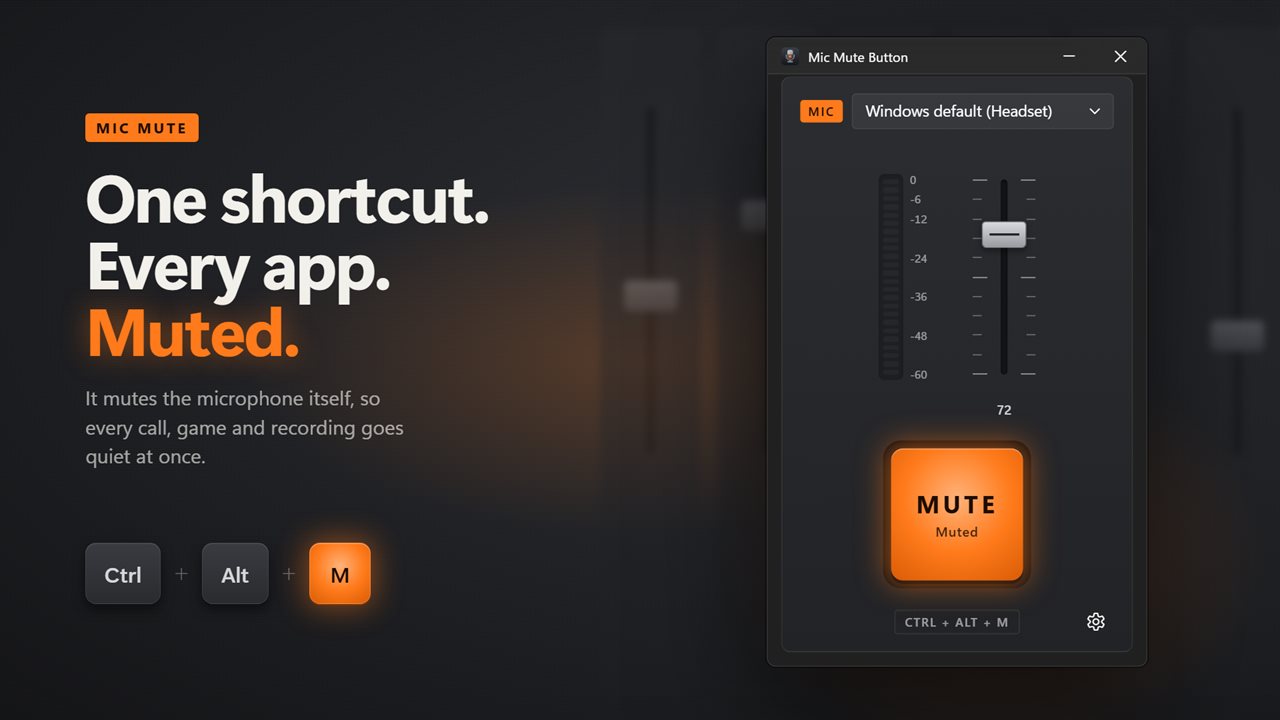
A mic mute button for your whole PC: press Ctrl+Alt+M to mute the microphone itself, and your meeting, your game and your recorder all lose you together.

Buy for $3.99
One payment. No subscription.
14-day money-back guarantee.
Mute your microphone from any app with one shortcut.
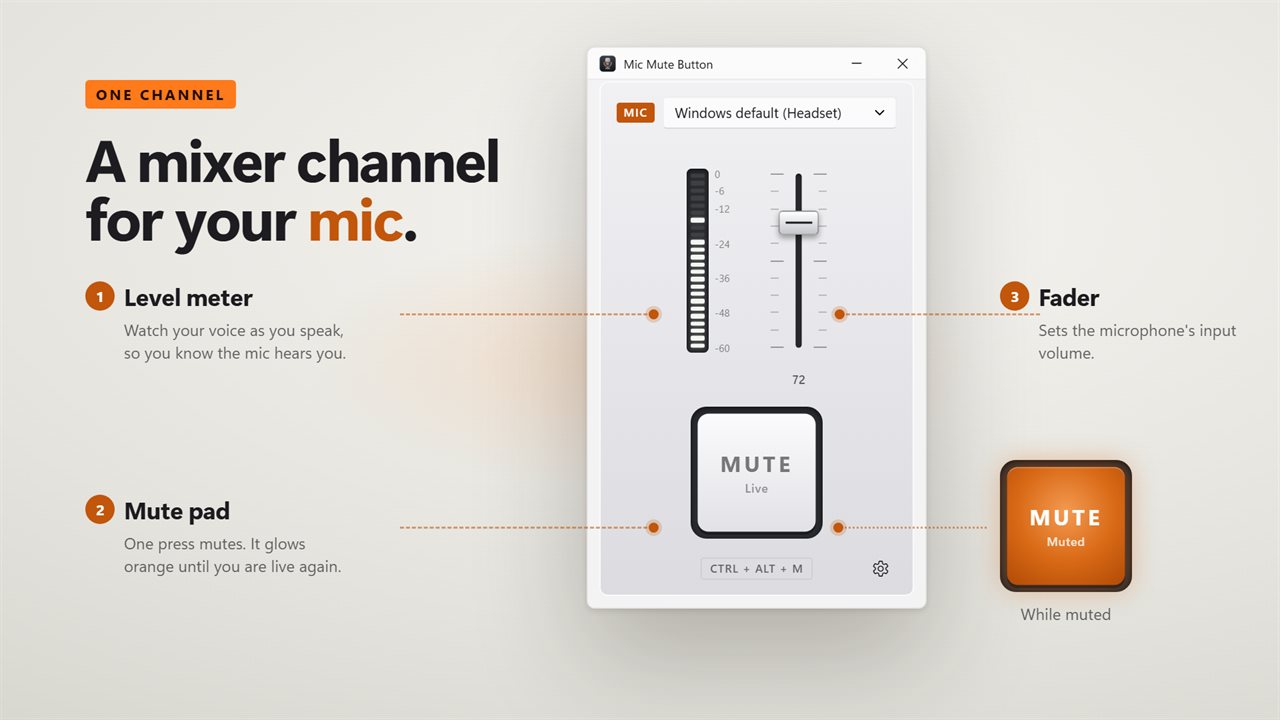
A mixer channel for your mic: mute pad, level meter and fader.
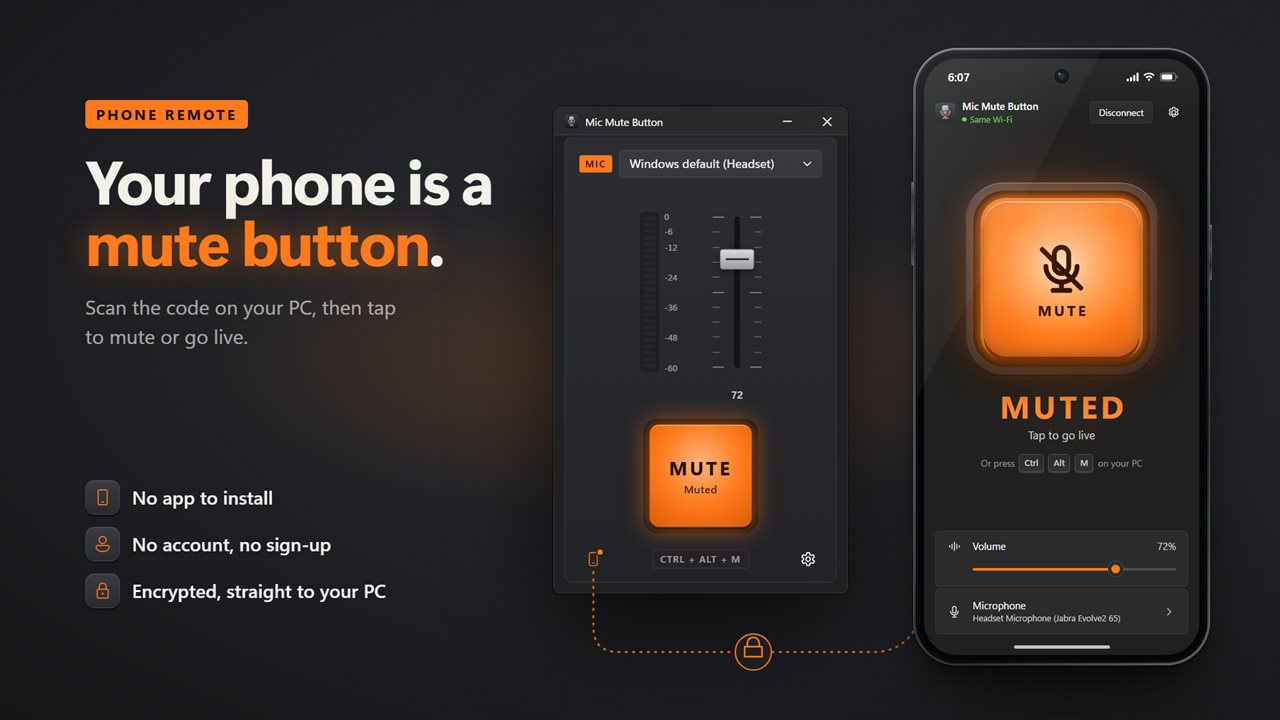
Use your phone as a mute button. No app to install, no account, and an encrypted link straight to your PC.
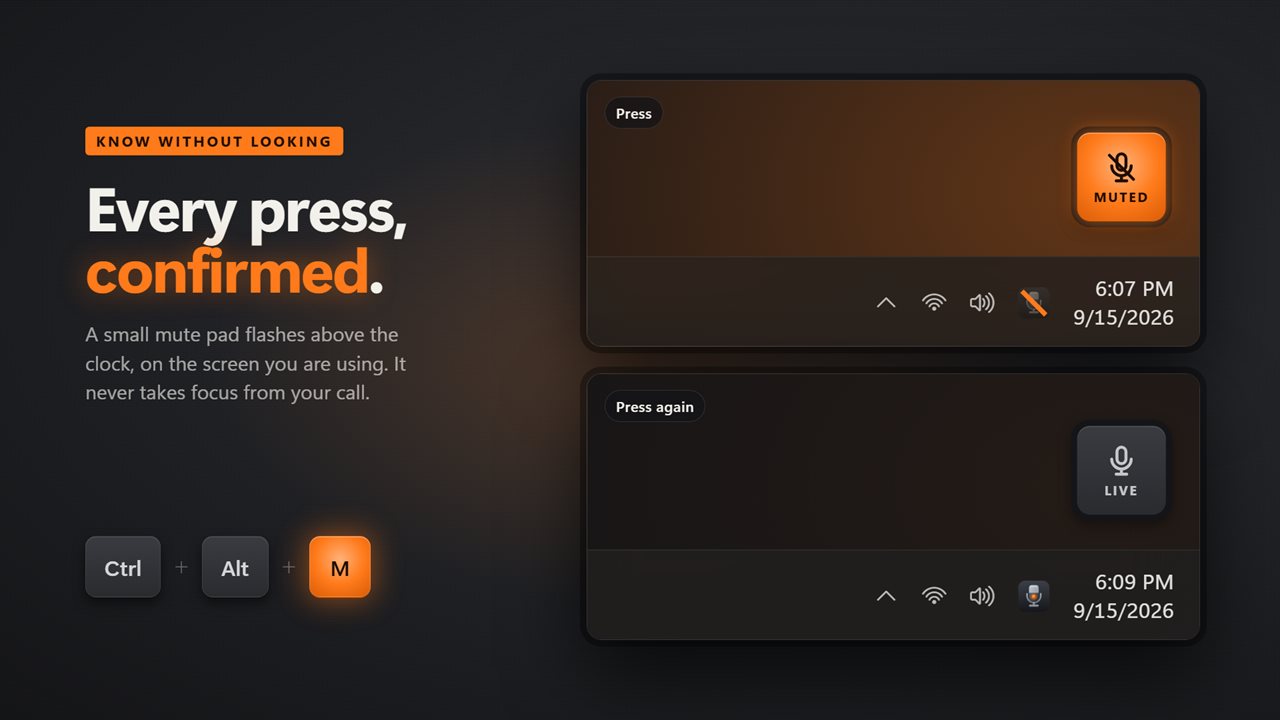
A mute pad above the clock confirms every press.
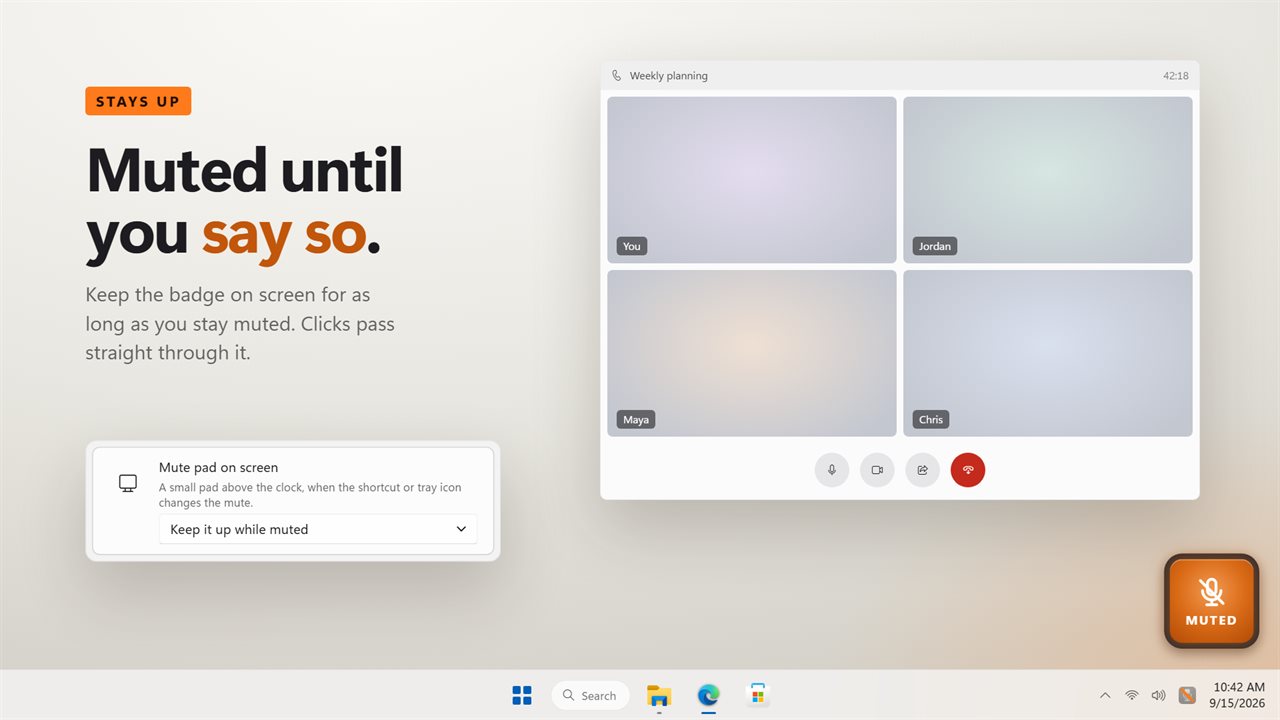
Keep a badge on screen for as long as you stay muted.
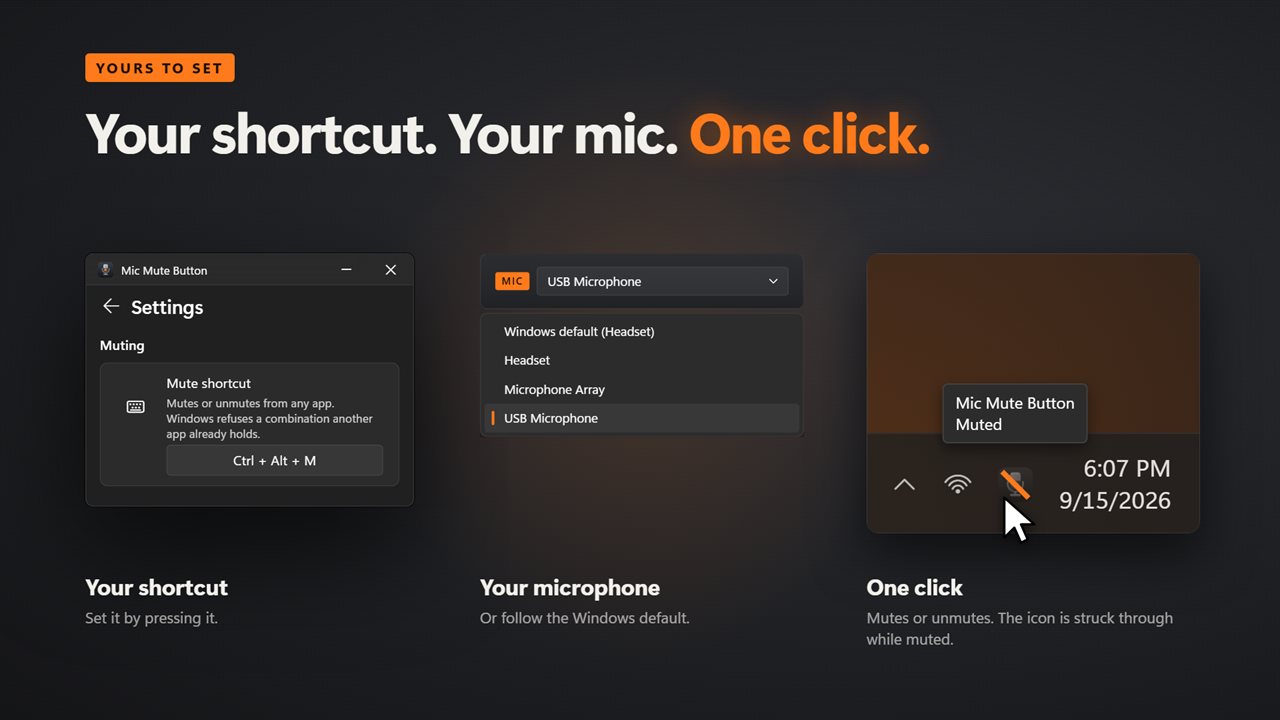
Your shortcut, your microphone, and one click in the notification area.

Mute your microphone from any app with one shortcut.

190,000+downloads of EvlarSoft apps
Signed by EvlarSoftVerified US publisher
14-day money-backNo questions asked
Updates includedNo upgrade fees

How to mute your microphone in every app at once

To mute your microphone in a call you normally need that call's window in front, and the mute only covers that app. Switch to a game with voice chat or a second meeting tool and you are live again. Windows 11's own Win+Alt+K toggle only works in apps that have chosen to support it.

Mic Mute Button skips the apps entirely and mutes the microphone device in Windows, so anything that records from it, whether a meeting, a game, a voice chat or a capture tool, hears silence until you unmute. The default shortcut is Ctrl+Alt+M, and it works from any window.

The window is built like one channel of a mixing desk. Its large pad lights orange for as long as the mic is off, a meter bounces with your voice to prove the mic is picking you up, and a fader sets the input volume. You can lock it to one microphone, or let it track whatever Windows treats as the default, so a newly connected headset is picked up automatically.

Set a mic mute shortcut of your own

Open Settings, click the Mute shortcut row and press the combination you want. If another program already owns that combination, Windows refuses it and you get a message saying so, so you can choose a different one instead of finding out mid-call.

"Clicking the tray icon" lets you decide what a single click on the notification-area icon does: Mutes or unmutes, or Opens this window. A line through the icon marks the muted state, so a glance at the taskbar answers the question.

A microphone mute indicator that stays out of the way

Under "Mute pad on screen" choose how you want to be reminded. Flash it briefly shows a small pad above the clock whenever the shortcut or tray icon changes the mute. Keep it up while muted leaves that pad in place until you go live again, which is useful in long meetings. Off hides it.

The pad never steals focus, and clicks fall through it to whatever is underneath. Turn on Click on mute for a low knock as you mute and a higher one as you unmute, so you know without looking.

A phone remote for your microphone

Point your phone camera at the code in the window and a remote opens in the phone's browser. From there you can mute and unmute, move the input volume and switch microphones. Nothing is installed on the phone and no account is required, which makes it handy when you are presenting away from the keyboard.

How to unmute your microphone when nobody can hear you

A call that cannot hear you is often muted somewhere you did not look: a headset button, the Windows sound settings, or a shortcut pressed by accident. Because Mic Mute Button watches the device itself, its pad reads Muted and glows orange whichever of those did it. Press Ctrl+Alt+M or click the MUTE pad and the label changes to Live.

If the pad says Live but the meter stays flat while you talk, check the Microphone picker at the top of the window: the app may be listening to a different device from the one your call uses. If the pad reads No mic, Windows has no recording device connected at all. Turn on "Mute when Mic Mute Button starts" with Start with Windows and every session begins silent until you choose to go live.

What Mic Mute Button does

  • Mutes the Windows microphone device itself, so every app hears silence
  • Global shortcut, Ctrl+Alt+M by default, recordable in Settings
  • Large mute pad that glows orange while muted
  • Live input level meter and an input volume fader
  • Follows the Windows default mic or sticks to one you choose
  • On-screen pad that flashes or stays up while muted, never taking focus
  • Tray icon that mutes on click and shows a struck-through mic while muted
  • Optional mute and unmute sounds
  • Phone remote in the browser for mute, volume and mic choice
  • Mute on start and start with Windows

What's new in 2.1.6

  • New: the window is a mixer channel strip with a big mute pad, a live level meter and an input volume fader
  • New: a mute pad flashes above the clock when you use the shortcut, or stays up while you are muted
  • New: the tray icon shows when you are muted, and a click on it mutes or unmutes
  • New: follow the Windows default microphone, mute on start, and start with Windows
  • Fixed: your shortcut carries over, and the mute stays in step when another app changes it

Questions

Anything else? Ask us

Does Mic Mute Button mute me in Teams, Zoom and Discord at the same time?

Yes. It mutes the microphone itself in Windows, so every app that uses it hears silence until you unmute. If Windows, a call app or a headset button changes the mute, the window, tray icon and on-screen pad follow it.

Can I change the mute shortcut from Ctrl+Alt+M?

Yes. Click the shortcut row in Settings and press the combination you want. Windows refuses a combination another app already holds, and the window tells you when that happens so you can pick another.

Does it mute every microphone on my PC?

No. It mutes one microphone: the one you pick at the top of the window, or the Windows default, which it follows when you plug in a headset. Other recording devices are left alone.

How do I know I am muted without opening the window?

When the shortcut or tray icon changes the mute, a small pad flashes above the clock on the screen your mouse is on. You can keep it up for as long as you stay muted instead, or turn it off; it never takes focus and clicks pass through it. The tray icon is struck through while muted, and an optional click sounds lower on mute and higher going live.

Can I use my phone as a mute button?

Yes. Scan the code in the window with your phone's camera and the phone opens a remote in its browser, with nothing to install and no account. It mutes and unmutes, moves the input volume and picks the microphone, and one phone can be connected at a time.

What happens to my microphone when I close or quit the app?

Closing the window leaves the app in the notification area, and the shortcut keeps working. Quitting leaves the microphone exactly as it is, so if you were muted you stay muted until you unmute, in Windows or with the app.

Does Win+Alt+K mute my microphone everywhere?

Not reliably. That Windows 11 shortcut only mutes calls in apps that support it. Mic Mute Button mutes the microphone device, so it applies to every app regardless.

How do I know my microphone is actually picking me up after I unmute?

Watch the level meter in the window. It moves with your voice while the mic is live, and stays flat while you are muted.

Which versions of Windows does it run on?

Windows 10 (version 1809 or later) and Windows 11.

Is it a subscription?

No. Mic Mute Button is a one-time purchase of $3.99, and updates are included.

How do I get it?

Buy it on this page and your license key arrives by email. If the button says Notify me, Mic Mute Button is not on sale here yet; leave your email and we will tell you when it is.