
Why your mic picks up the keyboard, and the fix that doesn't clip your voice
If you are wondering how to stop your mic from picking up keyboard noise, the usual advice is to move the mic, lower the gain, buy a quieter keyboard or set a noise gate. The first three help a little. The gate is the one that disappoints, because it opens on loudness, and a mechanical switch a foot from a condenser mic is about as loud as your voice. Set it high enough to block the clicks and it starts cutting off your words.
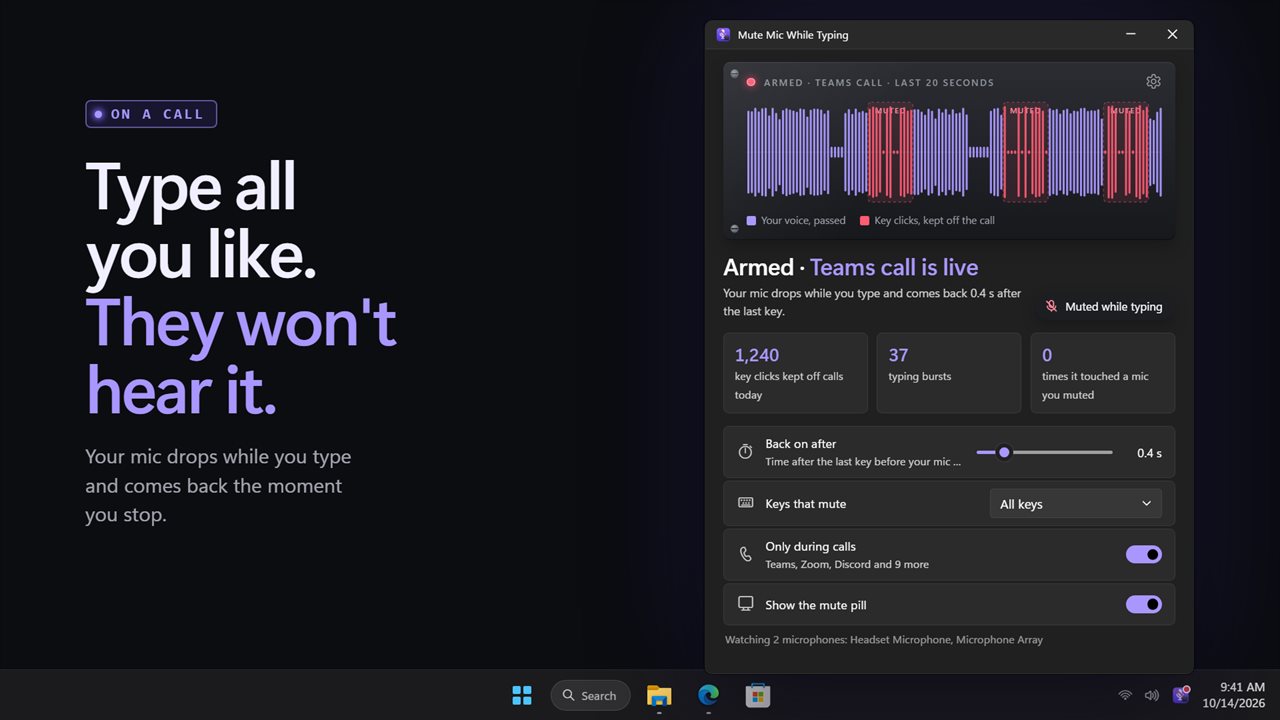
Mute Mic While Typing gates on the keyboard instead of the volume. The moment a key goes down your microphone is muted; 0.4 seconds after the last key it comes back. How loud the click is never comes into it, so a soft voice gets through and a heavy switch does not.
It mutes at the Windows level, so the effect reaches any call app at once without touching that app's own mute button or settings.
A keyboard-triggered noise gate for your mic
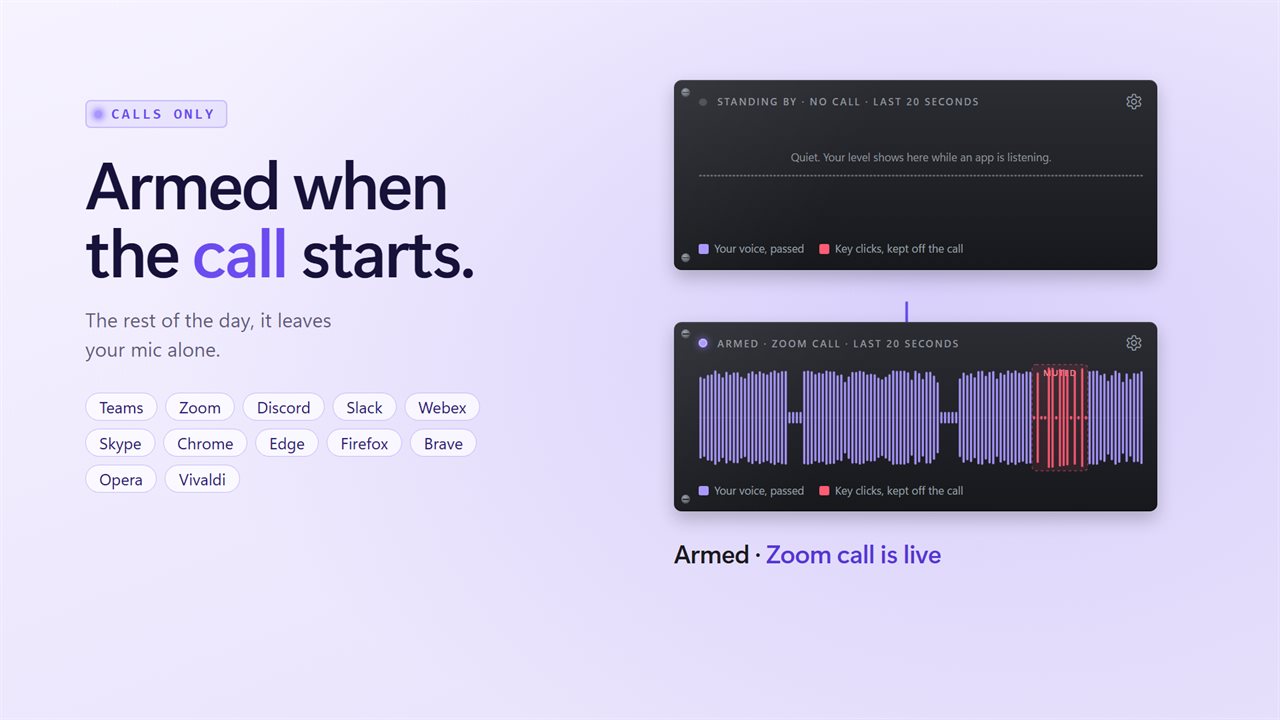
The main window shows the last 20 seconds of your microphone level as a strip, with each typing burst shaded in red. You can watch your speech pass through between bursts and see the stretches where the clicks were kept off the line.
Underneath, counters show how many key clicks and typing bursts it has blocked since midnight. A third counter tracks how often it has interfered with a microphone you silenced on purpose, and that number is designed to read zero: it mutes only live mics and restores exactly those.
Tune the typing delay and which keys count
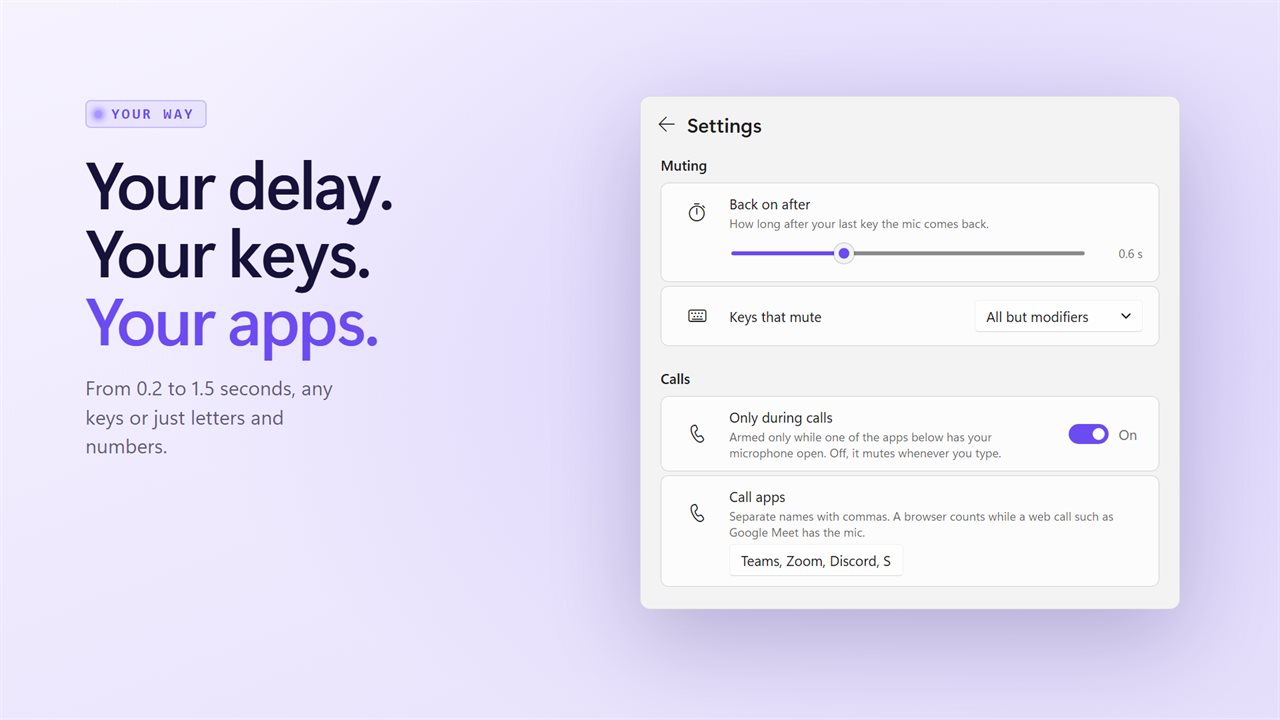
Everything that changes how it mutes is under Muting in Settings.
- Back on after sets the pause following your final keystroke, anywhere between a fifth of a second and a second and a half, in tenths. Shorter catches the start of your reply; longer covers slow typists.
- Keys that mute: All keys, Letters and numbers, or All but modifiers, so holding Ctrl or Shift for a shortcut does not drop you mid-sentence.
- Under Calls, Only during calls arms it just while a listed app has your microphone open. Switch it off to mute on every keystroke, all day.
Knowing when you are muted
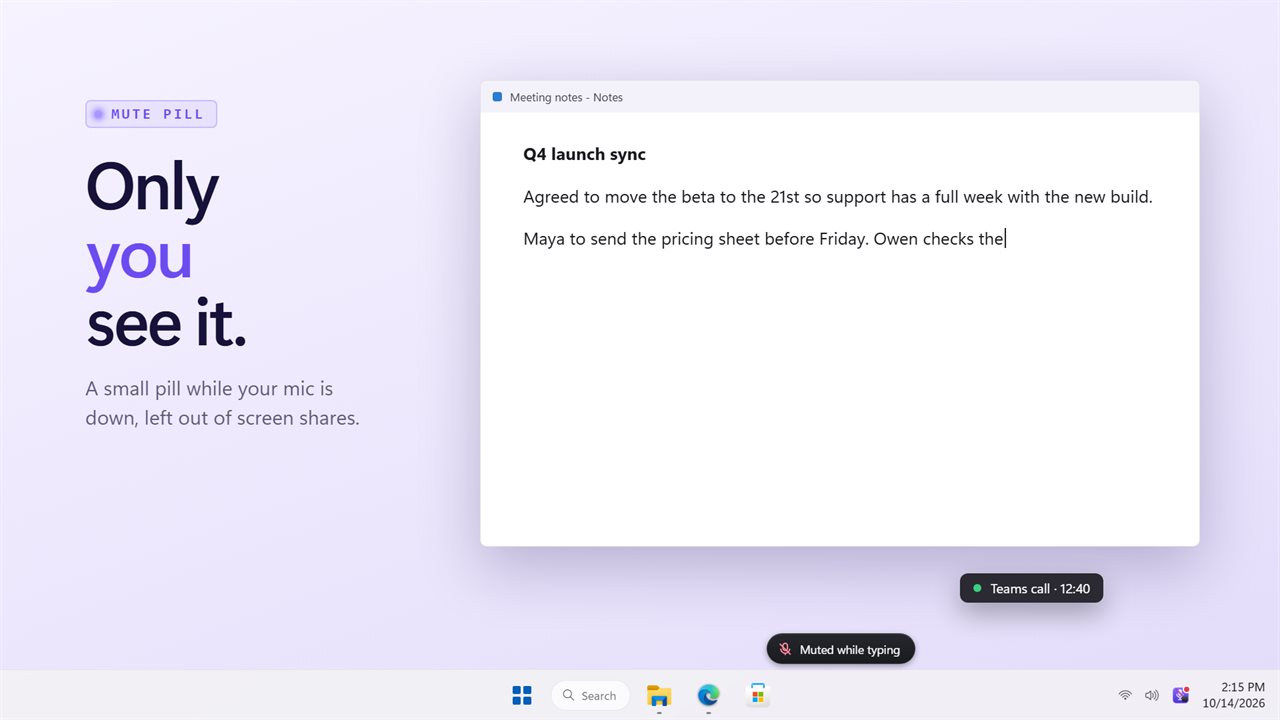
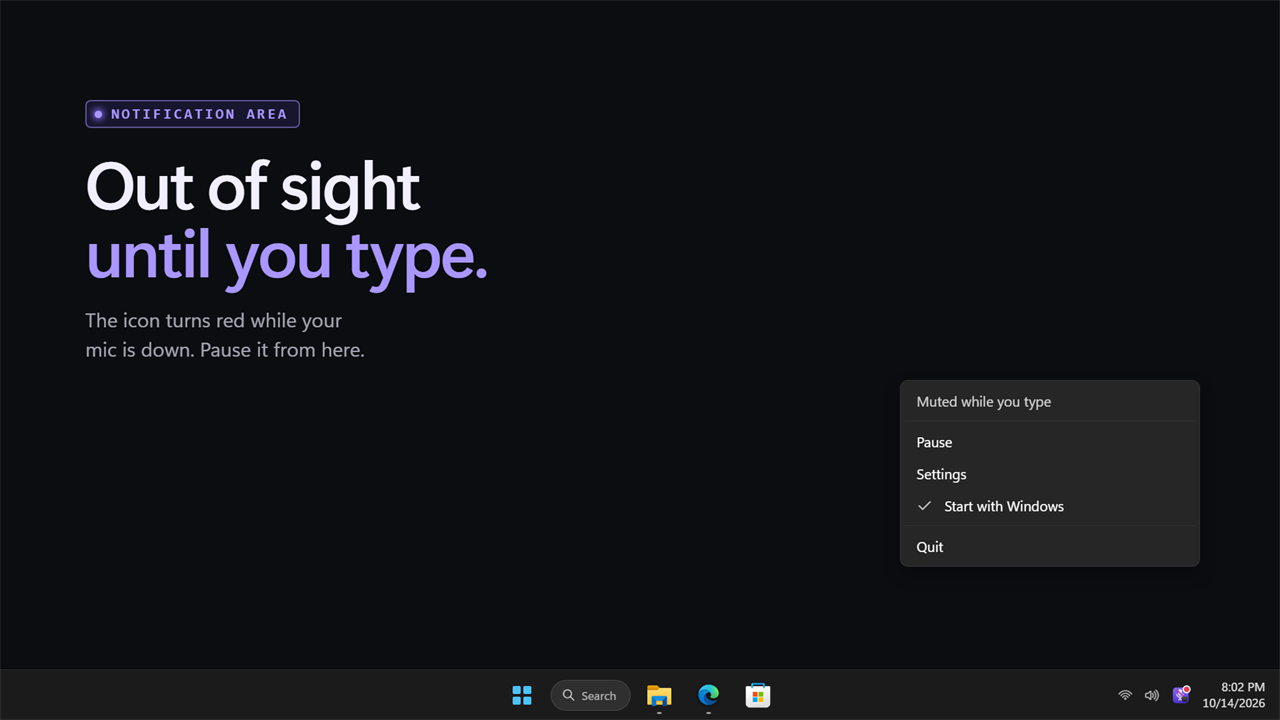
While the mic is down, a small pill appears at the bottom of your screen. It is excluded from screen captures, so people watching your shared screen never see it, and Show the mute pill under On screen hides it. The notification area icon also turns red while you are muted.
To stop it for a while, click the level strip or choose pause from the tray menu. Pausing or quitting always returns your mic to the state it was in.