EEvlarSoft

Speaker Auto Muter

Mute speakers automatically the moment headphones come out, so your music, call or video never spills into the room at full volume.

Buy for $2.99
One payment. No subscription.
14-day money-back guarantee.
3.5
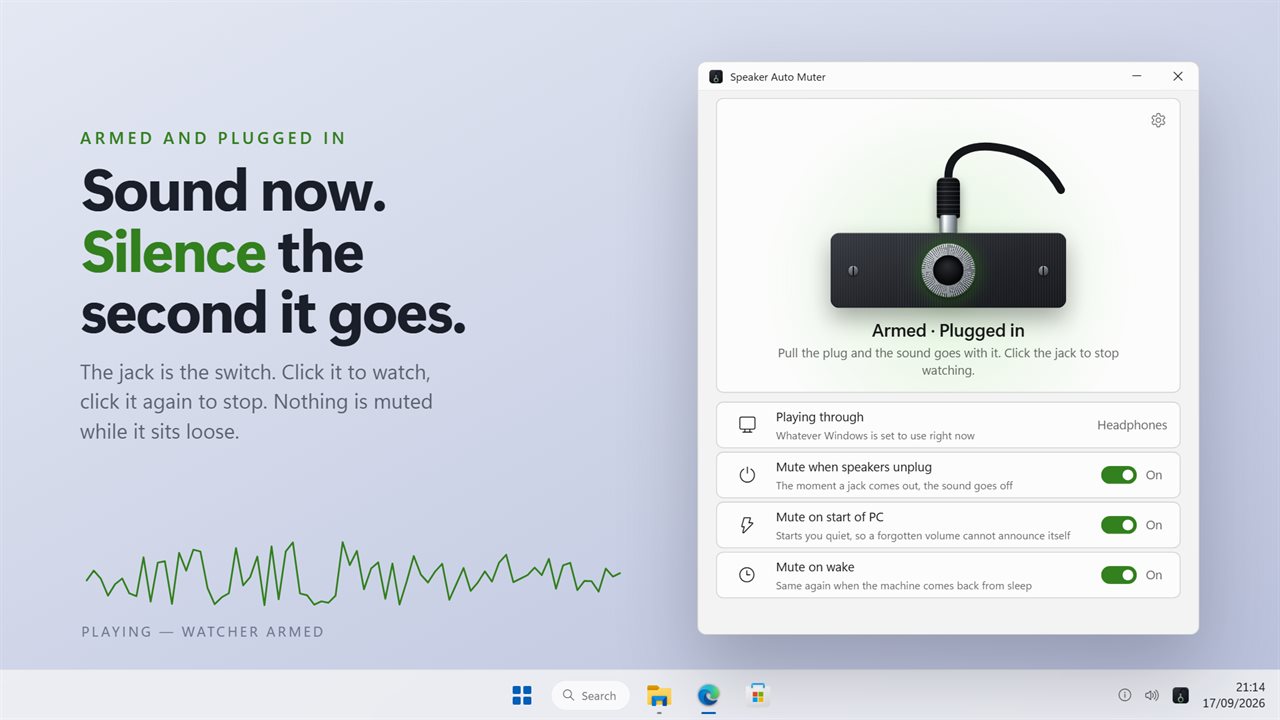
Armed and plugged in. Pull the plug and the sound goes with it.
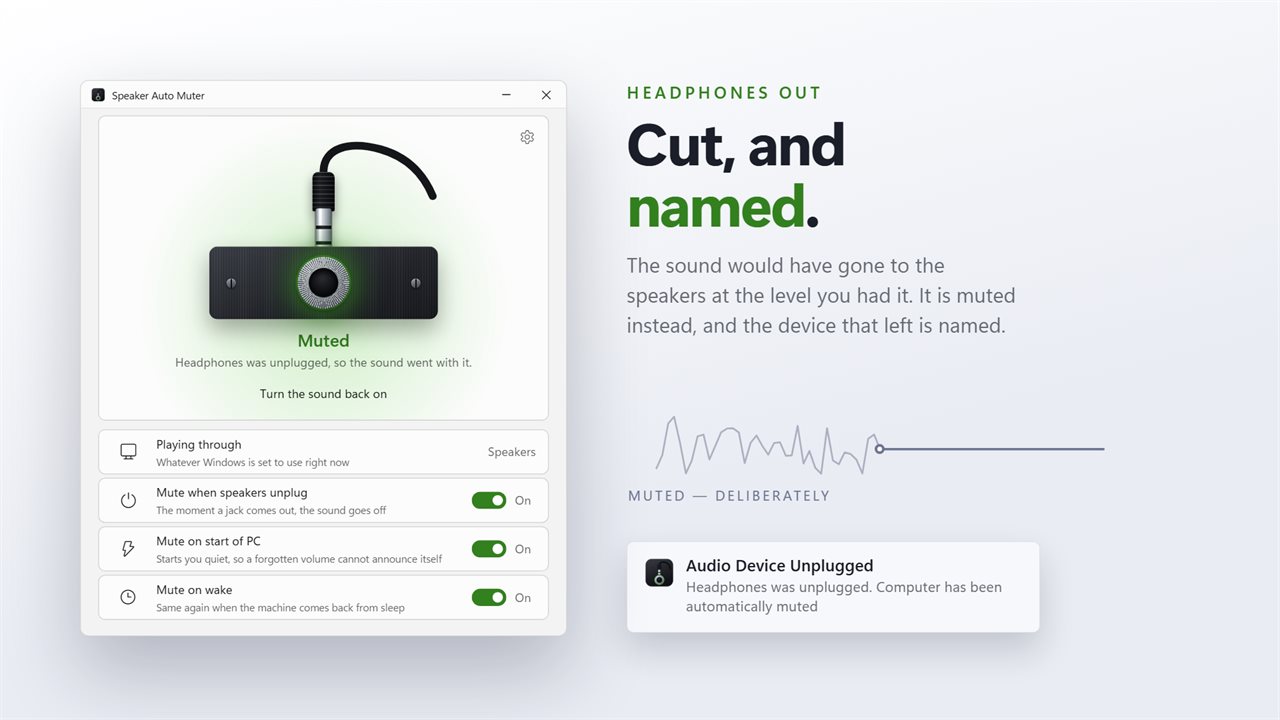
It mutes when a device is unplugged, and names the one that left.
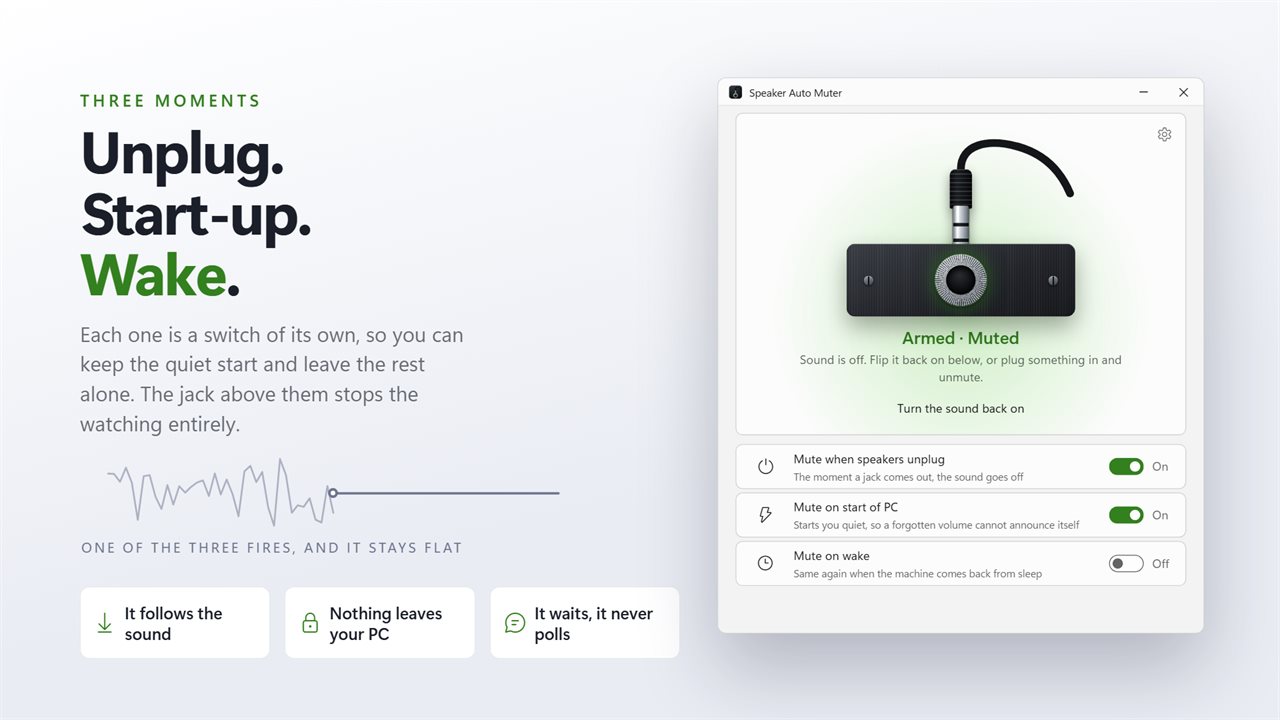
Unplug, start of PC and wake are three switches, each on its own.
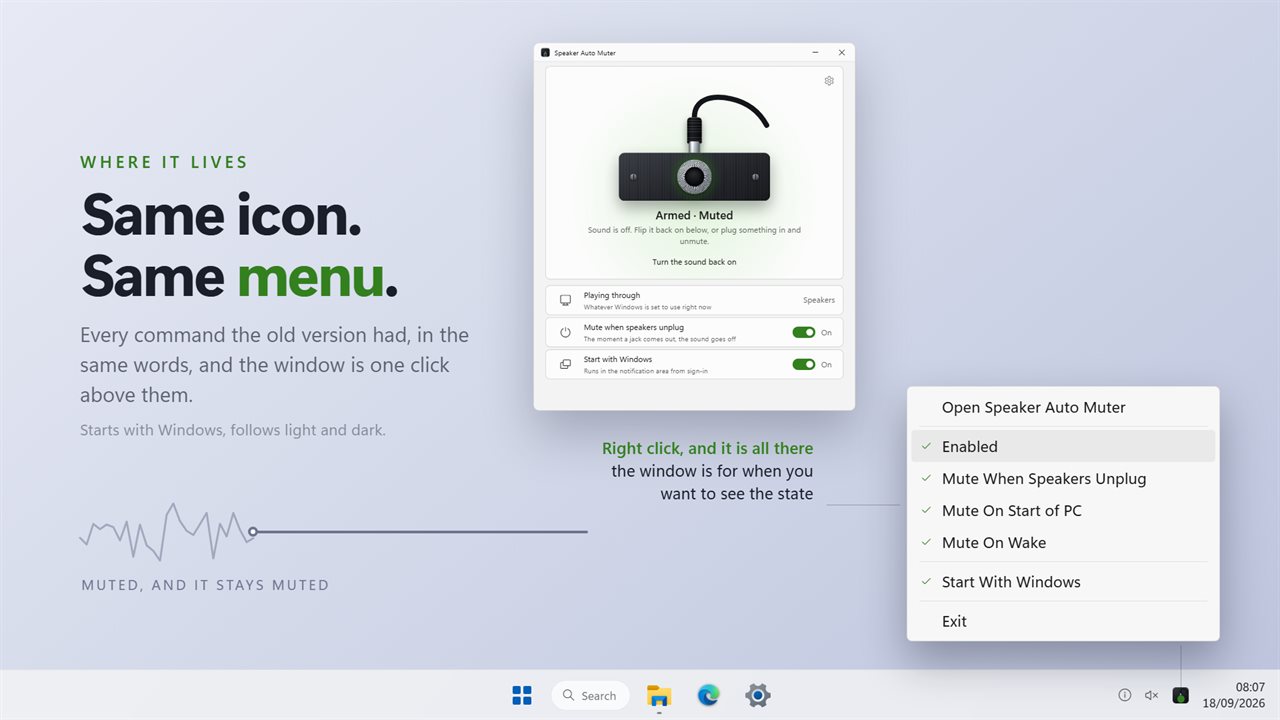
The same notification-area menu it has always had, with the window a click away.

Armed and plugged in. Pull the plug and the sound goes with it.

190,000+downloads of EvlarSoft apps
Signed by EvlarSoftVerified US publisher
14-day money-backNo questions asked
Updates includedNo upgrade fees

Why your speakers blare when headphones come out

Pull the plug on a pair of headphones and Windows does what it thinks is helpful: it moves the audio to the next output, usually the laptop's built-in speakers or the desk set, at the level you had. In an office, a library or a house with a sleeping baby, that is the worst possible moment to hear your playlist. Some audio driver panels once offered a jack-sensing mute; on most current PCs there is nothing to switch on.

Speaker Auto Muter fills that gap. It listens for Windows' own device-change notices instead of checking the device list over and over, and when a playback device disappears it mutes the output the sound is about to land on. The volume slider is left untouched, so unmuting brings you straight back to the level you were using.

Getting the right device is trickier than it sounds. Windows reports the removal and the change of default output as separate events, in either order. The app waits up to 1.5 seconds for the new default to settle and mutes that one. If no new default appears, it mutes every remaining playback device that could still make noise.

How to stop sound coming out of laptop speakers after unplugging headphones

The same applies to a USB headset or a dock that loses power: when the device drops out of the playback list, the switch to the next output is caught and silenced. On a desktop with separate speakers, that means the room stays quiet even if the speakers were left turned up.

  • Leave Mute when speakers unplug switched on. It is on from the first launch.
  • Unplug your headphones. The sound cuts out and a notification names the device that was removed.
  • When you are ready, press Turn the sound back on in the window, or unmute from the Windows volume control.
  • Plugging the headphones back in does not unmute on its own; that is deliberate, so the sound only returns when you decide.

Mute the computer on startup and after sleep

A volume left high the night before tends to announce itself the next morning. Mute on start of PC silences the output when the app launches with Windows at sign-in, and Mute on wake does the same when the machine resumes from sleep. Each has its own switch, both are on by default, and both are also in the notification-area menu.

Opening the app by hand later in the day does not trigger the startup mute, so it will not cut off something you are already listening to.

Pause the auto mute without quitting

The window is built around a drawn socket and plug. Click the jack to stop watching; click it again to arm it. The tray icon fades while it is paused, and your three switch choices are kept. If you would rather the app worked silently, turn off Show a notification on every mute in Settings, though a sudden silence with no message is easy to mistake for a broken driver.

How it behaves

  • Mutes the output Windows switches to when a playback device is unplugged
  • Falls back to muting every other active playback device
  • Waits up to 1.5 seconds for Windows to settle on a new default
  • Mute only, never a volume change
  • Optional mute at sign-in and after waking from sleep
  • Notification that names the removed device
  • One-click Turn the sound back on, with the current output named
  • Event-driven watching with no constant polling
  • Notification-area menu with every switch and Enabled
  • Start with Windows; settings from the older AutoMute version carry over

Questions

Anything else? Ask us

Does it turn the volume down or just mute?

It only mutes. The volume level is left where it was, so when you turn the sound back on it plays at the same level as before.

Does the sound come back on when I plug my headphones back in?

No. Plugging a device back in does not unmute anything. You turn the sound back on yourself, from the button in the app's window or from Windows.

Which device does it mute when my headphones come out?

It waits up to a second and a half for Windows to switch to the next playback device, then mutes that one. If Windows never switches, it mutes every other playback device that is still connected.

Can it mute the PC every time it starts or wakes from sleep?

Yes. Mute on start of PC and Mute on wake are separate switches, both on by default. The start mute happens when the app is launched by Start with Windows at sign-in, not when you open it yourself later.

Will it tell me why the sound went off?

Yes. Each mute shows a Windows notification, and an unplug names the device that was removed. You can turn the notification off in Settings.

Can I pause it without closing it?

Yes. Click the jack in the window, or untick Enabled in the notification-area menu, and nothing is muted until you turn it back on. Your choices for unplug, start and wake are kept while it is paused, and the tray icon fades to show it is off.

Does it work with USB and wireless headsets, or only the 3.5 mm jack?

It reacts to any playback device that Windows reports as unplugged or gone, not to the jack itself. Whatever headset type you use, if it shows as a playback device in Windows Sound settings and disappears from it, the switch to the next output is muted.

Is there a Windows 11 setting to mute speakers when headphones are unplugged?

Not as a general switch. Some audio drivers include a jack-detection option, but most PCs simply move the sound to the next output. This app adds that behavior for every playback device.

Which versions of Windows does it run on?

Windows 10 (version 1809 or later) and Windows 11.

Is it a subscription?

No. Speaker Auto Muter is a one-time purchase of $2.99, and updates are included.

How do I get it?

Buy it on this page and your license key arrives by email. If the button says Notify me, Speaker Auto Muter is not on sale here yet; leave your email and we will tell you when it is.