A push to talk button that works outside your voice app
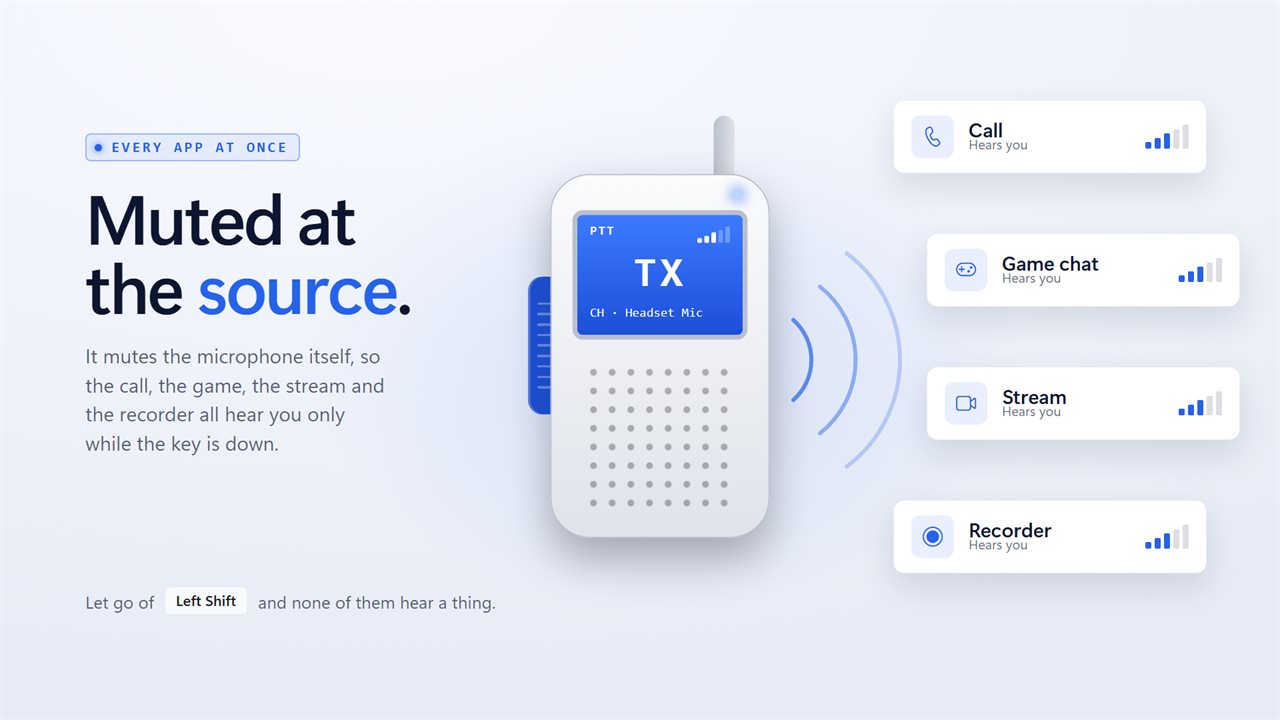
Plenty of voice apps offer push to talk, but each one controls only itself. Join a call in a different tool, record a clip, or open a game with built-in voice chat, and your microphone is wide open again. Walkie Talkie Mic adds one talk key that every program obeys, because it opens and closes the microphone in Windows.
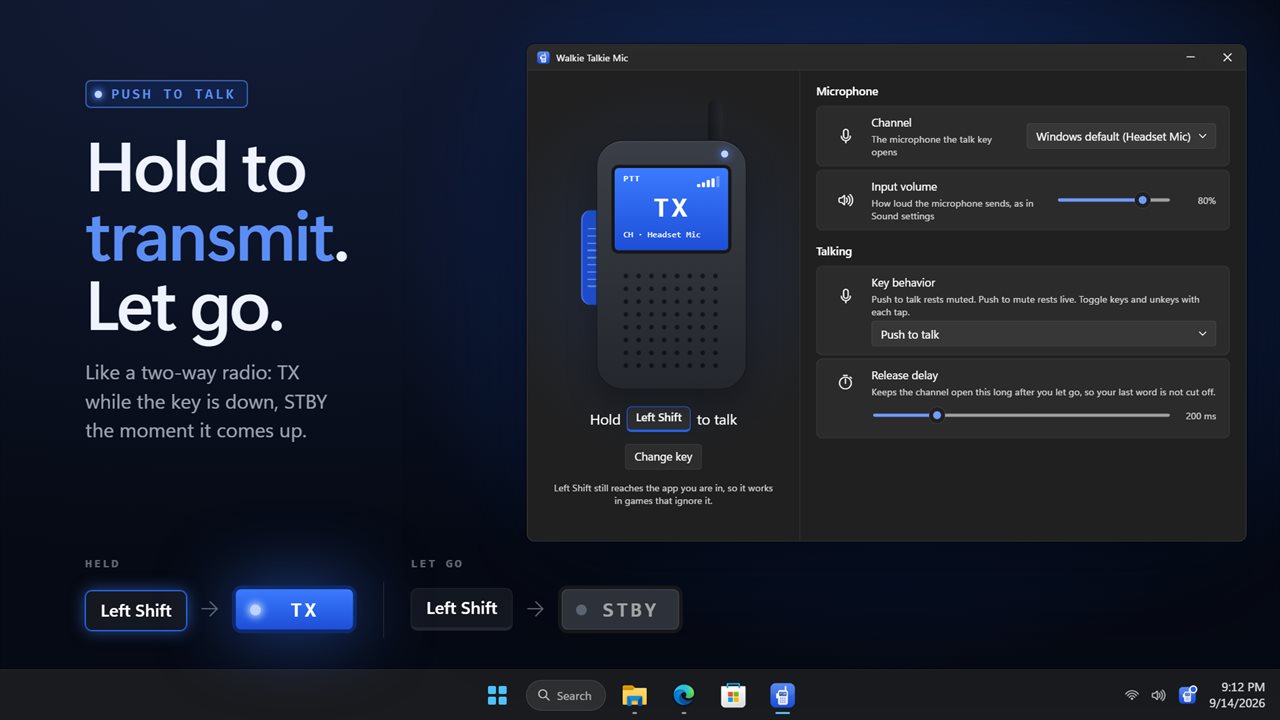
In Push to talk mode the mic goes quiet as soon as the program launches, so you are never accidentally broadcasting while a meeting connects. Press and hold to transmit, release to return to standby. Left Shift is the talk key until you choose another.
The window looks like a radio handset. A small screen on it flips between TX and STBY, shows which microphone is under control, and draws your input level as a row of signal bars. Clicking and holding the handset's side button with the mouse transmits too.
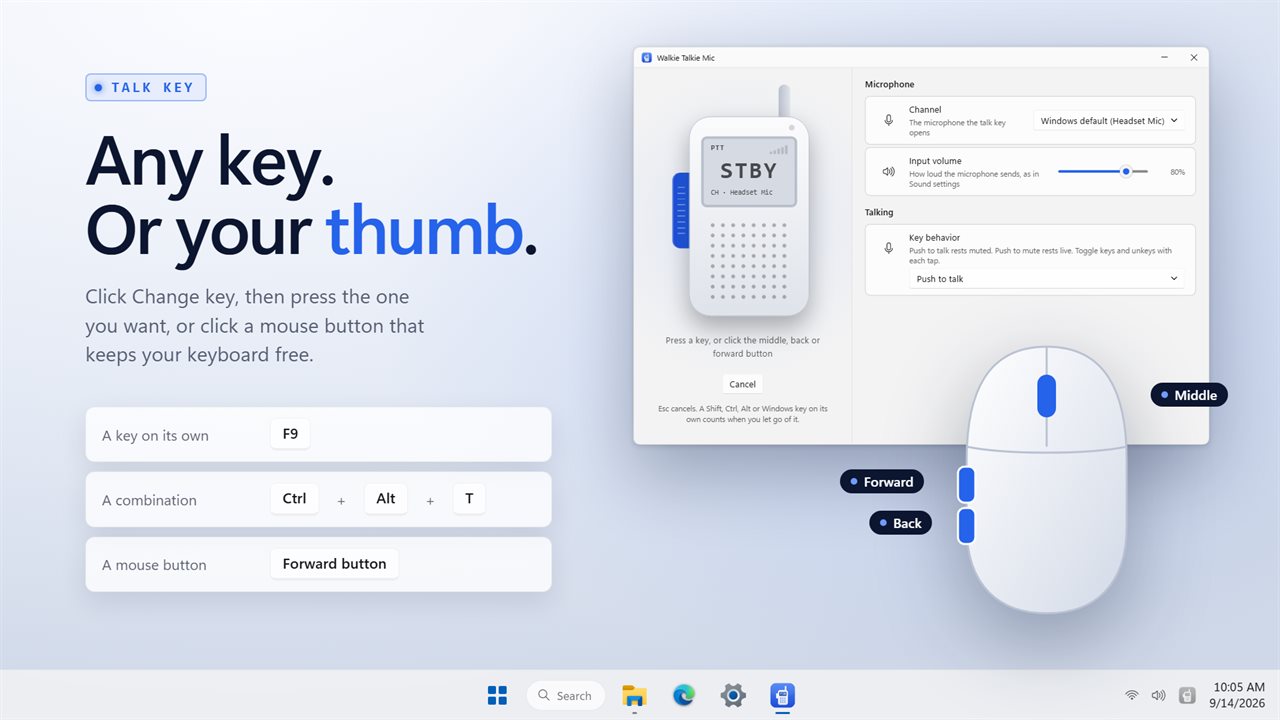
Pick a push to talk key, or a mouse button
Click Change key below the handset, then press whatever should open the mic: one key, a chord using Ctrl, Alt or Win, or a Shift, Ctrl, Alt or Windows key on its own, which counts when you let go of it. Mouse users can click the middle, back or forward button instead. Esc cancels the pick.
The handset then draws the new key as keycaps, and its small screen shows PTT, PTM or TOGGLE so you can tell at a glance which behavior is set.
Push to mute, the cough button for calls
Set Key behavior to Push to mute and the logic flips: the mic stays open, and pressing the key cuts it for a sneeze, a sip of coffee or an aside to a person beside you. It is the same idea as the cough button on a broadcast desk.
Toggle is the third option. Each tap switches the microphone on or off, which suits a long presentation where holding a key would be tiring.
Release delay and the roger beep
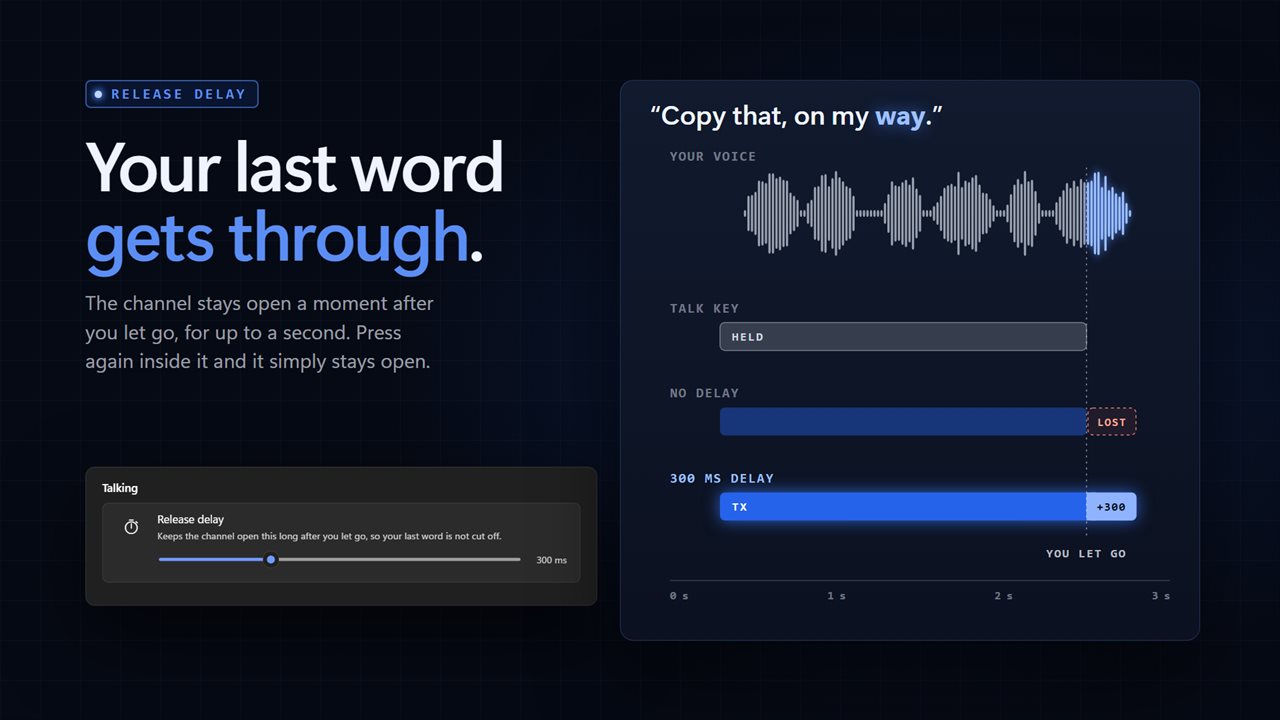
People tend to let go of the key a fraction before their last word ends. Release delay holds the channel open for a short time after you let go, for as long as a full second, so sentences are not clipped. Tapping the key again inside that window simply keeps you on the air.
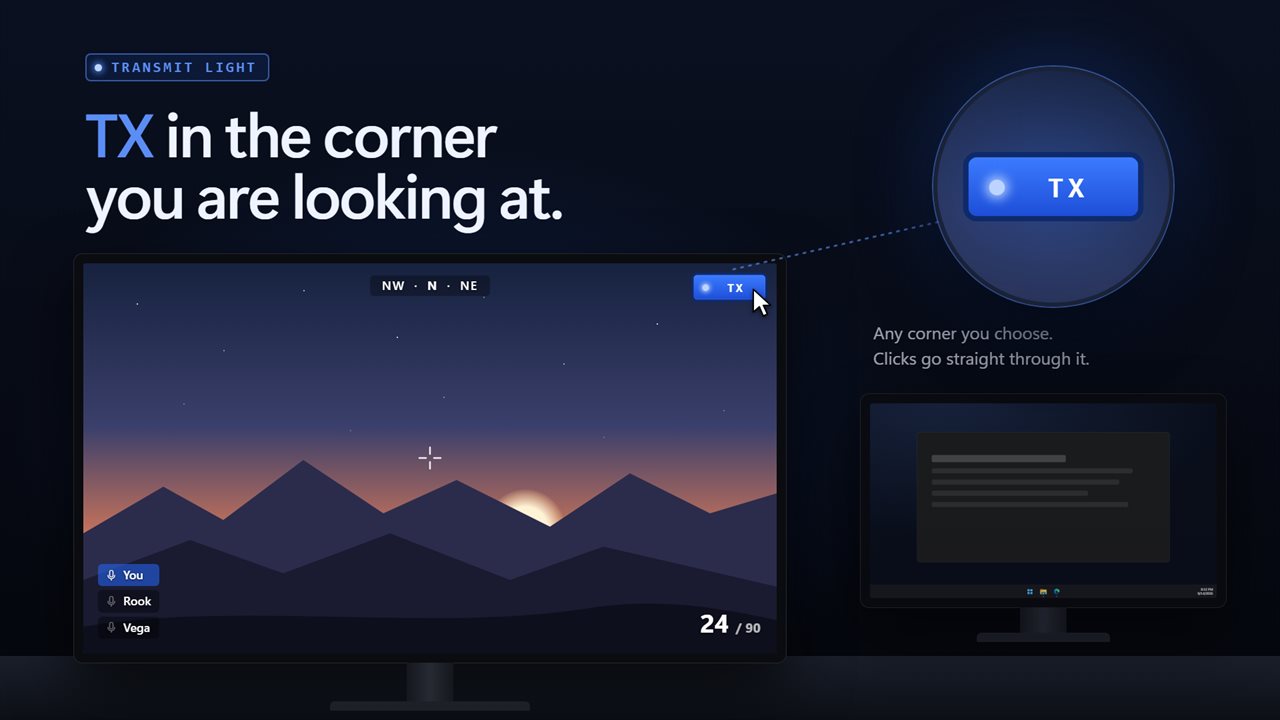
Key sound gives you audio confirmation through your own speakers or headset: Click, then a roger beep; Soft click; or Off, with its own volume slider. For a visual cue with the window closed, Transmit light places a small radio display in your chosen corner of the screen, showing TX while transmitting, or TX and STBY. Clicks pass straight through it.
Choosing the best push to talk key for gaming
Left Shift is the default because your hand finds it without looking. In many games, though, Shift is also sprint or walk, and the talk key is passed on to the game, so every sentence would make your character run. If that happens, move the talk key somewhere the game leaves alone.
A back or forward thumb button on the mouse is the usual choice: it sits under your thumb, never types a character, and keeps your left hand on the movement keys. The catch is that a browser still treats it as Back or Forward. An unbound F key is the keyboard alternative. A chord such as Ctrl+Alt plus a letter rarely collides with anything, but it is tiring to hold through a long briefing, and that is where Toggle earns its place.