A tone generator built like lab test gear
A tone generator does one simple thing: it plays a pure, steady sound at a frequency you choose. That turns out to be useful for a surprising number of jobs, from tuning a speaker crossover to finding a rattle in a car door or checking whether a cheap pair of earbuds can reproduce 15 kHz at all.
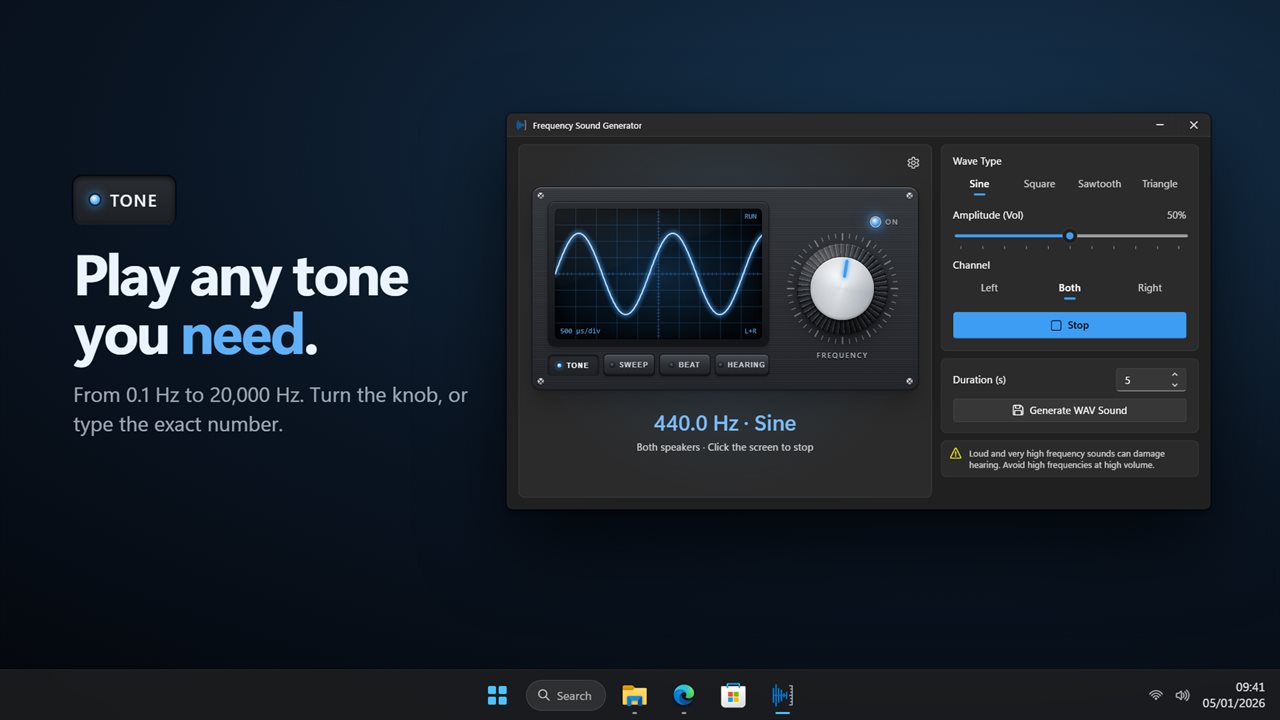
Frequency Sound Generator looks like the instrument an engineer would reach for. A large knob tunes the frequency, a FREQUENCY readout shows it to a tenth of a hertz, and an oscilloscope screen traces the waveform you are listening to, labeled with its time per division. Double-click the readout to type a value directly (1.2k means 1,200 Hz), nudge it up or down from the keyboard, or scroll the mouse wheel over the knob to move in musical half steps (hold Shift for fine steps).
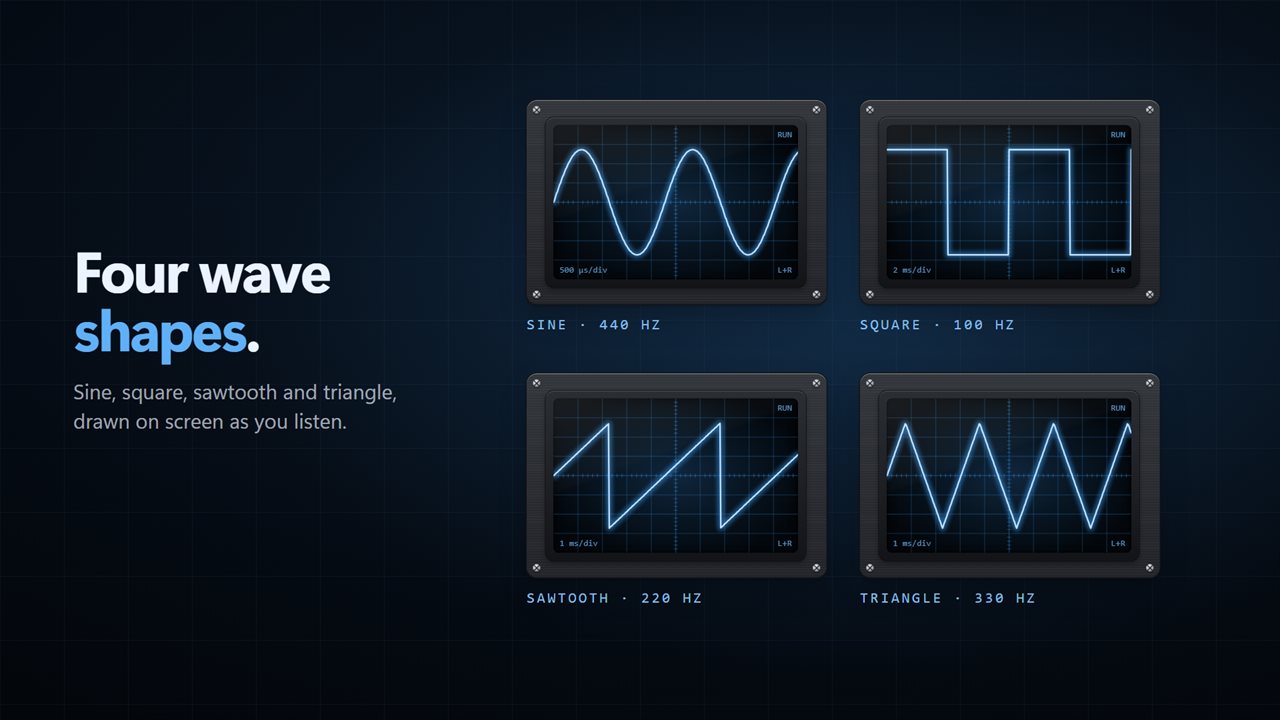
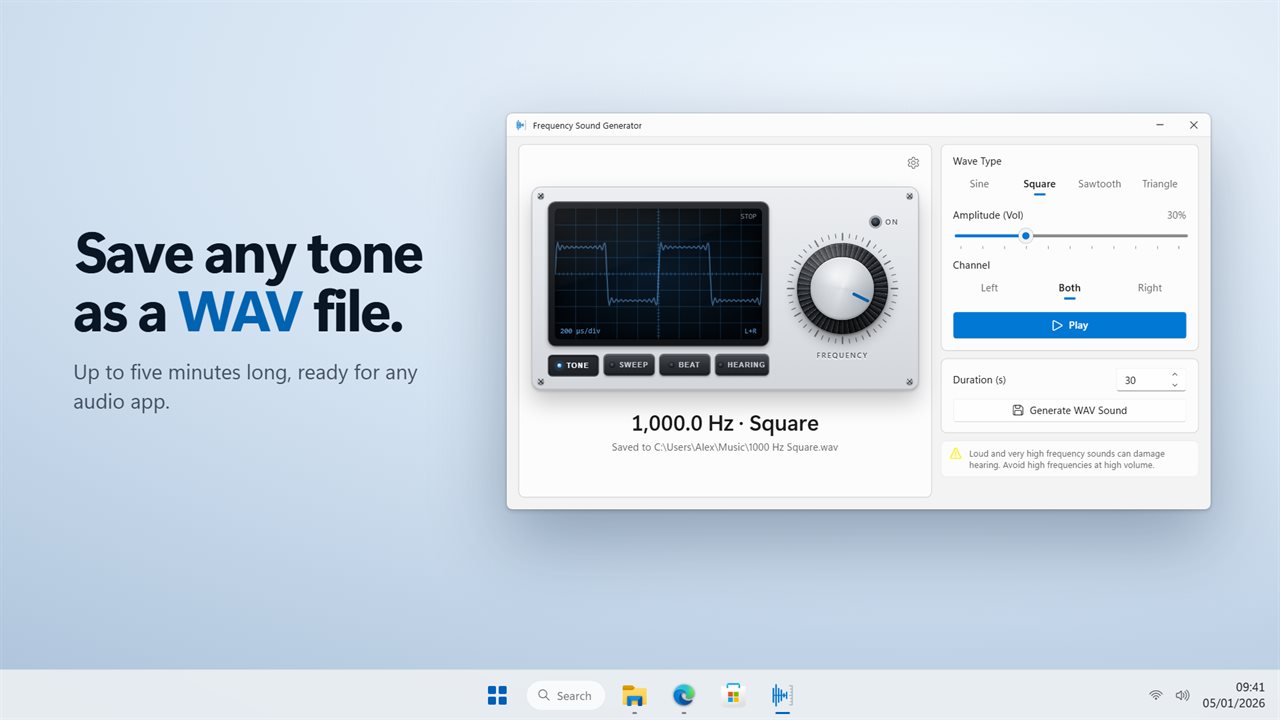
Pick the Wave Type, Sine, Square, Sawtooth or Triangle, and watch the trace change shape. Set Amplitude (Vol) from 1% to 100%, and click the scope or the Play button to start and stop. Turn on Play the tone as I adjust it in Settings and the tone starts the moment you touch the knob.
Left and right speaker test, and wiring checks
The Channel control sends the tone to Left, Both or Right. Choose Left and only the left speaker should sound; if the right one plays instead, the cables or the channel mapping are swapped. The hint line under the readout confirms the routing, such as Left speaker only, so there is no guessing which side the app thinks it is driving.
A low sine tone around 50 Hz played on Both is also a quick polarity check: if bass sounds thin when you sit between the speakers and fuller with one muted, one speaker may be wired out of phase.
Frequency sweep for subwoofer and room testing
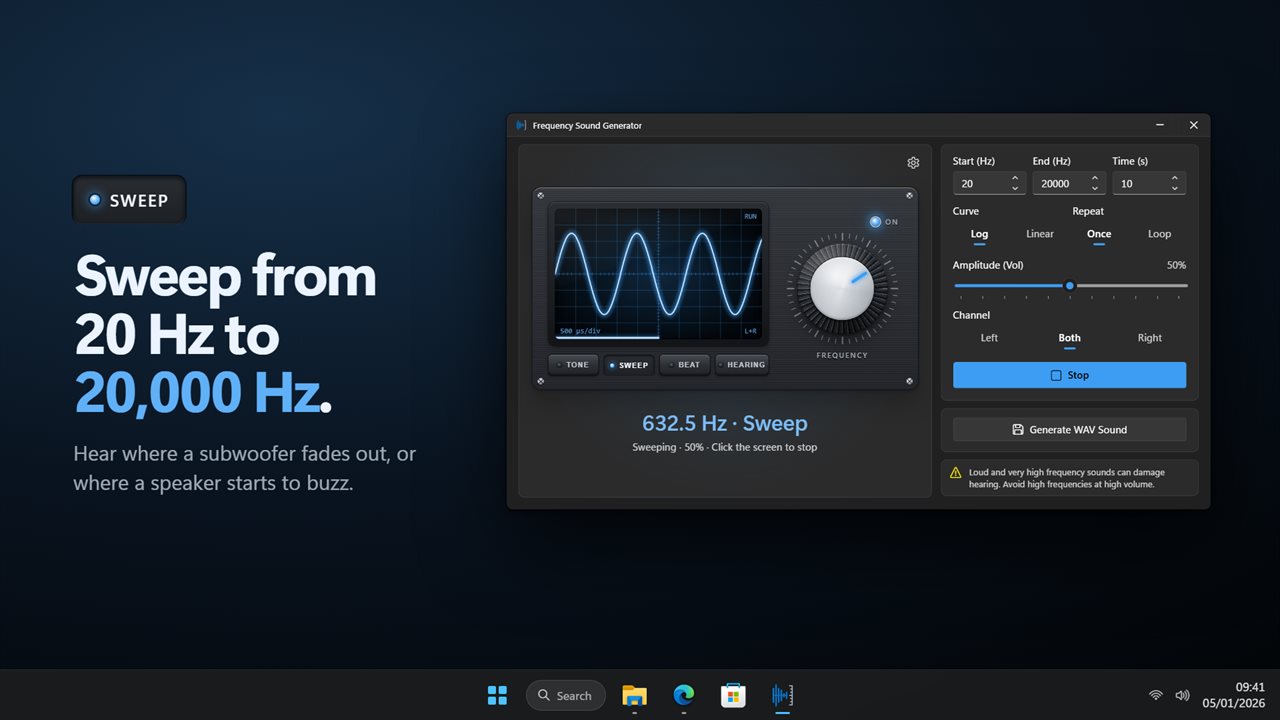
Switch the mode to SWEEP and enter Start (Hz), End (Hz) and Time (s). Pick a Curve, Log or Linear, and choose Once or Loop under Repeat. Log is usually the right choice for listening, because it spends as long on each octave at the bottom as at the top.
A slow log sweep from 20 Hz to 200 Hz exposes where a subwoofer rolls off, which notes boom in the room, and which ones a shelf or window frame starts to buzz along with. While the sweep runs, the knob follows it, and the readout and scope show the frequency in real time, so when something rattles you can read off exactly where it happened.
Hearing frequency test and binaural beats generator
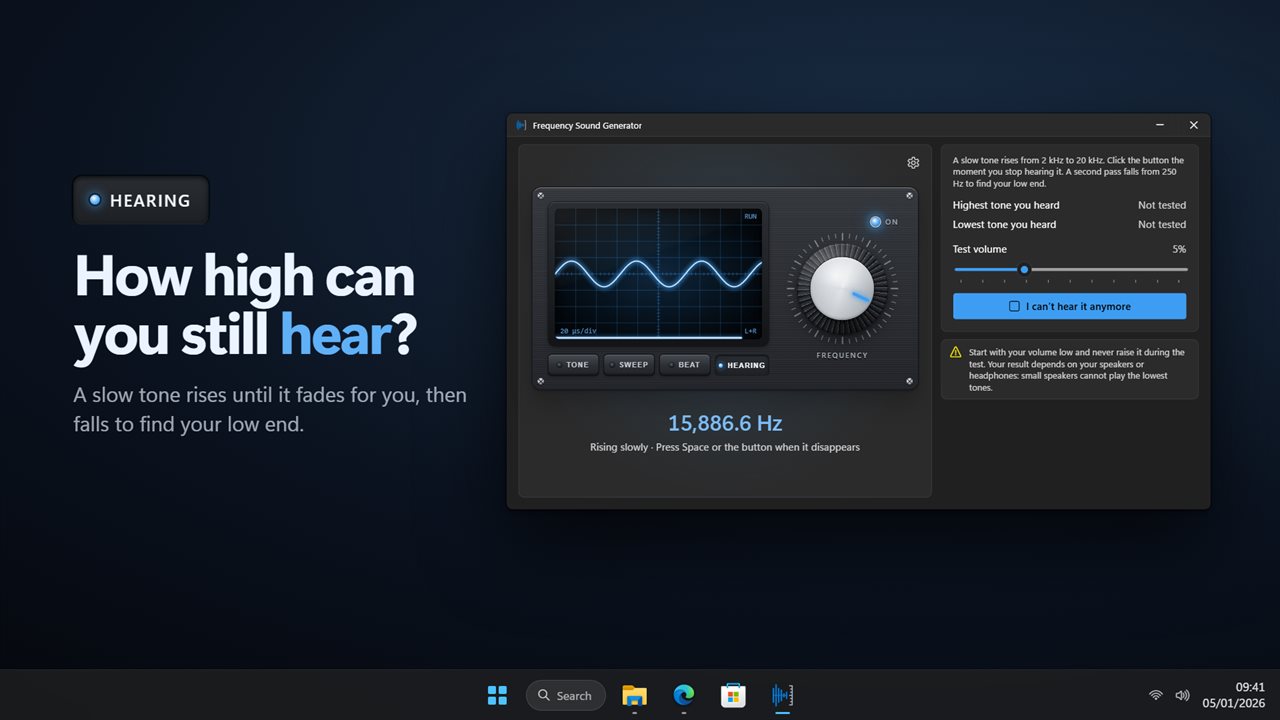
The HEARING mode runs a two-part hearing range test. A slow tone climbs from 2 kHz, and you press Space or the I can't hear it anymore button the moment it fades; then a second tone falls from 250 Hz to find your low limit. The app keeps both results as Highest tone you heard and Lowest tone you heard. Start with your volume low and leave it there, and treat the numbers as a curiosity rather than a diagnosis: small speakers cannot reach the lowest tones.
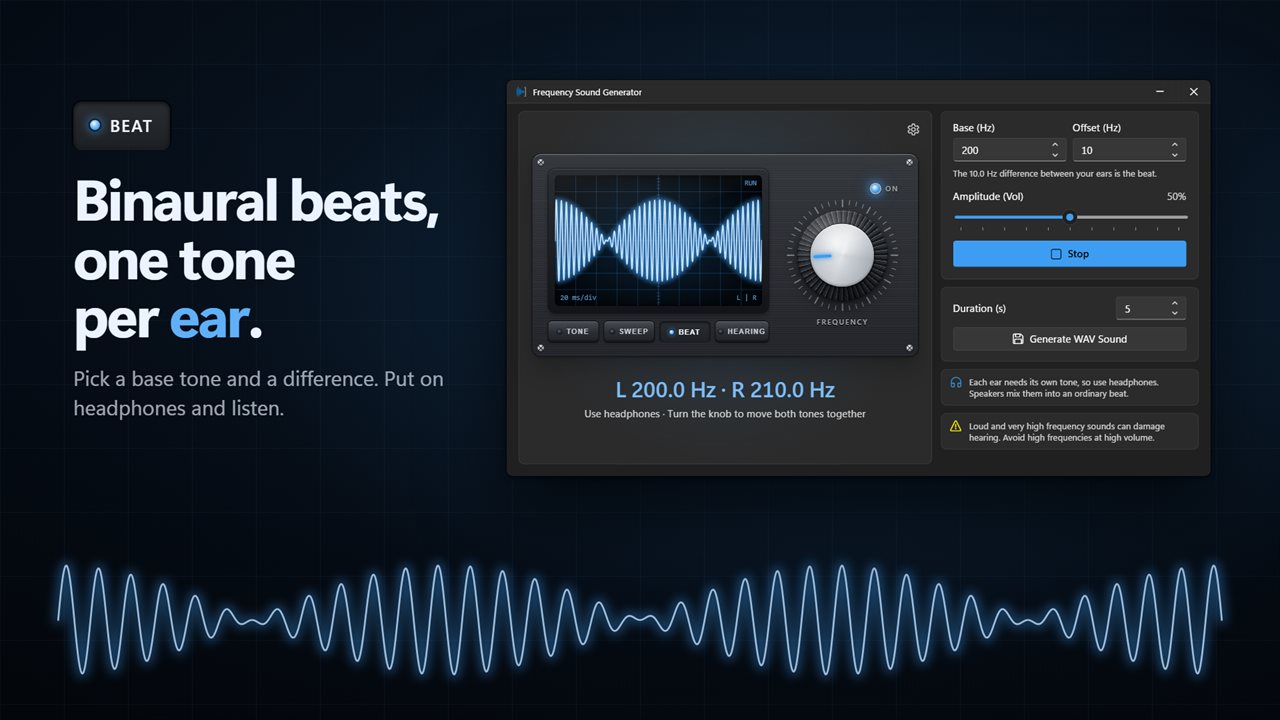
The BEAT mode is a binaural beats generator. Set Base (Hz) and Offset (Hz); the left ear receives the base and the right ear the base plus the offset, and the headline spells out both, such as L 200.0 Hz · R 210.0 Hz. Turning the knob moves the pair together. Use headphones, since speakers blend the two into an ordinary beat.
Save a test tone as a WAV file
Press Generate WAV Sound to write the current tone, binaural pair or sweep to disk. Duration (s) sets the length of a tone or binaural file; a sweep is written at its full length. Files are named from their settings, for example 1000 Hz Sine or a sweep name listing its range and curve, so a folder of test tones stays readable.