EEvlarSoft

Simple Lorem Ipsum

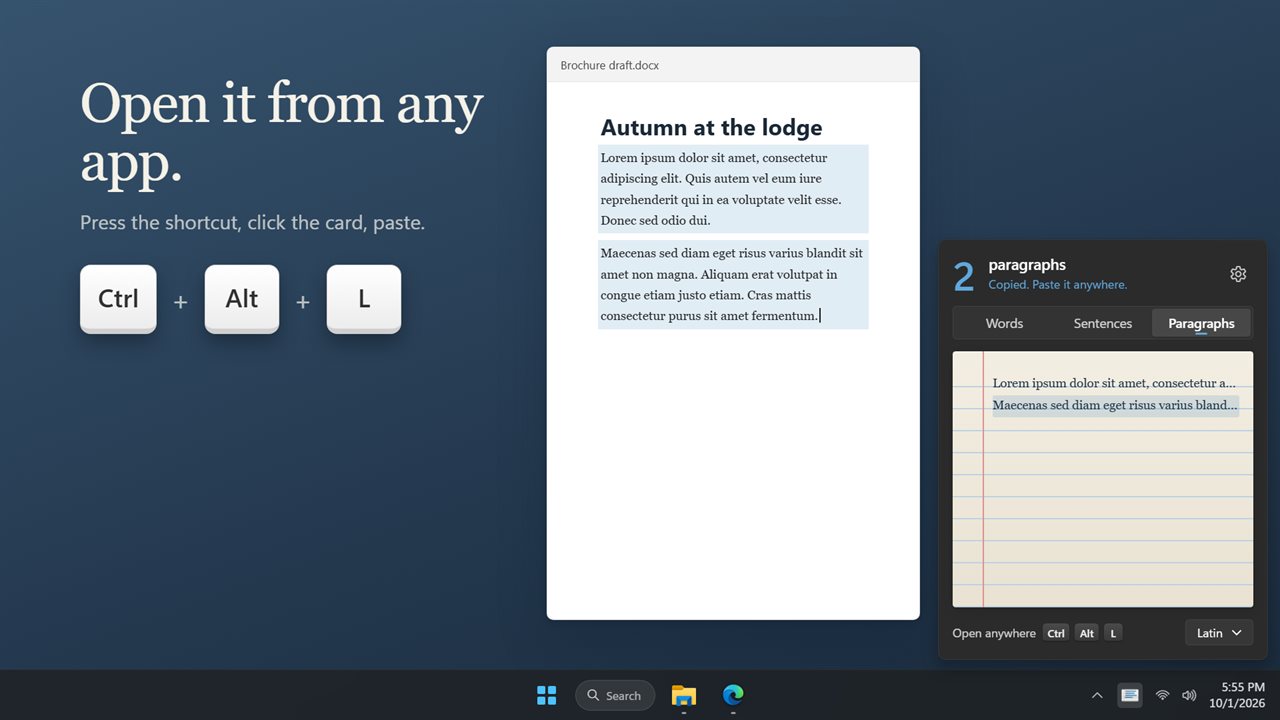
Press Ctrl+Alt+L, point at how much filler text you need, and click. One to ten words, sentences or paragraphs land on your clipboard.

Buy for $1.99
One payment. No subscription.
14-day money-back guarantee.
3.3
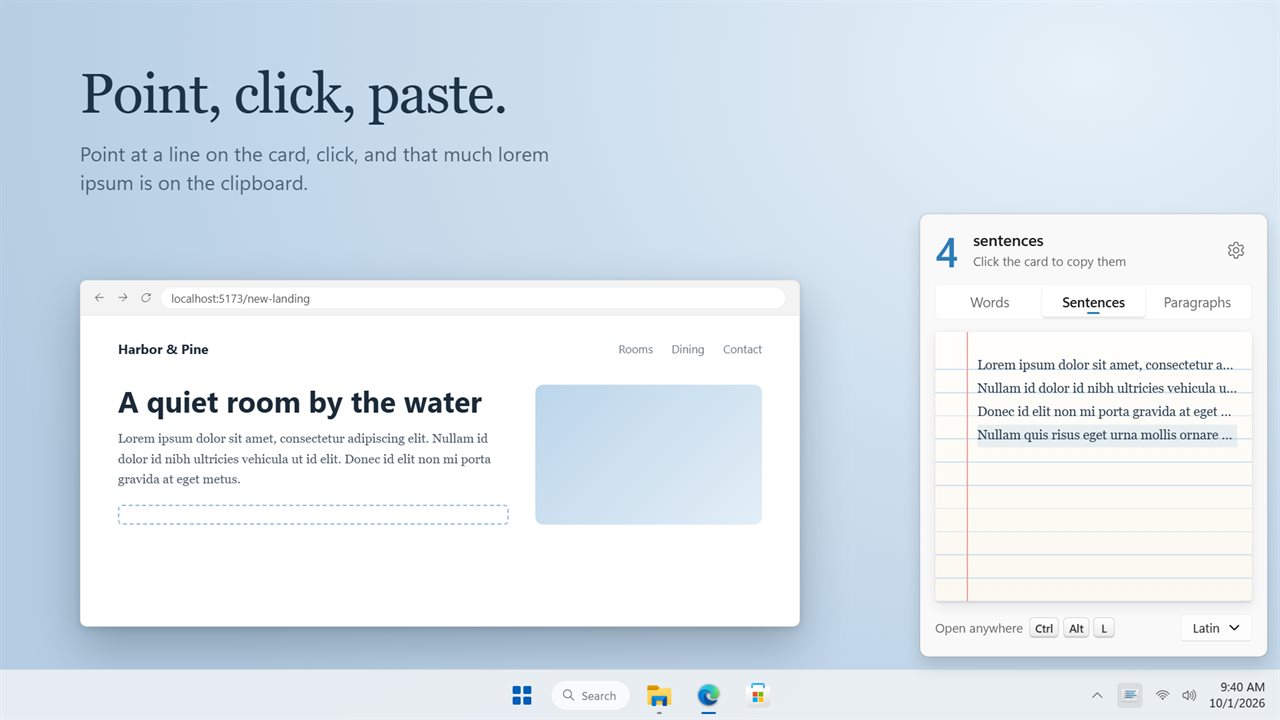
Point at a line and click. That much lorem ipsum is on the clipboard.
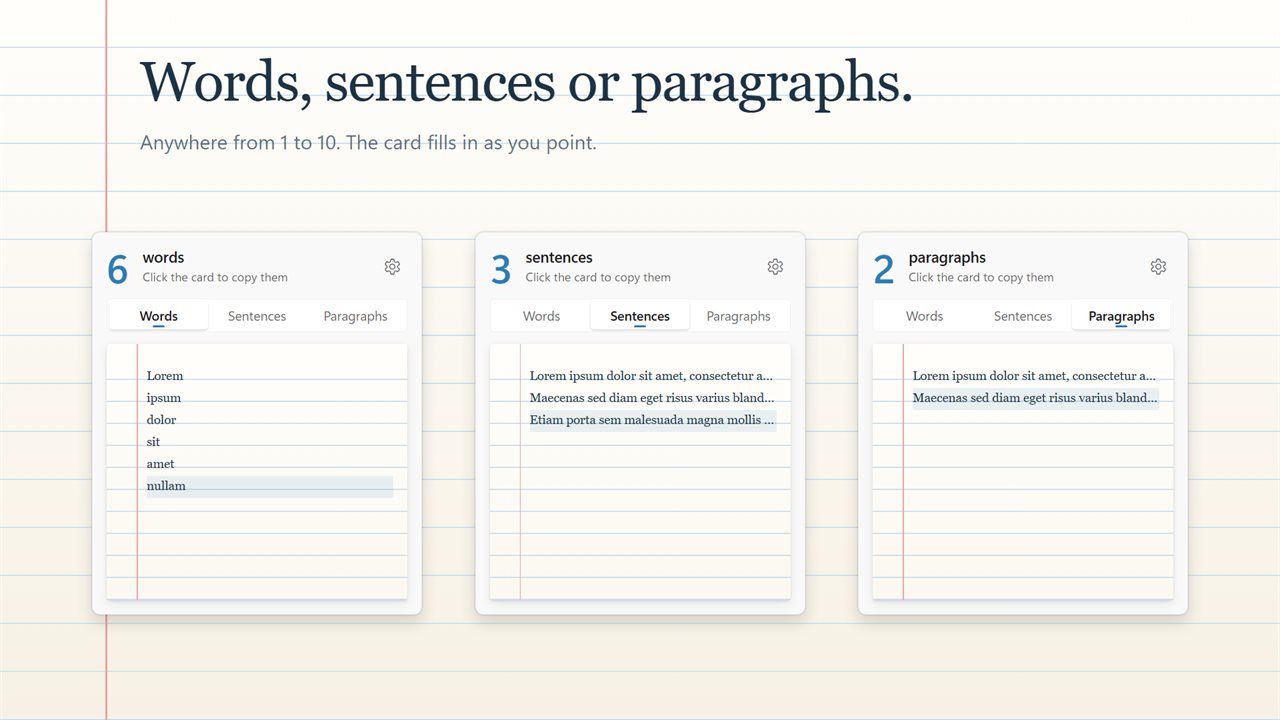
Words, sentences or paragraphs, 1 to 10 at a time.
Open it from any app with Ctrl+Alt+L, copy, and paste.
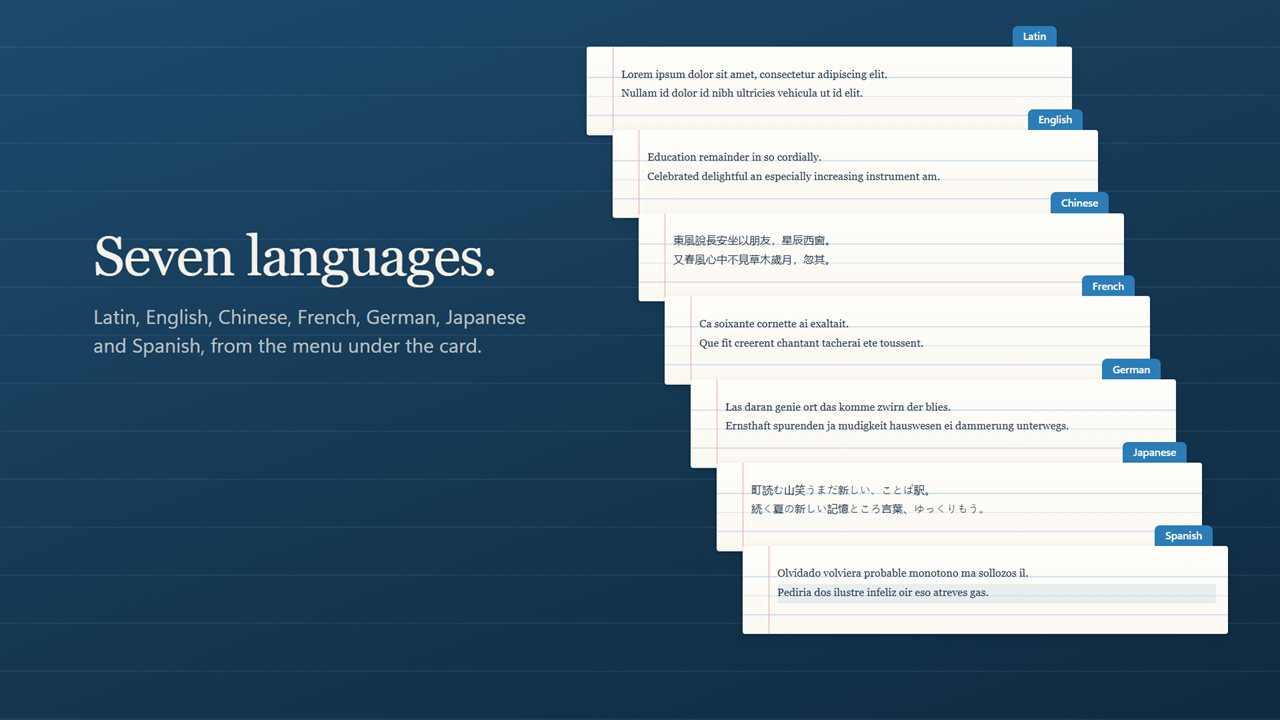
Placeholder text in seven languages.
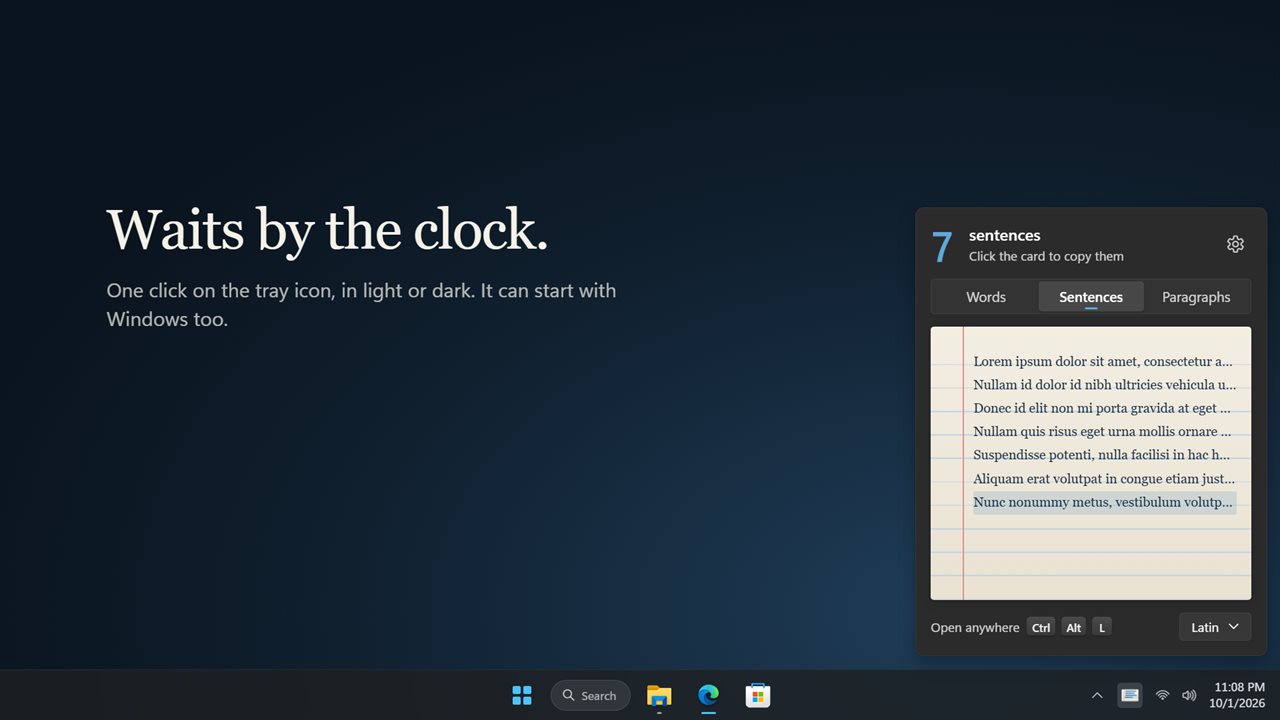
Waits by the clock, in light or dark.
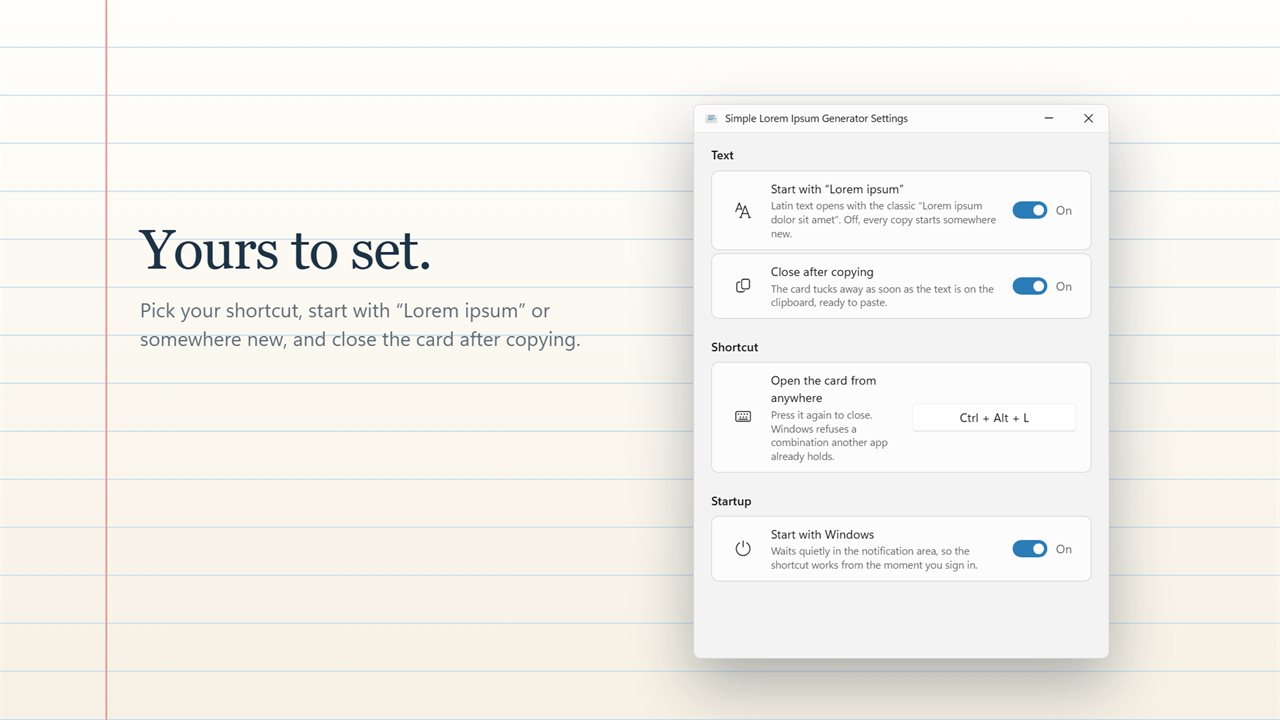
Your shortcut, your start, and close after copying.

Point at a line and click. That much lorem ipsum is on the clipboard.

190,000+downloads of EvlarSoft apps
Signed by EvlarSoftVerified US publisher
14-day money-backNo questions asked
Updates includedNo upgrade fees

Filler text without opening a browser tab

When a layout needs filler text, the usual routine is to search for a generator, wait for the page, choose options, select the output and copy it. Simple Lorem Ipsum Generator cuts that to a key press and a click. It sits by the clock as a small ruled card with ten lines.

Move the pointer down the card and the lines fill with text as you go, while a large number at the top shows the count, such as 4 sentences. One click copies that amount. A tab strip across the top switches between Words, Sentences and Paragraphs, and a Language menu under the card sets what the text is written in.

With the preview right in front of you, there is no guessing whether three sentences will fill the box in your mockup. Point at a different line and the preview changes.

Copy lorem ipsum dolor sit amet in one move

Most people want the familiar opening. With Start with "Lorem ipsum" switched on in Settings, which is how it ships, Latin text always begins with Lorem ipsum dolor sit amet, so a placeholder reads as a placeholder to anyone reviewing the design. Turn it off and each copy begins at a different point, which helps when several cards or columns on one page should not all start with the same words.

Paragraphs are separated by a blank line, so they paste into a word processor, a design tool or a content field as separate blocks.

English, Chinese and Japanese lorem ipsum

Latin can mislead a layout. A product page for a Japanese or Chinese market wraps and breaks lines very differently from Latin, and a layout that looked fine with Latin can overflow once real copy arrives. Pick Chinese or Japanese from the Language menu to test line length with the right kind of characters.

English, French, German and Spanish are there as well. They are useful when a reviewer keeps getting distracted by Latin, or when you want to see how longer European words behave in a narrow column.

What does lorem ipsum mean?

Nothing, on purpose. The passage is a mangled excerpt from a treatise on ethics that Cicero wrote in the first century BC, chopped up until it only resembles Latin. Even the first word is a stub: lorem is the tail end of dolorem, meaning pain. That near-nonsense is the point, because reviewers look at type, spacing and balance instead of reading the sentences and arguing with them.

What the card does

  • Ten lines to point at, copying 1 to 10 words, sentences or paragraphs
  • A live preview and count before anything is copied
  • Latin plus Chinese, Japanese, English, Spanish, French and German
  • A switch for whether Latin opens with Lorem ipsum dolor sit amet
  • Ctrl+Alt+L to open and close the card wherever you are working, changeable in Settings
  • Keyboard controlArrows, Home, End, 1 to 9 and 0 for ten, then Enter or Space to copy
  • Close after copying, so the card tucks away once the text is ready
  • Start with Windows, and three themes including one that follows Windows

Where it saves time

Wireframes and mockups

Fill a card title with a few words and its body with two sentences without leaving the design app for long.

Testing a website or app

Paste three paragraphs into a form or CMS field to check how long content wraps and scrolls.

Document templates

Drop placeholder paragraphs into a report or letter template so the layout can be approved before the writing is done.

What's new in 2.0.4

  • New: an index card that fills in as you point, so you see the text before you copy it
  • New: the count follows your pointer, and a copy is confirmed on the card
  • New: 7 languages: Latin, English, Chinese, French, German, Japanese and Spanish
  • New: open the card from any app with Ctrl+Alt+L, or your own shortcut
  • New: choose with the keyboard, and close after copying if you like
  • New: light and dark themes, and a Settings page
  • Your Words, Sentences or Paragraphs choice and Start with Windows carry over

Questions

Anything else? Ask us

How much lorem ipsum can it copy at once?

From 1 to 10 words, sentences or paragraphs. The card has ten lines, and you point at the line you want and click. Paragraphs are separated by a blank line.

What is the keyboard shortcut to open it?

Ctrl+Alt+L by default, from any app. Pressing it again closes the card, and you can pick another combination in Settings or remove it. If another app already holds the shortcut, the card says so.

Can I choose how much to copy without the mouse?

Yes. The arrow keys move up and down the card, 1 to 9 pick that many lines and 0 picks ten, Home and End jump to the first and last line, and Enter or Space copies.

Which languages can the placeholder text be in?

Latin, English, Chinese, French, German, Japanese and Spanish, picked from the menu under the card.

Does it always start with "Lorem ipsum dolor sit amet"?

Only in Latin, and only while Start with "Lorem ipsum" is on, which is the default. Turn it off and every copy starts somewhere new. The other languages never open with that line.

Can it copy the text as HTML or Markdown?

No. It copies plain text only. For HTML or Markdown output, or more than ten units at once, it is not the right tool.

Can I make the card disappear after I copy?

Yes. Switch on Close after copying in Settings; the card hides once the copy is done. Otherwise it stays open so you can copy again.

What if another app is using the clipboard when I click?

The card tells you another app is using the clipboard and asks you to try again, rather than copying nothing without a word.

Which versions of Windows does it run on?

Windows 10 (version 1809 or later) and Windows 11.

Is it a subscription?

No. Simple Lorem Ipsum is a one-time purchase of $1.99, and updates are included.

How do I get it?

Buy it on this page and your license key arrives by email. If the button says Notify me, Simple Lorem Ipsum is not on sale here yet; leave your email and we will tell you when it is.