EEvlarSoft

Java Compiler for Windows

java file, press F5, and see your program run without installing Java or touching JAVA_HOME.

Buy for $2.99
One payment. No subscription.
14-day money-back guarantee.
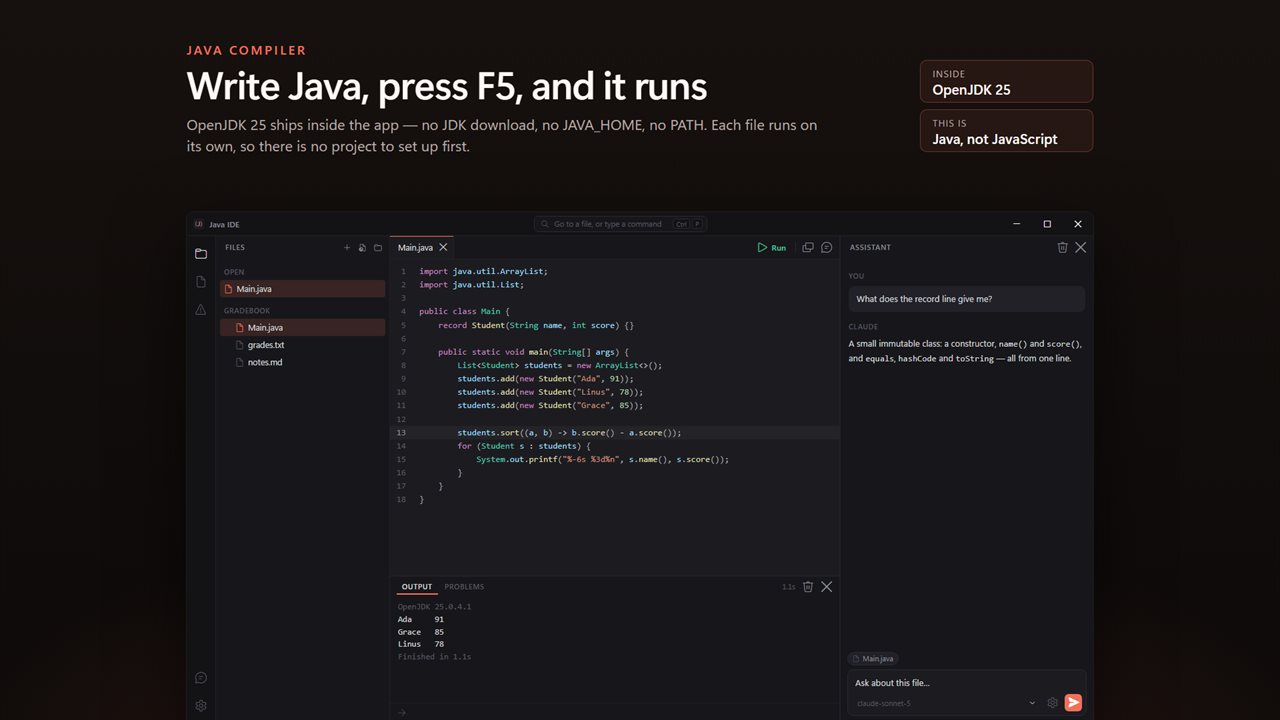
Write Java and press F5. OpenJDK 25 ships inside the app, so there is nothing to install first.
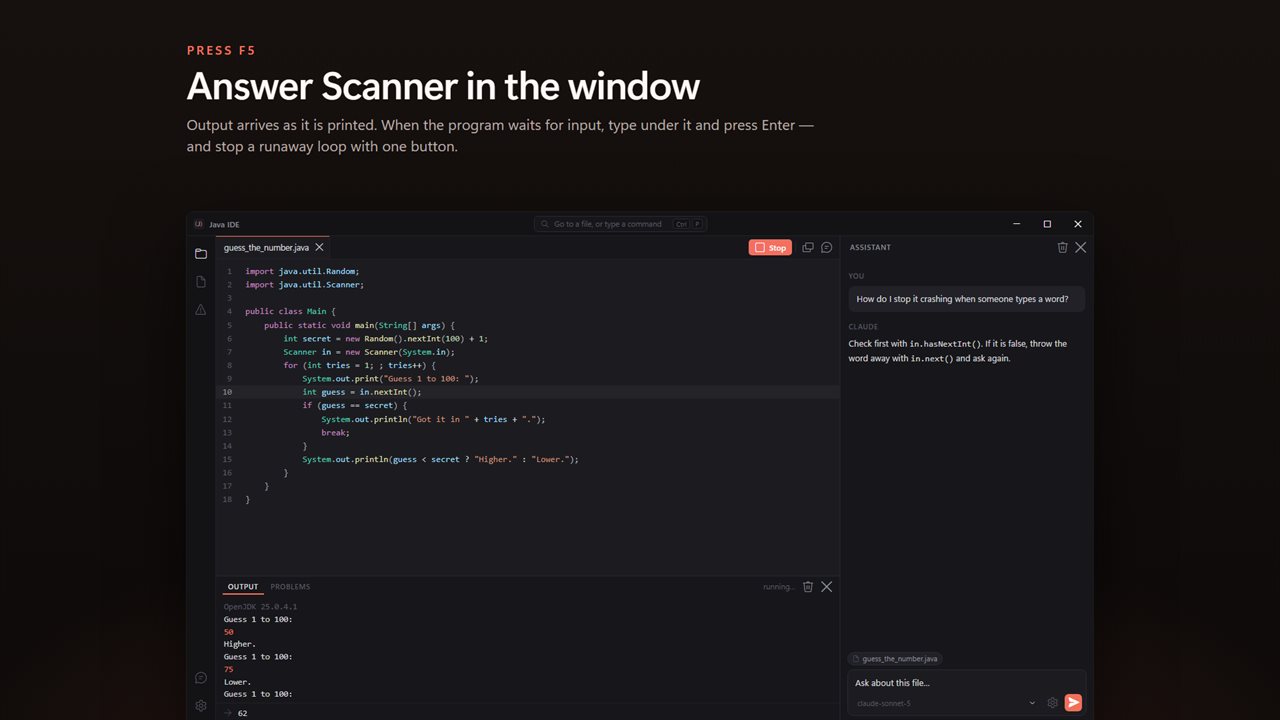
Output arrives as it is printed, and you answer a Scanner prompt right in the window.
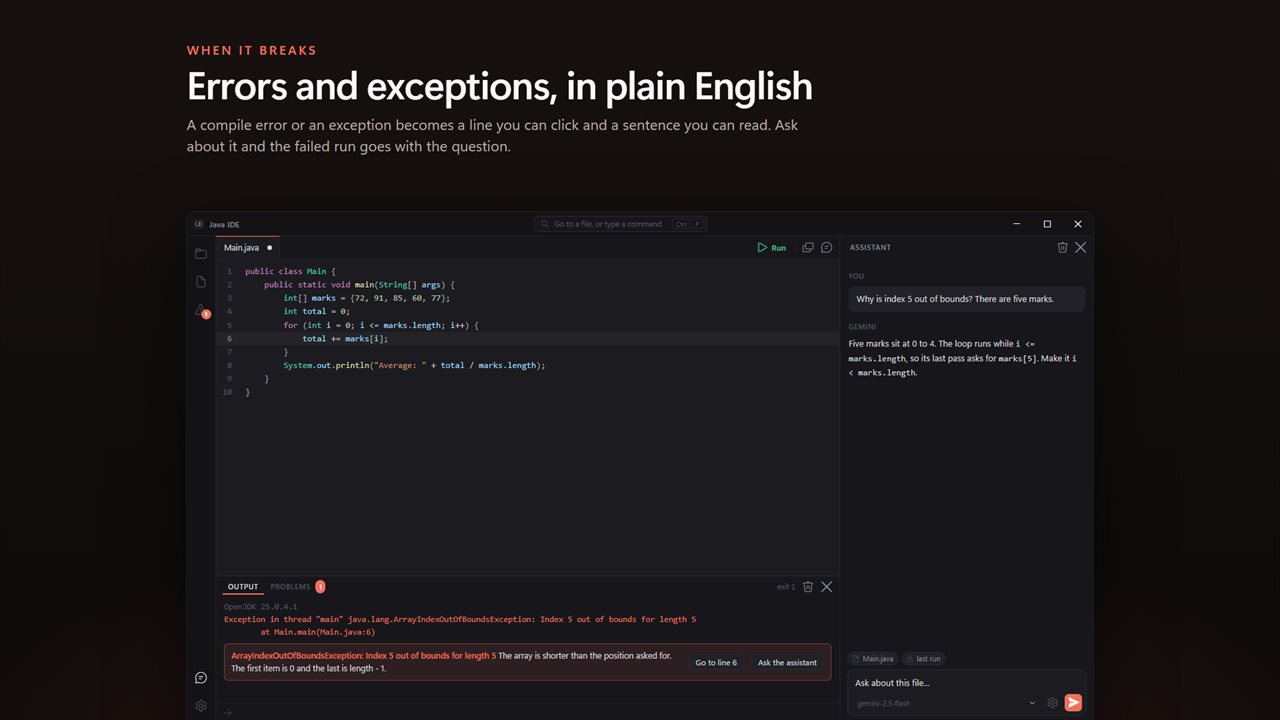
A compile error becomes a line you can click and a sentence you can read. Exceptions are explained too.
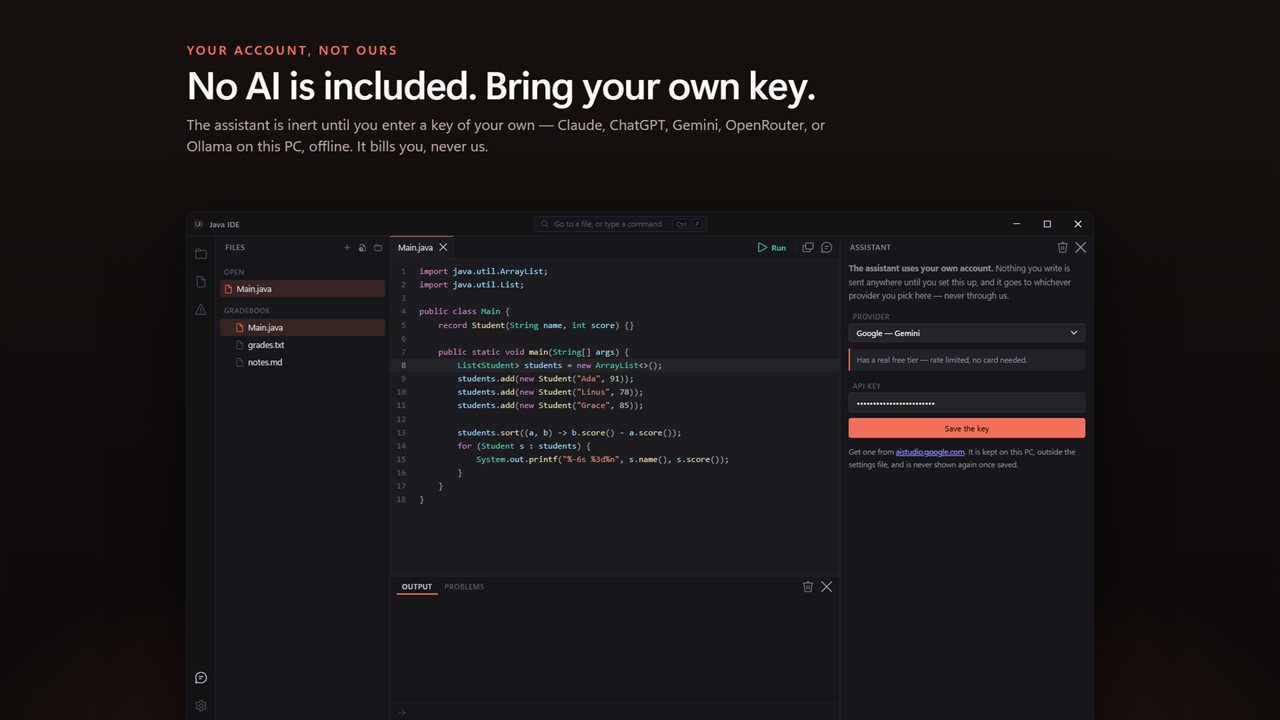
No AI is included: the assistant is inert until you enter a key of your own. Claude, ChatGPT, Gemini, OpenRouter — or Ollama, offline.
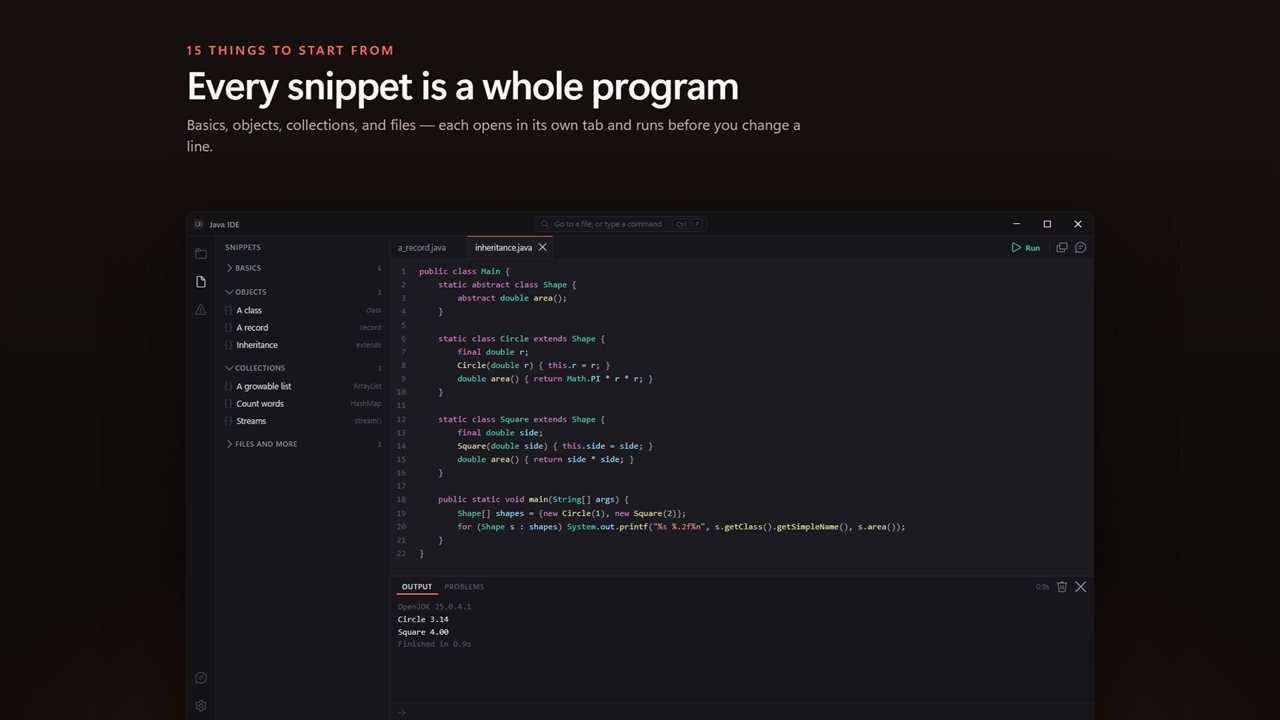
Fifteen snippets that each open as a whole program and run as they are.
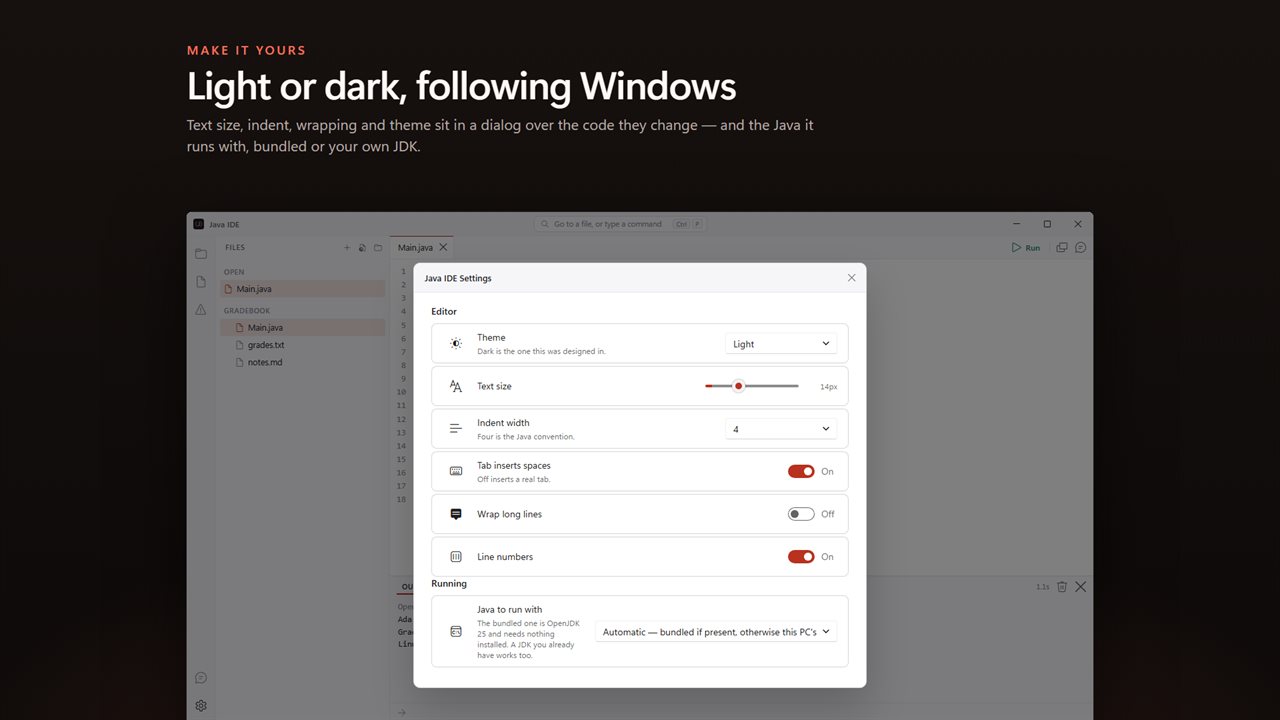
Light or dark, following Windows, with every setting over the code it changes.

Write Java and press F5. OpenJDK 25 ships inside the app, so there is nothing to install first.

190,000+downloads of EvlarSoft apps
Signed by EvlarSoftVerified US publisher
14-day money-backNo questions asked
Updates includedNo upgrade fees

A Java IDE that starts with the JDK already set up

The first hour of learning Java is often spent not writing Java. You download a JDK, find out where it installed, set JAVA_HOME, edit PATH, then install a full Java IDE that asks you to create a project, pick a build system and choose a package name before you can print a line. Java IDE removes all of that. The Microsoft Build of OpenJDK 25 comes bundled with the app, so it can compile and run Java on a PC that has never had Java on it.

Open or create a .java file and press F5. The source is compiled and launched using Java's single-file launcher, the same way java Main.java works from a terminal, and what the program prints streams into the output panel below the editor. There is no project to set up first: one file, one class with a main method, one key.

It is built for Java, the language of classes, objects and public static void main, not JavaScript, which only shares the name. Its limits are deliberate: there is no debugger and no Maven or Gradle, so it suits learning, exercises and single-file programs rather than a multi-module codebase.

How to run a Java program on Windows in three steps

The new-file starter is a small program that asks for your name with Scanner and greets you, so you can watch the whole loop work before you change anything.

  • Press Ctrl+N for a new file, or Ctrl+O to open a .java file you already have.
  • Press F5. The status bar shows which Java the run used.
  • When the program waits for input, type into the box under the output and press Enter. Shift+F5 stops it.

Java compiler errors and exceptions in plain English

Javac is strict, and its wording assumes you already know the vocabulary. Each error appears in the Problems list as a line you can click to jump to the spot, and the most common ones get a one-sentence explanation alongside the original message.

That covers cannot find symbol (usually a spelling or capitalization slip, or a missing import), a missing semicolon, braces that do not pair up, incompatible types, a possible lossy conversion between number types, a missing return statement, a variable read before it was given a value, and the classic beginner trap of calling a non-static method from main.

Runtime exceptions are treated the same way and linked to the line in your file where they happened. NullPointerException, ArrayIndexOutOfBoundsException, StringIndexOutOfBoundsException, ArithmeticException from dividing by zero, NumberFormatException, and the Scanner pair InputMismatchException and NoSuchElementException each come with a short note on what went wrong.

A Java code runner for practice problems

Exercise sites and programming contests give you sample input to test against. Save it as input.txt in the same folder as your .java file and press Ctrl+F5: the file is fed to System.in and then closed, so a loop that reads while hasNext() is true ends cleanly. Leave Clear the output each run switched off in Settings to keep a history of runs in the panel and compare them.

Fifteen starter programs open in their own tabs, grouped as Basics, Objects, Collections, and Files and more. They range from reading a number and looping, through a class, a record and inheritance, to streams, counting words in a map, writing and reading a file, and a guess-the-number game.

What is in it

  • OpenJDK 25 bundled, with a Settings option to use the Java installed on this PC or a specific java.exe instead
  • F5 compiles and runs, Shift+F5 stops, Ctrl+F5 runs with input.txt
  • Live output, with typed input sent to Scanner while the program waits
  • Completion for Java keywords and everyday classes such as Scanner, ArrayList, HashMap and StringBuilder
  • A tab per open file, Ctrl+P for the command palette and Ctrl+Shift+E for the file tree
  • Dark, Light or Match Windows themes, text size from 10 to 22 px, and line wrapping on demand
  • Optional AI help beside the editor, driven by a key you supply or a model running on your PC, with the open file and the failed run as context

Made for

First-semester Java students

Get from a blank screen to a running program in one sitting, on a school or home PC where you cannot or do not want to install a JDK.

Interview and contest practice

Keep one solution per file, paste sample cases into input.txt, and rerun with Ctrl+F5 until the output matches.

Quick experiments

Try out a stream, a record or a string method in a scratch file without opening a heavyweight project.

What's new in 1.0.2

  • OpenJDK 25 ships inside; nothing to install
  • F5 compiles and runs; output streams as it prints
  • Scanner prompts answered in the window
  • Compile errors and exceptions explained in plain English, with a clickable line
  • Ctrl+F5 runs with input.txt
  • Or use the JDK you already have
  • An assistant on your own key: Claude, ChatGPT, Gemini, OpenRouter, or Ollama offline
  • 15 runnable snippets in four sections
  • Light and dark, following Windows

Questions

Anything else? Ask us

Do I need to install a JDK or set JAVA_HOME?

No. OpenJDK 25 comes inside the app, so a Java program runs on a PC that has never had Java installed. There is no PATH or JAVA_HOME to set.

Can I use a JDK I already have instead?

Yes. In Settings, choose the Java installed on this PC or point it at a specific java.exe. The default uses the included JDK and falls back to the Java on this PC if it is missing.

Does Scanner input work?

Yes. While the program waits, type your answer in the box under the output and press Enter. Ctrl+F5 instead feeds it an input.txt from the same folder and then ends the input, so a loop that reads until hasNext() is false finishes.

Does it support Maven, Gradle or .jar libraries?

No. Each file runs with java's single-file launcher and the standard library only, and there is no setting for a build tool or a classpath. It is meant for programs that fit in one .java file.

Can I pass command-line arguments to main?

No. A run starts the program with no arguments, so args is always empty. Read values with Scanner or from input.txt instead.

What happens when my code does not compile?

Each compiler error appears as a line you can click to jump to it, with a plain-English explanation for common ones such as cannot find symbol, a missing semicolon or calling a non-static method from main. Exceptions like NullPointerException or InputMismatchException are explained the same way, with the line they happened on.

What does cannot find symbol mean in Java?

The compiler met a name it does not recognize. Usually it is a spelling or capitalization slip, since Java treats Scanner and scanner as different names, or a class such as Scanner or ArrayList used without its import. The app shows that explanation under the error and links it to the line.

Is this the same as a JavaScript editor?

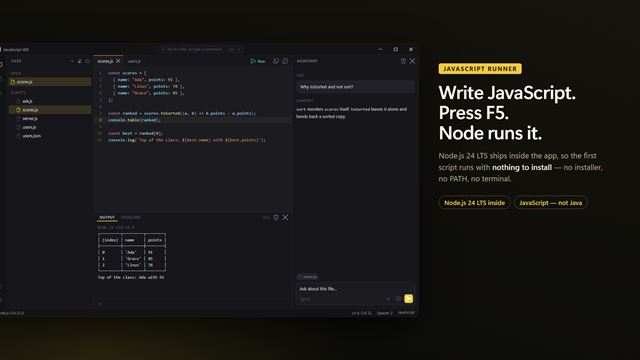
No. It edits and runs Java, compiled by the JDK. JavaScript is a separate language and is not run here.

Can my program have more than one class?

Yes, as long as they are all in the one .java file you run. The single-file launcher compiles every class in that file, and the first one declared is the one whose main method starts.

Which versions of Windows does it run on?

Windows 10 (version 1809 or later) and Windows 11.

Is it a subscription?

No. Java Compiler is a one-time purchase of $2.99, and updates are included.

How do I get it?

Buy it on this page and your license key arrives by email. If the button says Notify me, Java Compiler is not on sale here yet; leave your email and we will tell you when it is.