A GUID generator that lives next to your editor
A GUID generator is one of those tools you reach for twenty times a week: a primary key for a seed row, a ProjectGuid for a new .csproj, a correlation ID for a test. Opening a browser tab each time is slow, and a web page cannot type into your IDE. This desktop app makes the IDs locally and puts them wherever you need them.
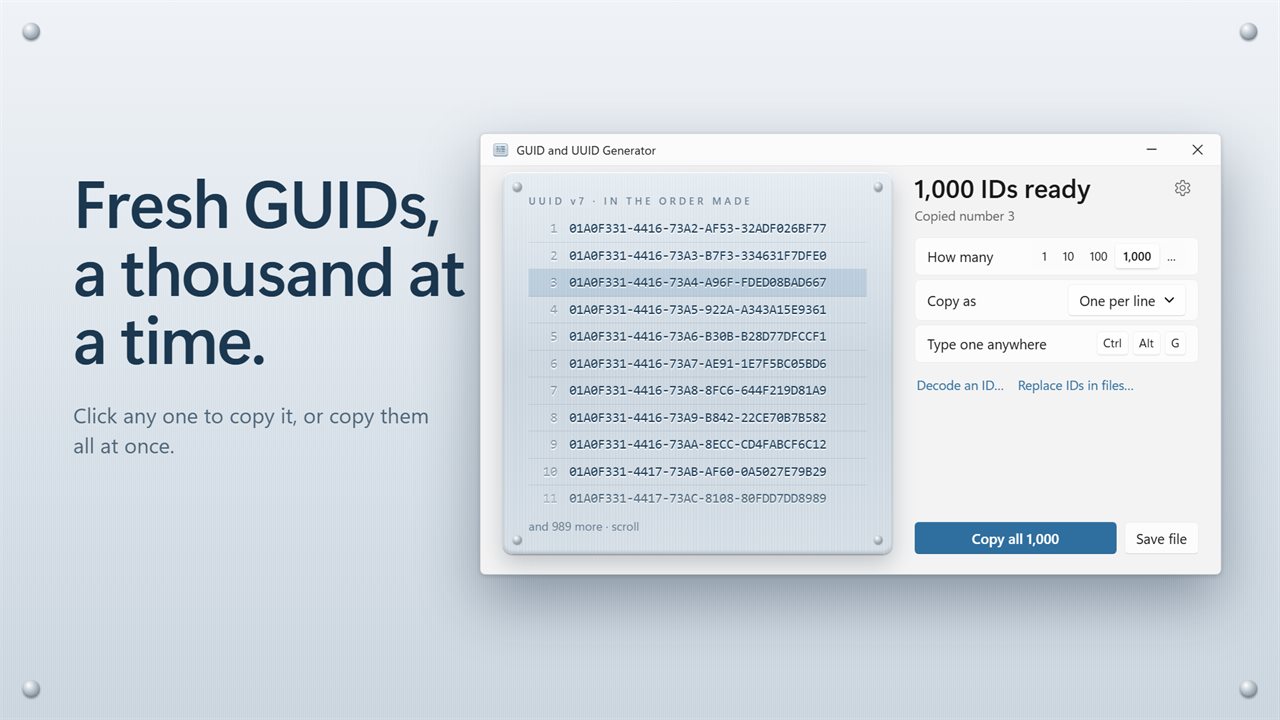
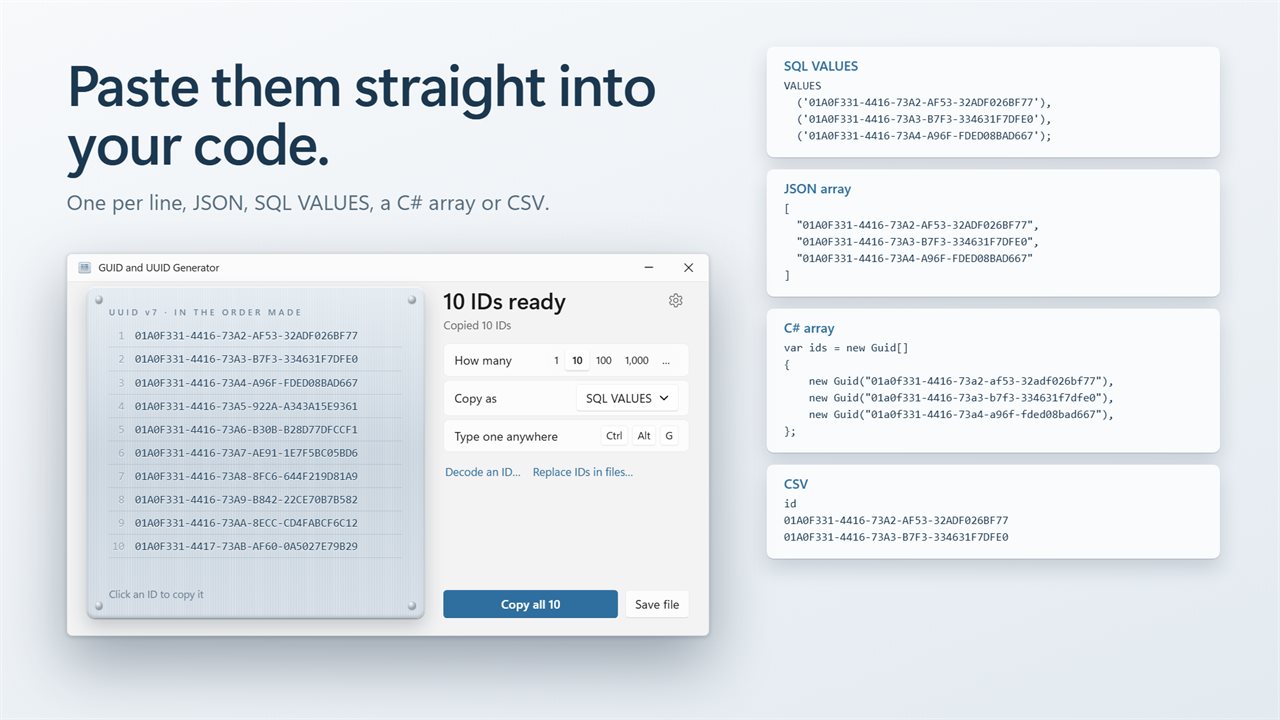
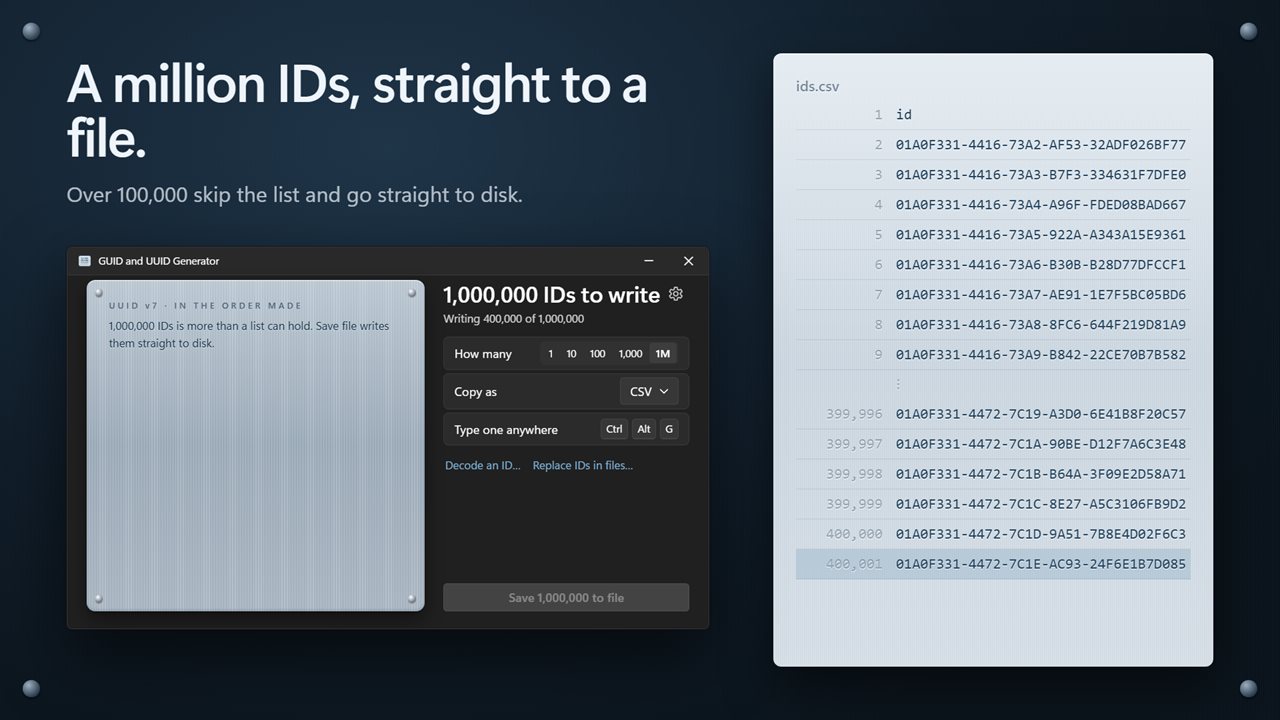
Choose how many with the 1, 10, 100 or 1,000 presets, or press the … button and enter any count up to 1,000,000. The batch appears instantly, each row copies with a click, and a status line reports how long it took and whether any duplicate had to be replaced. Up to 100,000 IDs sit in the window; beyond that the app streams them to disk without holding them in memory.
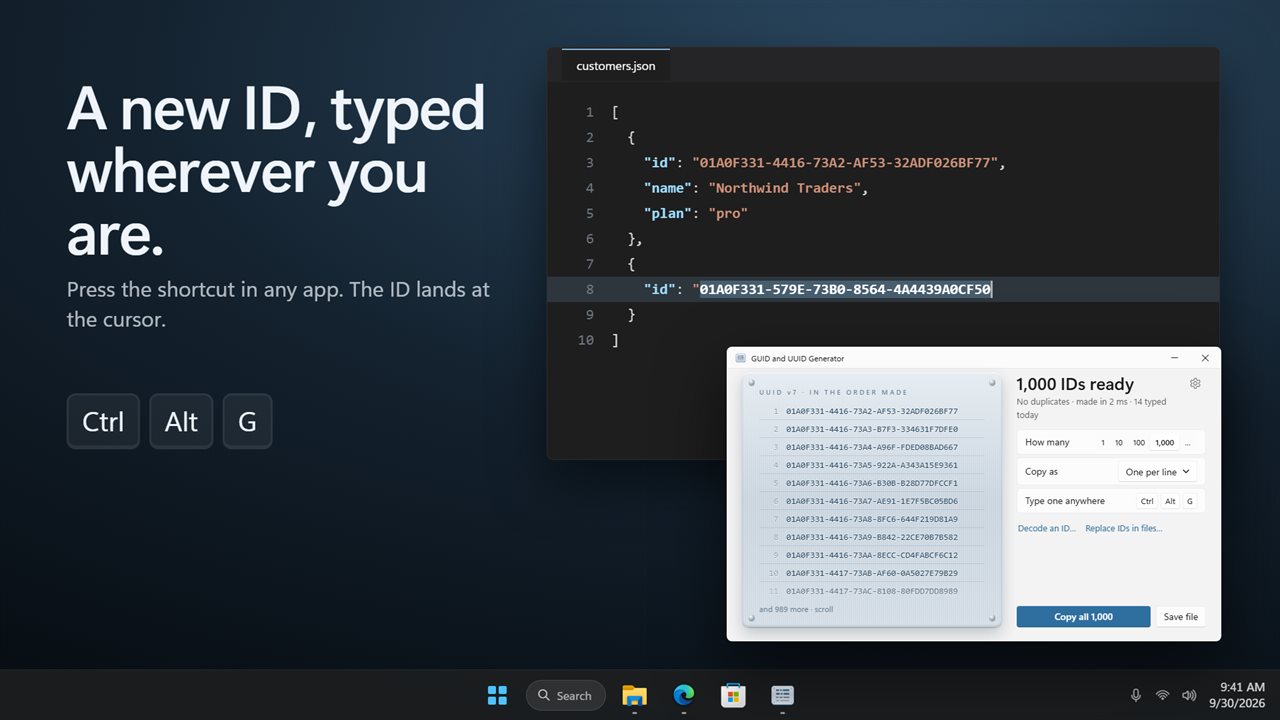
Press Ctrl+Alt+G in your IDE, a SQL editor, a browser form or any other window, and a new ID is typed at the cursor. The shortcut can be changed under Type one anywhere, and the window counts how many you typed today.
GUID vs UUID, and which version to use
GUID and UUID name the same thing: a 128-bit identifier written as 32 hex digits in an 8-4-4-4-12 pattern. GUID is the Microsoft term you meet in .NET, COM and SQL Server; UUID is the name in the RFC 9562 standard and most other languages. Any GUID this app produces is a valid UUID.
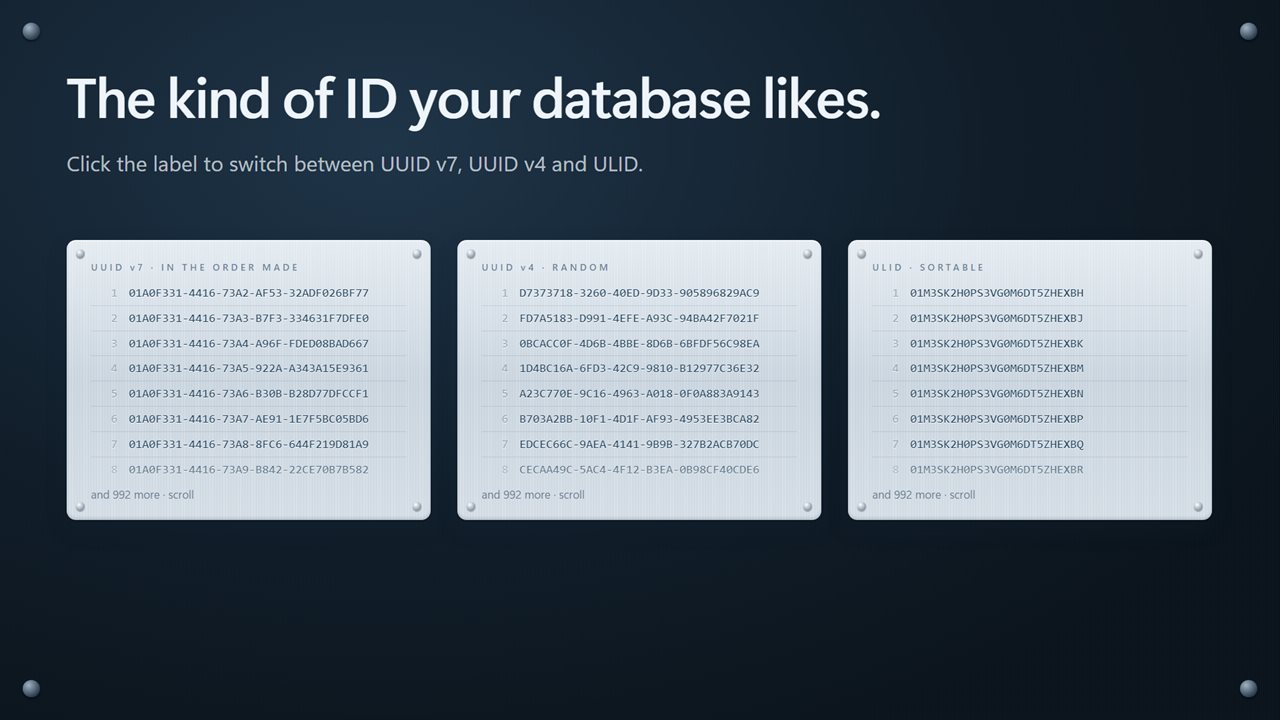
Pick the kind by clicking the label on the plate, or under Kind of ID in Settings:
- UUID v7 starts with a Unix millisecond timestamp, so new values land at the end of a database index instead of scattering pages. It is the default here and a good choice for primary keys.
- UUID v4 is 122 random bits with no time in it. Use it when an ID must reveal nothing about when it was created.
- ULID packs a 48-bit timestamp and 80 random bits into 26 Crockford Base32 characters. IDs made within the same millisecond are incremented, so they still sort in creation order.
Generate UUIDs in bulk as JSON, SQL or C#
Copy as sets the wrapper for the whole batch: One per line, JSON array, SQL VALUES, C# array or CSV. Copy all puts it on the clipboard, and Save file writes it with the matching extension, ready to drop into a migration, a fixture or a unit test.
Style of each ID controls how a single value is written: lowercase, UPPERCASE, {braces} for registry and project files, or C# new Guid("…") for pasting straight into code. ULIDs are always written plain.
Decode a UUID, ULID or Snowflake ID
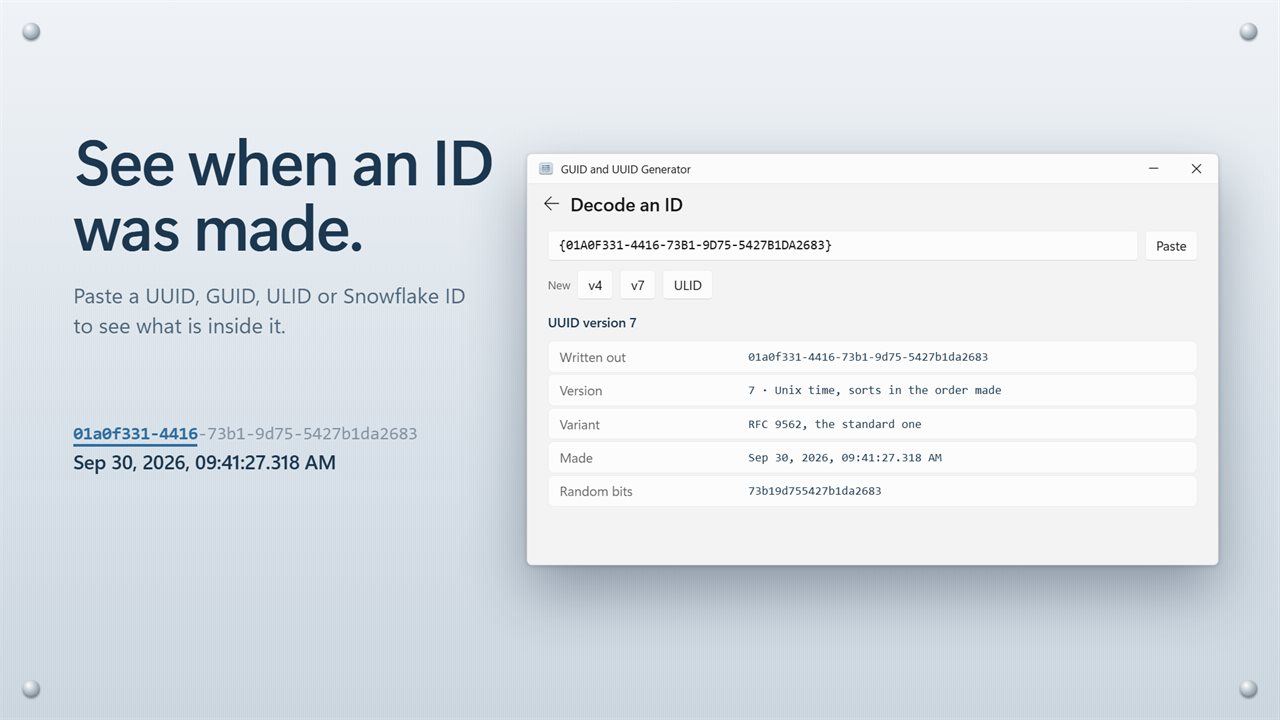
Decode an ID… opens a field that accepts whatever you paste, including braces, quotes, a urn:uuid: prefix or a new Guid(…) wrapper. For a UUID it names the version, from 1 (time and MAC address) through 8 (custom layout), and the variant, such as RFC 9562 or legacy Microsoft COM. Versions 1, 6 and 7 also show the creation time to the millisecond, and v1 shows its node and clock sequence.
Paste a ULID and you get its timestamp, its 80 random bits and its equivalent UUID form. A Snowflake ID is read against both the X / Twitter and the Discord epochs, alongside its worker, process and sequence fields. The nil and max UUIDs are recognized by name.
Replace every GUID in a project at once
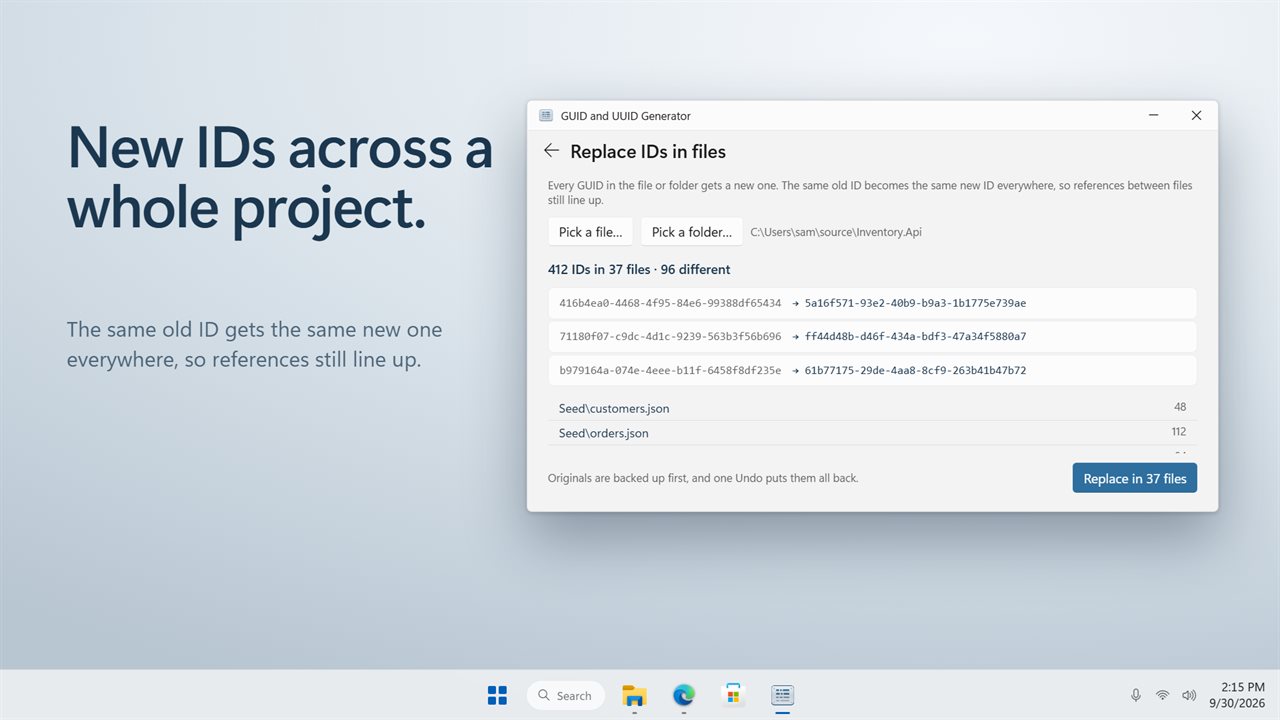
Cloning a template solution or a set of config files usually leaves you with IDs that collide with the original. Replace IDs in files… takes a single file or a whole folder, lists how many GUIDs it found, in how many files, and how many are distinct, before anything is written.
Each distinct old GUID maps to one new v4 value everywhere it appears, so cross-file references still match, and uppercase originals stay uppercase. bin, obj, node_modules and .git are skipped. Files are backed up first, and Undo restores them.