Convert JSON to JSONL without a script
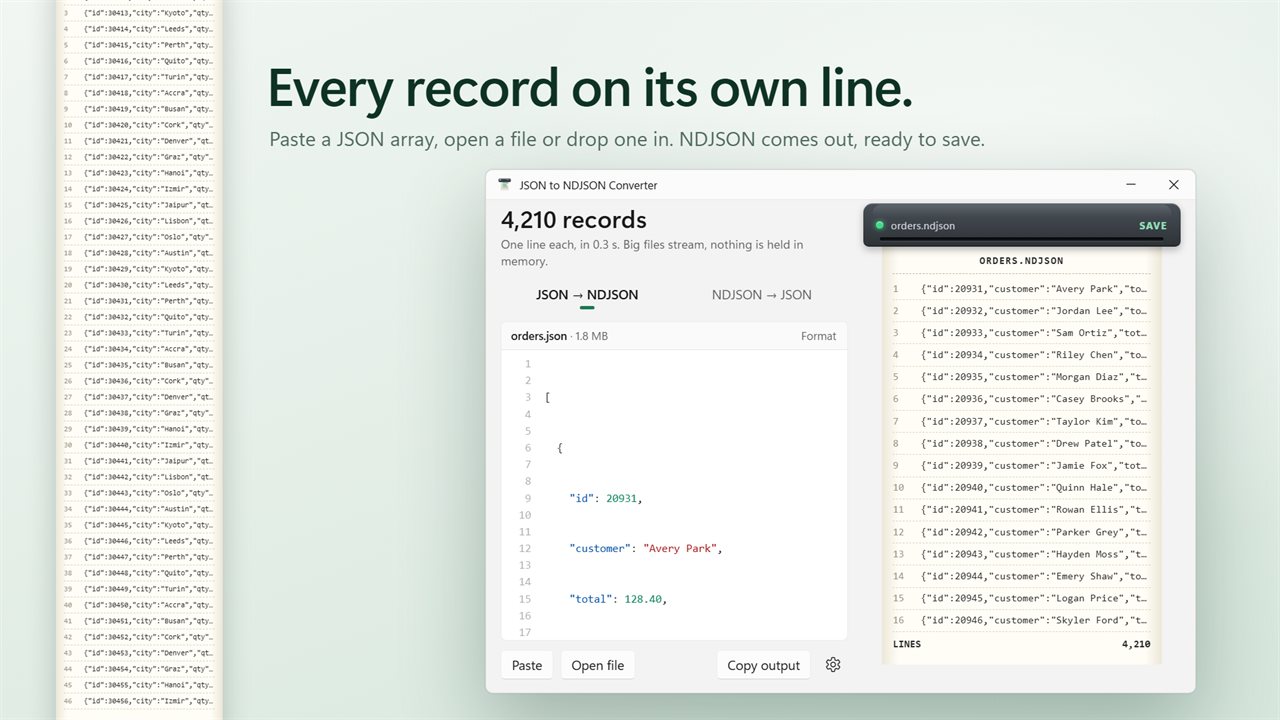
To convert JSON to JSONL, each element of a top-level array is written as compact JSON on its own line, and the surrounding brackets and commas go away. The result is the same data in the shape that log shippers, bulk-import endpoints, search indexes and machine-learning datasets ask for. NDJSON, JSON Lines and LDJSON are three names for that format.
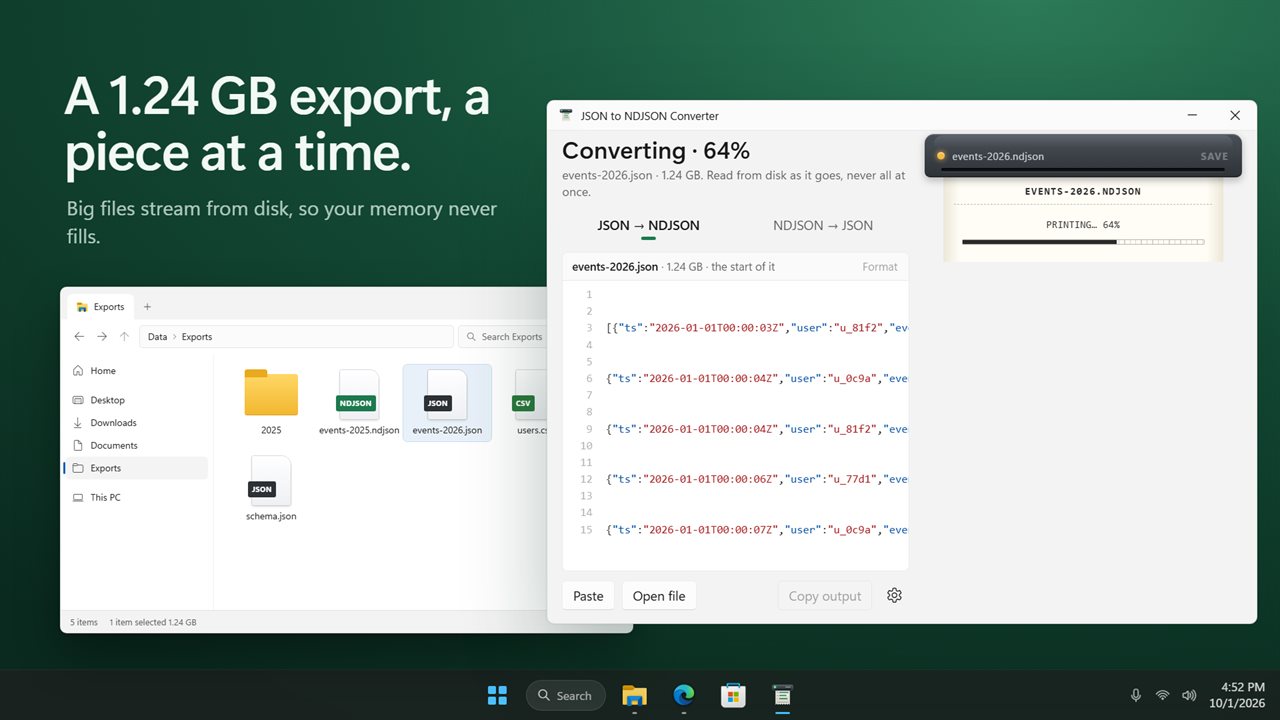
The usual answer online is a jq one-liner or a short script. Both work until the file is large, because many of them read the whole array into memory first. This converter streams from disk a chunk at a time, so memory use stays level whether the export is a few kilobytes or several gigabytes, and a progress readout shows how far it has got.
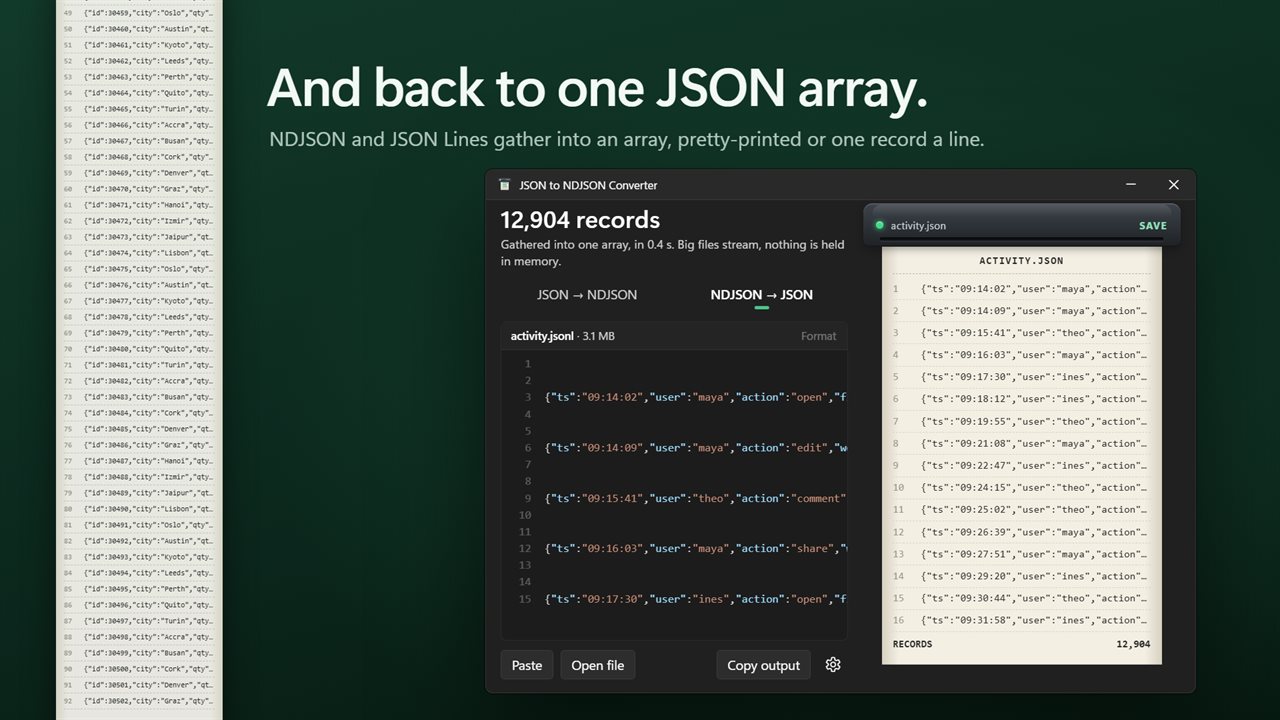
It runs the other way too. NDJSON → JSON gathers every line into a single array, skipping blank lines, for tools that only accept one JSON document.
JSONL vs JSON: when you need each
A standard JSON file is one value, usually an array, that has to be parsed as a whole. That suits config files and API responses that a program loads in one go.
JSONL puts one complete value per line. A reader can process a single record, skip a damaged line, or start halfway through without parsing everything before it, and a writer can append records without rewriting the file. That is why logs, streaming APIs and training data favor it. If a tool rejects your file with a message about an unexpected bracket or extra data after the first record, it almost certainly wanted one format and got the other.
How to turn a JSON array into NDJSON
A single object, or several values already sitting one after another, are accepted too and come out one per line.
- Paste the array into the box, choose Open file (Ctrl+O), or drop a .json file on the window. Conversion starts straight away.
- Check the direction switch reads JSON → NDJSON. A file ending in .ndjson, .jsonl or .ldjson, or pasted text that already looks line-delimited, flips it to NDJSON → JSON for you.
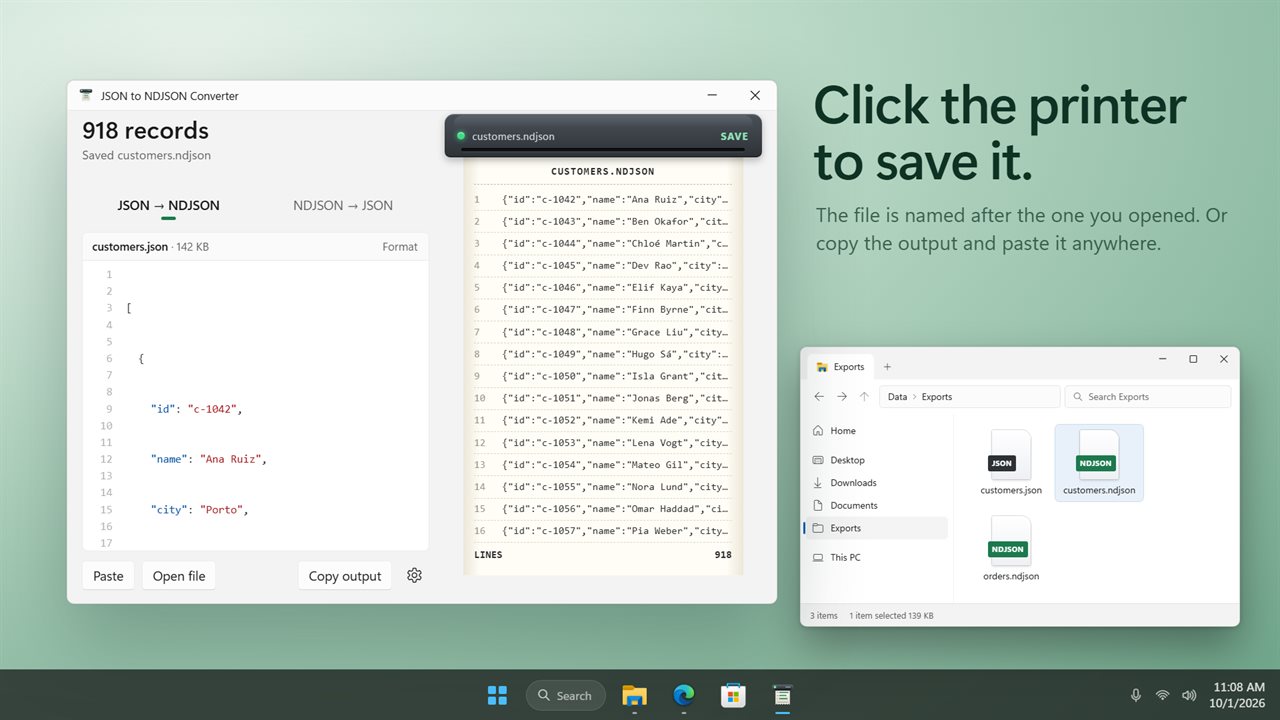
- Look at the preview on the right: the first records, numbered, and the total count.
- Press Save the output on the printer, or Ctrl+S, to write the file under the source name with .ndjson or .json on the end. Copy output puts the result on the clipboard instead.
JSONL to JSON with your choice of layout
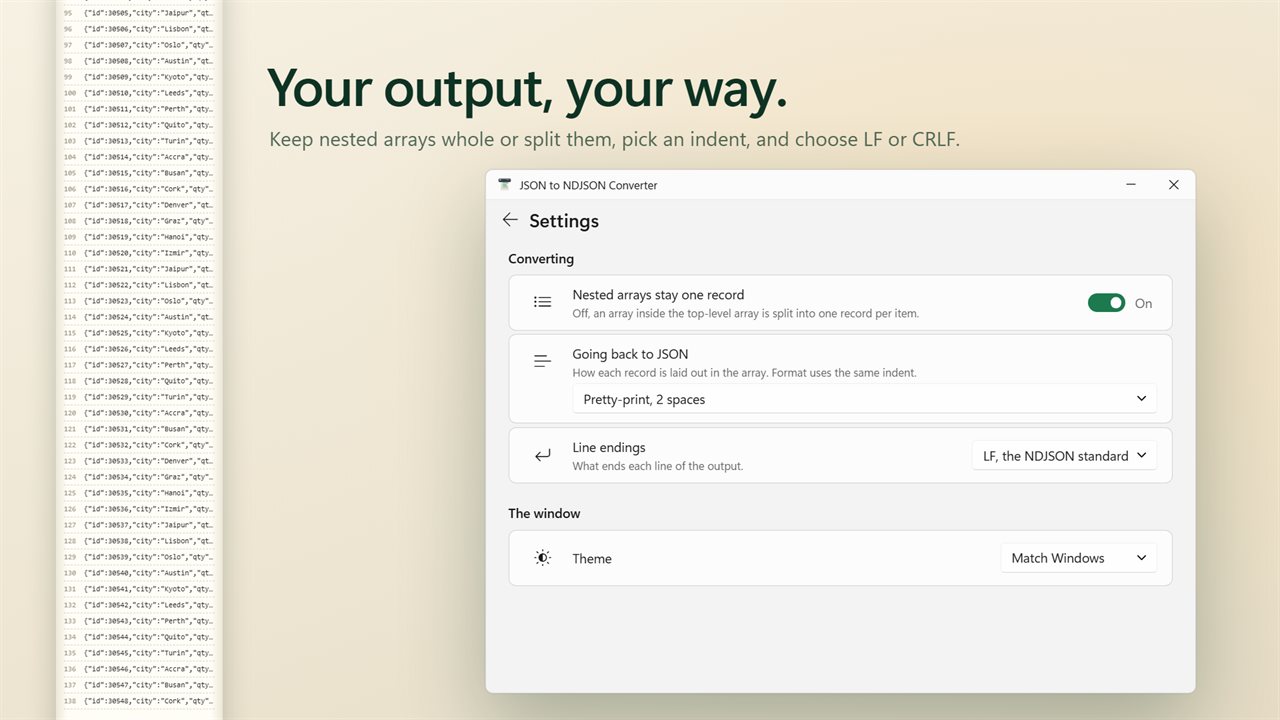
Under Going back to JSON, pick Pretty-print, 2 spaces, Pretty-print, 4 spaces, Pretty-print, tabs, or One record a line for a compact array that is still readable in a diff. Line endings default to LF, the NDJSON standard, with CRLF available for Windows tools.
Nested arrays stay one record is on by default, so an array inside the top-level array becomes a single line. Switch it off and each inner array's items become records of their own, which is handy for flattening a batched export.
Exact values and clear errors
Nothing is parsed into floating point and printed back, so a price written 128.40 keeps its trailing zero and a 17-digit ID such as 9007199254740993 is not rounded. String escapes such as \u00e9 stay as they were.
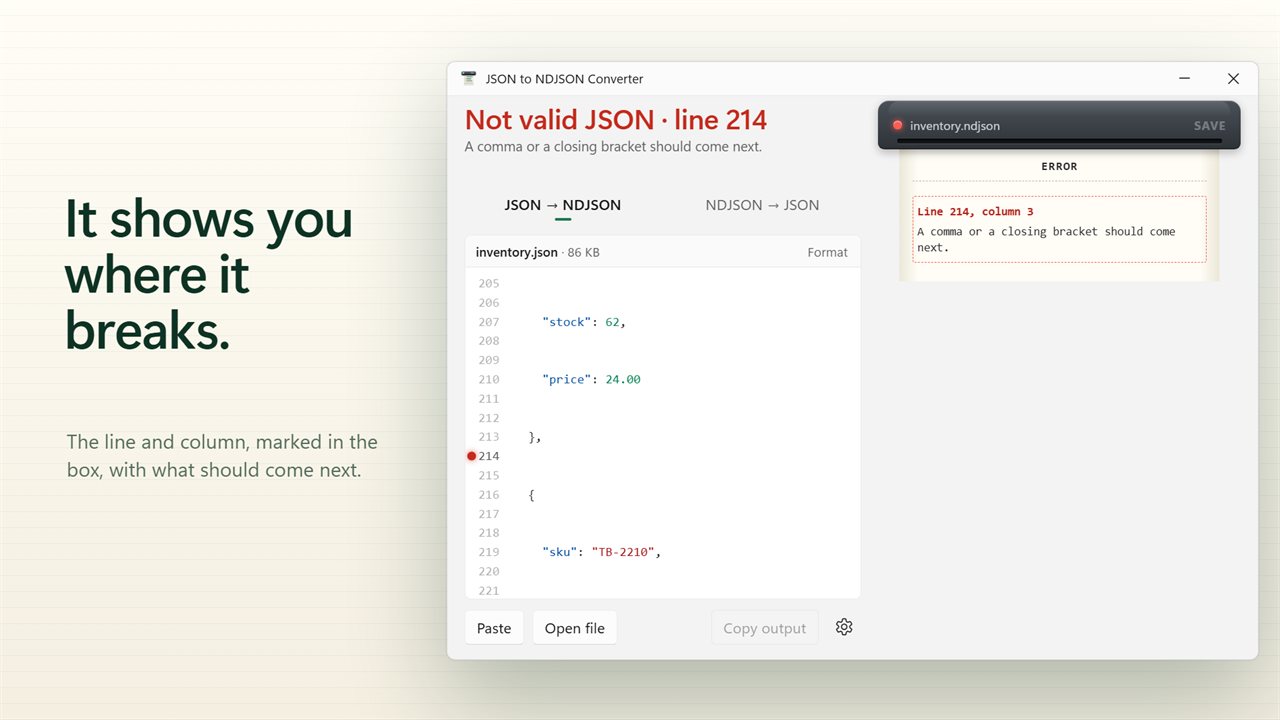
The parser is strict. On bad input it stops at the first problem, marks the line and column in the box, and says what it expected, for example that a comma or a closing bracket should come next. For line-delimited input it names the first line that is not valid JSON. Format indents pasted JSON for reading without altering any value.