A simple FTP server for Windows, without the server admin
Most guides for moving files between a PC and a phone over Wi-Fi do it the other way round: they put an FTP server on the phone and make Windows go looking for it. Rapid FTP Server is an FTP server for Windows that keeps the files where they already are. You pick a folder, flip one switch, and every device on your network can open it.
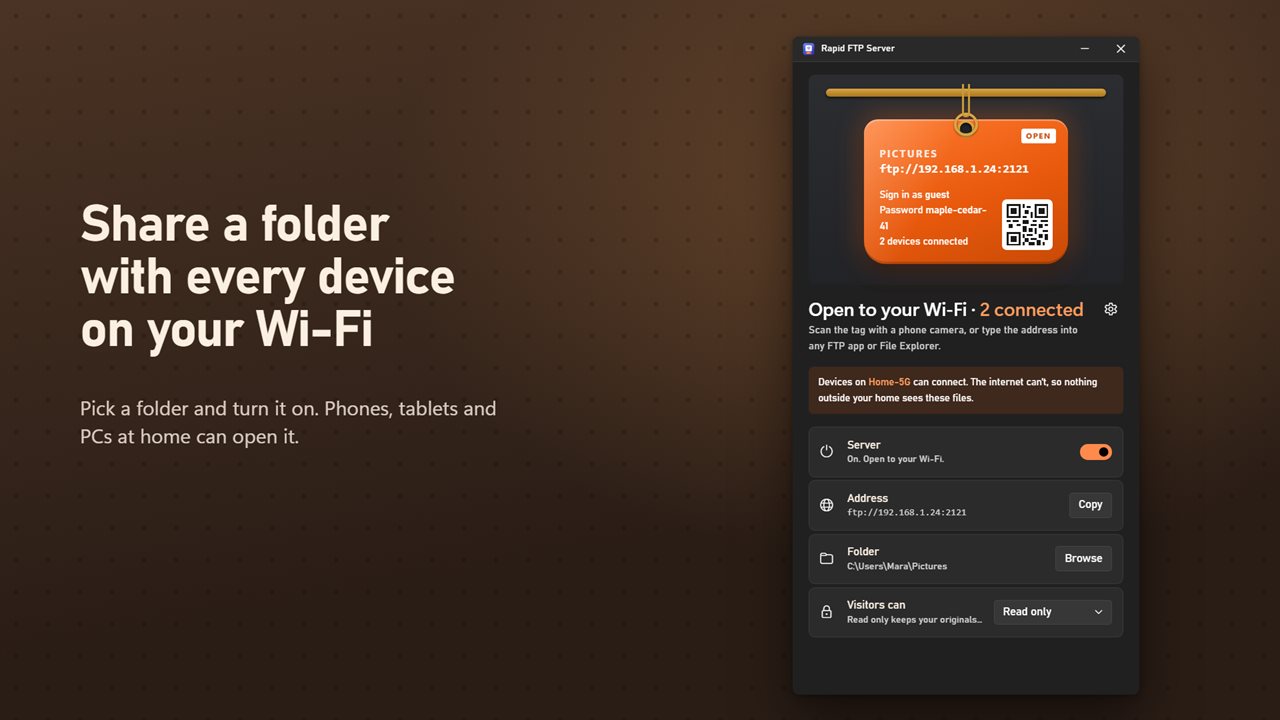
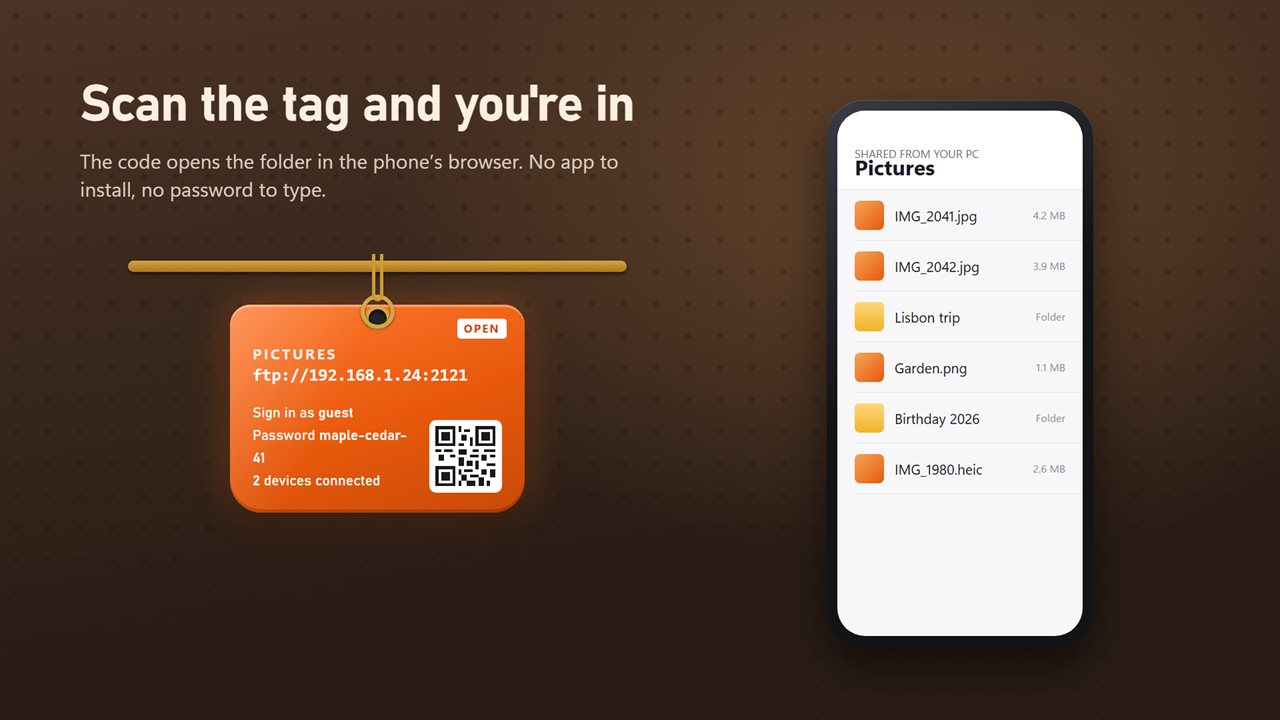
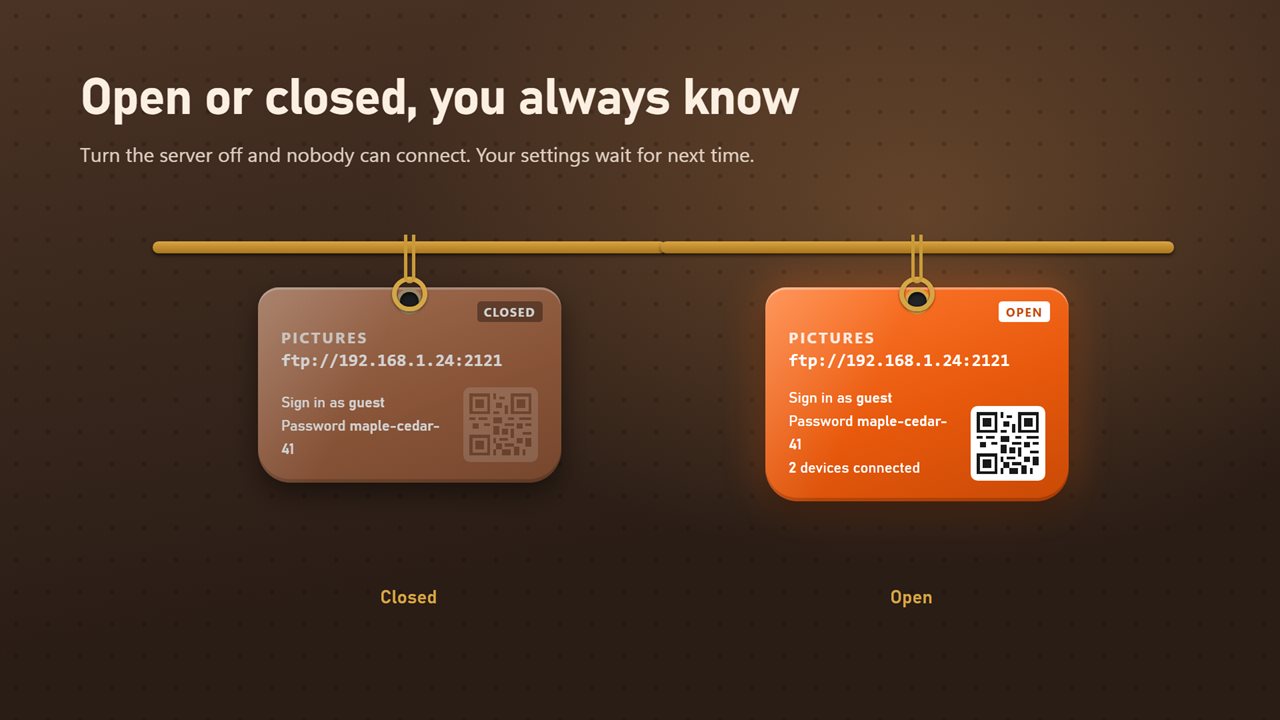
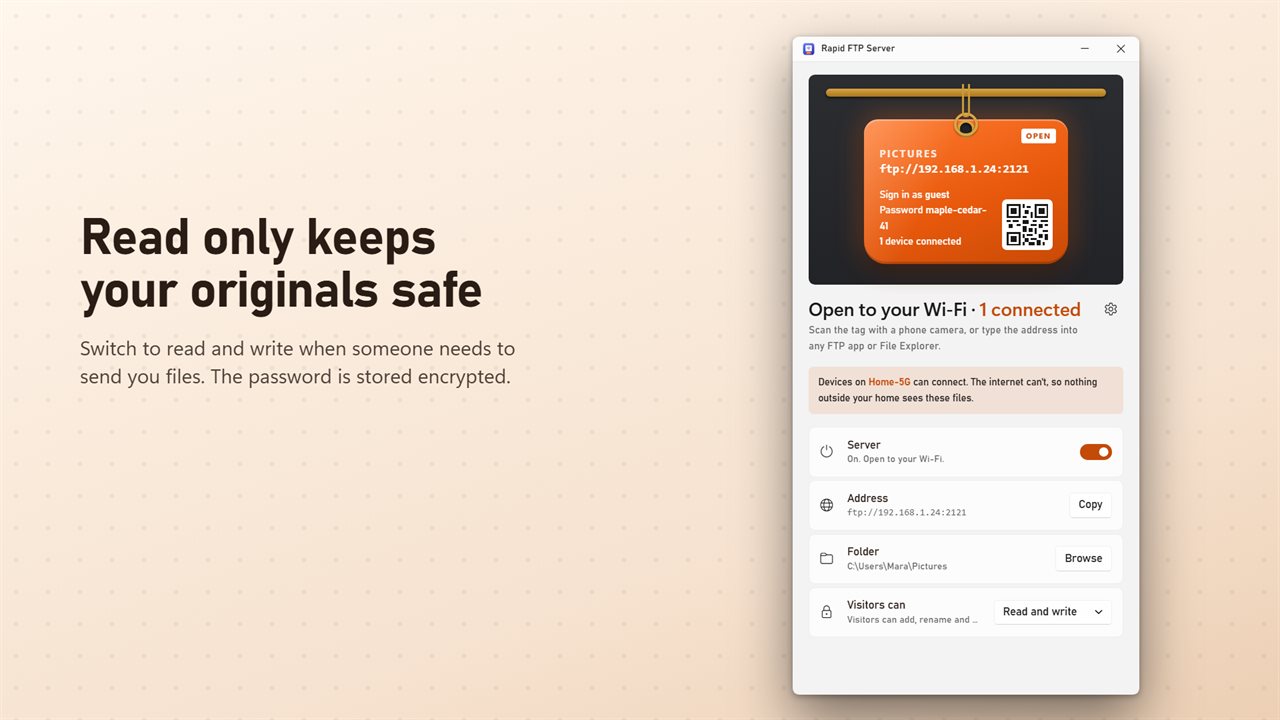
The window is laid out like a key tag. It holds the server address, the login details and a QR code, plus a live count of connected devices. When the switch is off, nothing can reach the folder at all.
There are no user accounts, quotas or virtual paths to configure. It is meant for the everyday job of getting holiday photos onto a laptop, a video onto a tablet, or a scanned document from the desk PC to the phone in your hand.
How to set up an FTP server on Windows 11 or 10
The first launch already points at your Pictures folder, so in many cases you only need the last step.
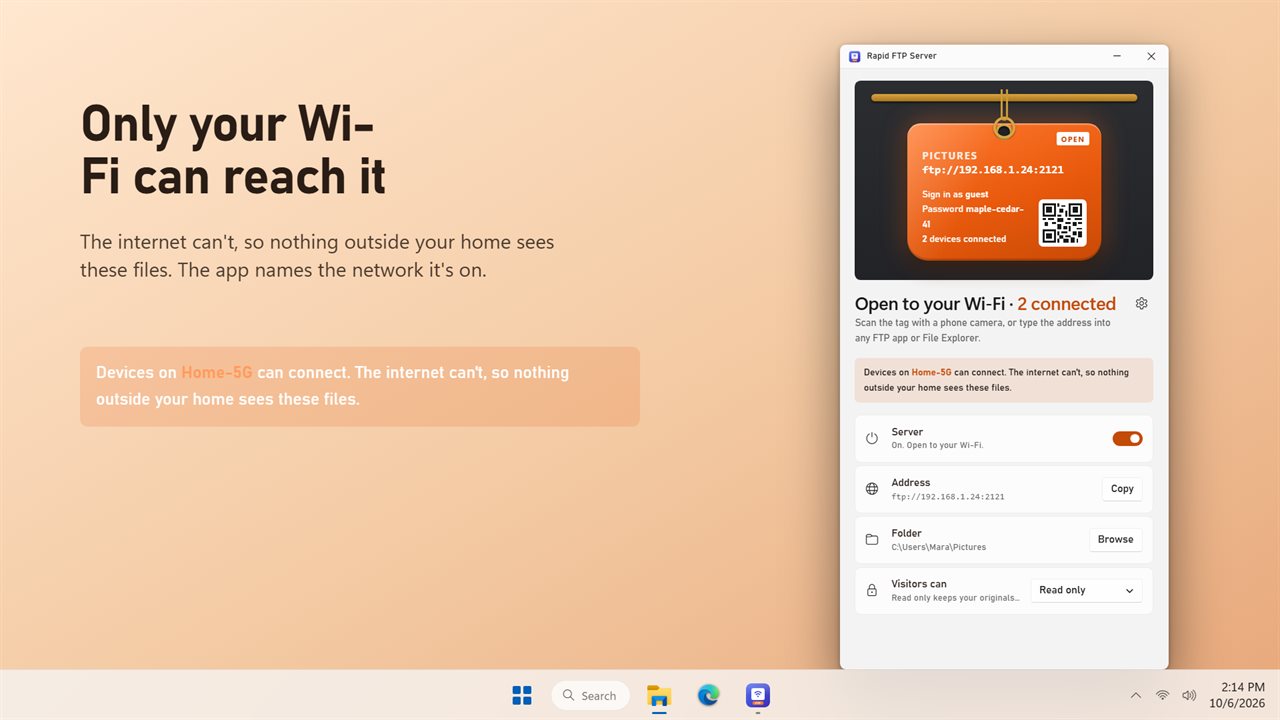
- Under Folder, press Browse and choose what you want to share.
- Leave access on Read only unless visitors need to send files to you; switch to Read and write if they do.
- Turn the Server switch on. The tag changes to OPEN and names the Wi-Fi network that can reach it.
- On a phone, scan the QR code with the camera. On another PC, press Copy next to the address and paste it into File Explorer's address bar or any FTP app.
Wireless file transfer from phone to PC, in the browser
The QR code opens the shared folder as a web page in the phone's own browser. There is nothing to install on the phone and no password to type, since a private key is built into the code. From that page you can look through photos, play videos and save any file to the phone.
With Read and write switched on, the same page can send photos from the phone back to the PC. Nothing on the computer is overwritten this way: a file whose name is already taken is saved as a numbered copy beside it.
Laptops and desktops connect over ordinary FTP, so File Explorer works, and so does any FTP client you already use.
Local FTP server security, plainly stated
Visitors sign in by default, as guest with a generated password shown on the tag. In Settings you can change the User name, type your own Password or press Make a new password. Turning off Ask visitors to sign in lets anyone on your network in without one, which is only worth doing on a network where you know every device.
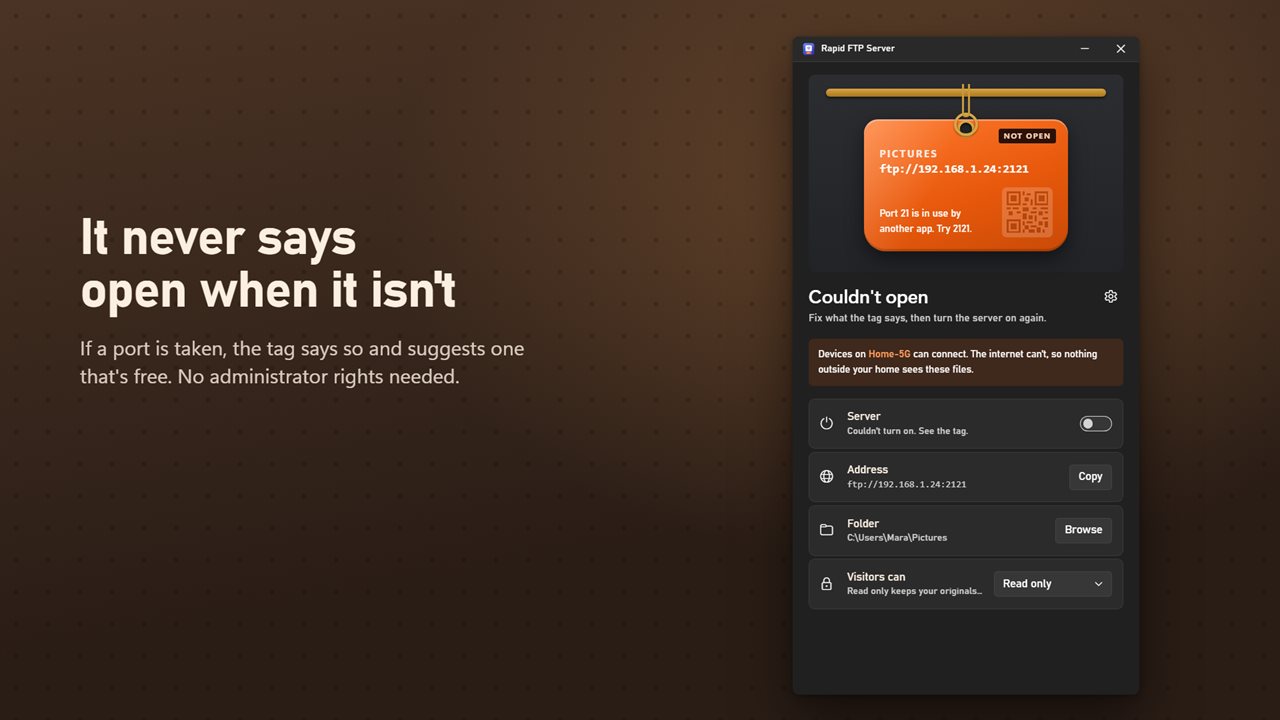
The default port, 2121, works without administrator rights. Changing it in Settings reopens the server on the new port straight away.
Know the two limits before you rely on it. The folder is reachable from your local network and not from the internet, and the tag says so. And nothing in transit is encrypted, so keep it to home or office Wi-Fi you trust rather than a café or hotel network.