EEvlarSoft

Peaceful Awareness Timer

A desktop mindfulness bell: a singing bowl sounds at unpredictable moments while you work, you pause and listen, and the tone carries you back to the present.

Buy for $1.99
One payment. No subscription.
14-day money-back guarantee.
4.0
A singing bowl that rings at random to bring you back to the present.
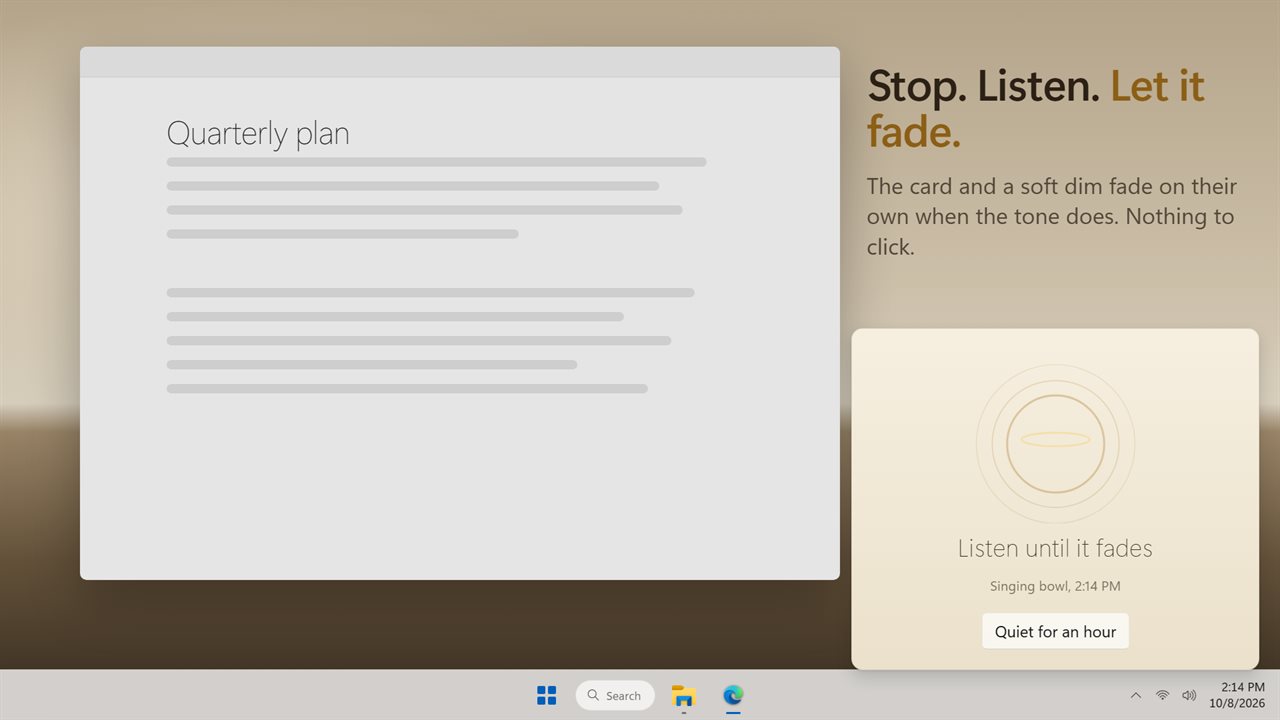
Stop and listen. The card fades on its own when the tone does.
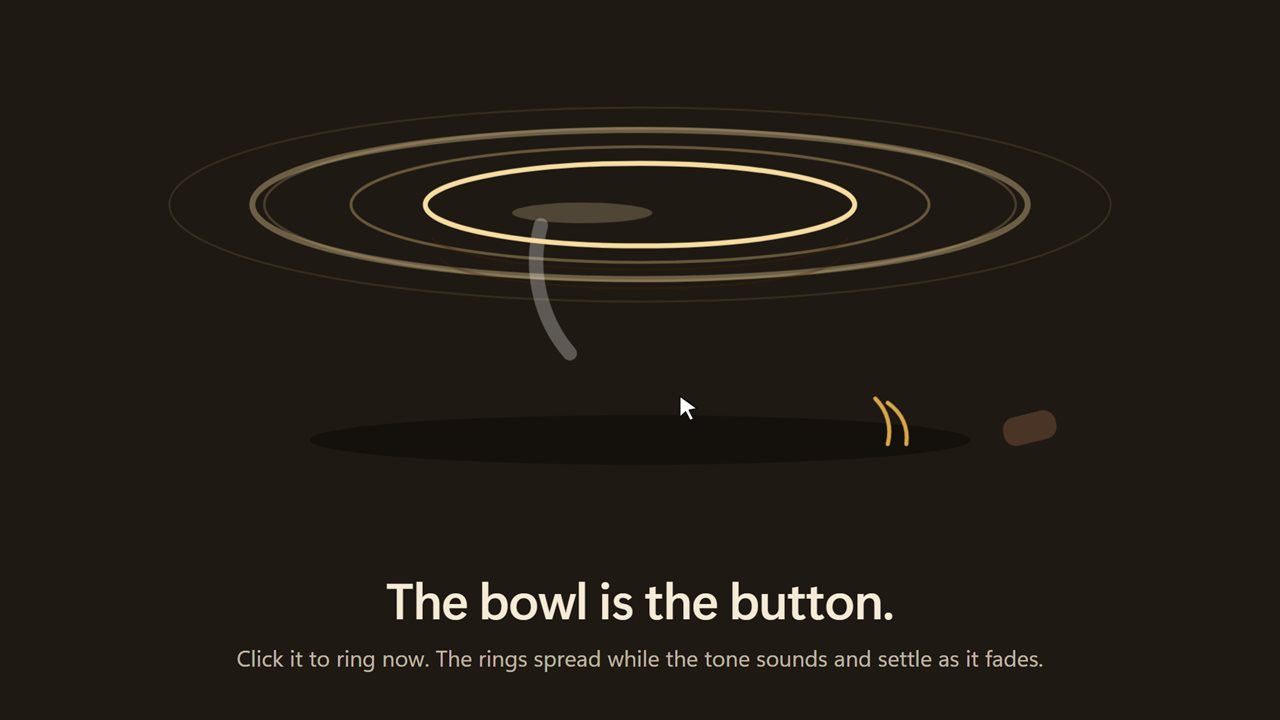
Click the bowl to ring it now.
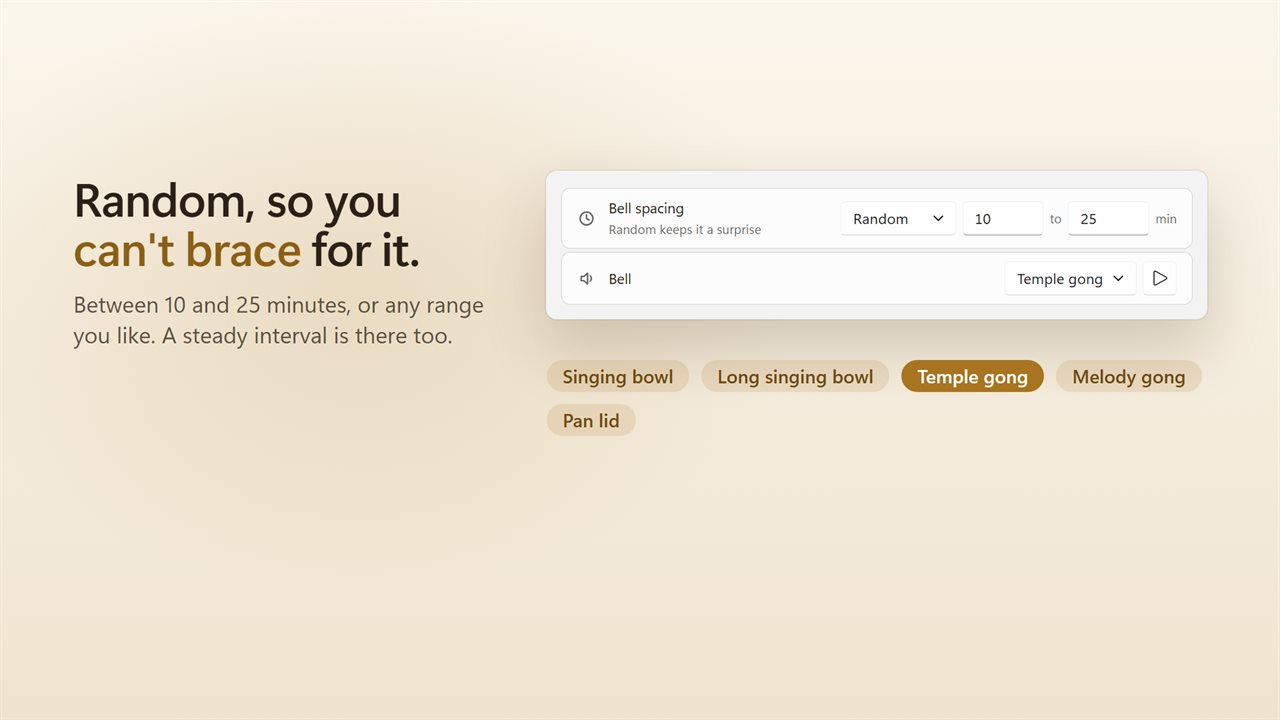
Random within a range, or a steady interval. Five bells to choose from.
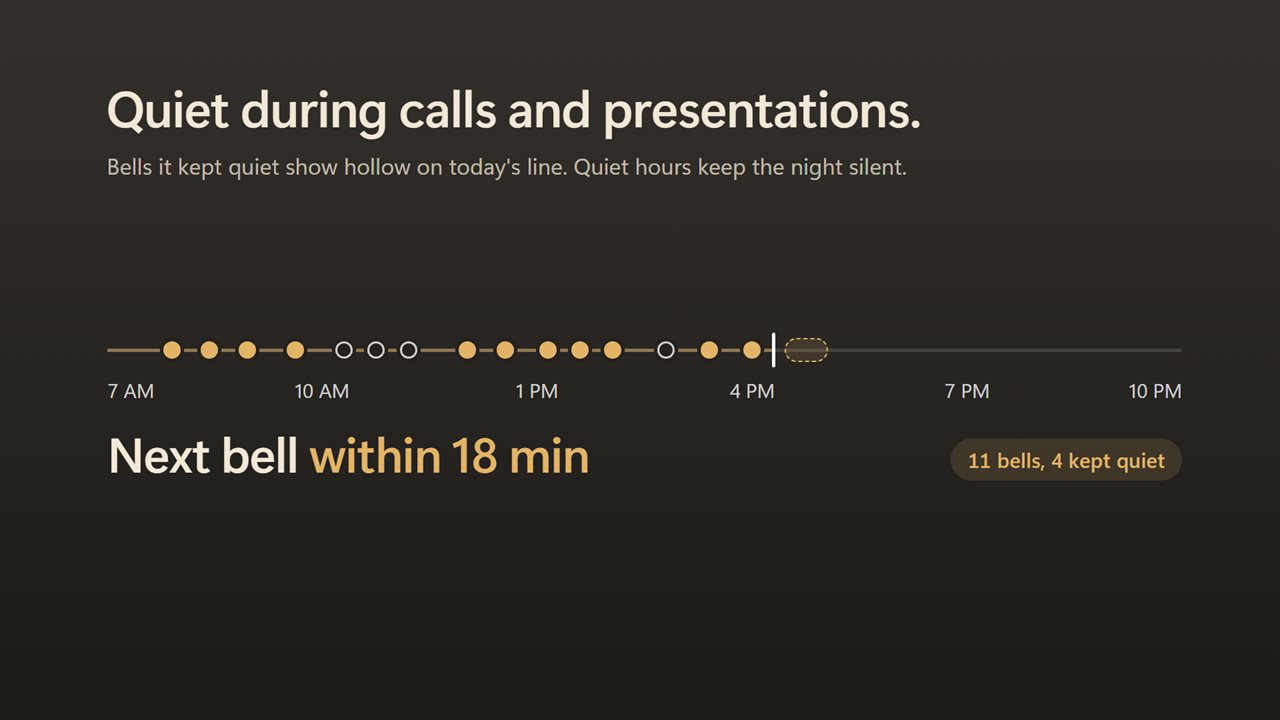
Quiet during calls and presentations. Today's line marks every bell.
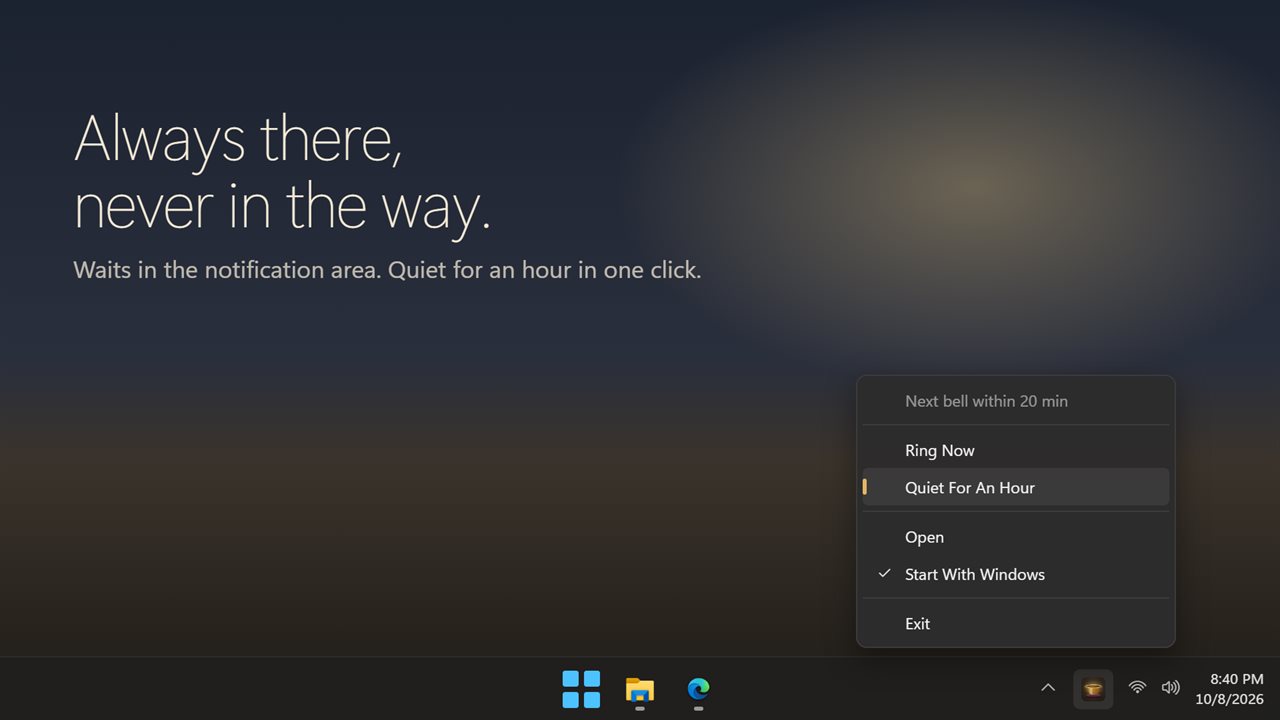
Always in the tray. Quiet for an hour in one click.

A singing bowl that rings at random to bring you back to the present.

190,000+downloads of EvlarSoft apps
Signed by EvlarSoftVerified US publisher
14-day money-backNo questions asked
Updates includedNo upgrade fees

Why a mindfulness bell works better at random

A mindfulness bell is an old and simple practice. Somewhere nearby a bell sounds, everyone stops what they are doing, takes a breath and listens until the sound is gone. Then work carries on, a little less hurried than before.

The difficulty on a computer is that a reminder you can predict stops being a reminder. If a chime comes every 20 minutes on the dot, part of your mind starts waiting for it. Peaceful Awareness Timer picks each gap at random inside a window you choose, so the bell always arrives a little unexpectedly, which is the point.

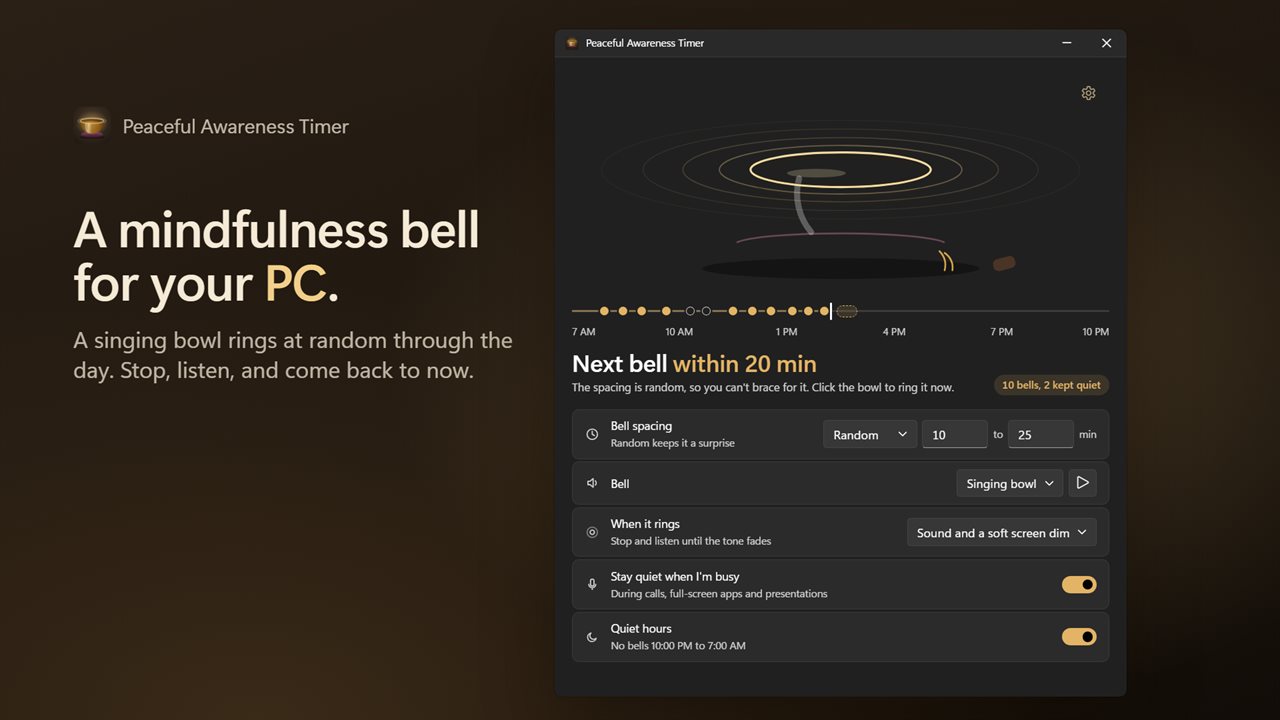
The main window is built around a bronze singing bowl. The headline under it tells you roughly when to expect the next one, such as Next bell within 25 min, and a line across the bottom maps today: every bell that rang, every one that was held back, and where the next may land. Click the bowl at any time to ring it yourself.

Random interval timer or a steady gap

Bell spacing has two settings. Random draws each gap from a range, with the two ends set in minutes. Every rings after the same gap each time, for people who prefer a rhythm. Both accept anything from 1 to 240 minutes.

Random is the better choice for staying present through a long day at a desk; Every suits a structured study session or a sitting practice where you want a bell every quarter hour.

Meditation bell sounds and what happens when one rings

Choose the Bell from Singing bowl, Long singing bowl, Temple gong, Melody gong or Pan lid, and use Play this bell to hear each before deciding. Volume in Settings is the bell's own level, applied on top of whatever Windows is set to.

Under When it rings, pick how much the bell asks of you:

  • Sound only: just the tone, with nothing on screen.
  • Sound and the card: a small card appears above the tray reading Listen until it fades, with the bell's name and the time.
  • Sound and a soft screen dim: the whole display darkens slightly while the tone decays, a quiet cue to look away and breathe.

Mindfulness at work without interrupting a meeting

A bell in the middle of a video call is no help to anyone. With Stay quiet when I'm busy switched on, the app recognizes calls, full-screen apps and presentations and lets that bell pass in silence. It still marks the moment on today's line as a hollow dot, so you can see the day as it really went.

Quiet hours keep evenings and nights silent, and Quiet for an hour on the card or in the tray menu gives you a stretch of uninterrupted focus. While resting, the headline says Resting until a set time, and Resume bells brings them back early.

What you get

  • Random or Every bell spacing, from 1 to 240 minutes
  • Five recorded bells with a preview button for each
  • Three alert stylesSound only, a small card, or a soft screen dim
  • A clickable singing bowl that rings on demand
  • Automatic silence during calls, full-screen apps and presentations
  • Quiet hours with your own start and end times, and one-click Quiet for an hour
  • Today's bells line with a count of bells rung and bells kept quiet
  • Bell volume set separately from Windows
  • Runs from the notification area, with optional Start with Windows
  • Settings from the earlier version of the app carry over

Ways people use it

Breaking autopilot at the desk

Hours of email and spreadsheets blur together. An unexpected bowl tone is a cue to unclench your shoulders, take three breaths and choose what to do next.

Timed sitting practice

Switch to Every, set the gap to the length of your sit, and let the temple gong mark the end without a harsh alarm.

Shared or open-plan rooms

Choose Sound and a soft screen dim at a low volume, or Sound only on headphones, so the reminder reaches you and no one else.

What's new in 2.0.2

  • New: bells ring at random within a range, so you can't brace for them. A steady interval is still there
  • New: click the bronze singing bowl to ring it now
  • New: a small card and an optional soft screen dim while the bell rings. Both fade on their own
  • New: stays quiet during calls, full-screen apps and presentations
  • New: quiet hours, and Quiet for an hour
  • New: today's line marks every bell
  • Your interval, bell and alert choice carry over

Questions

Anything else? Ask us

How often does Peaceful Awareness Timer ring?

By default at a random moment between 10 and 25 minutes after the last bell. You can set your own range, or switch to a steady interval, anywhere from 1 to 240 minutes.

Will the bell ring while I am on a call or presenting?

No, while "Stay quiet when I'm busy" is on, which it is by default. It holds the bell when any app is using the microphone, when a full-screen app or presentation mode is running, or when Windows reports you as busy. That bell is skipped rather than delayed, and it shows as a hollow mark on today's line.

Does it ring at night?

No. Quiet hours run from 10:00 PM to 7:00 AM by default, can be set to any times including across midnight, and can be turned off. You can also make it quiet for an hour from the card or the tray menu.

Do I have to click anything when the bell rings?

No. You choose sound only, the sound with a small card above the tray, or the sound with the screen dimmed slightly, and the card and the dim fade on their own when the tone ends.

What bell sounds are there, and can I set the volume?

Yes. There are five: singing bowl, long singing bowl, temple gong, melody gong and pan lid. The bell has its own volume from 0 to 100, separate from the Windows volume.

What happens to a bell that was due while my PC was asleep?

A bell more than five minutes overdue is dropped, so waking the PC does not set it off. The next one is then drawn from the moment the PC is back.

What is a mindfulness bell?

It is a bell rung at intervals as a signal to stop, breathe and pay attention to the present moment for the length of its sound. This app plays that role on your PC, choosing the moments at random.

Can I ring the bell myself?

Yes. Click the bronze singing bowl in the main window and it rings straight away, even during quiet hours or a rest.

Which versions of Windows does it run on?

Windows 10 (version 1809 or later) and Windows 11.

Is it a subscription?

No. Peaceful Awareness Timer is a one-time purchase of $1.99, and updates are included.

How do I get it?

Buy it on this page and your license key arrives by email. If the button says Notify me, Peaceful Awareness Timer is not on sale here yet; leave your email and we will tell you when it is.