A work break timer you cannot easily ignore
A work break timer only helps if the break actually happens. A small notification in the corner is easy to swipe away, and an hour later you are still hunched over the same spreadsheet. Take A Break Reminder makes the break hard to miss without making it a fight.
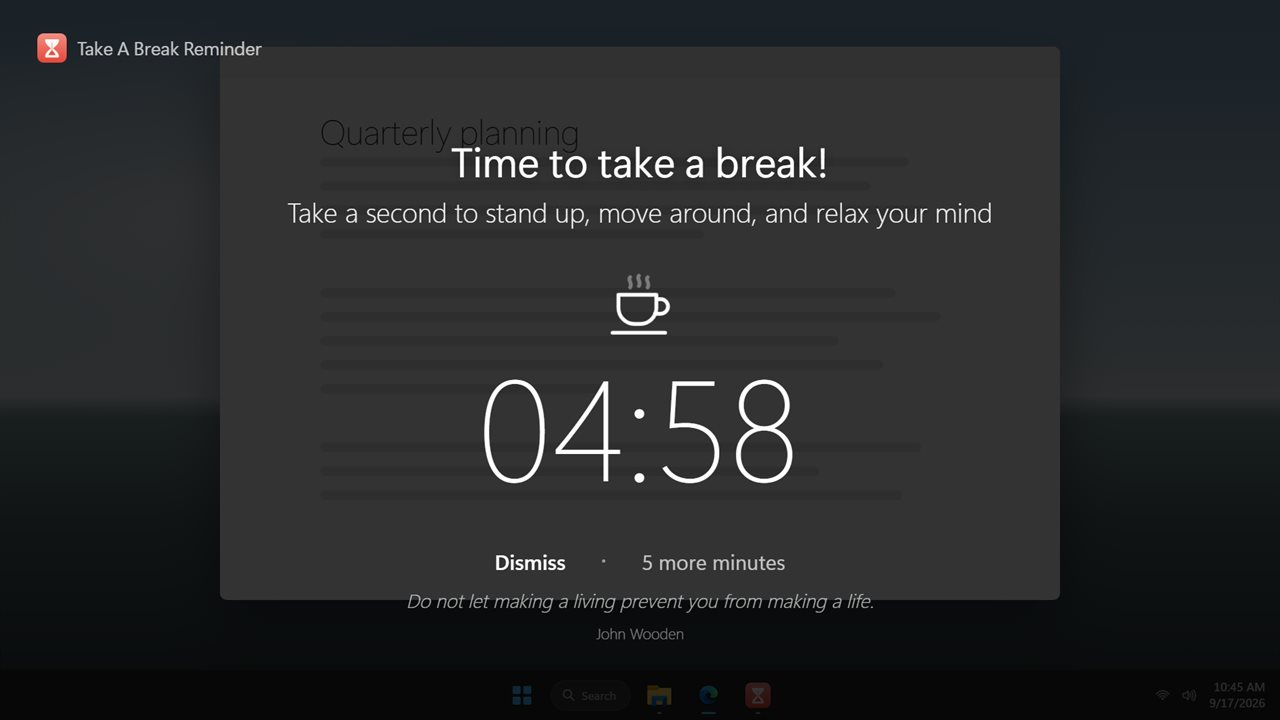
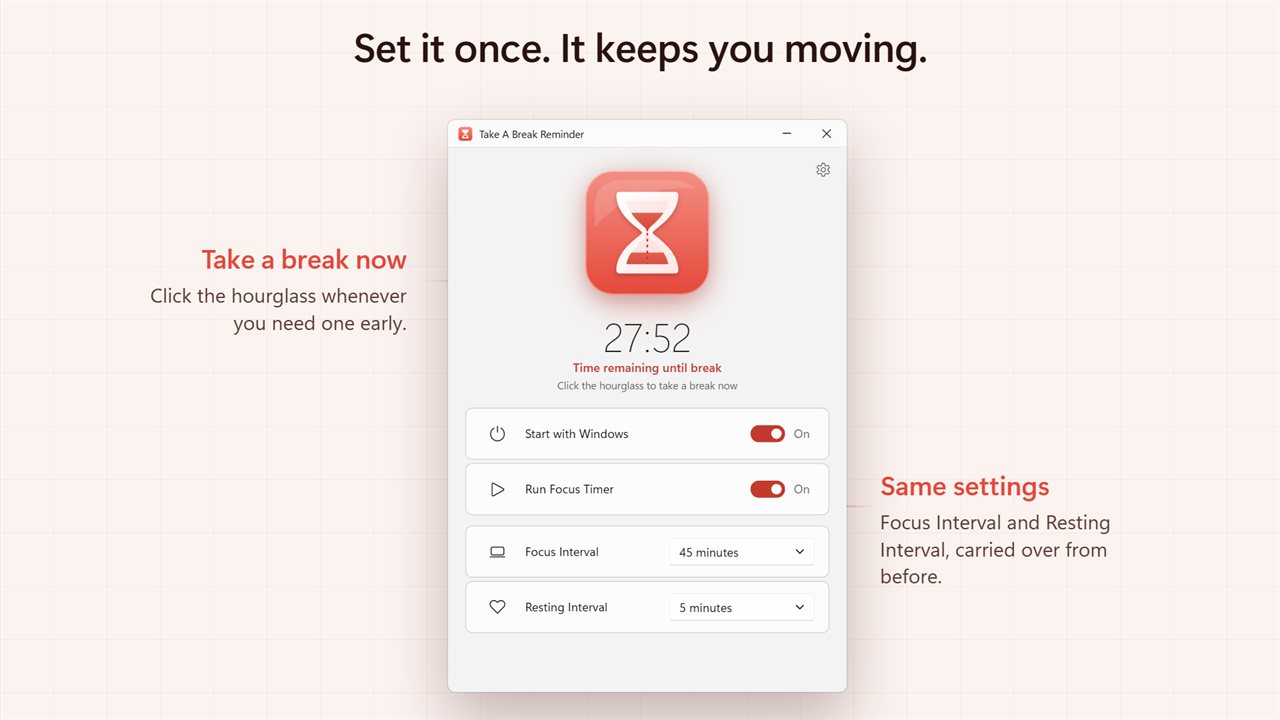
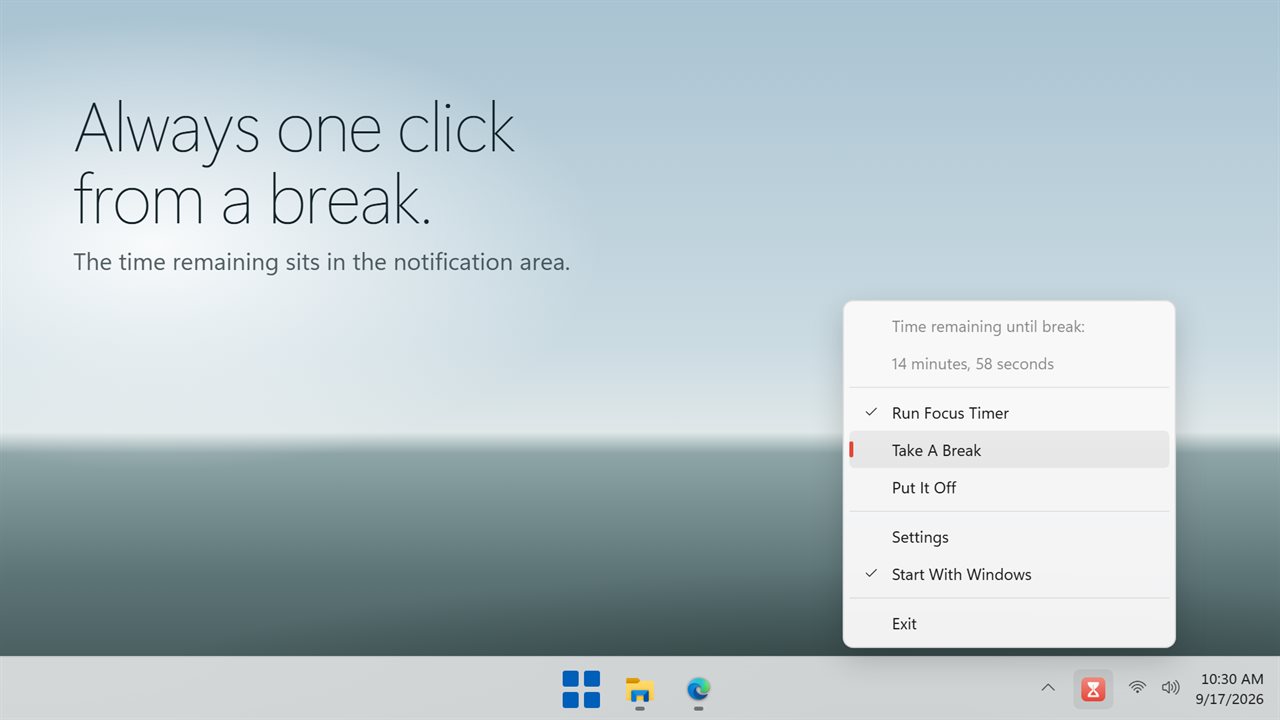
You set two numbers: a Focus Interval and a Resting Interval. While you work, an hourglass in the window drains and the tray menu shows how long remains until the next break. When focus time runs out, every connected display dims, a large countdown shows what is left of your rest, and the heading reads Time to take a break! with a short quote underneath.
It never locks the PC. Dismiss ends the break whenever you choose, and the button beside it, labeled 5 more minutes by default, pushes the break back if you are in the middle of something.
How to set up a break timer for work
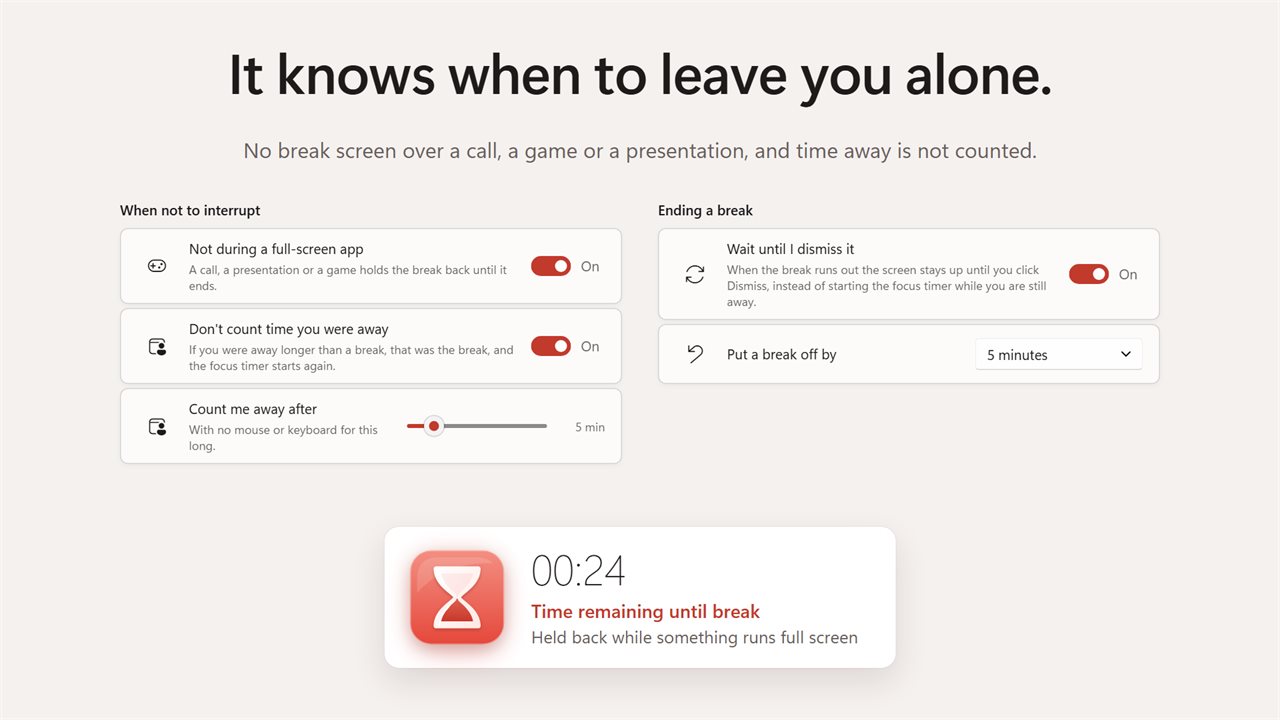
Under More settings, Put a break off by sets the snooze length to 2, 5, 10 or 15 minutes, and Show a quote turns the line on the break screen on or off.
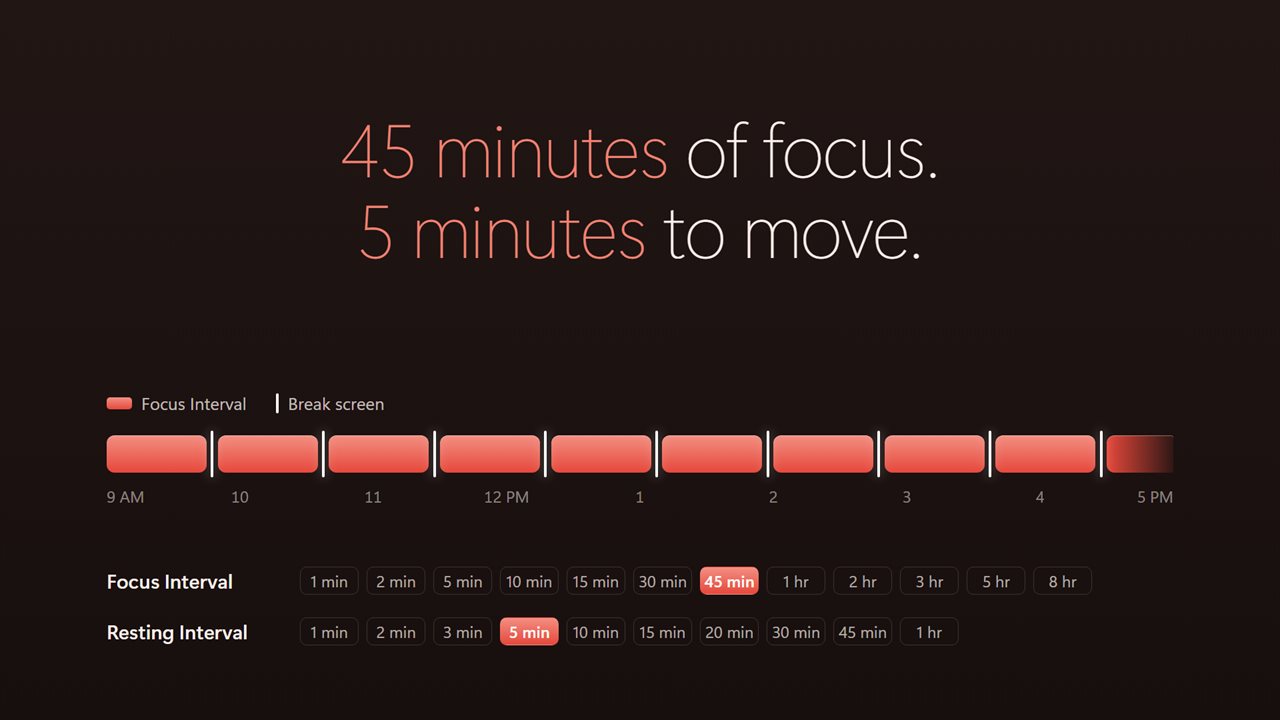
- Open the app and pick a Focus Interval. The list runs from 1 minute through 45 minutes, then 1, 2, 3, 5 and 8 hours. The starting value is 15 minutes.
- Pick a Resting Interval, from 1 minute up to an hour. The default is 2 minutes.
- Switch on Run Focus Timer, and Start with Windows if you want it running from sign-in.
- Close the window. The timer keeps going from the notification area.
- Need a break early? Click the hourglass, or choose Take A Break from the tray menu.
Choosing a schedule: short breaks, the 52/17 rule and more
There is no single right rhythm. Frequent micro breaks, a couple of minutes every quarter hour, suit desk work that is hard on the eyes and wrists, and that is what the defaults give you. Longer blocks suit deep work: the often-quoted 52/17 rule is roughly 45 minutes or 1 hour of focus followed by a 15 or 20 minute rest, both of which are on the lists. A classic half-hour block with a 5 minute pause works too.
Whatever you pick, use the rest to leave the chair. Stand up, walk to a window, roll your shoulders, or do a few desk stretches. Looking at something far away gives your eyes a change from the screen.
A stretch reminder that respects what you are doing
Some moments should never be interrupted. With Not during a full-screen app on, a break that comes due while a game, a slideshow or a full-screen video call is open waits until that ends. The status line tells you it is Held back while something runs full screen.
Coming back from lunch should not trigger a break either. With Don't count time you were away on, the app notices when the mouse and keyboard have gone quiet for the time set in Count me away after, and if you were gone longer than a break it treats that absence as the break and starts a fresh focus period.
At the end of a rest, Wait until I dismiss it keeps the screen up with Break's over until you click Dismiss, so the next focus period does not tick away while you are still in the kitchen. Turn it off to have focus time restart on its own.