EEvlarSoft
The desktop clock gadget, back

Analog Clock Widget

An analog clock for your desktop with a proper case, glass and hands that throw a shadow, in 17 faces from a station clock to a melting one.

Buy for $4.99
One payment. No subscription.
14-day money-back guarantee.
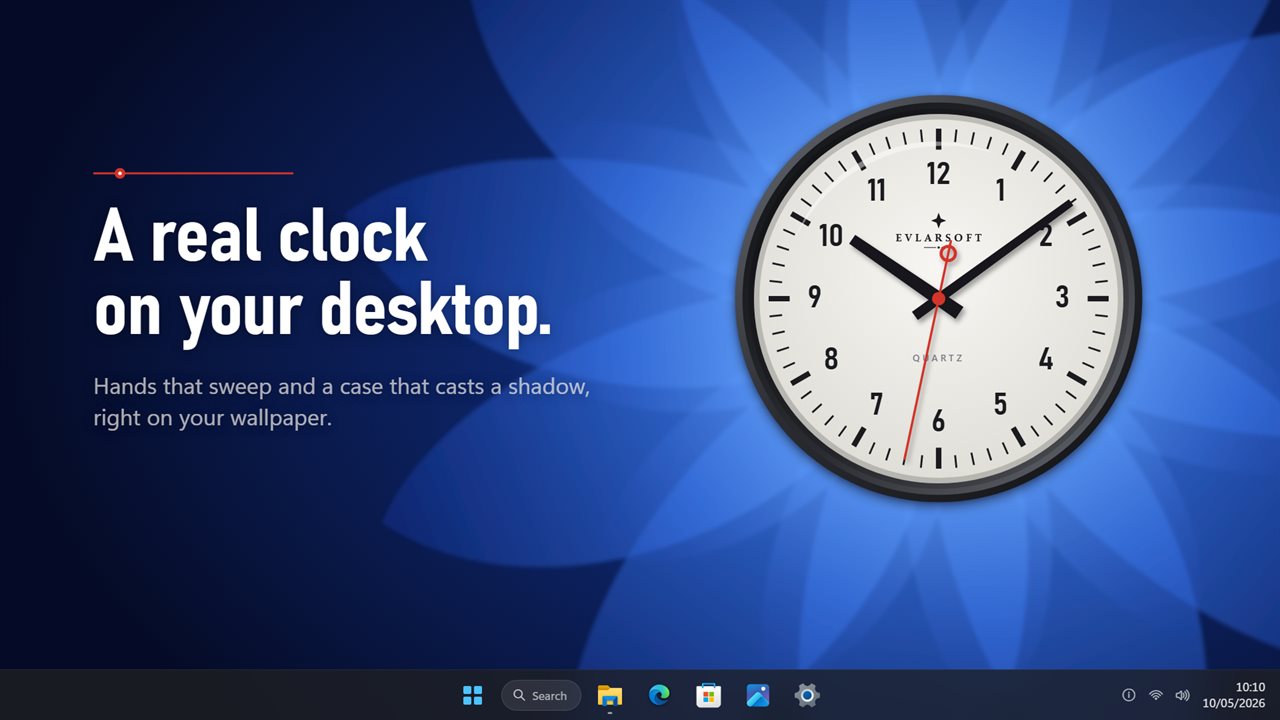
A real analog clock on your desktop, with hands that sweep and a case that casts a shadow.
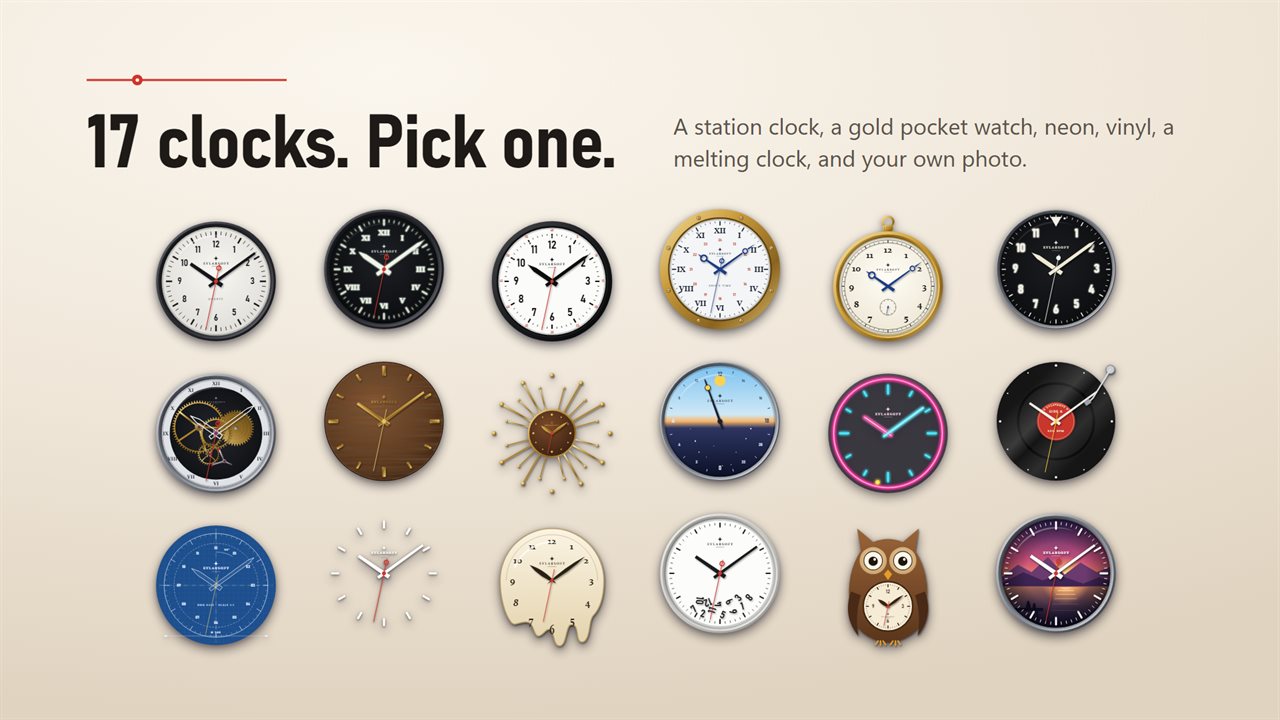
17 clock faces, from a station clock and a gold pocket watch to neon, vinyl and a melting clock.
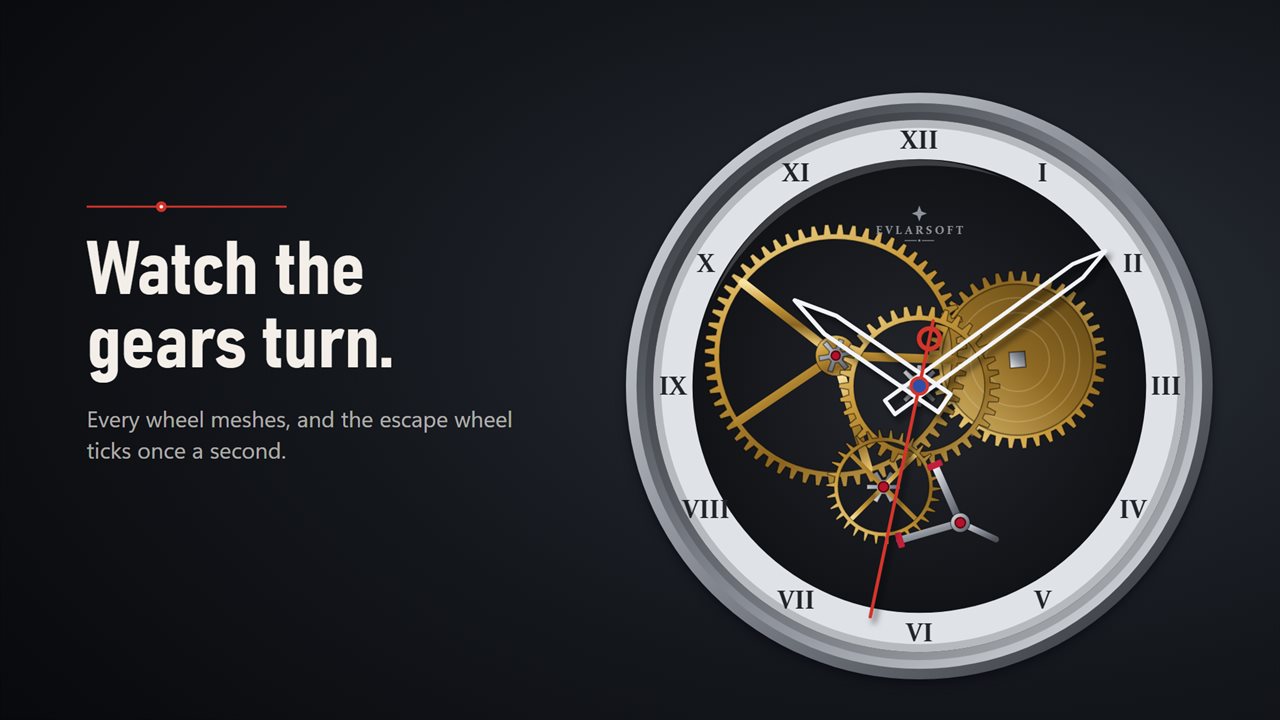
The skeleton clock's gears really mesh, and the escape wheel ticks once a second.
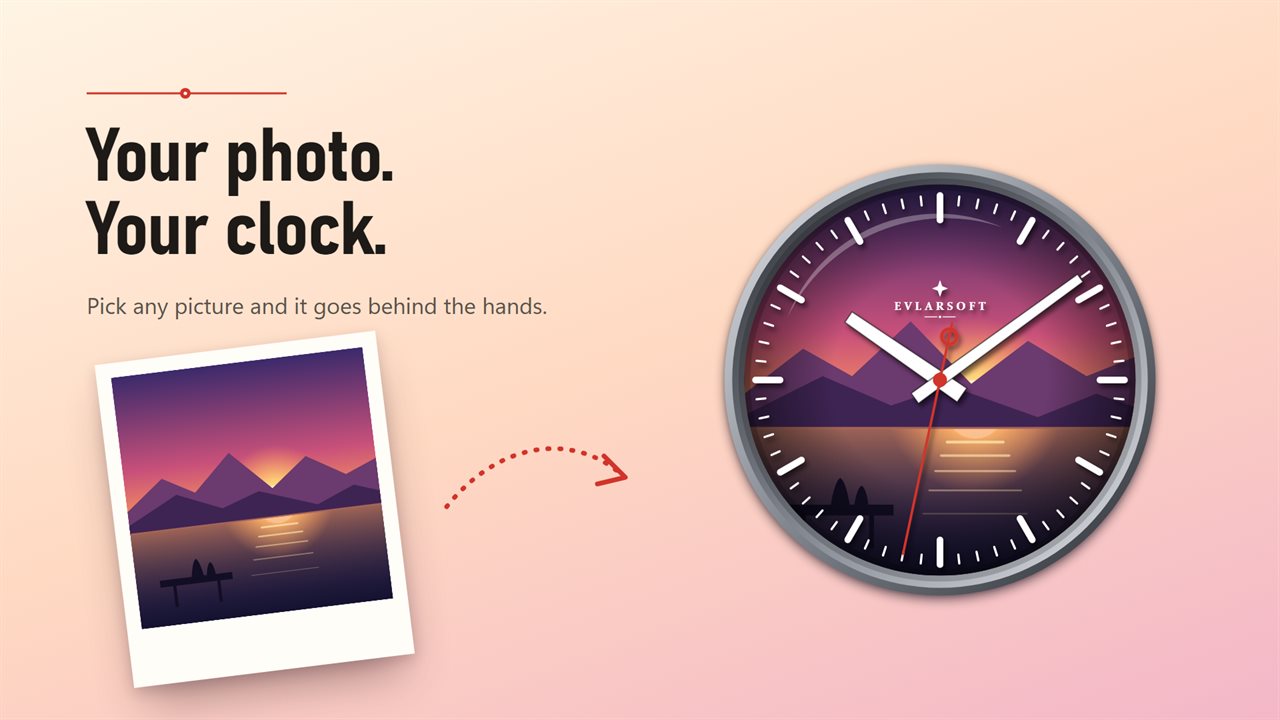
Put your own photo behind the hands.
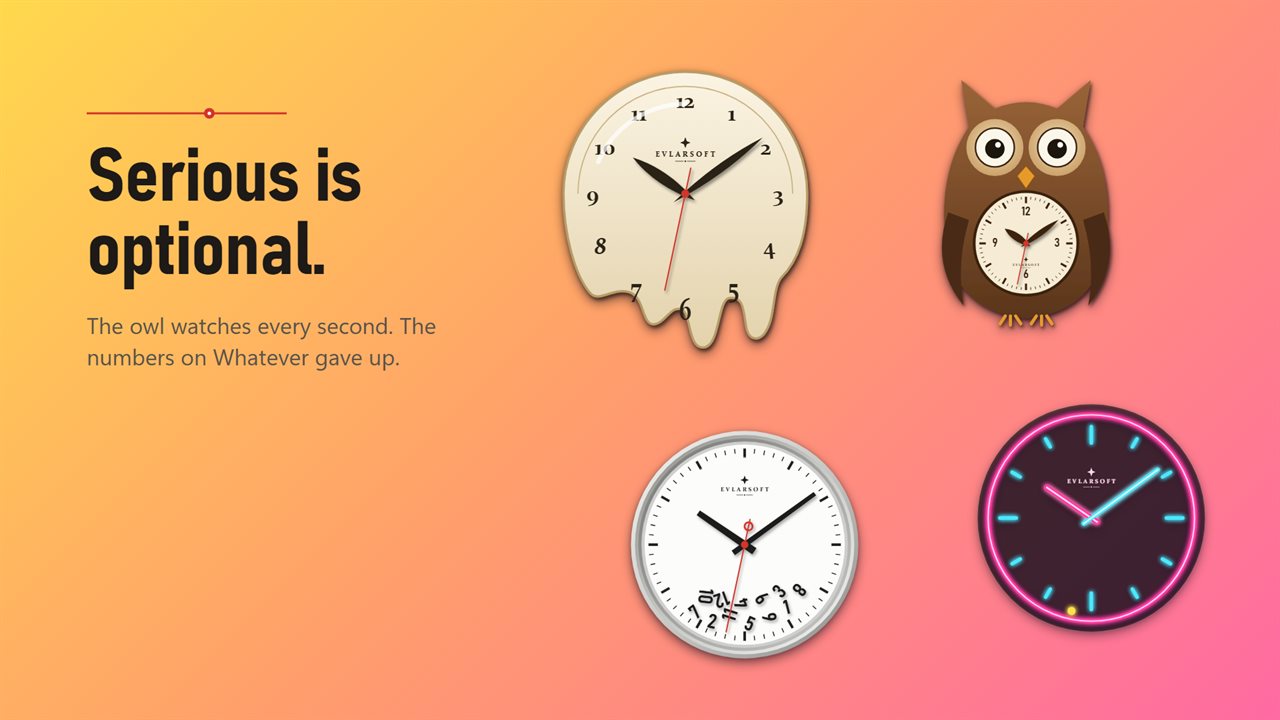
Serious is optional: a melting clock, an owl whose eyes follow the seconds, and a neon sign.
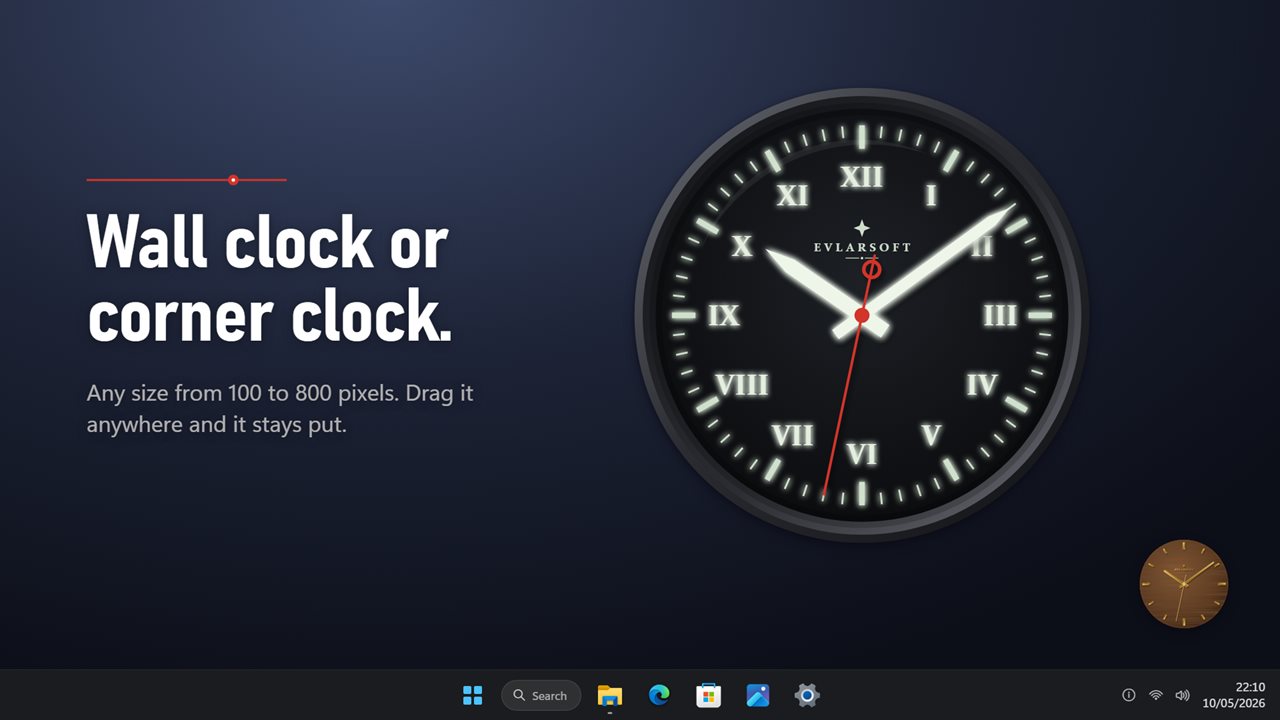
Any size from 100 to 800 pixels, from a wall clock to a corner clock.
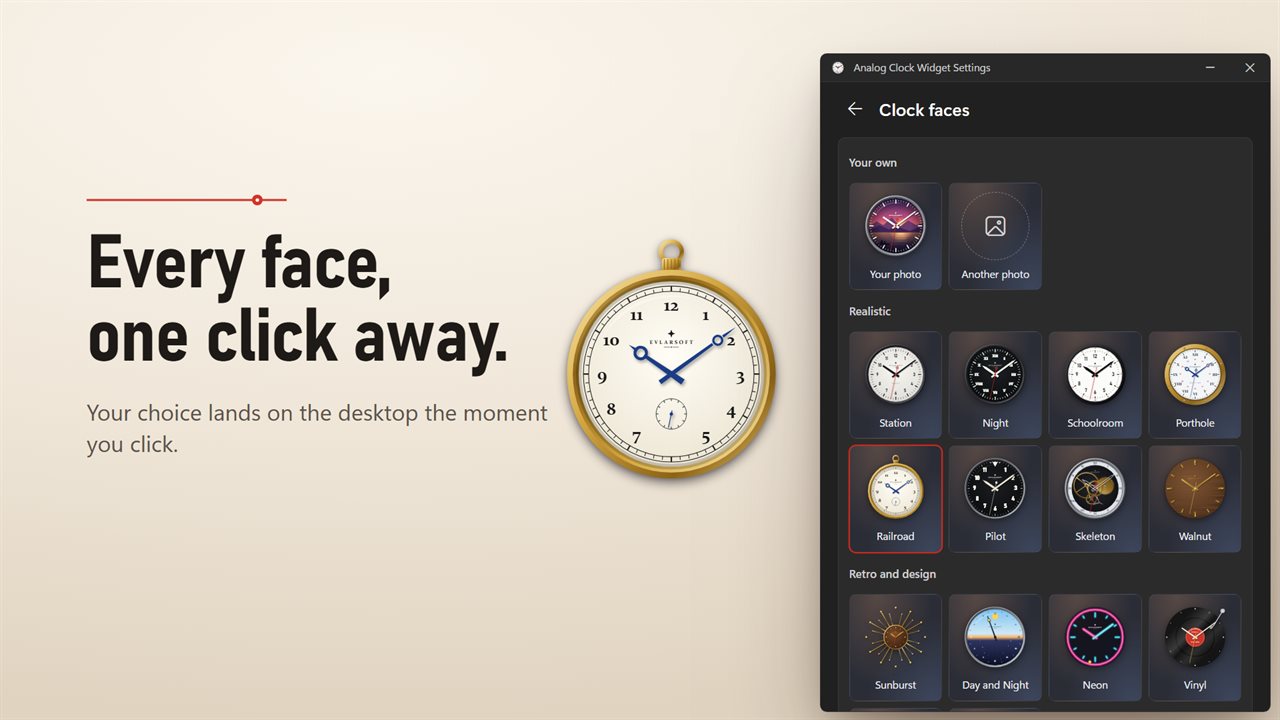
Every face in one gallery. Click one and it changes on your desktop.

A real analog clock on your desktop, with hands that sweep and a case that casts a shadow.

190,000+downloads of EvlarSoft apps
Signed by EvlarSoftVerified US publisher
14-day money-backNo questions asked
Updates includedNo upgrade fees

Why put an analog clock on your desktop?

Windows 11 shows the time as small digits in the corner of the taskbar, and the desktop gadgets that once offered a clock face are long gone. An analog clock for desktop use brings that back: a dial you can read at a glance from across the room, where the angle of the hands tells you how much of the hour is left before you have even read the numbers.

This one is drawn with real depth. Each face has a case and a domed glass, and the hands cast a soft shadow onto your wallpaper as they turn. You can leave it on the desktop behind your work or keep it above other windows, drag it anywhere, and it reopens in the same spot. If that monitor has been unplugged, it comes back to the center of the screen instead of vanishing off the edge.

Clock faces worth looking at

Browse all faces in settings opens a gallery of every face; click one and the desktop clock changes at once. A few details are worth a closer look:

  • Skeleton exposes the movement. Its gears mesh as they turn, the escape wheel steps forward every second while the pallet fork swings with it.
  • Railroad is a gold pocket watch with blued steel hands and a small subsidiary seconds dial.
  • Day and Night uses a single hand that circles once every 24 hours, noon at twelve o'clock.
  • Vinyl is a record turning at 33⅓, Neon stutters occasionally like a real tube, and the Owl watches each second go by.
  • The rest: Station, Night, Schoolroom, Porthole, Pilot, Walnut, Sunburst, Blueprint, Bare, Melting and Whatever.

Make a clock face from your own photo

Under Your own photo, press Choose a photo and pick any picture. It becomes the dial, cropped square from the center, under white hour and minute hands and a red seconds hand. A family portrait, a pet or a team logo works well. The app keeps its own resized copy, so moving or deleting the original file leaves the clock untouched. Another photo swaps it whenever you like.

Analog clocks for several time zones

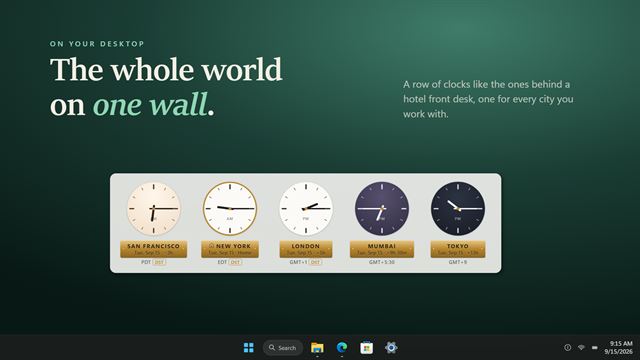
Set Clocks to World clocks and the widget shows up to four dials in a row. Your own time keeps the first dial on local time, and Add a city lets you search for others by name; London, Tokyo and Sydney are there to begin with. Once the sun goes down in a city, its dial changes to the Night face and its caption gets a moon, so you can tell at a glance whether a colleague is likely still at work.

Size, second hand and fine tuning

Size runs from 100 to 800 pixels, small enough for a corner and large enough to act as a wall clock on a TV-sized screen. Smooth sweep glides the second hand like a quartz sweep movement; turn it off and it ticks once a second, or switch off Second hand entirely for a calmer dial. Time offset sets the clock up to 60 minutes fast or slow, for those who like running a few minutes early. Maker's mark hides the small name on the dial.

Features

  • 17 faces, each with a case and glass, and shadows under the hands
  • Gallery of every face in settings, applied with one click
  • Your own photo as the dial
  • Up to four world clock dials with city search and a night face after sunset
  • Smooth sweep or one-tick-a-second motion, or no second hand
  • Sizes from 100 to 800 pixels
  • Time offset to run the clock fast or slow
  • Sits behind your windows or above them, and remembers its position
  • Optional Start with Windows

Questions

Anything else? Ask us

Can the analog clock show more than one time zone?

Yes. Set Clocks to World clocks and it shows up to four dials side by side: your own time plus cities you search for by name. After sunset in a city, its dial switches to the Night face and its caption shows a moon.

Can I use my own photo as the clock face?

Yes. Pick any picture and it becomes the dial, cropped to a square from the center, with white hands and a red second hand on top. It is shrunk and kept with the app's settings, so moving or deleting the original file does not affect the clock.

Which clock faces are included?

Seventeen: Station, Night, Schoolroom, Porthole, Railroad, Pilot, Skeleton, Walnut, Sunburst, Day and Night, Neon, Vinyl, Blueprint, Bare, Melting, Whatever and Owl. Settings has a gallery of all of them, and clicking one changes the clock on the desktop.

Does the second hand sweep or tick?

Either. Smooth sweep is on by default and glides around the dial; turn it off and the hand ticks once a second. You can also hide the second hand completely.

How big can the clock be, and can it stay above my windows?

Any size from 100 to 800 pixels. It sits on the desktop behind your windows by default, or you can set it to stay above other windows. It reopens where you dragged it, and if that monitor is no longer connected it comes back to the center of the screen.

Can I set the clock a few minutes fast?

Yes. Time offset runs the clock up to 60 minutes fast, or up to 60 minutes slow, in one-minute steps.

Is there a 24-hour analog clock face?

Yes. The Day and Night face has one hand that makes a full turn every 24 hours, with noon at the top of the dial.

Can I remove the EvlarSoft name from the dial?

Yes. Turn off Maker's mark in settings and the small name disappears from every face.

Which versions of Windows does it run on?

Windows 10 (version 1809 or later) and Windows 11.

Is it a subscription?

No. Analog Clock Widget is a one-time purchase of $4.99, and updates are included.

How do I get it?

Buy it on this page and your license key arrives by email. If the button says Notify me, Analog Clock Widget is not on sale here yet; leave your email and we will tell you when it is.

Prefer widgets? The Analog Clock widget on WidgetSpark does a similar job, alongside over 100 other desktop widgets in one app.