EEvlarSoft

Daily Mood Tracker Diary

Track your mood every day on your PC with a face, a star rating, a few tags and a note, then watch the calendar show you how your weeks really went.

Buy for $1.99
One payment. No subscription.
14-day money-back guarantee.
3.0
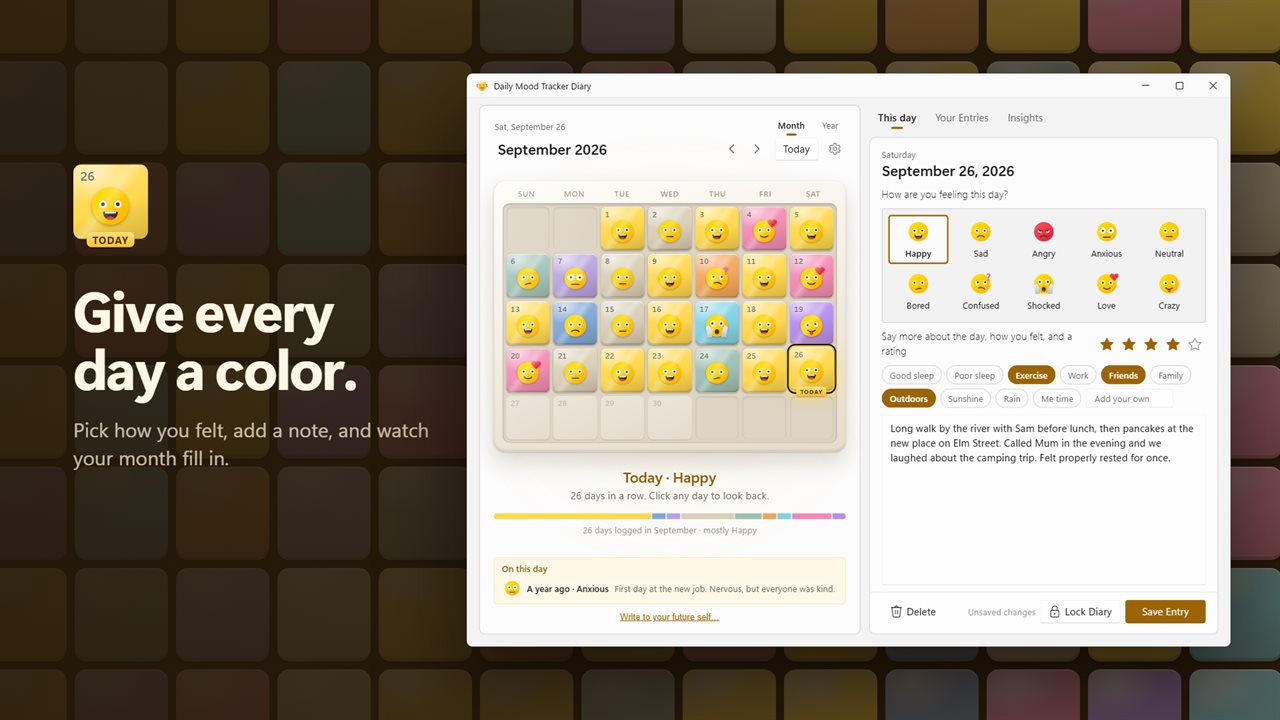
Give every day a mood, a rating and a note, and watch your month fill in.
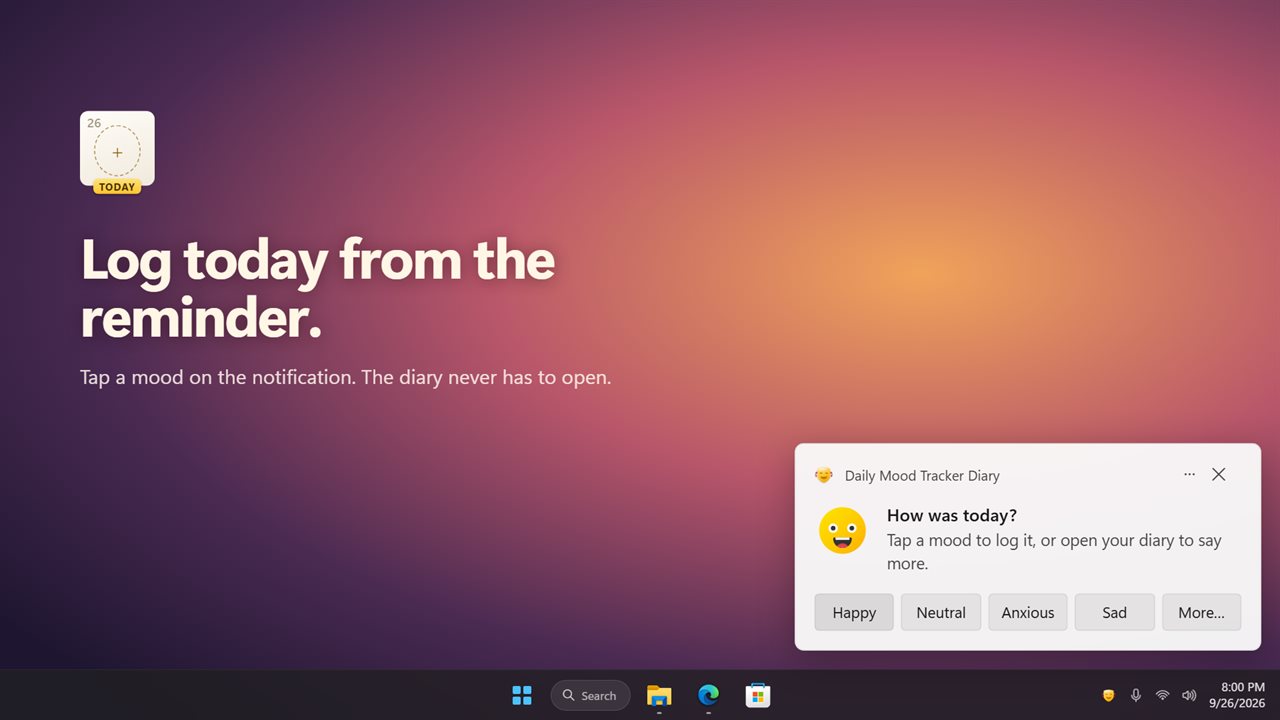
Log today from the reminder's mood buttons, without opening the app.
Insights show what lifts your mood and what drags it down.
Save your whole year of moods as a picture.
Write a note to your future self. It stays sealed until the day you pick.
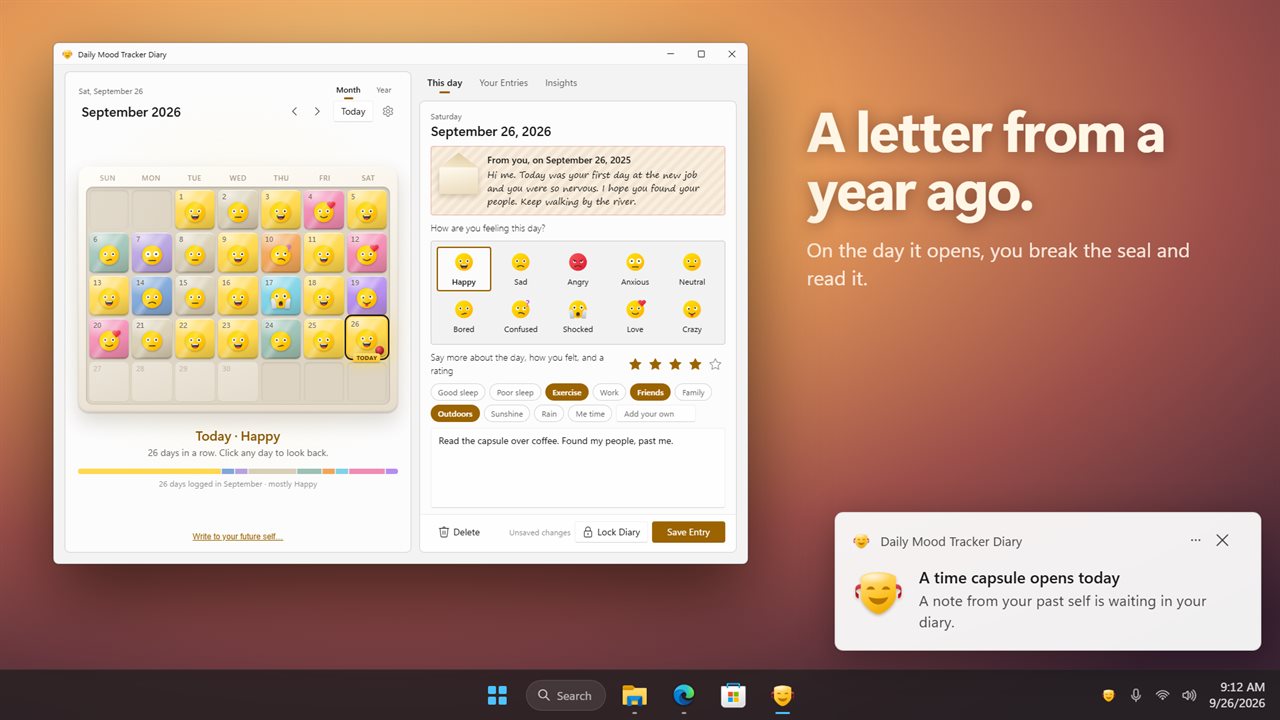
On the day it opens, break the seal and read it.
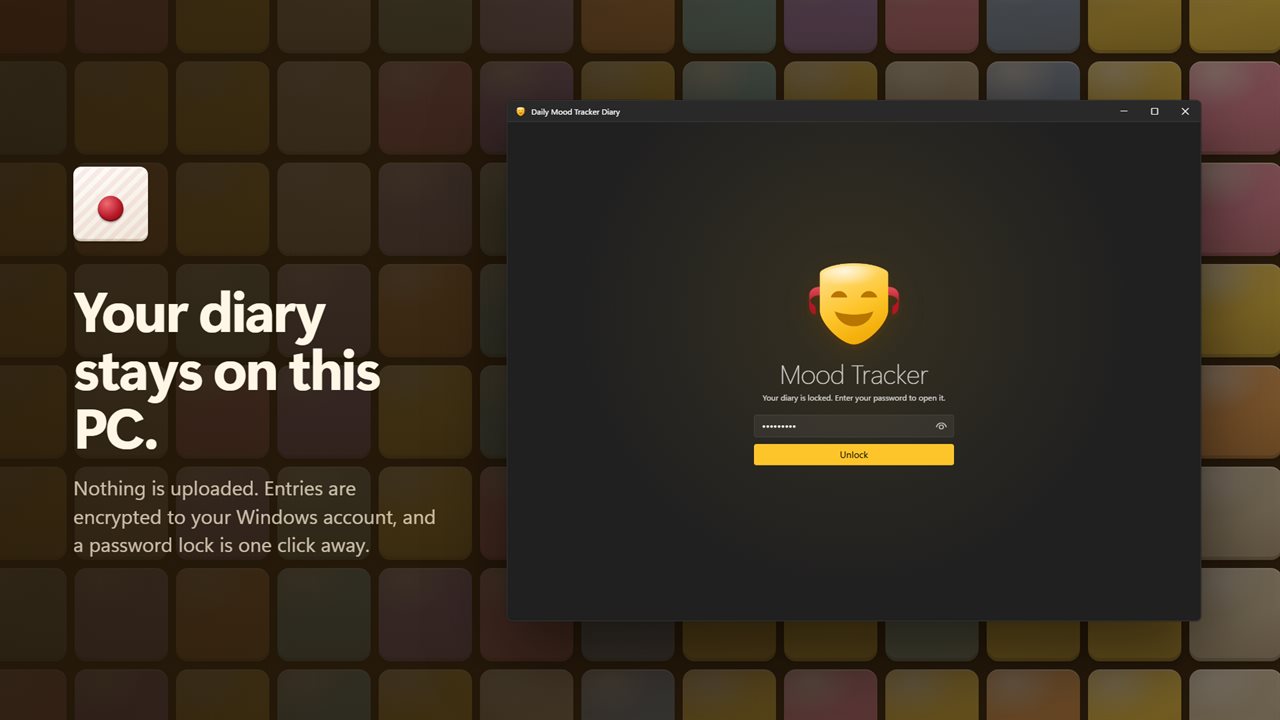
Your diary is kept on this PC, encrypted, with an optional password.

Give every day a mood, a rating and a note, and watch your month fill in.

190,000+downloads of EvlarSoft apps
Signed by EvlarSoftVerified US publisher
14-day money-backNo questions asked
Updates includedNo upgrade fees

A daily mood tracker that lives on your desktop

Most mood trackers are phone apps, which is fine until you want to write more than a sentence. Daily Mood Tracker Diary is a daily mood tracker and mood journal built for a Windows PC, with a real keyboard for the note and a full screen for looking back.

Logging a day takes a few seconds. Under How are you feeling today? choose one of ten mood faces: Happy, Sad, Angry, Anxious, Neutral, Bored, Confused, Shocked, Love or Crazy. Give the day one to five stars, tick the tags that fit, and type a note of any length before Save Entry. Some days are not one mood all day, so a date can hold several entries, each with its own face, stars, tags and note.

Each logged day turns into a colored tile on the Month calendar. A few weeks in, the colors start telling you things you would not have noticed day to day.

Mood journal insights: the habits behind your good and bad days

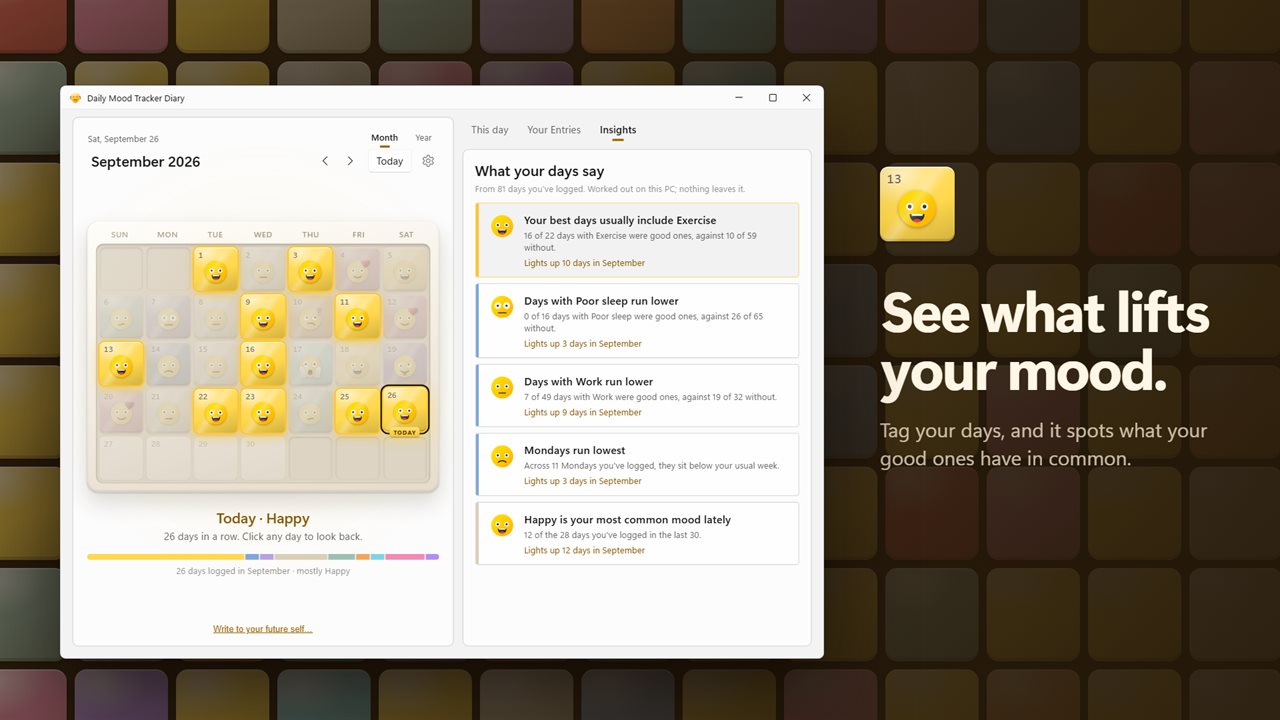
Under What was part of it? each day can carry tags such as Good sleep, Poor sleep, Exercise, Work, Friends, Family, Outdoors, Sunshine, Rain or Me time, or choose Add your own. Insights then compare your better and harder days against those tags.

After seven logged days, What your days say starts reporting patterns, such as a tag that keeps turning up on good days or one that goes with rough ones. A tag is only judged once there are at least three days with it and three without, so one lucky afternoon does not become a rule. With 14 days logged it can name the weekday that tends to run lowest or brightest, and it compares your most recent fortnight with the one before it. Hover over any insight to highlight the matching dates in the calendar.

Your year in pixels, and a look back on this day

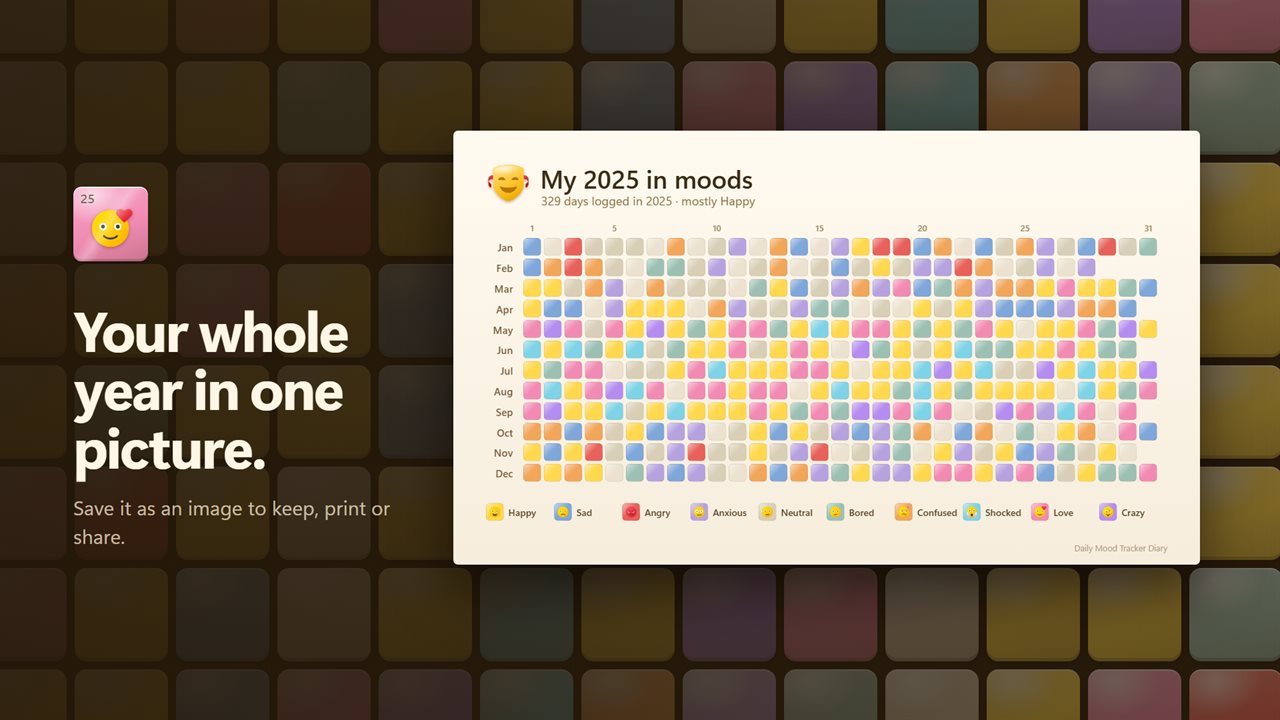
Switch from Month to Year and each date of the year shrinks to one tinted square in a single grid, the year-in-pixels view people often draw by hand in a bullet journal. Save it as a PNG image to print or share.

On this day puts today next to A month ago and A year ago, so you can see how far a hard stretch really was. Search your entries finds past days by the words you wrote, a mood, a date or a tag, and each month shows its mix of moods and your current streak.

A letter to your future self, sealed until the day

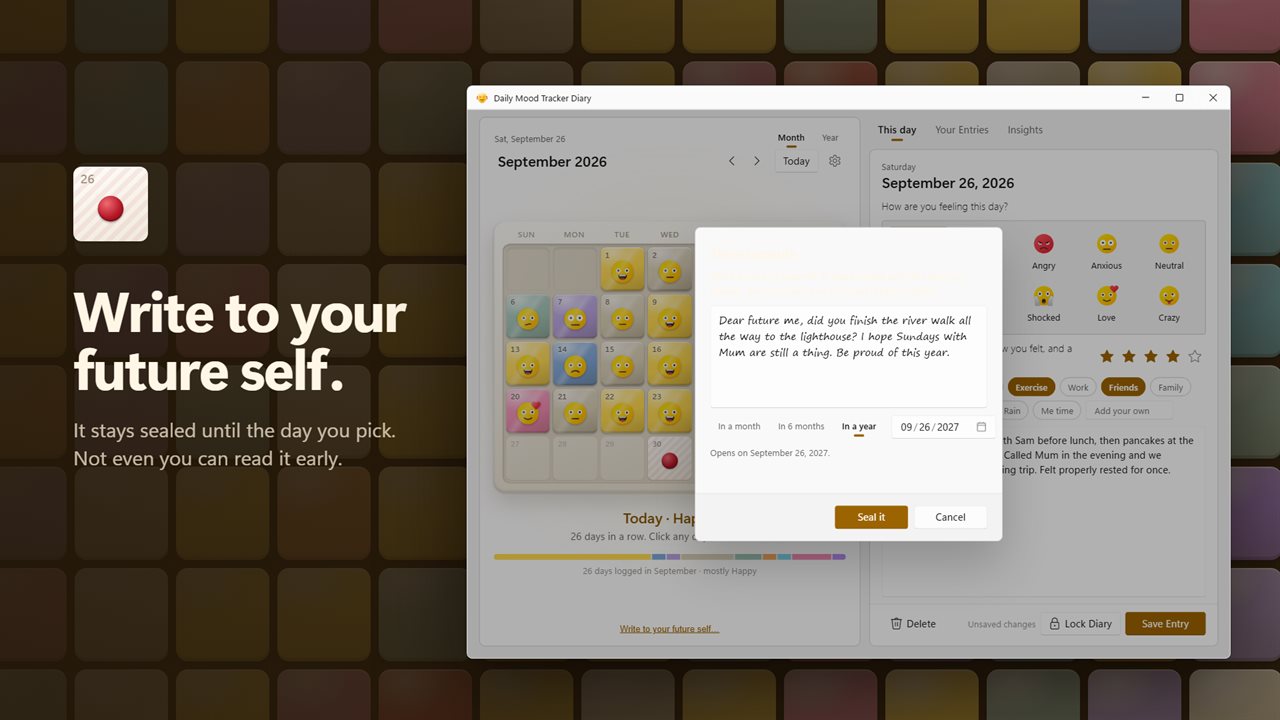
Time capsule lets you write a note under Write to your future self… then set its opening date with In a month, In 6 months, In a year, or a calendar day of your own. Seal it and it cannot be read early, not even by you. When the day comes, a notification lets you know, and you choose Break the seal to read it.

A private diary app for Windows with a daily check-in

Turn on Remind me to check in and pick a time under Remind me at; it starts at 8:00 PM. The reminder only arrives on days with no entry yet, and it carries buttons for your four most-used moods, so a single click logs the day without opening the app. Send a test reminder shows exactly what it will look like.

Entries are stored on this PC, encrypted to your Windows account. Password lock adds a password the diary asks for each time it opens. An optional EvlarSoft ONE sign-in can back up an unlocked diary to move it to another PC; a password-protected diary and sealed time capsules always stay local.

What the mood diary includes

  • Ten mood faces, a five-star rating and a free-form note per entry
  • Several entries on the same day
  • Ten built-in tags plus your own
  • Insights on tags, weekdays and your two-week trend
  • Month calendar of mood tiles and a Year grid you can save as a PNG
  • On this dayA month ago and a year ago
  • Search by text, mood, date or tag
  • Sealed time capsules with an opening-day notification
  • Daily check-in notification with one-click mood buttons
  • Password lock, with Week starts on Sunday or Monday

What's new in 2.0.3

  • New: a calendar of mood tiles, with a whole-year view
  • New: log today from a notification's mood buttons, without opening the app
  • New: Insights show what lifts your mood and what drags it down
  • New: tag your days, and search entries by tag
  • New: time capsules, sealed notes to your future self
  • New: save your year as a picture
  • New: On this day, a month and a year ago
  • Your entries and password carry over

Questions

Anything else? Ask us

What happens if I forget my diary password?

It cannot be recovered. After three wrong tries the lock screen offers Forgot your password?, and the only way back in is to erase the diary, which deletes every entry and removes the password.

Will the daily reminder still nag me if I already logged today?

No. It comes once a day at the time you pick, 8:00 PM unless you change it, and only if today has no entry yet. The notification has buttons for your four most-used moods, so one tap logs the day, plus More to open the diary.

Can I log more than one entry on the same day?

Yes. A day can hold several entries, each with its own mood, star rating, tags and note. The calendar tile shows the mood of the most recent one.

How many days do I need before Insights work?

Seven logged days. A tag is only compared once you have at least three days with it and three without, and the weekday pattern needs 14 days.

Can I read a time capsule before its date?

No. The app refuses to open it until the day comes, and the opening date has to be after today: in a month, six months, a year, or any day you pick. You get a notification on the day.

Is a password-protected diary included in the EvlarSoft ONE backup?

No. A diary with a password is never backed up, and time capsules are not backed up either, so both stay on this PC. Without a password, the backup carries your entries and settings to another PC.

How do I track my mood every day?

Pick a mood face, a star rating and any tags each evening, and add a note if you like. Turning on Remind me to check in sends one notification at your chosen time on days you have not logged yet.

What is a year in pixels?

A grid with one square for every day of the year, each colored by that day's mood. In Daily Mood Tracker Diary it is the Year view, and you can save it as a picture.

Does the mood tracker work without signing in?

Yes. Logging, insights, reminders and the password lock all work without an account. Signing in is only for the optional backup to another PC.

Which versions of Windows does it run on?

Windows 10 (version 1809 or later) and Windows 11.

Is it a subscription?

No. Daily Mood Tracker Diary is a one-time purchase of $1.99, and updates are included.

How do I get it?

Buy it on this page and your license key arrives by email. If the button says Notify me, Daily Mood Tracker Diary is not on sale here yet; leave your email and we will tell you when it is.