EEvlarSoft

Pomodoro Garden

A Pomodoro timer app for Windows that turns each focus block into a crop you harvest, and sends a crow when you drift to a distracting site.

Buy for $1.99
One payment. No subscription.
14-day money-back guarantee.
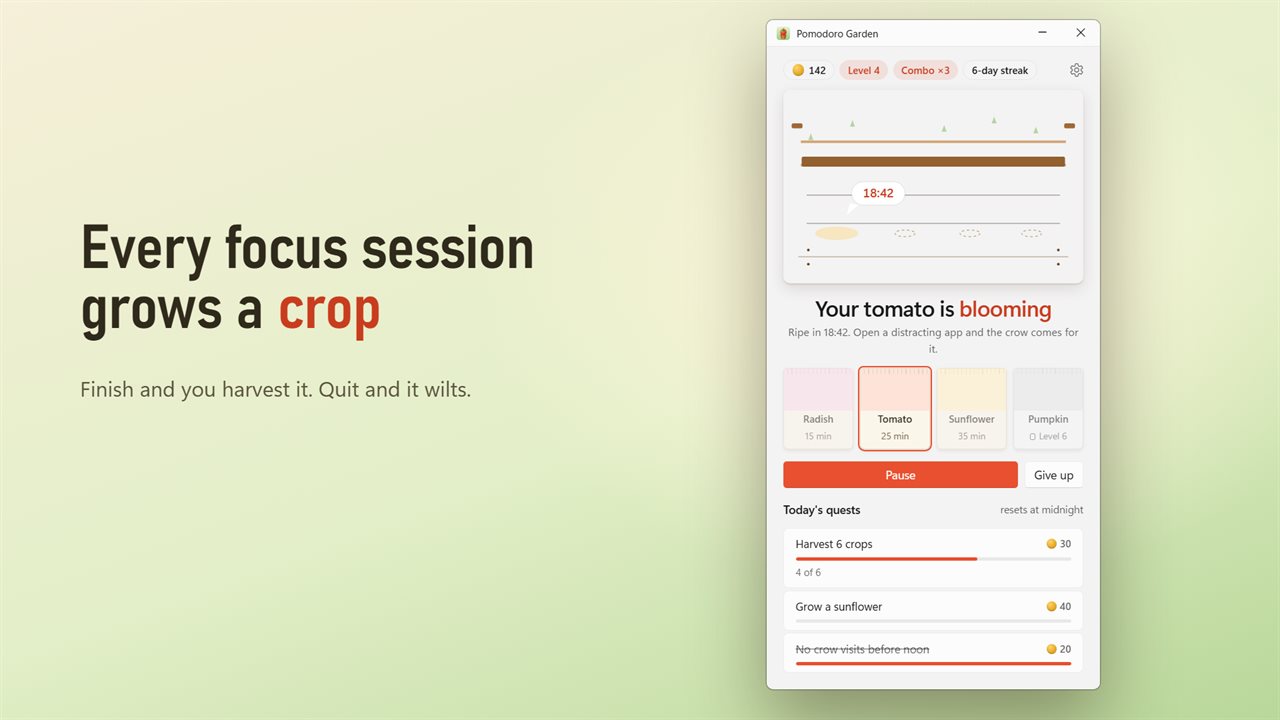
Every focus session grows a crop. Finish it to harvest.
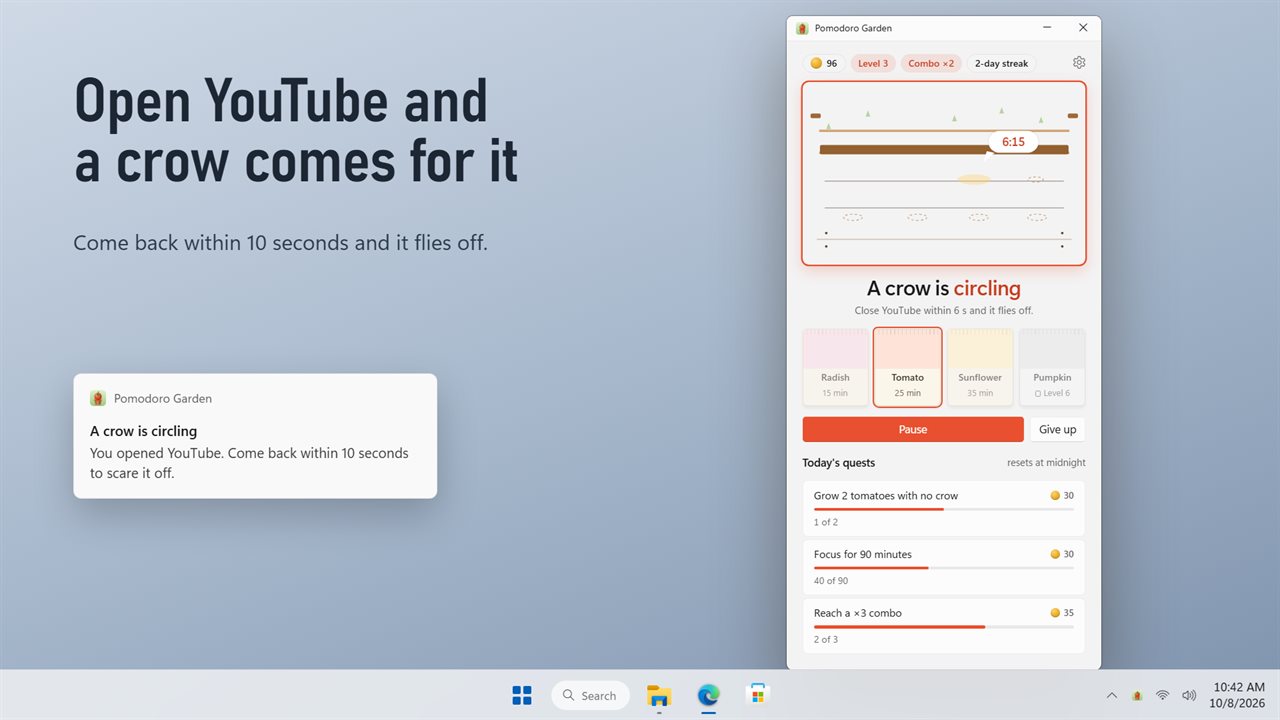
Open a distracting app and a crow comes for your plant.
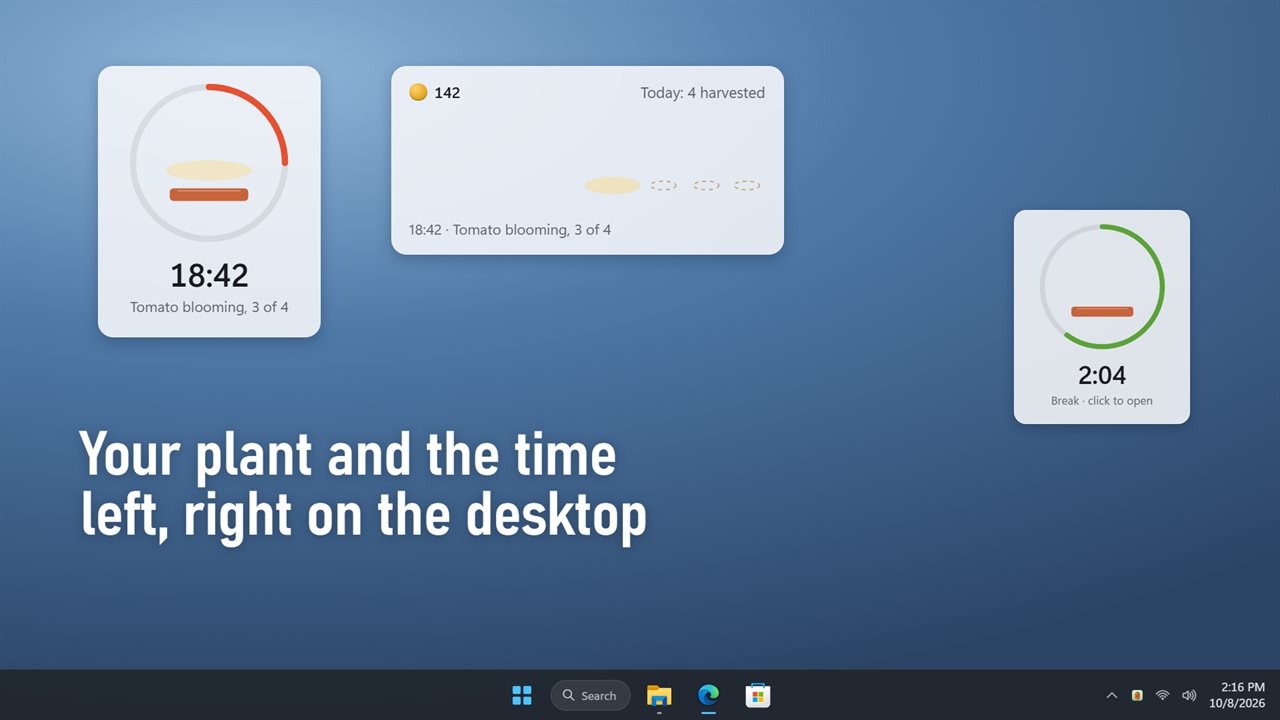
Your plant and the time left, right on the desktop.
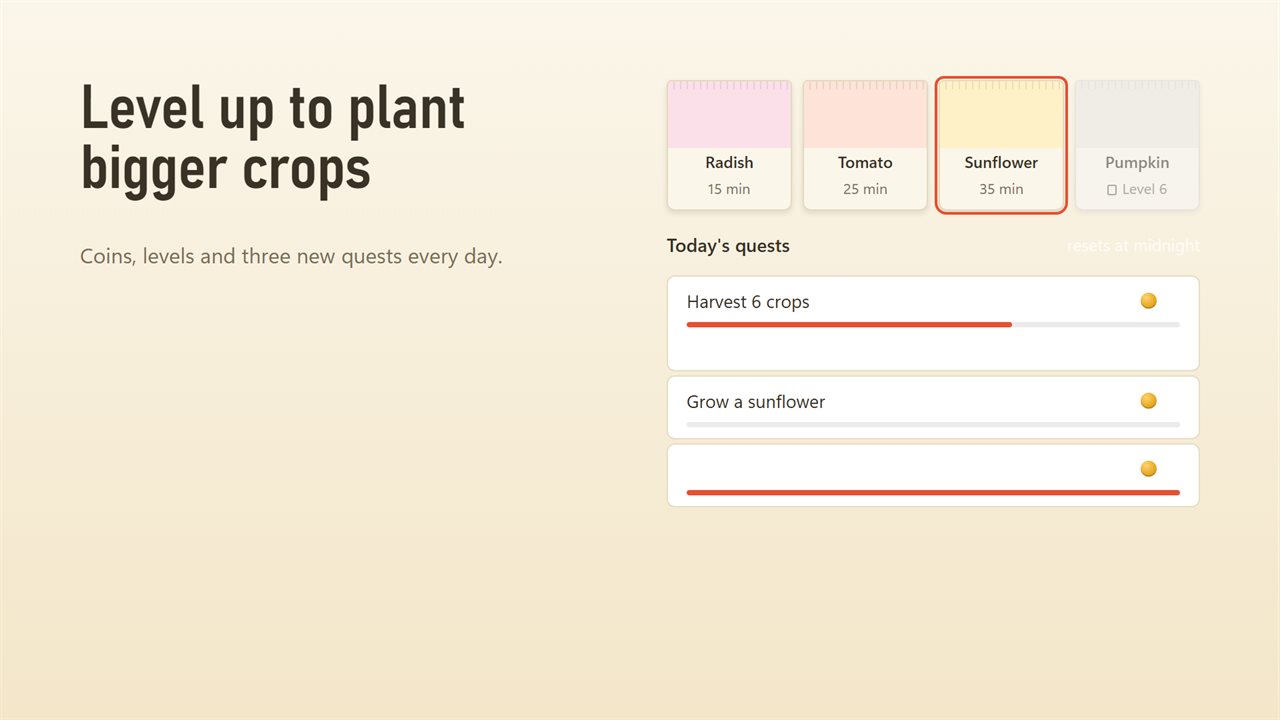
Coins, levels and three new quests every day.
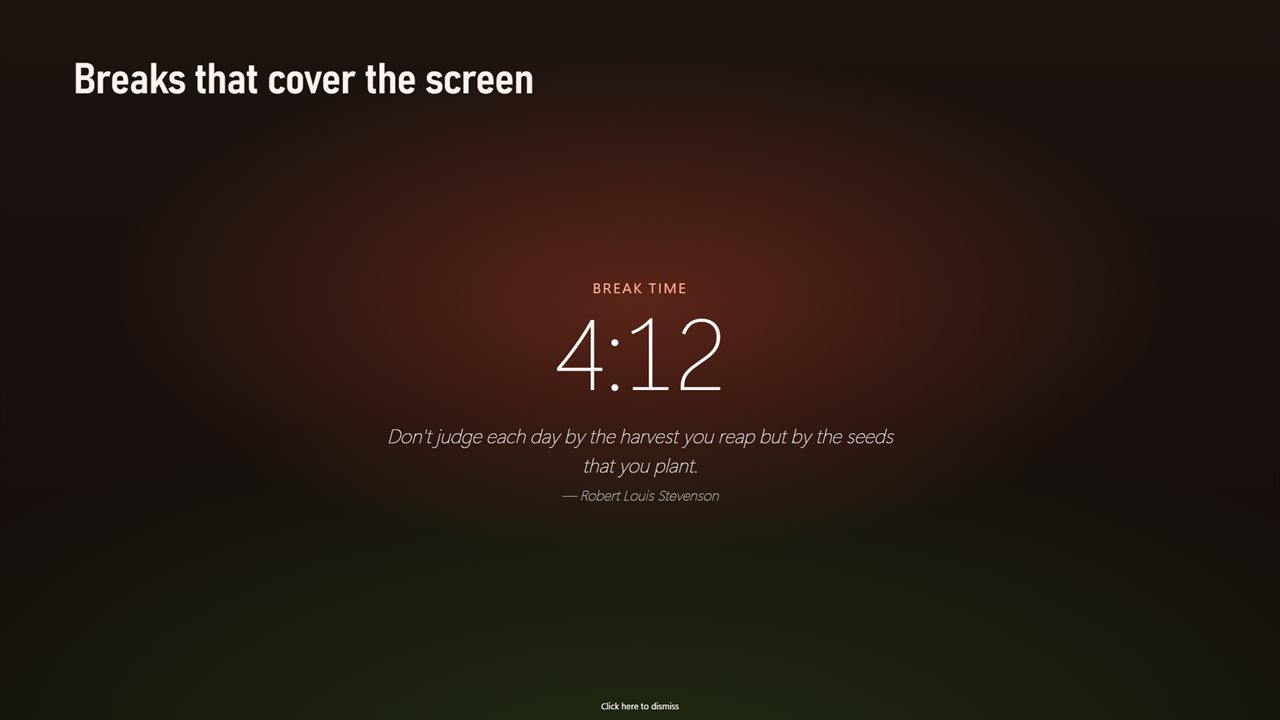
Breaks that cover the screen, with a quote to rest on.
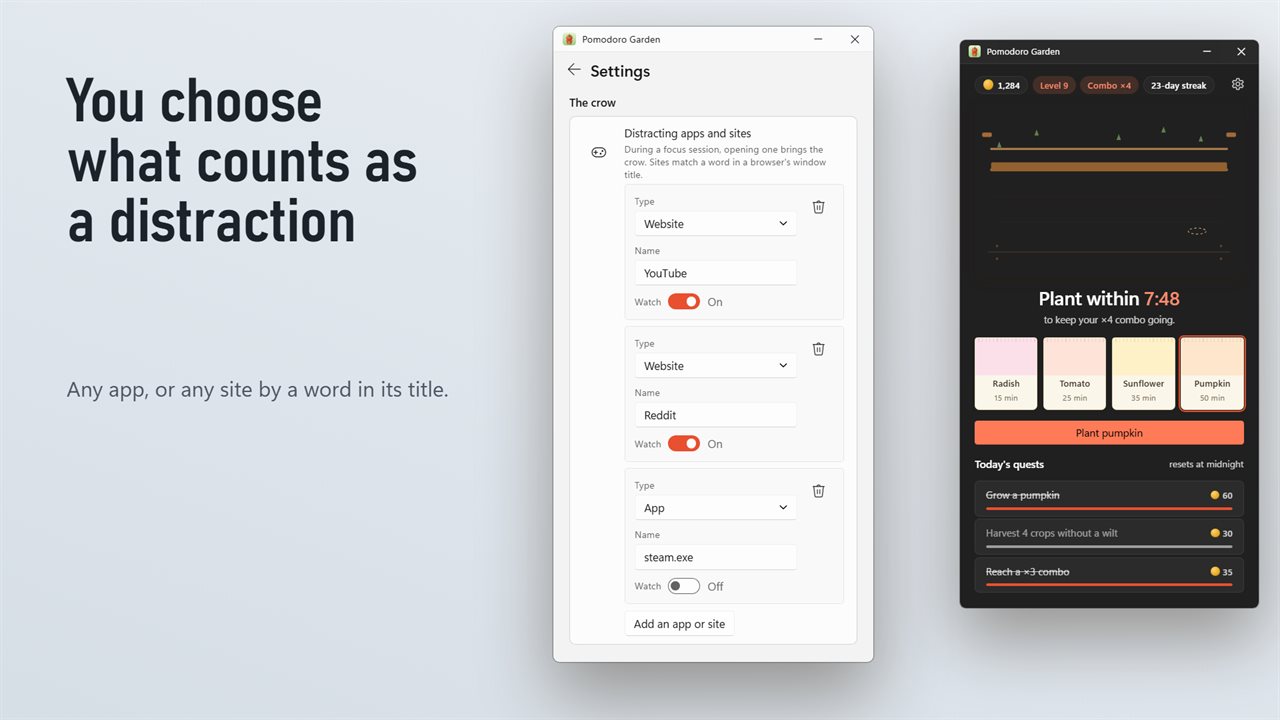
You choose what counts as a distraction.

Every focus session grows a crop. Finish it to harvest.

190,000+downloads of EvlarSoft apps
Signed by EvlarSoftVerified US publisher
14-day money-backNo questions asked
Updates includedNo upgrade fees

A Pomodoro timer app for Windows with something at stake

The Pomodoro Technique is simple: work for a fixed block, take a short break, repeat, and take a longer rest every few rounds. The hard part is not the timer. It is not opening a new tab four minutes in. This Pomodoro timer app for Windows gives each block a small consequence, so quitting early or wandering off actually costs you something.

Every session starts with a seed. Plant it and it sprouts, grows, blooms and ripens on screen as the minutes pass. Reach the end and you harvest it for coins; press Give up and it wilts in its plot. Your bed has eight plots and clears each morning, so a glance at the garden tells you how much real work today held.

While a session runs, the app watches the window in front. If it is a site or program on your distraction list, a crow lands. You get 10 seconds to go back. Stay away and it pecks the crop every 10 seconds, each peck taking a quarter off what that harvest pays, down to a floor of one quarter.

Pick a focus timer length by choosing a seed

There is no minutes box. The seed is the session length, which keeps the decision quick and the habit consistent:

  • Radish: 15 minutes, worth 10 coins. Good for warming up or a tired afternoon.
  • Tomato: 25 minutes, worth 20 coins. The classic Pomodoro and the default seed.
  • Sunflower: 35 minutes, worth 30 coins, available from level 3.
  • Pumpkin: 50 minutes, worth 45 coins, available from level 6, for deep work.

How to block distractions during a study session

Open Settings and find Distracting apps and sites. Each entry has a Type of Website or App, a Name and a Watch switch. A Website entry matches a word in the title of a browser window, such as YouTube; an App entry matches the program file, such as steam.exe or Discord.exe. YouTube, Reddit and TikTok are watched from the start, and Facebook, Instagram, Netflix, Twitch, Steam and Discord are on the list ready to switch on.

Nothing is closed or blocked. The crow is a nudge with a price attached, which tends to work better than a hard block you end up disabling.

Breaks, combos and daily quests

Each harvest starts a break. Break length can be 1, 2, 5, 10 or 15 minutes, Long break length 10, 15, 20 or 30 minutes, and Long break every sets how many harvests come between long breaks. With Show the rest card on, a full-screen card covers each monitor with the break countdown and a quote, so the pull back to the inbox is harder to act on. Click here to dismiss ends the break early when you are ready.

Plant again within 10 minutes of a break ending and the sessions chain into a combo, adding 10% to the payout for each link, up to 50%. Three quests arrive each day, such as Harvest 6 crops, Focus for 90 minutes or No crow visits before noon, and harvesting on consecutive days keeps a streak alive.

Features

  • Four seeds as session lengths15, 25, 35 and 50 minutes
  • Crops grow through sprouting, growing, blooming and ripening stages
  • Distraction watch for browser tabs by title and for apps by file name
  • Crow warning with a 10-second grace period before it pecks
  • Configurable short break, long break, and long-break interval
  • Full-screen break countdown on every monitor, dismissable with one click
  • Combo bonus for chaining sessions within 10 minutes
  • Levels, coins, three daily quests and a daily streak
  • Desktop widget as a pot with a progress ring or today's row, sized 70% to 250%
  • Optional chime at session end, and Start with Windows

Who it suits

Students revising for exams

Tomato sessions with a 5-minute break are a ready-made study timer for PC, and the crow catches the reflexive trip to TikTok.

Remote workers with long afternoons

A row of harvested crops on the desktop is an honest record of focused time, without filling in a time sheet.

Anyone easing back into focus

Start with radishes, move to tomatoes, and unlock sunflowers and pumpkins as your attention span grows with your level.

What's new in 2.0.1

  • New: every focus session grows a crop. Finish to harvest it, quit and it wilts
  • New: a crow comes for your crop when you open a distracting app
  • New: coins, levels, daily quests, combos and streaks
  • New: a desktop widget that shows your plant and the time left
  • The full-screen rest card and its quotes are still here
  • Your break length and Start with Windows choice carry over

Questions

Anything else? Ask us

Can I set my own focus session length?

No. The seed you plant sets it: a radish is 15 minutes, a tomato 25, a sunflower 35 and a pumpkin 50. Sunflowers unlock at level 3 and pumpkins at level 6.

Can I change the break lengths?

Yes. A short break can be 1, 2, 5, 10 or 15 minutes, and a long break 10, 15, 20 or 30 minutes. You also choose whether the long break comes after every 2, 3, 4, 5 or 6 harvests.

How does it know I opened a distracting website?

It checks the window in front. An app entry matches the program's file name, such as steam.exe, and a site entry matches a word in the title of a web browser window, such as YouTube. It reads the window title only, not the page address or what is on the page.

What does the crow do if I stay on a distracting app?

You get a notification and 10 seconds to come back. After that it pecks your crop every 10 seconds you stay away, and each peck takes a quarter off the coins that crop pays, down to a quarter of the full amount. The crow only comes while a session is running, not while it is paused.

Does the break screen cover all my monitors?

Yes. The rest card opens on every monitor with the time left and a quote, and a button to end the break early. You can turn the rest card off in settings.

Does the timer keep running if I close the window?

Yes. It keeps time from the notification area with every window closed. Sessions only run while the app is running, so turn on Start with Windows if you want it there after a restart.

What happens if I click Give up?

The crop wilts and pays nothing. It stays in its plot until you plant your next seed, which clears it.

How much does chaining sessions add?

Each session started within 10 minutes of the previous break ending adds 10% to the harvest's coins, up to a maximum of 50%.

Can I control the timer from the desktop widget?

Yes. Click the widget to plant a seed or pause the running session. Layout switches it between The pot and Today's row.

Which versions of Windows does it run on?

Windows 10 (version 1809 or later) and Windows 11.

Is it a subscription?

No. Pomodoro Garden is a one-time purchase of $1.99, and updates are included.

How do I get it?

Buy it on this page and your license key arrives by email. If the button says Notify me, Pomodoro Garden is not on sale here yet; leave your email and we will tell you when it is.

Prefer widgets? The Pomodoro Timer widget on WidgetSpark does a similar job, alongside over 100 other desktop widgets in one app.