EEvlarSoft

Smart Shutdown Timer

Auto shutdown that reacts to what the PC is doing: turn it off once you walk away, a download ends or a long render stops loading the CPU.

Buy for $1.99
One payment. No subscription.
14-day money-back guarantee.
4.2
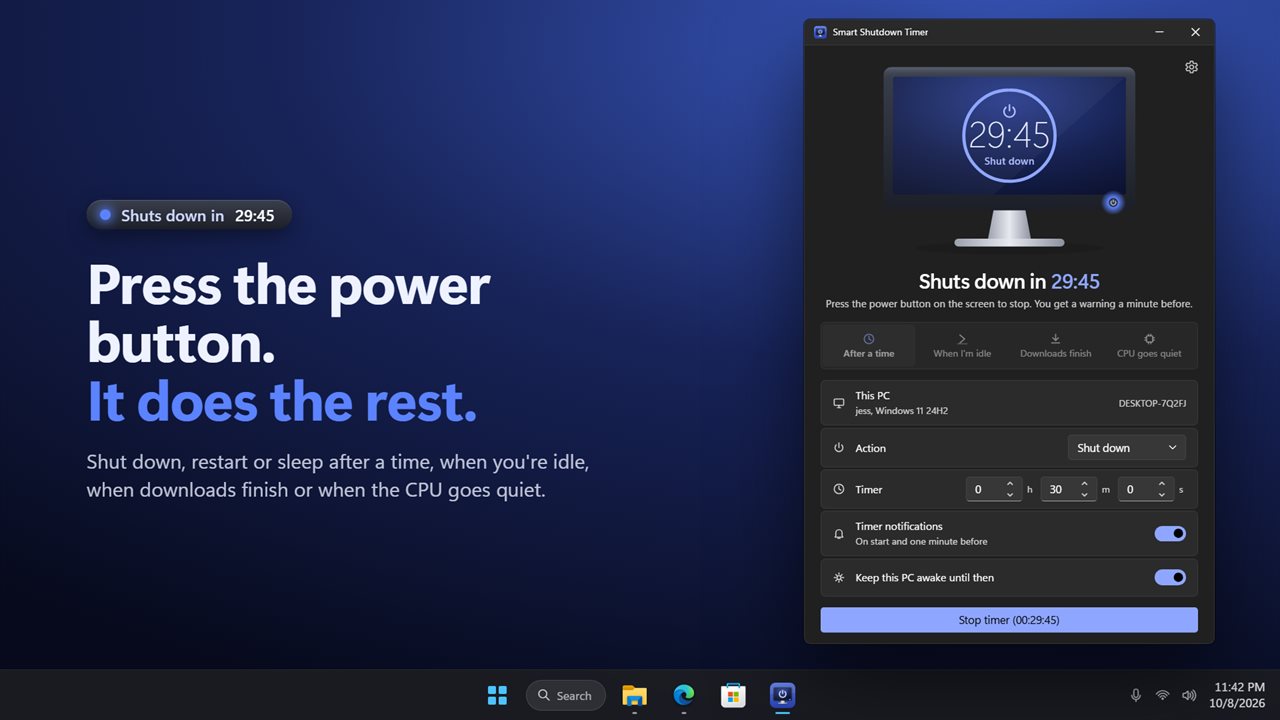
Press the power button on the screen. It counts down to the action.
Shut down after you stop using the PC.
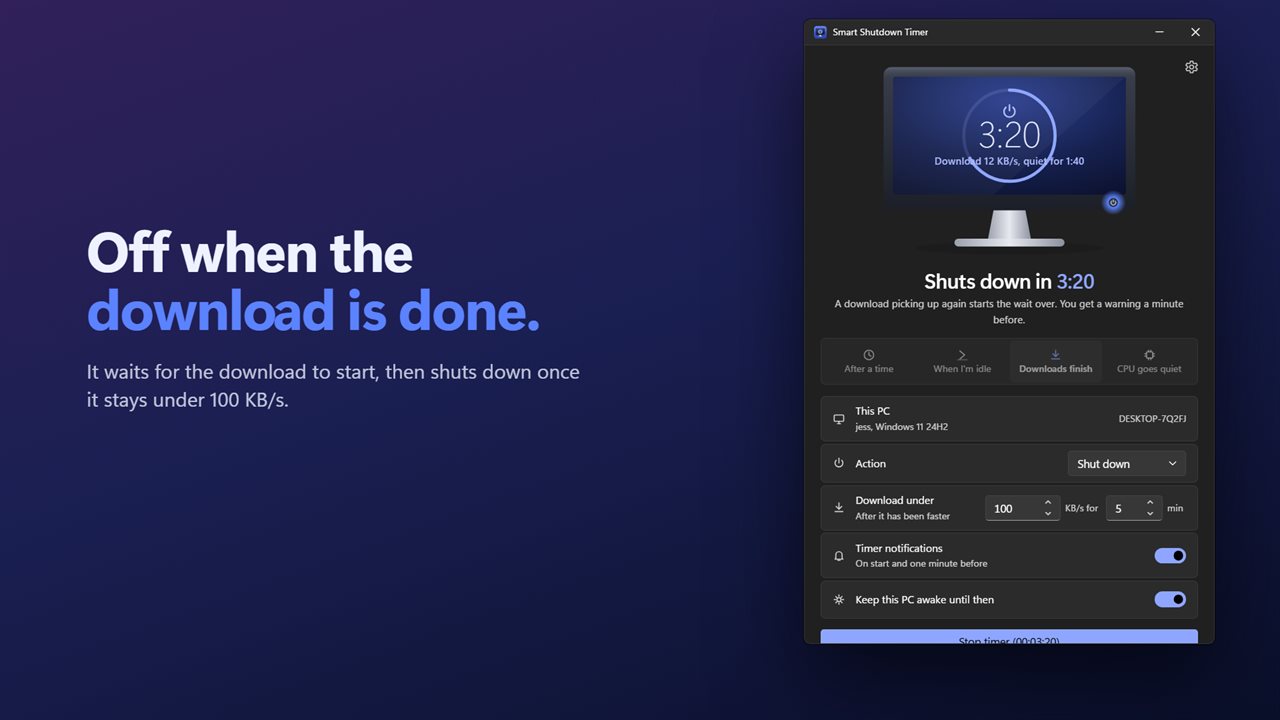
Shut down when the download finishes.
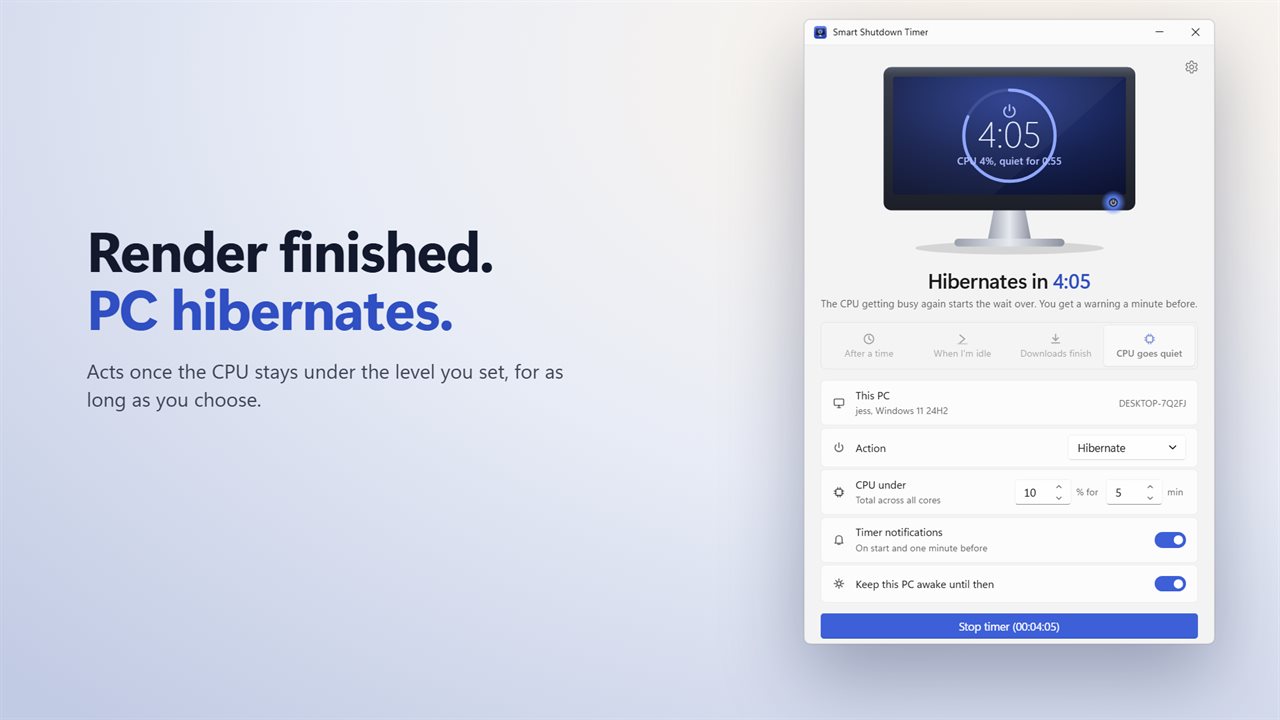
Shut down when the render is done and the CPU goes quiet.
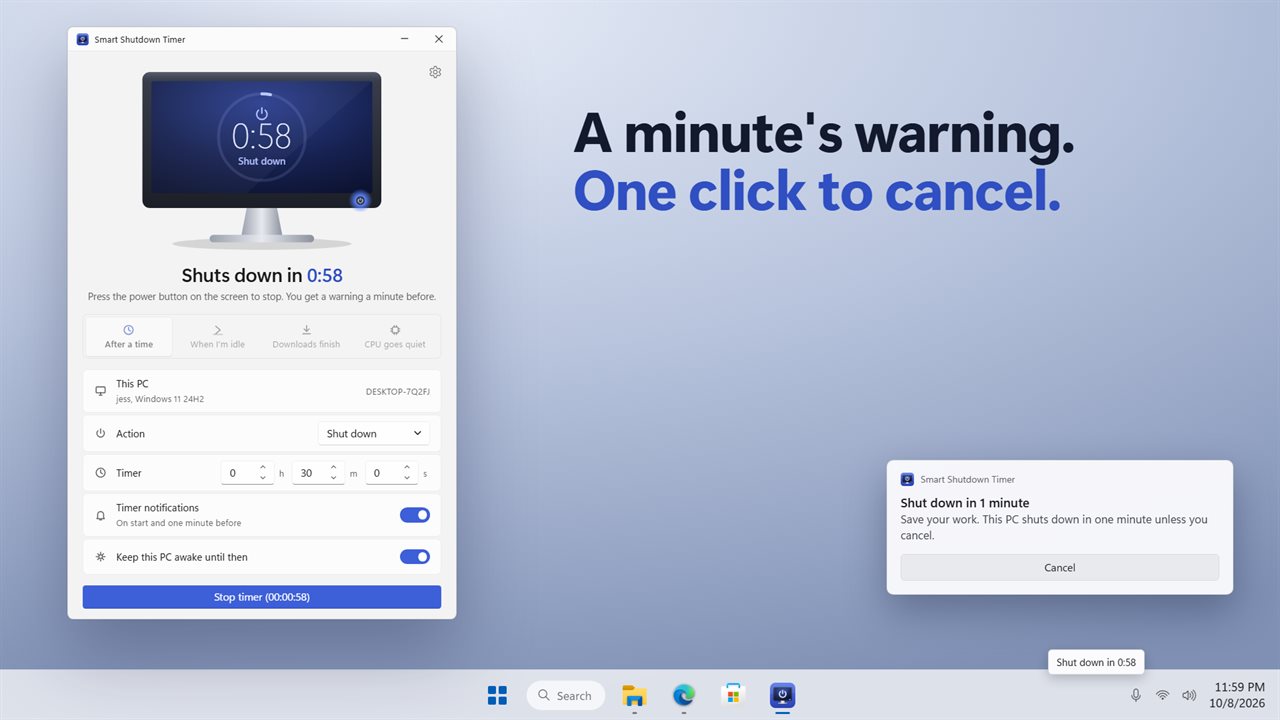
A warning a minute before, with a Cancel button.
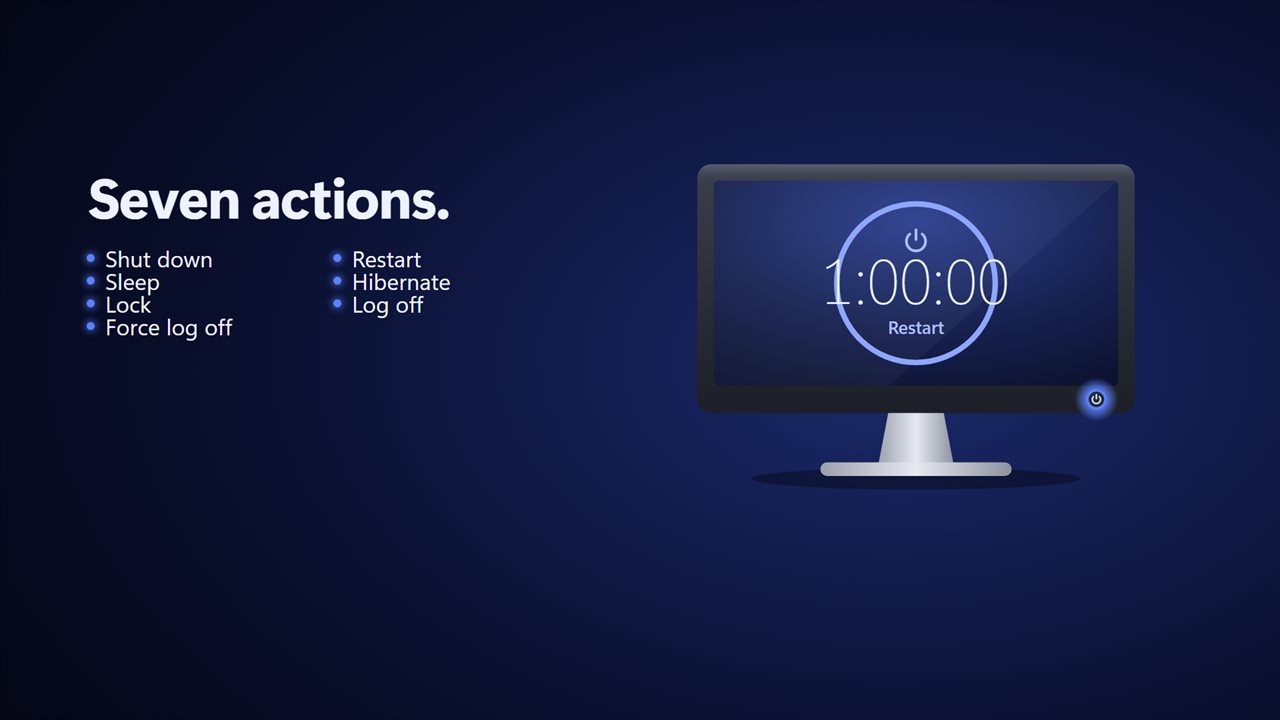
Seven actions, from lock to shut down.

Press the power button on the screen. It counts down to the action.

190,000+downloads of EvlarSoft apps
Signed by EvlarSoftVerified US publisher
14-day money-backNo questions asked
Updates includedNo upgrade fees

Auto shutdown that waits for the job, not the clock

A plain countdown makes you guess. Set two hours for a download that takes three and it gets cut off; set four and the PC hums all night for nothing. Smart Shutdown Timer offers auto shutdown based on conditions instead, so the PC turns off when the work is actually done.

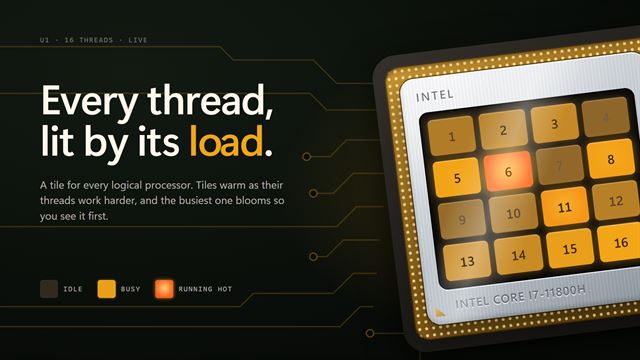
Pick one of four triggers along the top. After a time is the classic countdown. When I'm idle fires after a stretch in which nobody types or moves the mouse. Downloads finish watches incoming network speed. CPU goes quiet watches processor load, which is how you catch the end of a video export, a code build or a 3D render.

Then choose the Action. Besides Shut down there are Restart, Sleep and Hibernate, plus Lock, Log off and Force log off for shared machines. The drawn monitor in the window shows the time left or the live reading for your trigger, and its power button starts and stops the timer.

How to shut down a computer after a download finishes

The trigger arms only after traffic has first risen above your threshold, so starting it before the download kicks off is fine. It measures every network adapter combined rather than one program, which means a stream playing in the background will keep it waiting; close it first.

  • Choose Downloads finish.
  • Set Download under, 100 KB/s by default, and how many minutes the speed must stay below it.
  • Pick Shut down, or Hibernate if you want your open windows back tomorrow.
  • Press Start timer. The screen shows the current speed and the minutes it has stayed below your limit.

Auto shutdown when idle, or when the CPU settles

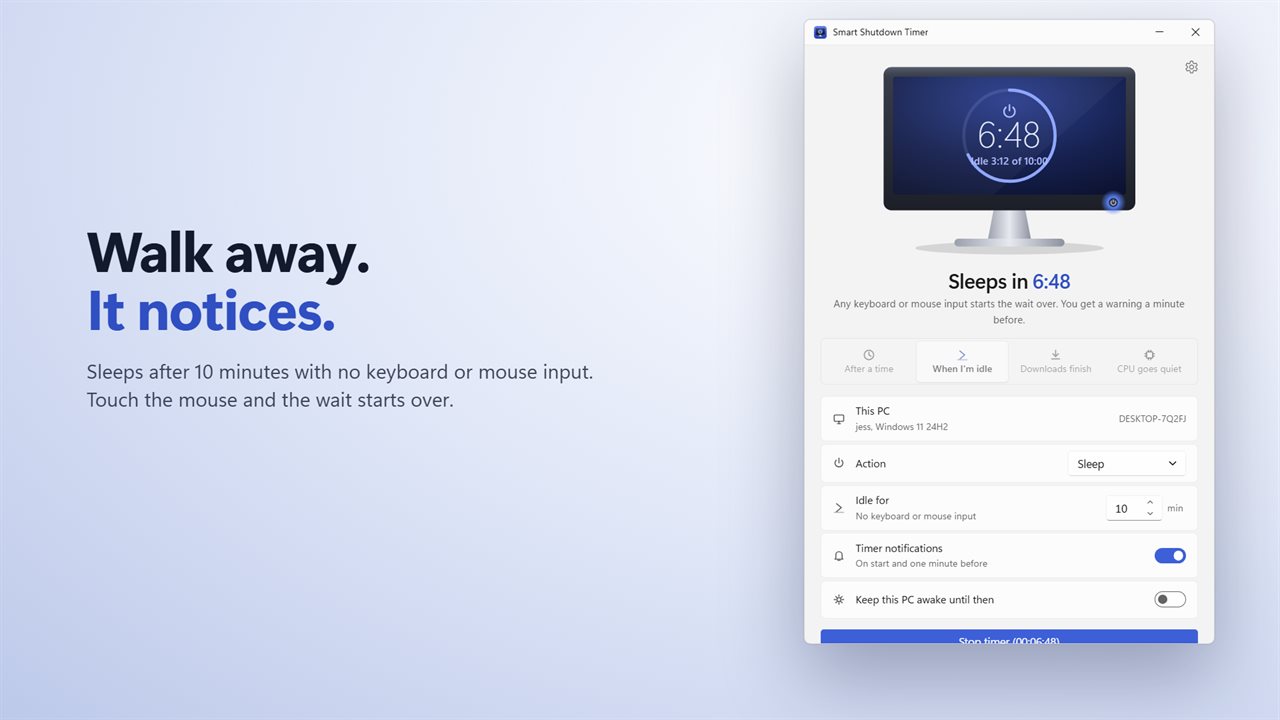
Idle for accepts 1 to 1,440 minutes, 10 by default. Watching a film without touching anything still counts as idle, so this suits falling asleep in front of a show. The moment you move the mouse or press a key, the wait starts over.

CPU under takes a percentage from 1 to 99 of the total across all cores, 10% out of the box, held for 1 to 1,440 minutes. Five minutes under 10% is a safe signal that an export has finished; a busy spike resets the count, so a short pause between render passes will not trip it.

Timed shutdown, restart or lock, with a warning first

After a time accepts up to 99 h 59 m 59 s. Leave Timer notifications on and you get a notice when the timer starts and another sixty seconds ahead of the action that lets you call it off. Switching on Keep this PC awake until then means Windows' own sleep setting cannot get in first.

Closing the window leaves the app working from the notification area; hover the icon to see what is left. Shut down and Restart ask Windows politely, so an editor with unsaved changes can still hold them off. Only Force log off closes programs regardless.

What is in the box

  • Four triggersAfter a time, When I'm idle, Downloads finish, CPU goes quiet
  • Seven actions from Shut down to Force log off
  • Live idle time, download speed or CPU reading on the drawn screen
  • Adjustable thresholds and hold times up to 1,440 minutes
  • Start notice and one-minute warning with Cancel
  • Keep this PC awake until then
  • Tray icon with time left and a stop option
  • Start with Windows and Start minimized to the notification area
  • This PC row showing the computer name, user and Windows version
  • Settings carried over from the earlier version of the app

What's new in 2.0.2

  • New: shut down when you're idle, when downloads finish, or when the CPU goes quiet
  • New: the screen shows the live reading for each trigger
  • New: the one-minute warning has a Cancel button
  • New: the tray icon shows the time left
  • New: start with Windows, start minimized, and light and dark themes
  • Your action, timer and switches carry over

Questions

Anything else? Ask us

Can Smart Shutdown Timer shut down my PC when a download finishes?

Yes. It waits until incoming traffic goes above the speed you set, 100 KB/s by default, then acts once it stays below that for the minutes you choose. It measures all traffic on your network adapters, not one particular download, so a video streaming in the background keeps it waiting.

Does watching a video count as using the PC for the idle trigger?

No. Idle means no keyboard or mouse input, so a long video with nobody touching the PC counts as idle. Any key press or mouse movement starts the wait over.

Can it shut down after a render or export finishes?

Yes. Choose the CPU trigger and it acts once the processor stays under the level you set, 10% by default and anywhere from 1% to 99%, for between 1 and 1,440 minutes. The CPU getting busy again starts the wait over.

Will I get a warning before it shuts down?

Yes. With notifications on, a Windows notification arrives one minute before the action with a Cancel button that stops the timer. There is no warning for a wait of one minute or less.

Does it force programs with unsaved work to close?

No. Shut down and Restart ask Windows the ordinary way, so a program holding unsaved work can still stop them. Force log off is the one action that closes programs without asking.

Does the timer keep running if I close the window?

Yes. Closing the window leaves the app in the notification area, where hovering the icon shows the time left and its menu can stop the timer. Choosing Exit from that menu cancels the timer, because it only acts while the app is running.

Is it better to shut down or hibernate after an overnight download?

Hibernate saves everything open to disk and powers off, so your windows come back as you left them. Shut down closes programs and starts clean next time. Both use no power once done.

Can I schedule a restart instead of a shutdown?

Yes. Set Action to Restart and use any of the four triggers, for example a restart once a large update download goes quiet.

Can it lock the PC when I walk away instead of shutting it down?

Yes. Choose When I'm idle, set Idle for to the minutes you want, and pick Lock as the Action. The screen locks once nobody has typed or moved the mouse for that long, and your programs keep running.

Which versions of Windows does it run on?

Windows 10 (version 1809 or later) and Windows 11.

Is it a subscription?

No. Smart Shutdown Timer is a one-time purchase of $1.99, and updates are included.

How do I get it?

Buy it on this page and your license key arrives by email. If the button says Notify me, Smart Shutdown Timer is not on sale here yet; leave your email and we will tell you when it is.