EEvlarSoft

Cut List Optimizer for Windows

Type in the parts for your project and get a plywood cutting plan you can follow on a table saw, using as few sheets as possible.

Buy for $14.99
One payment. No subscription.
14-day money-back guarantee.
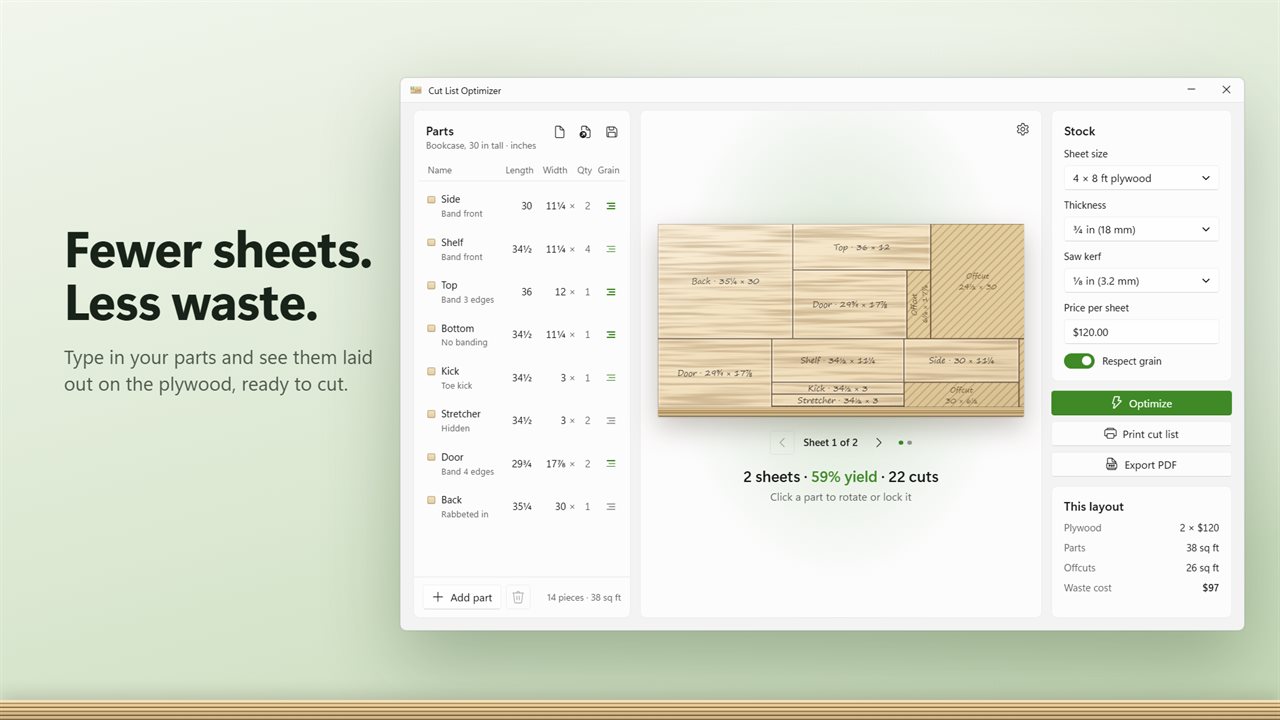
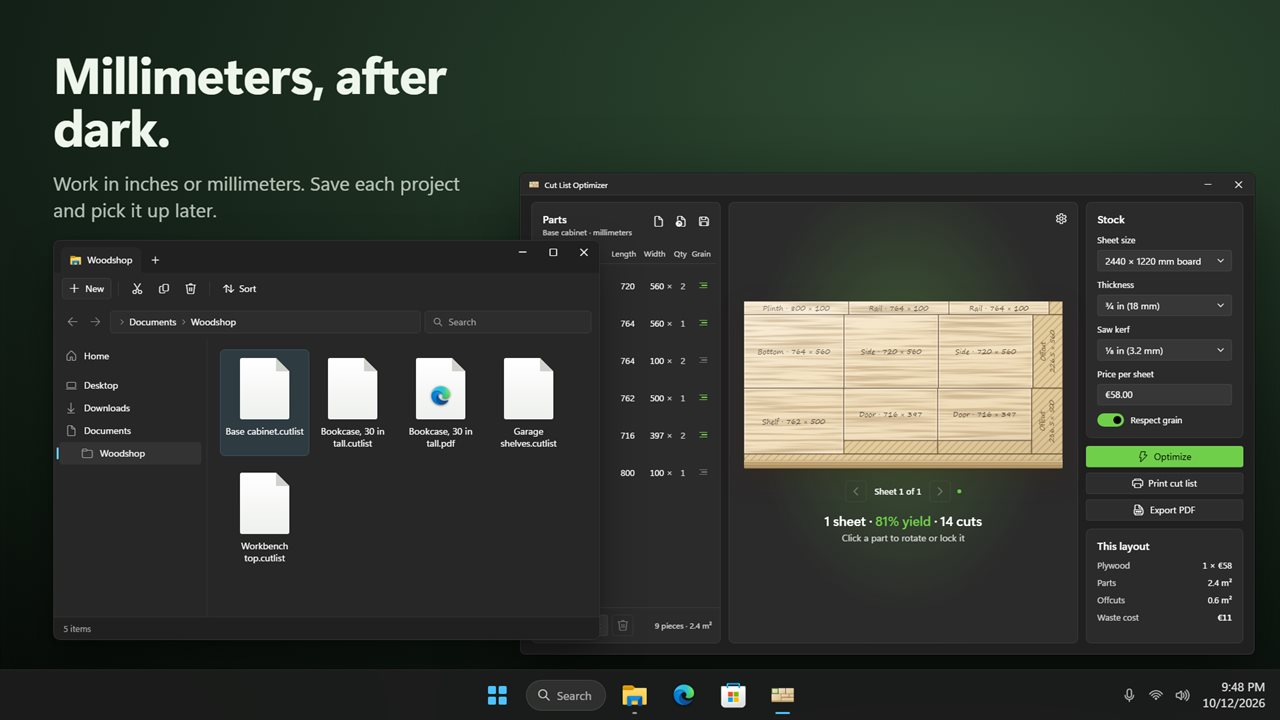
Enter your parts and see them laid out on the sheet.
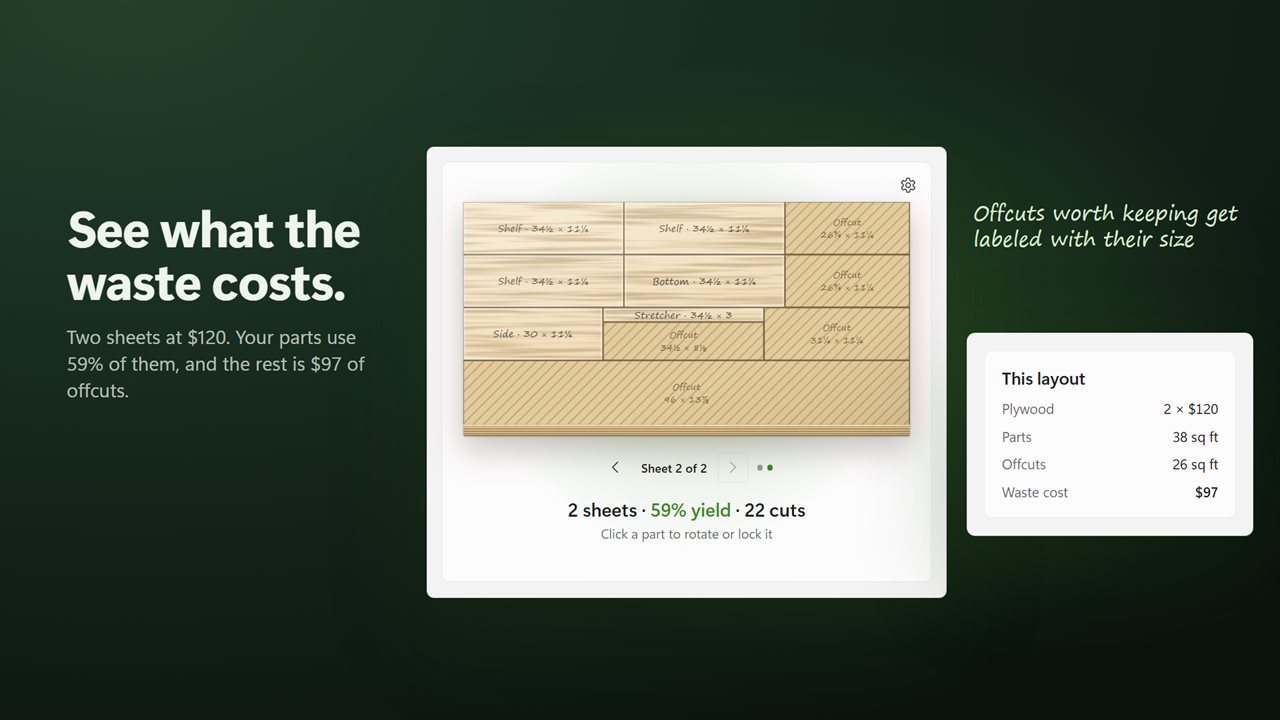
See what the sheets cost and how much of it is waste.
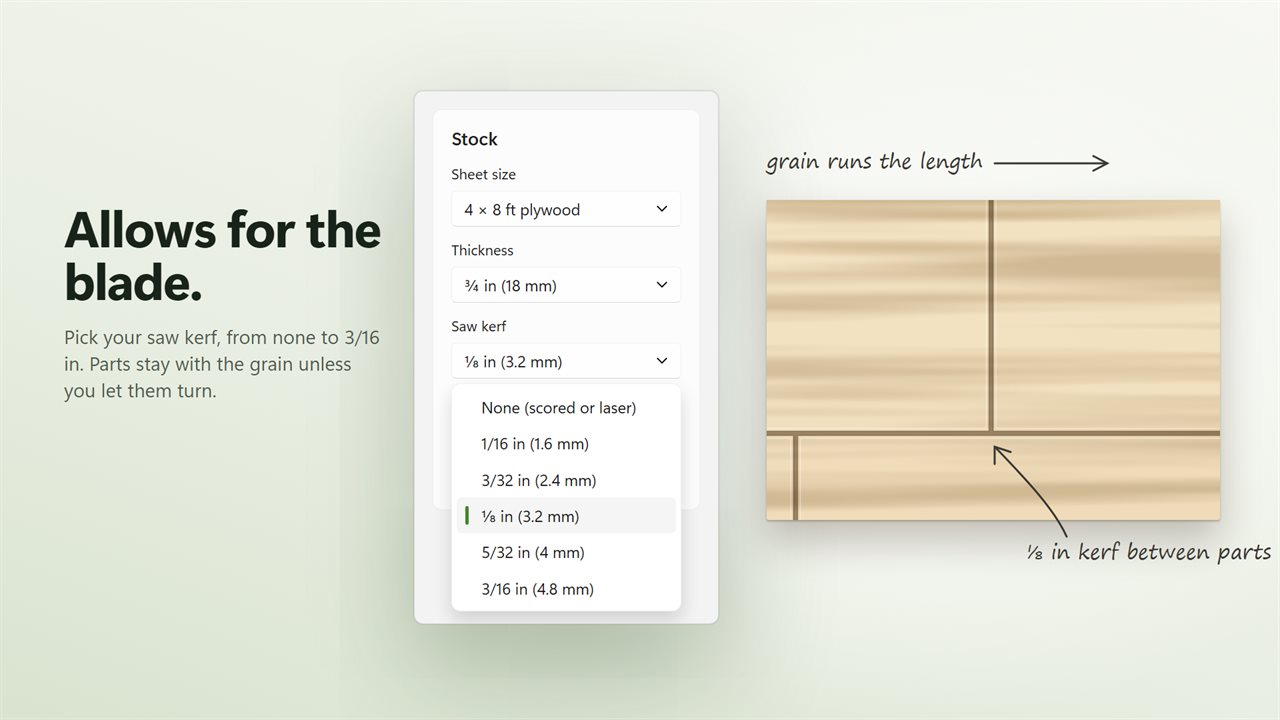
Allows for the saw kerf and keeps parts with the grain.
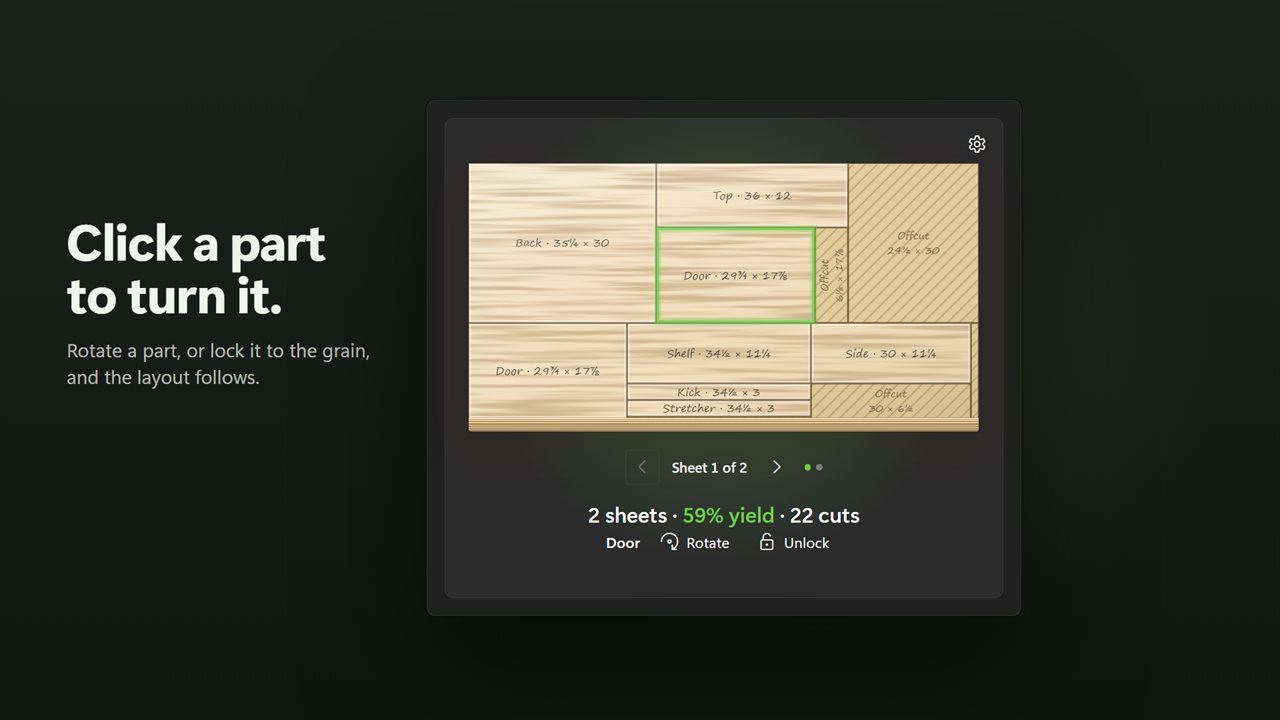
Click a part to rotate it or lock it in place.
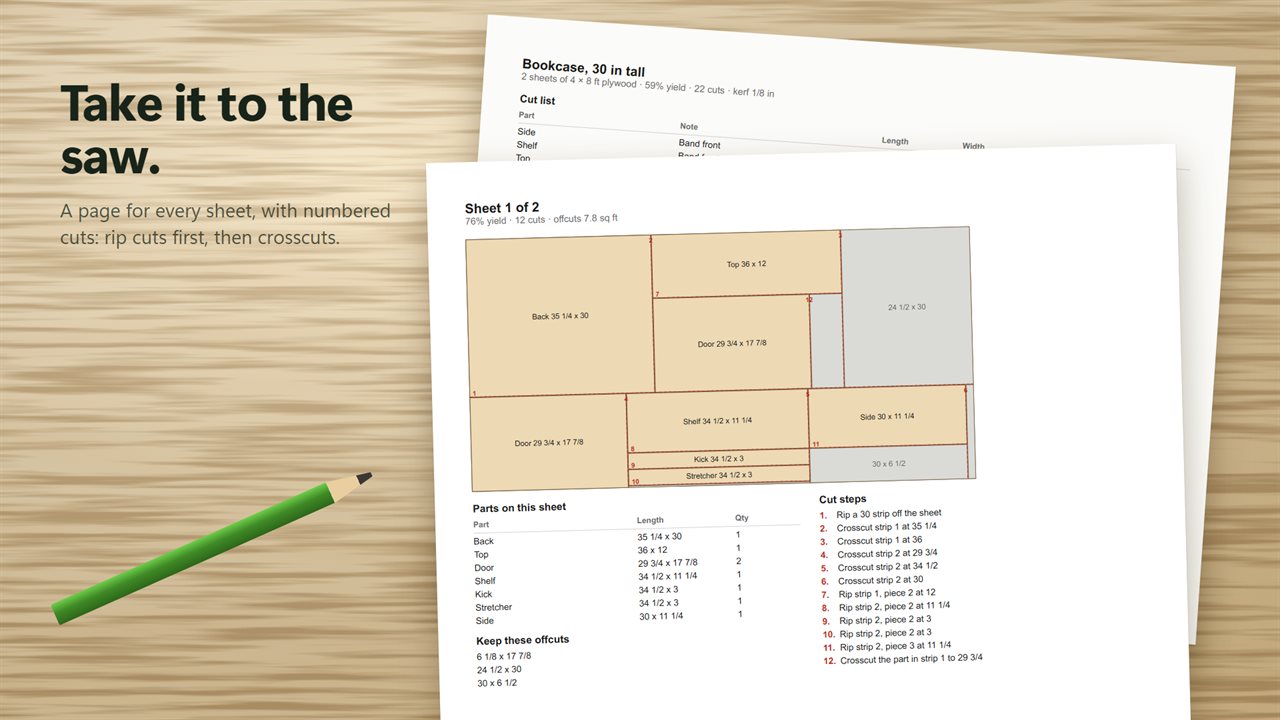
Print the cut list with a diagram and numbered cut steps for every sheet.
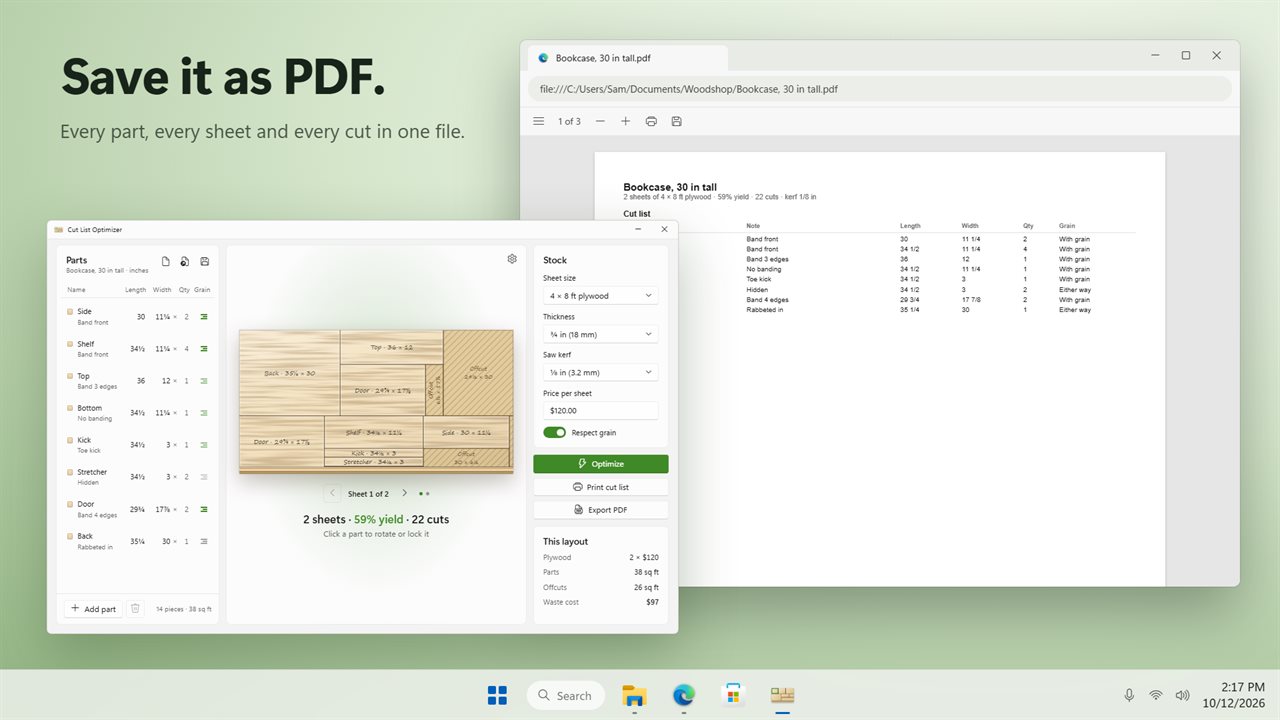
Save the cut list as a PDF to take to the shop.
Inches or millimeters, in light or dark. Save each project and open it later.

Enter your parts and see them laid out on the sheet.

190,000+downloads of EvlarSoft apps
Signed by EvlarSoftVerified US publisher
14-day money-backNo questions asked
Updates includedNo upgrade fees

What a cut list optimizer does for a sheet-goods project

Before you buy plywood for a bookcase, cabinet or set of shelves, you need two answers: how many sheets, and where each part comes from. A cut list optimizer works both out from your parts list. Cut List Optimizer runs on your Windows PC, reworks the layout every time you change a part, and keeps the arrangement that needs the fewest sheets while leaving the largest usable offcuts.

The layouts are guillotine layouts, which is what makes them practical in a home shop. Each sheet is ripped into strips, each strip is crosscut into pieces, and a piece is only ripped again where narrower parts are stacked. Every cut goes from one edge to the other, so a table saw or track saw can make it without stopping mid-panel.

The result is drawn sheet by sheet, with Previous sheet and Next sheet to step through them, and a state line that sums up the sheet count, the yield and how many cuts the plan involves.

How to make a cut list for plywood

A project starts with a Parts table. Each row gets a Name, Length, Width and quantity, plus a Grain setting. You can type sizes the way they are written on a drawing: 11 1/4, 11-1/4, 11¼, 2' 6, 285.75mm or 28.5 cm all work. Choose Inches, shown to the nearest 1/16, or Millimeters under Units.

Then set the Stock. The presets cover a 4 × 8 ft plywood sheet, 5 × 5 ft Baltic birch, a 4 × 4 ft half sheet, a 2 × 4 ft project panel, 2440 × 1220 mm and 2500 × 1250 mm boards, 2800 × 2070 mm MDF, and 8 ft 1×6, 1×8 and 1×12 boards. Pick Custom size for anything else, and enter the Thickness and Price per sheet.

Parts larger than the stock are kept off the layout and listed under Not placed, so a typo never silently breaks the plan.

Saw kerf, edge trim and grain direction

A layout that ignores the blade is a layout that comes up short. Set Saw kerf to None (scored or laser), 1/16, 3/32, 1/8, 5/32 or 3/16 in, and every cut removes that width. Edge trim of 1/8, 1/4 or 1/2 in takes the dinged factory edges off before anything else.

Grain matters on veneered plywood and visible panels. Each part runs With grain by default; click its grain button to make it Either way. On the sheet itself, click a part to Rotate it across the grain or Lock it where it is, and the rest of the layout rebuilds around it. Turn Respect grain off and every part is free to turn.

How many sheets of plywood do you need, and what is wasted

Alongside the layout, the cost card shows what your sheets cost, the area your parts actually use, the area left over and the Waste cost in money, which makes it easy to judge whether a design tweak is worth it. Offcuts above the Smallest offcut worth keeping setting are labeled with their size under Keep these offcuts.

Print cut list or Export PDF produces a shop copy: every part with its size and grain, then one page per sheet with its diagram, the parts on it, the offcuts and numbered Cut steps, rips first and crosscuts after. Save project keeps everything in a .cutlist file.
In the shop, it gives you

  • Guillotine layouts that a table saw or track saw can cut
  • The fewest sheets with the biggest usable offcuts
  • Fraction, feet-and-inches and metric size entry
  • Plywood, Baltic birch, metric board, MDF and 1× board presets
  • Saw kerf from none to 3/16 in, plus edge trim
  • Per-part grain control, Rotate and Lock on the sheet
  • Sheet cost, yield and waste cost at a glance
  • Offcuts worth keeping labeled with their size
  • Printed or PDF cut list with numbered cut steps
  • Projects saved as .cutlist files

Questions

Anything else? Ask us

Can I actually cut the layouts Cut List Optimizer makes on a table saw?

Yes. Every layout is a guillotine layout: the sheet is ripped into strips, each strip is crosscut into pieces, and a piece is ripped again only where narrower parts stack. The printed cut list numbers the steps in that order, rip cuts first, then crosscuts.

Does it allow for the width of the saw blade?

Yes. Pick a kerf of none, 1/16, 3/32, 1/8, 5/32 or 3/16 in, and every cut takes that much out of the sheet. A separate edge trim setting of 1/8, 1/4 or 1/2 in cuts off dinged factory edges first.

Can I mix different sheet sizes, or use offcuts I already have, in one project?

No. A project lays out on one stock size, using as many sheets of it as the parts need. You can choose a preset or type a custom length and width for that stock.

Can I enter sizes in fractions or millimeters?

Yes. It reads 11 1/4, 11¼, 11-1/4, 2' 6, 285.75mm, 28.5 cm and plain meters. Inches are shown to the nearest 1/16, or switch the whole app to millimeters in Settings.

How does it handle grain direction?

Each part runs with the grain unless you click its grain button to let it turn. Clicking a part on the sheet rotates it across the grain or locks it, and turning off Respect grain lets every part turn freely.

What happens if a part is bigger than the sheet?

It is left off the layout and the app tells you how many pieces will not fit. The printed cut list puts those pieces under Not placed.

What is a guillotine cut?

A straight cut that runs all the way across a panel from one edge to the other. Layouts made only of guillotine cuts can be cut on a table saw, which is why Cut List Optimizer uses nothing else.

How do I work out how many sheets of plywood I need?

Enter every part with its quantity, pick the sheet size under Stock and set your saw kerf and edge trim. The line under the layout gives the sheet count, already allowing for the blade and the trimmed edges, together with the yield and the number of cuts.

Can I plan solid boards as well as plywood sheets?

Yes. Choose a 1×6, 1×8 or 1×12 board preset, or enter a custom length and width, and parts are laid out along the board the same way.

Which versions of Windows does it run on?

Windows 10 (version 1809 or later) and Windows 11.

Is it a subscription?

No. Cut List Optimizer is a one-time purchase of $14.99, and updates are included.

How do I get it?

Buy it on this page and your license key arrives by email. If the button says Notify me, Cut List Optimizer is not on sale here yet; leave your email and we will tell you when it is.