EEvlarSoft

Simple Date Calculator

A date calculator for your PC that tells you what date it will be after any number of days, weeks, months or years, and how long until the next big day.

Buy for $1.99
One payment. No subscription.
14-day money-back guarantee.
5.0
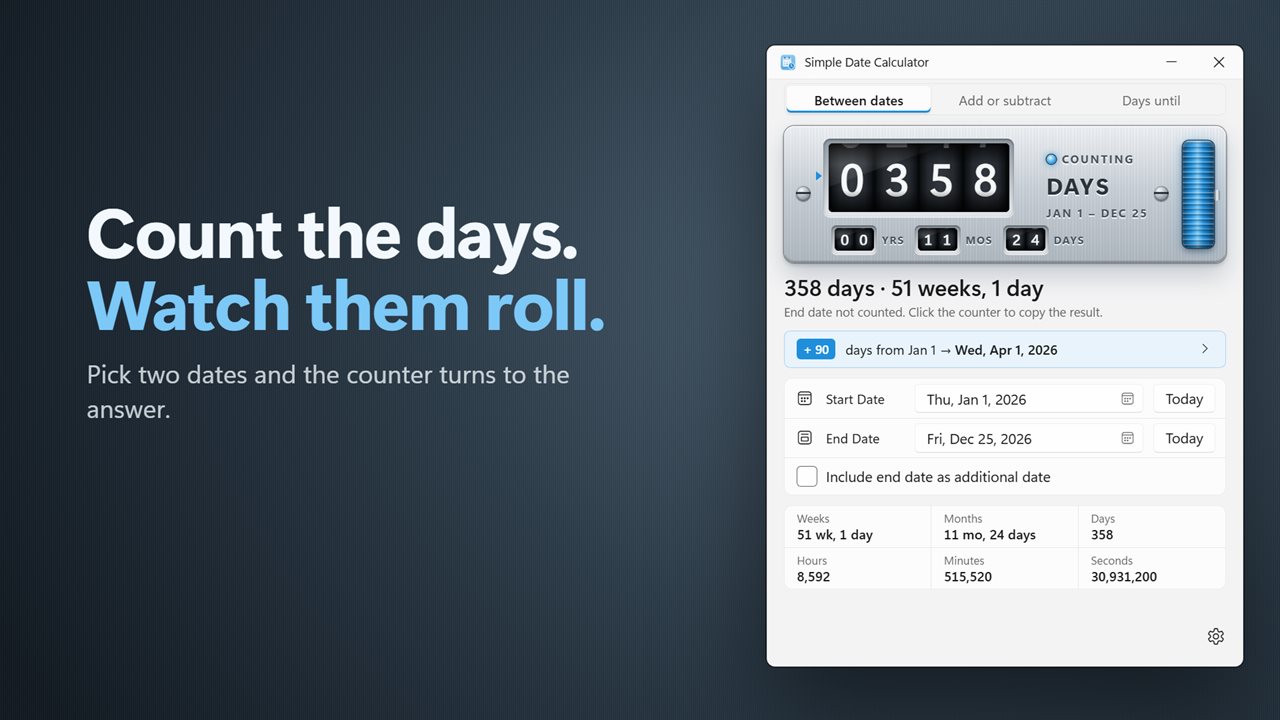
Count the days between two dates.
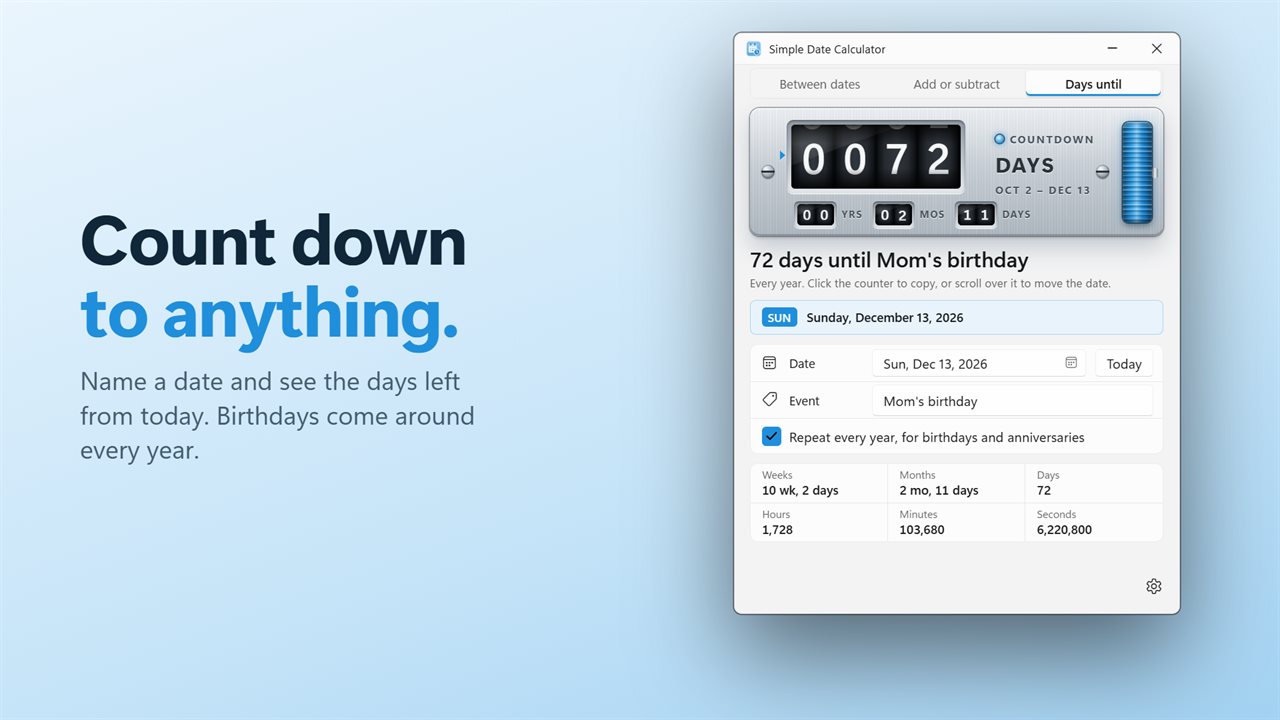
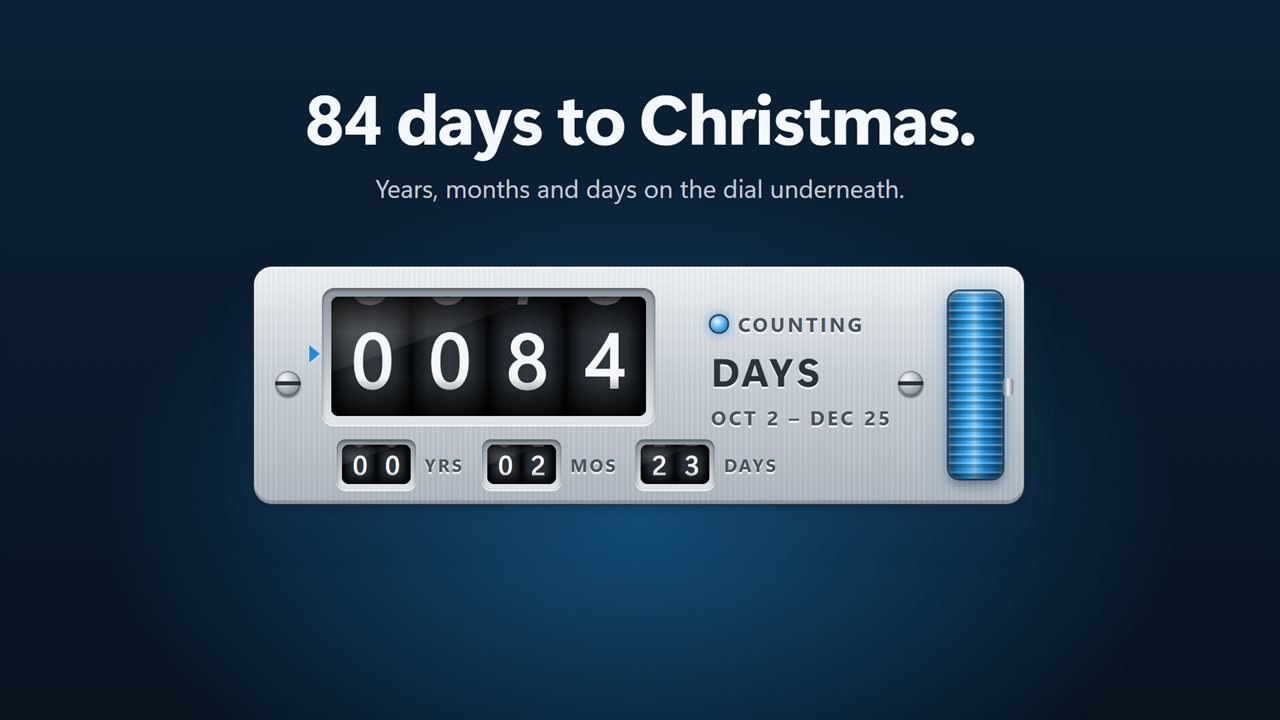
Count down the days until a birthday, a trip or any date.
The counter rolls to the answer, with years, months and days underneath.
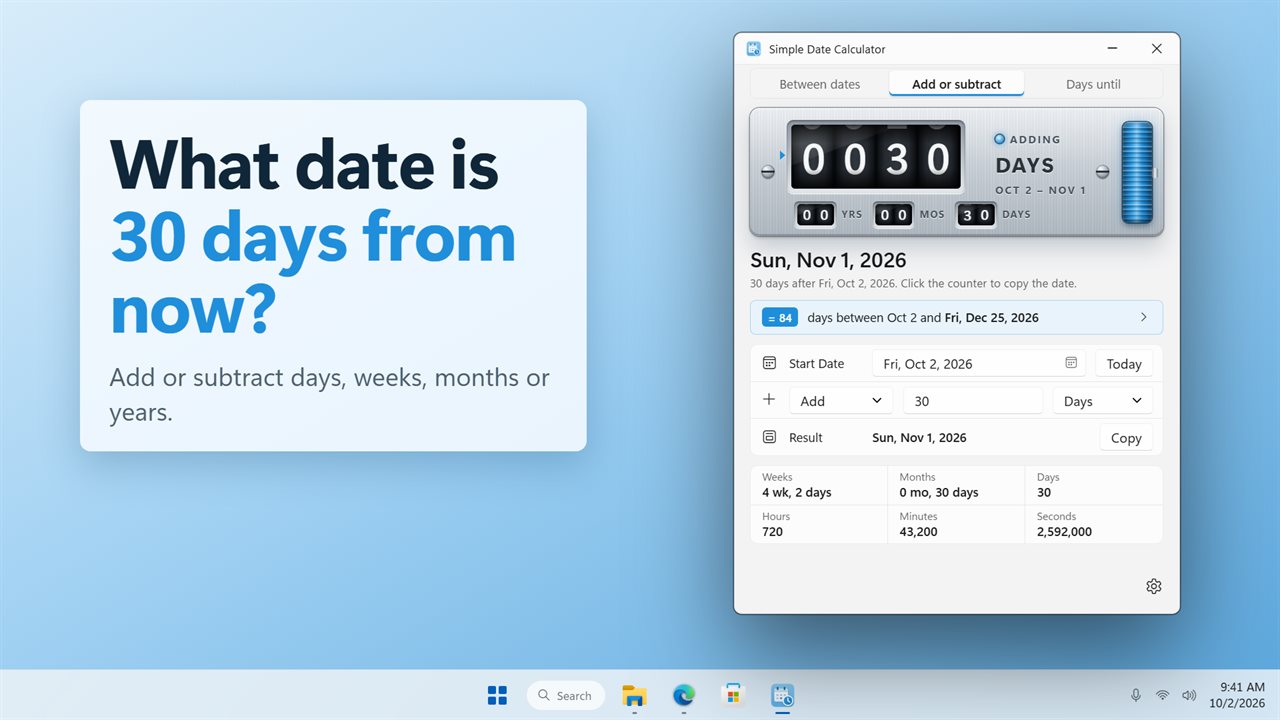
Add or subtract days, weeks, months or years.
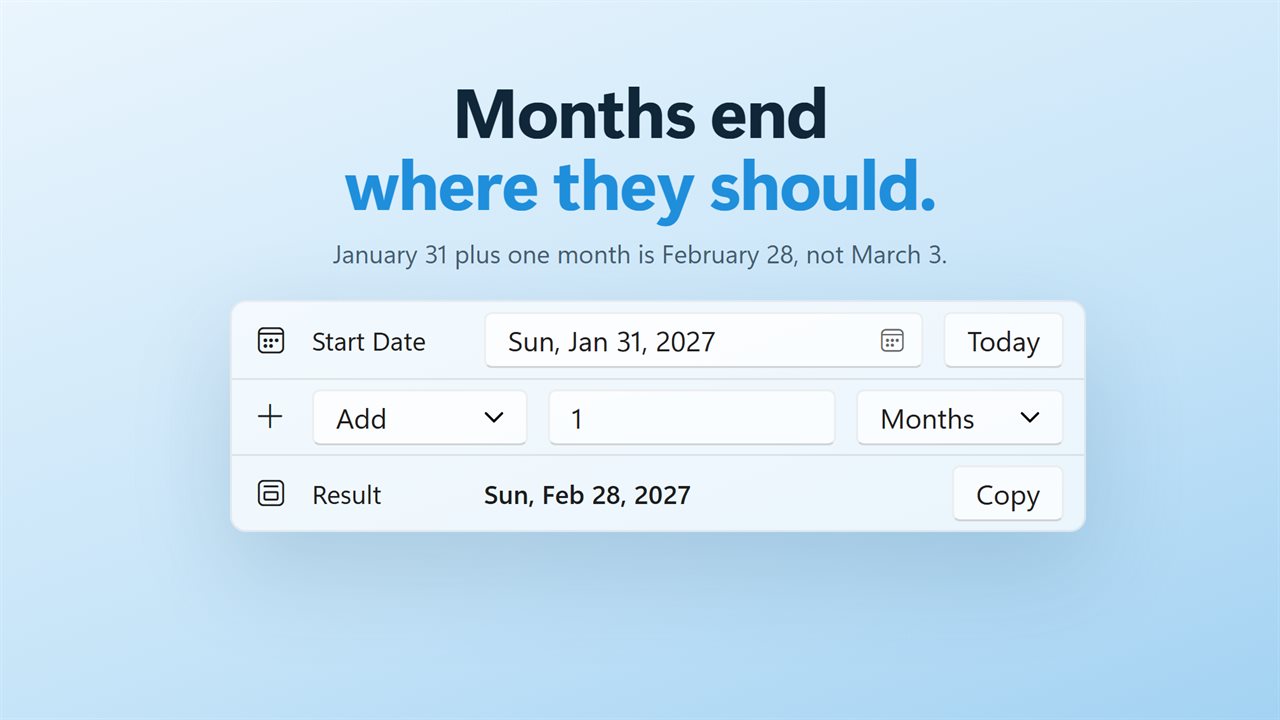
Months end where they should.
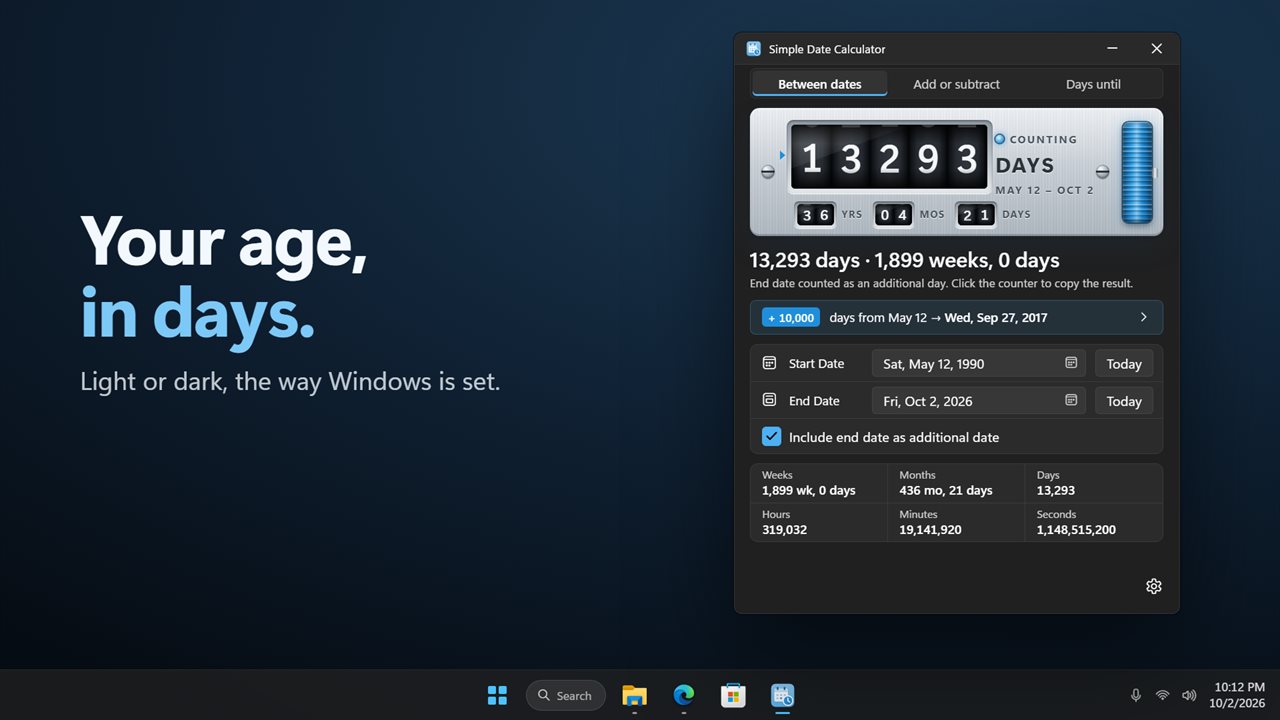
Your age in days, in light or dark.
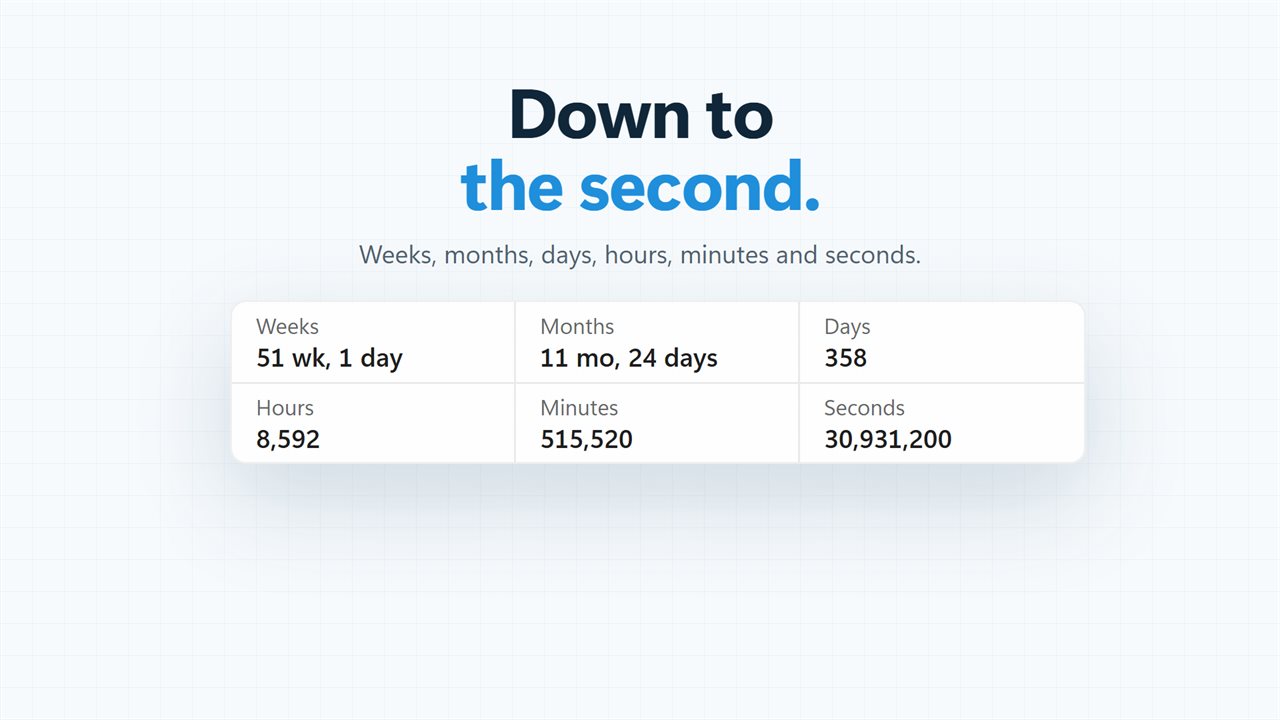
Down to the second.

Count the days between two dates.

190,000+downloads of EvlarSoft apps
Signed by EvlarSoftVerified US publisher
14-day money-backNo questions asked
Updates includedNo upgrade fees

A date calculator for deadlines, notice periods and countdowns

Most date questions come in one of three shapes. What date is 90 days from today? How long is it from this date to that one? How many days are left until the wedding? Simple Date Calculator puts all three on one small window, under three tabs: Add or subtract, Between dates and Days until.

Whichever tab you are on, the figures change the moment you touch a date or a number. A large rolling counter at the top shows the count, and the dates sit in plain fields below it. There is no Calculate button to press and no page to reload.

It sits on the desktop rather than in a browser tab, remembers the dates and amounts you used last, and copies any result to the clipboard with a single click on the counter.

How to add days to a date, or subtract them

Open the Add or subtract tab and work down the window:

  • Set the Date, or press Today to start from the current day.
  • Choose Add or Subtract.
  • Type an amount, any whole number from 0 to 99,999.
  • Pick the unit: Days, Weeks, Months or Years.
  • Read the Result date, shown with its day of the week.

Adding months to a date, done the way calendars expect

Days and weeks are simple arithmetic. Months are not, because they are different lengths, and this is where many online tools quietly go wrong. Add one month to January 31 and some calculators roll over into early March.

Here the result stays inside the month you asked for. If that month is shorter than the start date's day, you land on its last day instead, so January 31 plus a month gives the end of February. Years follow the same rule for leap days. That matters for contract terms, subscription renewals, probation periods and anything else written as "one month from" a date.

A days until calculator for birthdays and events

The Days until tab counts from today to a date you choose. Type a name in Event, such as Moving day or Exam, so the counter is labeled, and watch the number drop by one each midnight even if the window stays open.

For dates that come round every year, tick Repeat every year, for birthdays and anniversaries. The count then always aims at the next occurrence, and the day after the event it starts on the following year's.

Need the gap between two fixed dates instead? The Between dates tab shows it in days on the counter, as years, months and days on a smaller dial, and in weeks, months, hours, minutes and seconds underneath.


What the calculator does

  • Three modes on tabsAdd or subtract, Between dates and Days until
  • Answers update instantly as you edit, with a rolling counter you can switch off
  • Result date always shown with its weekday
  • Month and year additions land on the last day of a shorter month
  • Today button beside each date field
  • Named countdowns that can repeat every year
  • Click the counter, or press Enter on it, to copy the answer as text
  • Scroll over the counter or use the arrow keys to nudge the value by one
  • Remembers your last dates and amounts; Light, Dark or Match Windows theme

Everyday questions it settles

Work and HR

Find the last day of a 30-day notice period, or the date a 6-month probation ends, without counting squares on a calendar.

Travel and documents

Check the date 90 days after you arrive somewhere, or how many days remain before a passport or permit runs out.

Family dates

Keep a repeating countdown to each birthday or anniversary so it never sneaks up on you.

What's new in 2.0.2

  • New: add or subtract days, weeks, months or years from a date
  • New: count down the days until any date, or until the next birthday
  • New: the answer rolls into place on a number counter
  • New: click the counter to copy the result
  • Every number updates as soon as you change a date
  • Your dates are remembered for next time
  • Light and dark themes

Questions

Anything else? Ask us

Does the count of days between two dates include the end date?

No, not by default. Tick Include end date as additional date and the last day is counted too, which adds one day to every figure.

What date do I get if I add one month to January 31?

February 28, or February 29 in a leap year. When the target month is shorter, the result lands on its last day instead of spilling into the next month. Adding years works the same way, so February 29 plus one year is February 28.

Can it count down to a birthday every year?

Yes. In Days until, pick the date, give it a name and tick Repeat every year, and it always counts to the next one. A February 29 birthday counts to February 28 in years without one, and a window left open overnight moves the count on at midnight.

Does it count business days or skip weekends and holidays?

No. Every count is in calendar days, and the weeks, months, years, hours, minutes and seconds are worked out from those days. It does not take a time of day either, so hours are always whole days times 24.

How many days, weeks, months or years can I add or subtract?

Any whole number from 0 to 99,999, in days, weeks, months or years. The result date is shown with its weekday.

Can I copy the answer?

Yes. Click the counter, or press Enter or Space on it, to copy the result as text, such as the two dates and the number of days between them. Scrolling over the counter, or pressing the up and down arrow keys, moves the date or the amount by one.

How do I find the date 90 days from today?

On the Add or subtract tab, press Today, choose Add, type 90 and pick Days. The Result shows the date and its weekday.

How do I find the date 100 days ago?

On the Add or subtract tab, press Today, choose Subtract, type 100 and pick Days. The Result shows the earlier date with its day of the week.

Can I turn off the rolling counter animation?

Yes. Switch off Roll the drums in Settings and the counter jumps straight to each new number.

Which versions of Windows does it run on?

Windows 10 (version 1809 or later) and Windows 11.

Is it a subscription?

No. Simple Date Calculator is a one-time purchase of $1.99, and updates are included.

How do I get it?

Buy it on this page and your license key arrives by email. If the button says Notify me, Simple Date Calculator is not on sale here yet; leave your email and we will tell you when it is.