A loan calculator with extra payments that shows what you actually save
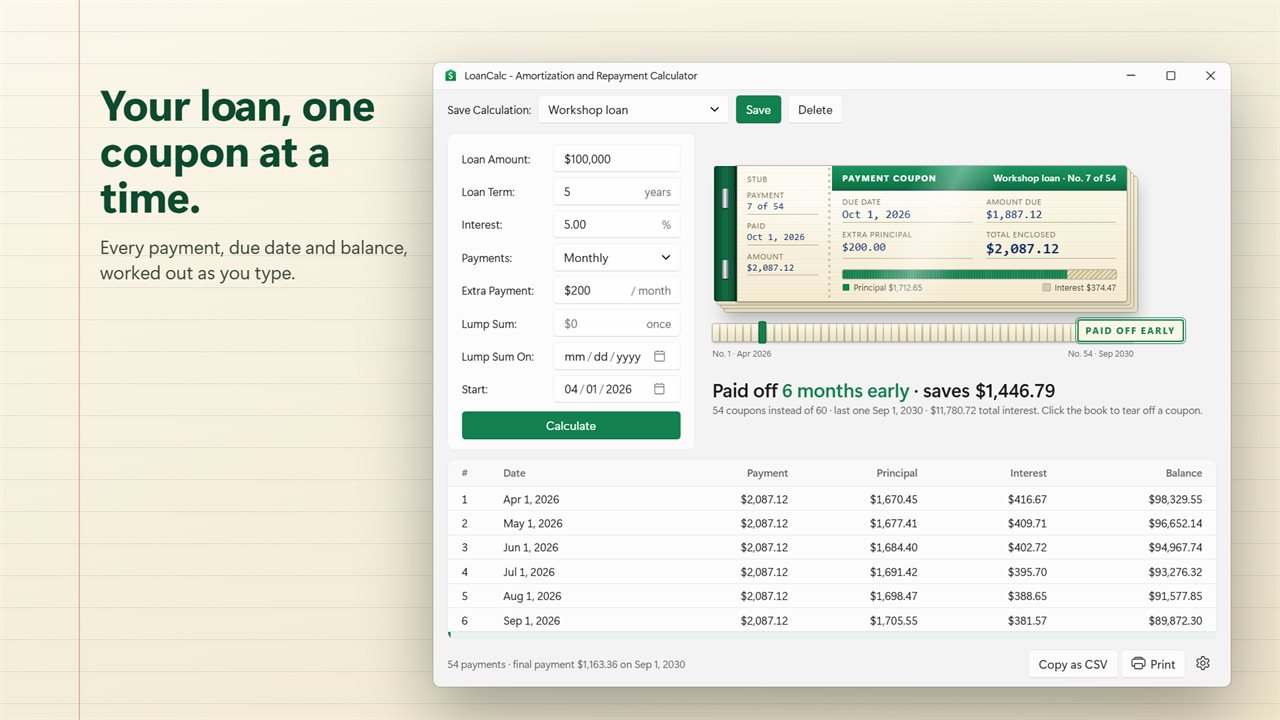
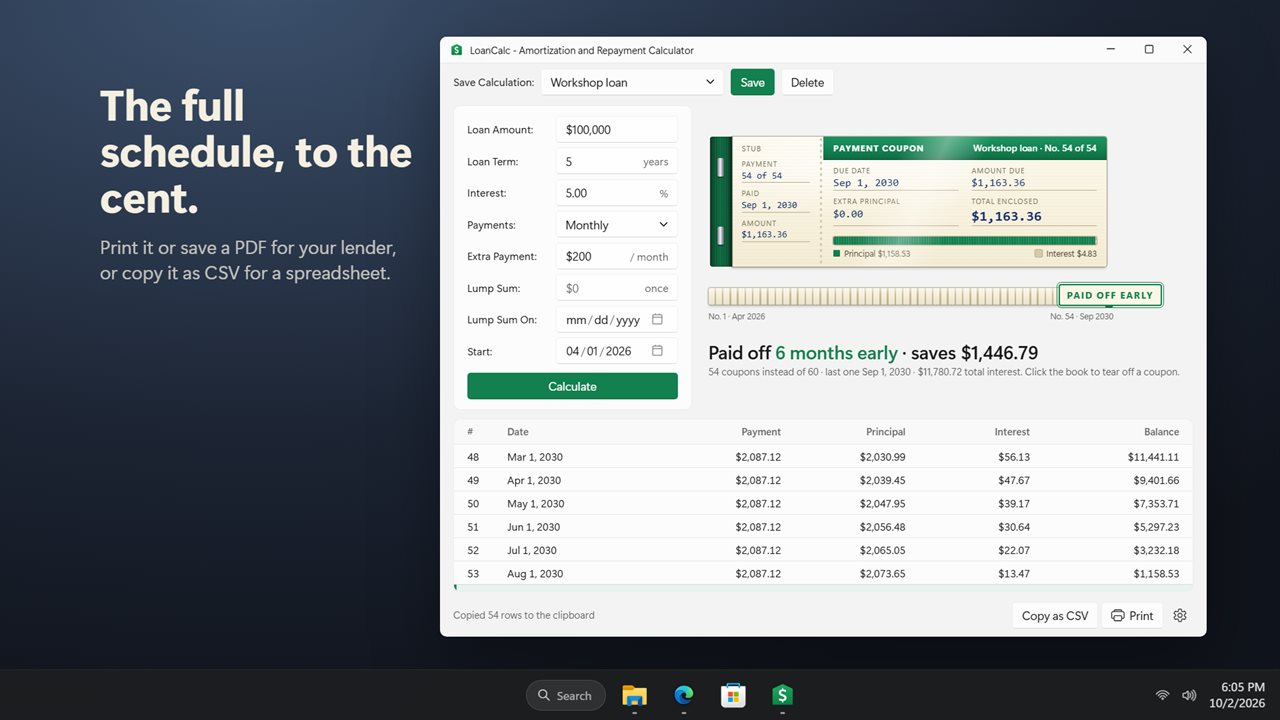
Most people open a loan calculator with extra payments for one reason: to find out whether adding $50 or $100 a month is worth it. LoanCalc answers that on your own PC. Fill in the loan, put a figure in Extra Payment, and the result line reads something like "Paid off 11 months early · saves $939.02".
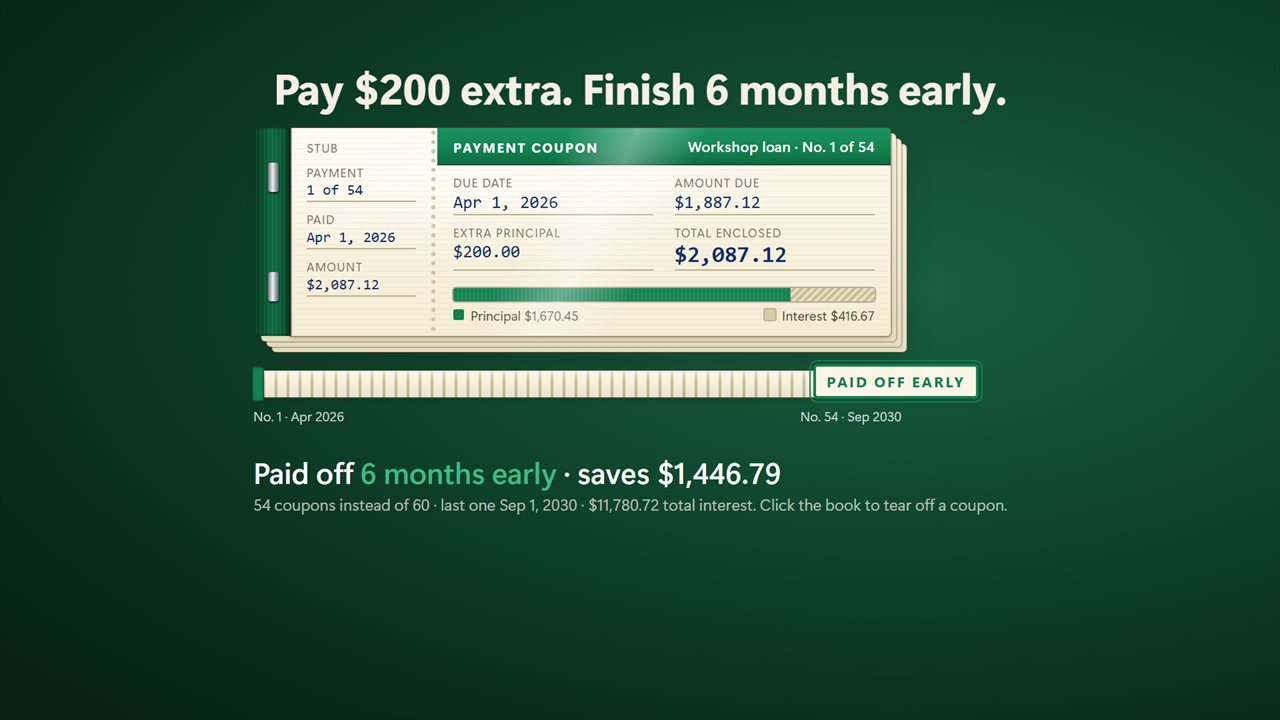
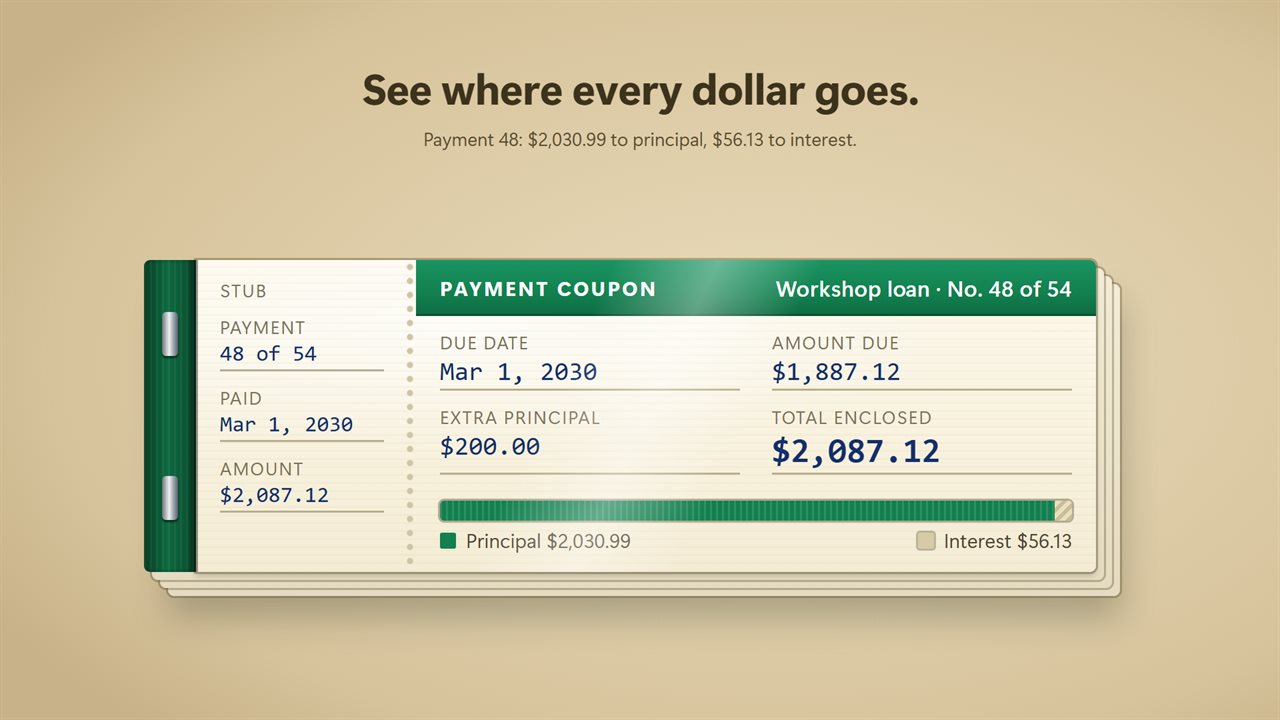
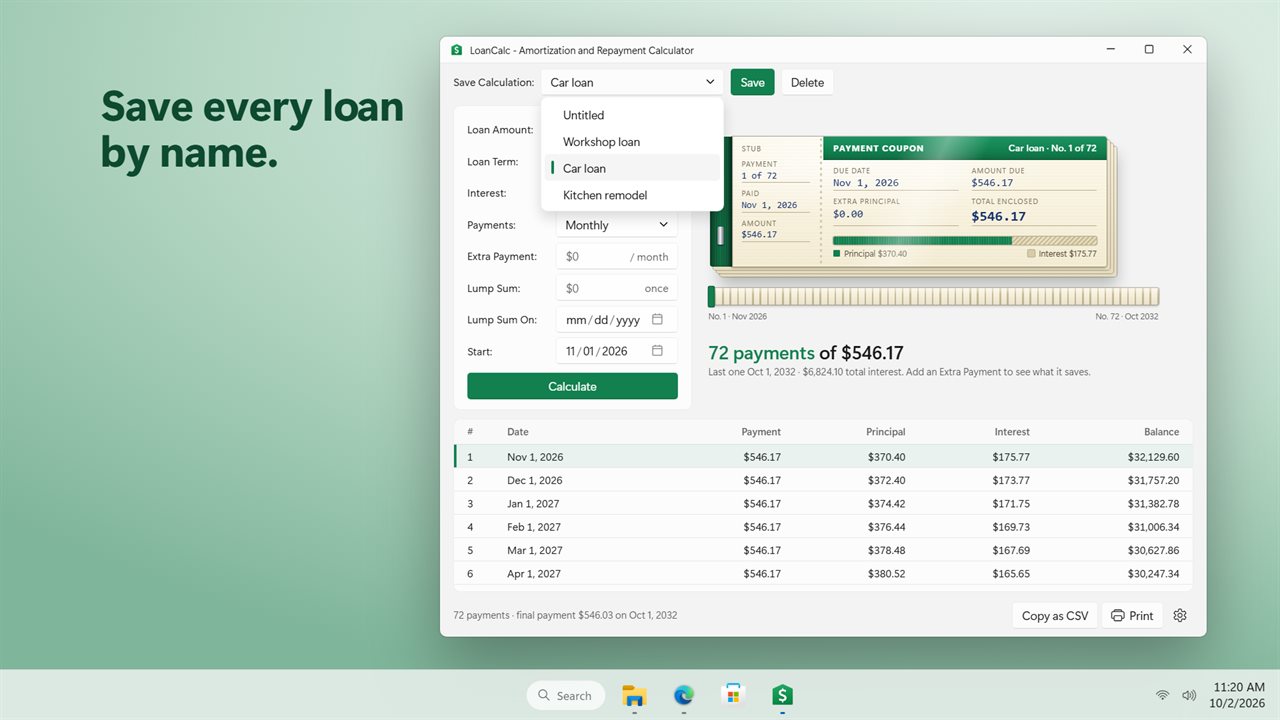
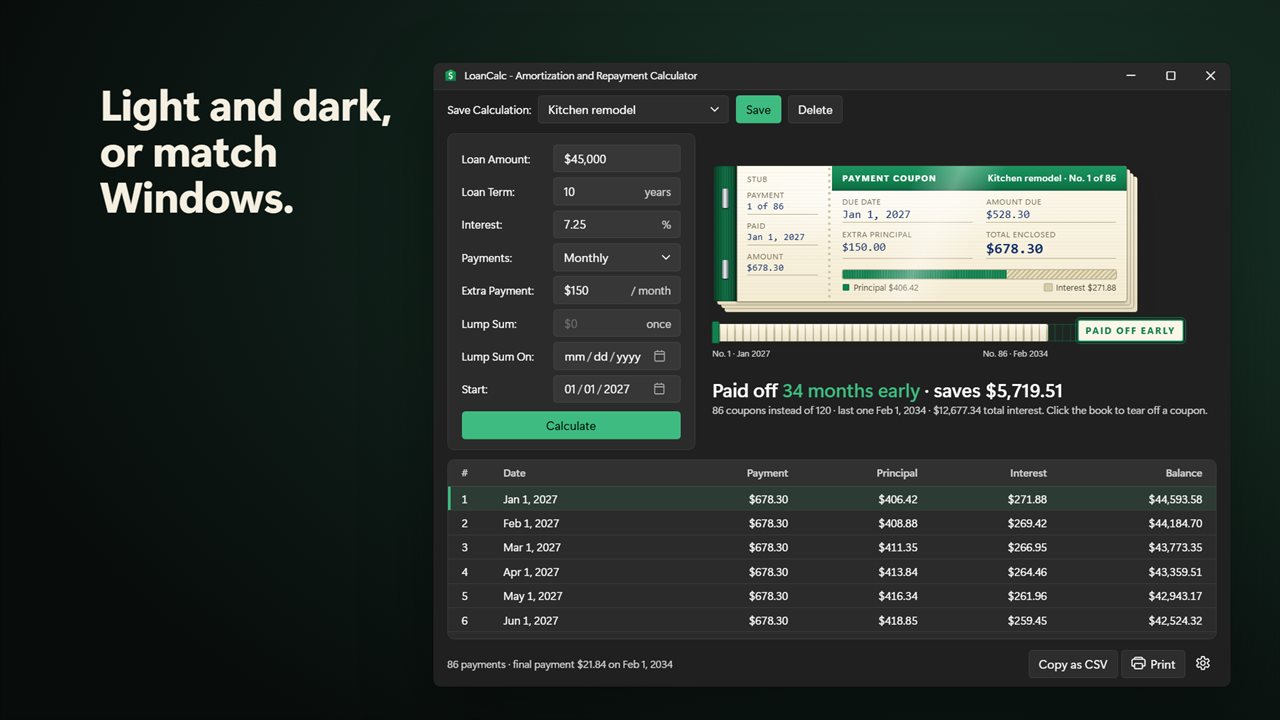
The payment schedule is drawn as a coupon book, one coupon per installment, each showing the due date, the amount due, the extra principal and a bar splitting that payment between principal and interest. Coupons the extra money makes unnecessary are stamped PAID OFF EARLY, so the months you no longer owe are something you can see rather than a number to take on trust.
All arithmetic runs in whole cents, the way a lender's statement does, and the final payment absorbs whatever rounding is left, so the balance column always finishes at exactly $0.00.
How to calculate a loan payment with extra principal
Every field recalculates as you type; Calculate is there if you want to press something.
- Loan Amount: what you borrowed or still owe.
- Loan Term: the length in years. Fractions work, so 2.5 is 30 months.
- Interest: the annual rate, anywhere from 0% to 100%.
- Payments: Monthly or Every 2 weeks.
- Extra Payment: an amount added to every installment.
- Lump Sum and Lump Sum On: a single one-off payment, such as a bonus, applied to the first installment on or after that date.
- Start: the date of the first payment, which sets every due date after it.
Worked example: what $100 extra does to a car loan
Take a $25,000 car loan over 5 years at 7%. The regular payment is $495.03, and over 60 payments you hand the lender $4,701.82 in interest. In the first month $145.83 of your payment is interest and only $349.20 reduces the balance.
Enter $100 as the Extra Payment and the loan is gone in 49 payments instead of 60. Total interest falls to $3,762.80, a saving of $939.02. The reason is simple: every extra dollar comes straight off the balance, and next month's interest is charged on that smaller balance.
Switch Payments to Every 2 weeks instead and you pay $247.52 every 14 days. Twenty-six half payments a year equal thirteen monthly ones, which on this loan finishes 4 months sooner and saves $486.05 in interest.
A printable amortization schedule you can paste into Excel
Beneath the coupon book sits the full amortization schedule: payment number, date, payment, principal, interest and balance for every row. Copy as CSV puts the whole table on the clipboard with a header row, ready to paste into Excel or Google Sheets for your own charts.
Print produces a clean sheet headed with a loan summary: amount, rate, term, scheduled payment, first and last payment, number of payments, total interest, total paid and, when you pay extra, the interest saved. Choose a PDF printer in the print dialog to keep a copy or send it to an accountant.