EEvlarSoft

Simple Drink Water Reminder

A drink water reminder that lives on your desktop: Windows notifications at your chosen times, and a glass you click to count each one you finish.

Buy for $2.99
One payment. No subscription.
14-day money-back guarantee.
4.3
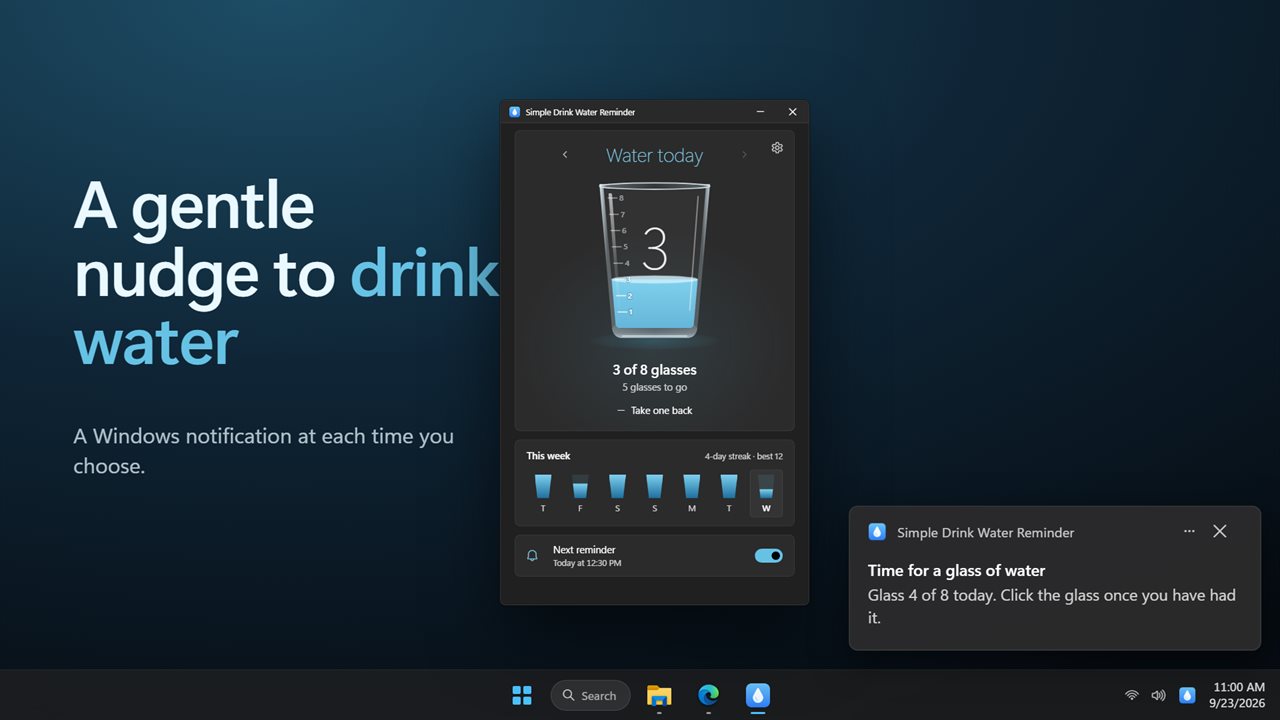
A gentle nudge to drink water, at the times you choose.
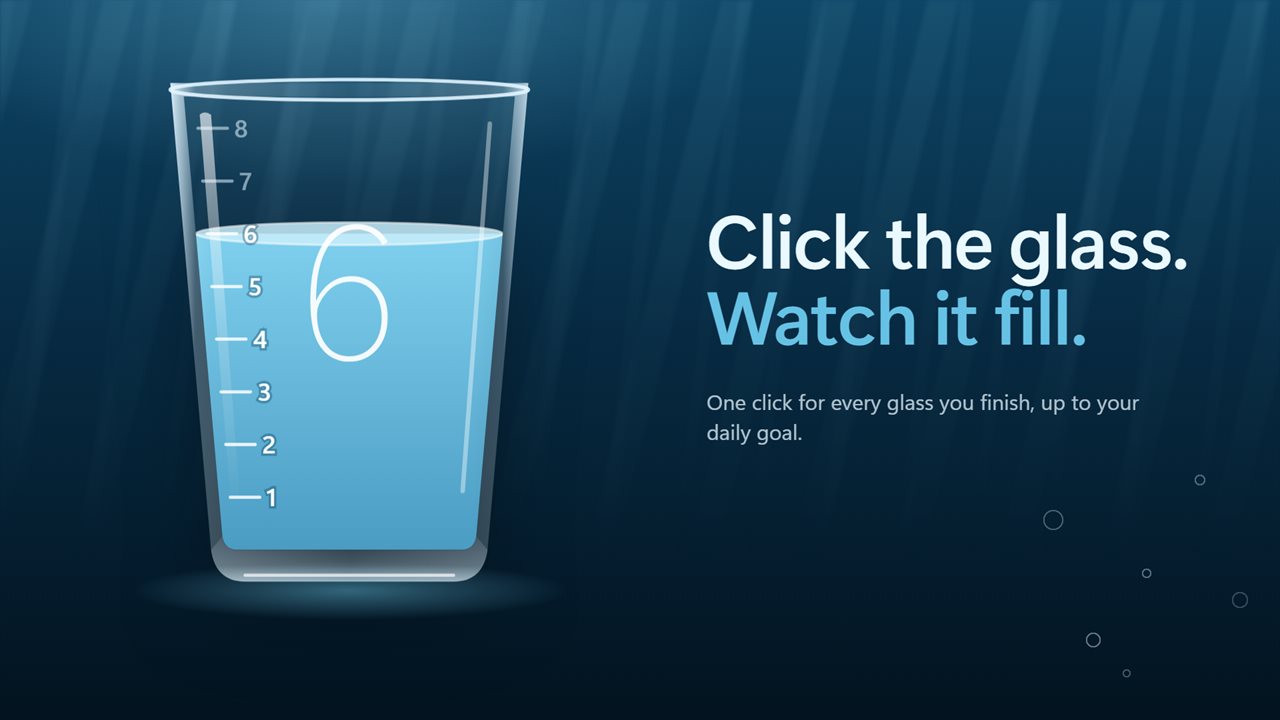
Click the glass each time you finish one.
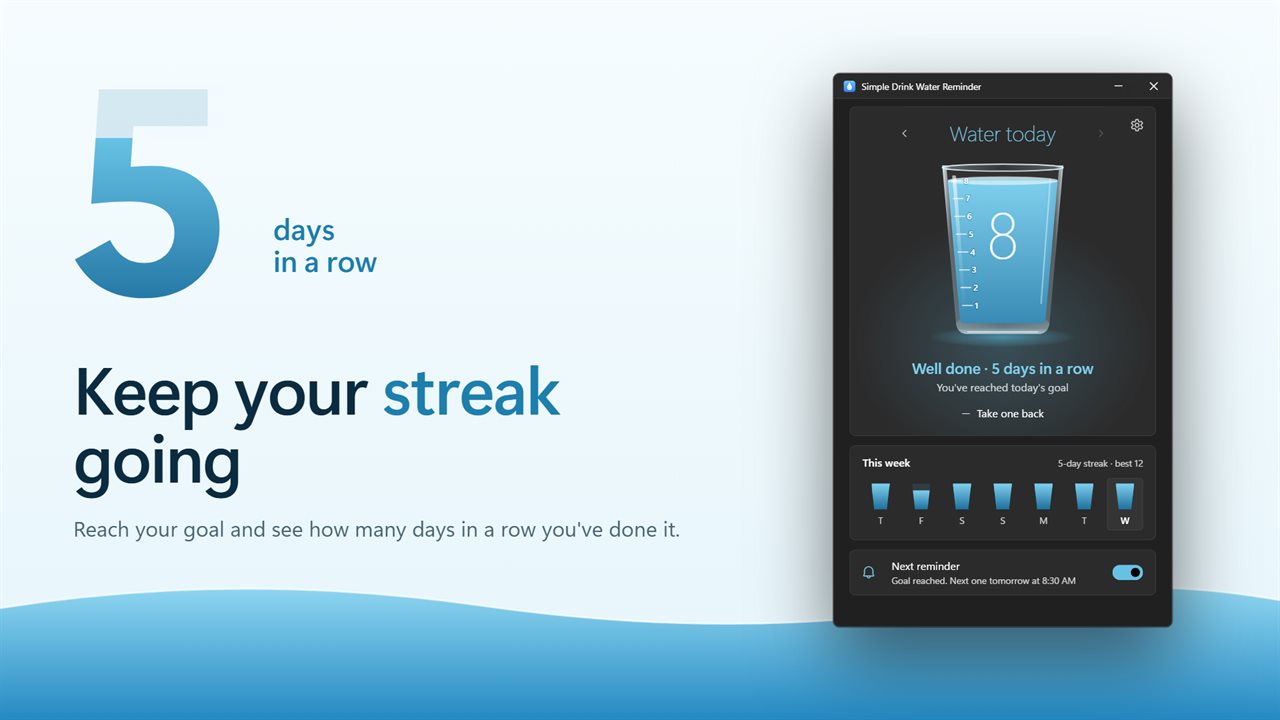
Reach your goal day after day and keep your streak going.
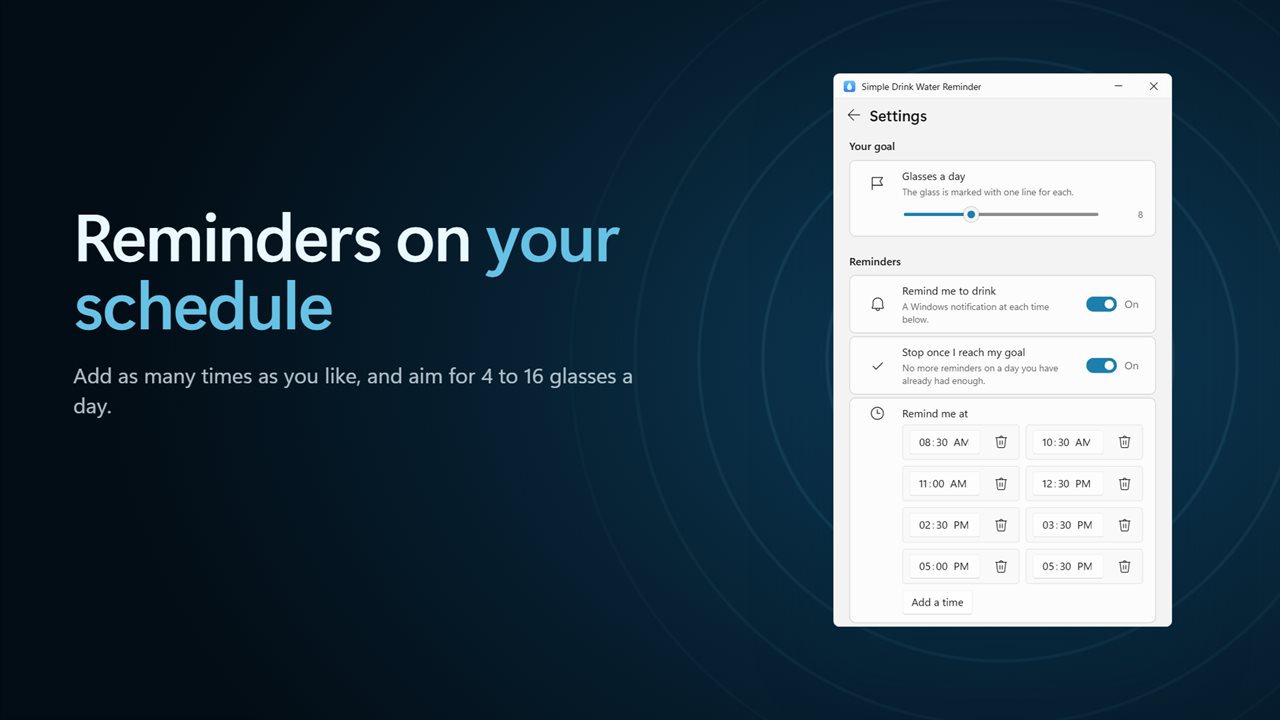
Pick your reminder times and your daily goal.
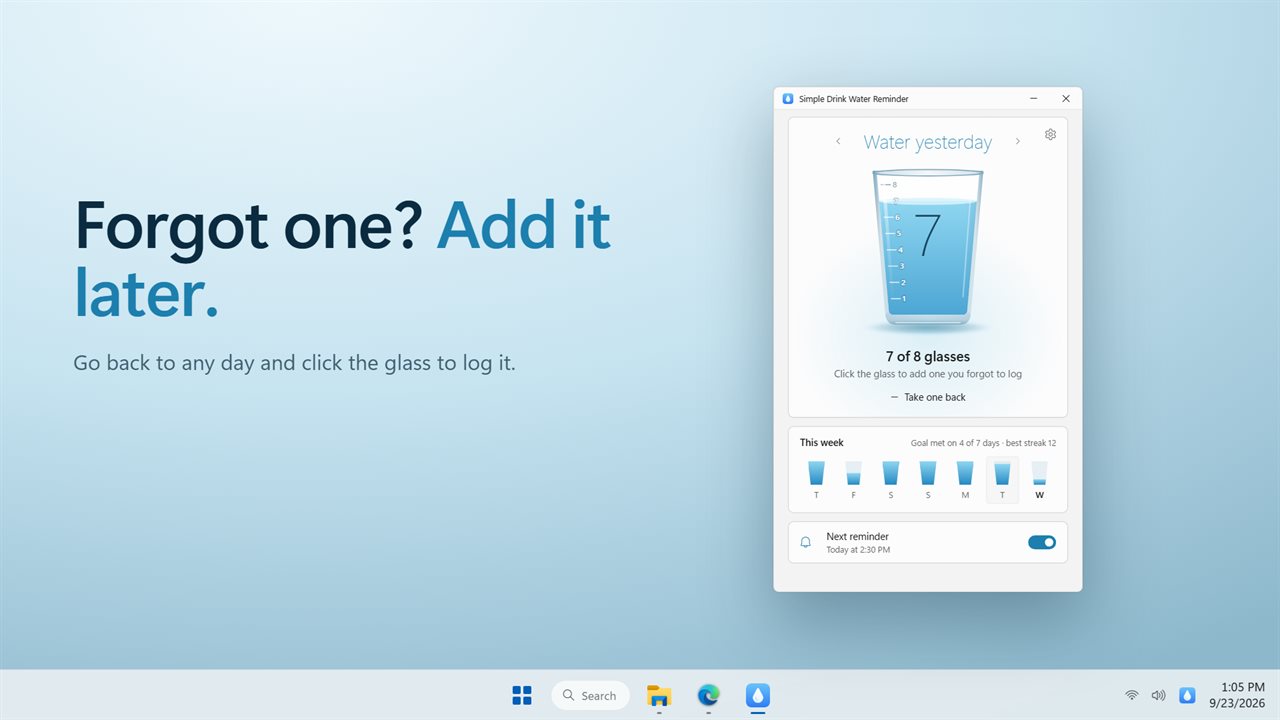
Forgot one? Add it to an earlier day.
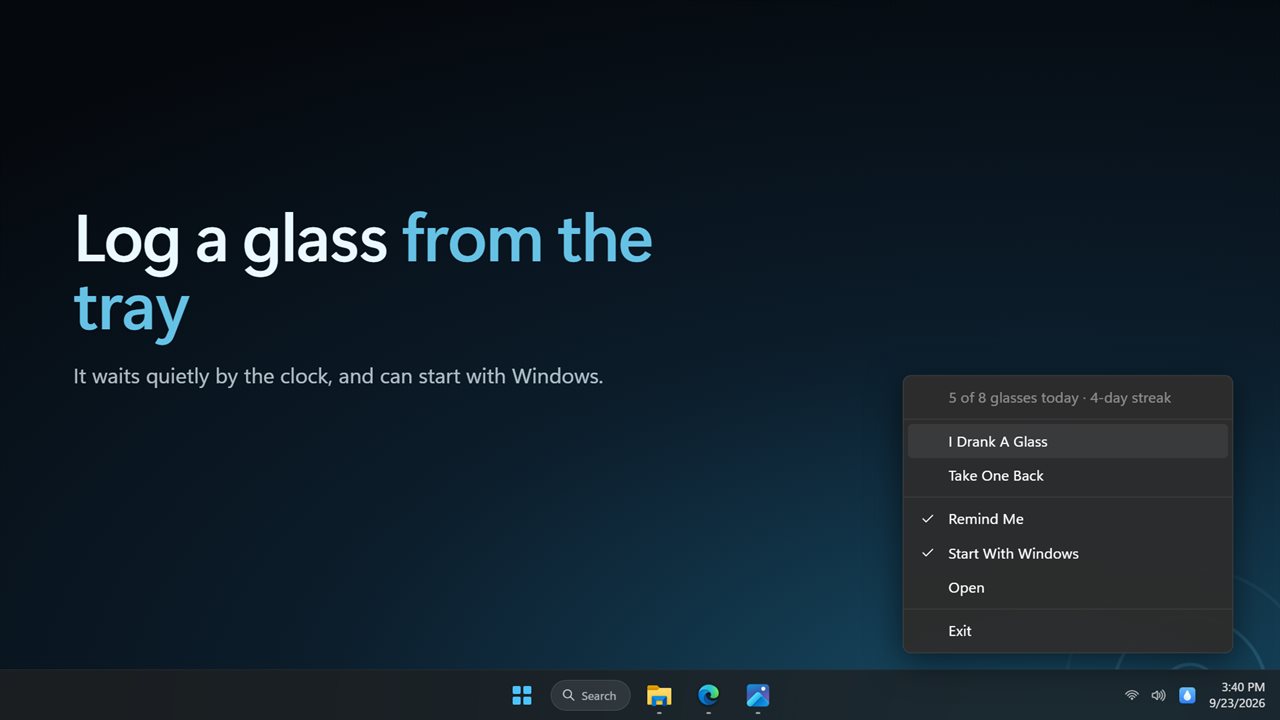
Log a glass right from the notification area.

A gentle nudge to drink water, at the times you choose.

190,000+downloads of EvlarSoft apps
Signed by EvlarSoftVerified US publisher
14-day money-backNo questions asked
Updates includedNo upgrade fees

A drink water reminder for the hours you spend at a computer

Most people who forget to drink water are not ignoring their thirst on purpose. They are deep in a document or a meeting, and an hour slips by, then another. A phone app can help, but the phone is face down on the desk. A drink water reminder on the PC appears right where your attention already is.

Simple Drink Water Reminder sends a standard Windows notification at each time on your list. It reads Time for a glass of water and tells you which glass of the day it is, for example Glass 3 of 8 today. Out of the box there are eight times between 8:30 AM and 5:30 PM, roughly every hour or two across a working day.

When you finish a glass, click the big glass in the window and the water level climbs to the next line. The headline keeps score, such as 3 of 8 glasses, and the hint underneath counts down how many are left to go.

How to set up hydration reminders that fit your day

Everything lives in Settings, behind the gear:

  • Under Your goal, set Glasses a day. The glass in the main window draws one line for each.
  • Under Reminders, keep Remind me to drink switched on and edit the Remind me at list: change a time, add one for a late shift, or delete the ones that land in your lunch break.
  • Leave Stop once I reach my goal on if you would rather not hear from the app after you are done for the day.
  • Press Send next to Send a test reminder. If nothing pops up, check that Windows notifications and Do not disturb allow the app.
  • Turn on Start with Windows, because reminders only arrive while the app is running.

A simple water intake tracker, counted in glasses

There is no ounce math and no bottle to calibrate. One click is one glass, and that is the whole log. If you click once too often, Take one back removes it.

Under the glass, This week shows your last seven days as a row of small glasses. Click any of them to look at that day, and click the glass there to add one you forgot. Reach your goal on consecutive days and the note reads, for example, 5-day streak · best 12; the headline changes to Well done once you are there.

How many glasses of water a day you should aim for depends on your body, your activity and the weather, so pick a target that matches the advice you follow. The app simply makes sure you keep the count you chose.

Water reminder app behavior when the window is closed

Closing the window does not stop anything. The app keeps running in the notification area and checks the clock, so the next reminder arrives on time. Right-click the tray icon for I Drank A Glass, Take One Back, Remind Me and Start With Windows checkboxes, Open and Exit, which lets you log a drink without bringing the window up at all.
Features

  • Windows notifications at fixed times of day that you choose
  • Eight default reminder times from 8:30 AM to 5:30 PM, fully editable
  • A clickable glass that fills one mark per glass, with Take one back
  • A daily goal in glasses, with reminders that can stop once it is met
  • Current and best streak, plus a seven-day row you can click into
  • Add a forgotten glass to an earlier day
  • Tray menu to log a glass, undo, or switch reminders off
  • Send a test reminder to confirm notifications reach you
  • Start with Windows, and Match Windows, Light or Dark theme

Who it helps

Remote workers

A home office has no water cooler to wander past. Scheduled nudges give the day a rhythm of short breaks.

Students and coders in long sessions

When focus runs for hours, a notification in the corner of the screen is easier to notice than a buzzing phone across the room.

Anyone building a habit

The streak and the seven-day row make a missed day visible, which is often all it takes to stay consistent.

What's new in 2.0.3

  • New: a glass that fills as you click it, with a mark for every glass in your goal
  • New: streaks, and your best streak, for days you reach your goal
  • New: your last seven days at a glance
  • New: add, change or remove as many reminder times as you like
  • New: reminders can stop once you reach your goal
  • New: log a glass from the notification area
  • New: light and dark themes
  • Your reminder times and history carry over

Questions

Anything else? Ask us

Can I choose exactly when the reminders come?

Yes. Reminders arrive at fixed times of day that you set, starting with eight between 8:30 AM and 5:30 PM. Add, move or remove times as you like. There is no repeat-every-hour mode, and the times apply every day of the week.

Does it stop reminding me once I reach my goal?

Yes, by default. When the glasses you logged today reach your goal, the rest of today's reminders are skipped. Turn off Stop once I reach my goal to keep getting them.

Does it track milliliters or ounces?

No. It counts glasses. Your daily goal can be set from 4 to 16 glasses, and the glass shows one mark for each.

What happens to a reminder if my PC is asleep at that time?

A reminder that would arrive more than 10 minutes late is skipped, so waking the PC never brings a pile of old ones. The next time on your list arrives as usual.

Can I fix a day I forgot to log?

Yes. Click any of the last seven days under the glass to open it, then add a glass or take one back. Your streak is counted again from the corrected days.

Do reminders still come when the window is closed?

Yes. Closing the window leaves the app running in the notification area, where you can log a glass, take one back or turn reminders on and off. It can also start with Windows.

What does the reminder notification say?

The title is Time for a glass of water, and the text tells you which glass of the day it is against your goal, such as Glass 4 of 8 today.

Why did a reminder not appear?

The usual causes: the app was not running, Remind me to drink is off, today's goal is already met while Stop once I reach my goal is on, the PC woke more than 10 minutes after the reminder was due, or Windows is blocking notifications. Send a test reminder in Settings shows whether Windows lets the notification through.

Which versions of Windows does it run on?

Windows 10 (version 1809 or later) and Windows 11.

Is it a subscription?

No. Simple Drink Water Reminder is a one-time purchase of $2.99, and updates are included.

How do I get it?

Buy it on this page and your license key arrives by email. If the button says Notify me, Simple Drink Water Reminder is not on sale here yet; leave your email and we will tell you when it is.