Why a screen makes a good ring light for your computer
The light that flatters a face on camera is big, soft and in front of you. Your monitor is all three. It sits right behind the webcam, it is far wider than a clip-on lamp, and it is already plugged in. What it lacks is the right picture: a mostly dark window full of email throws dim, shifting light across your face.
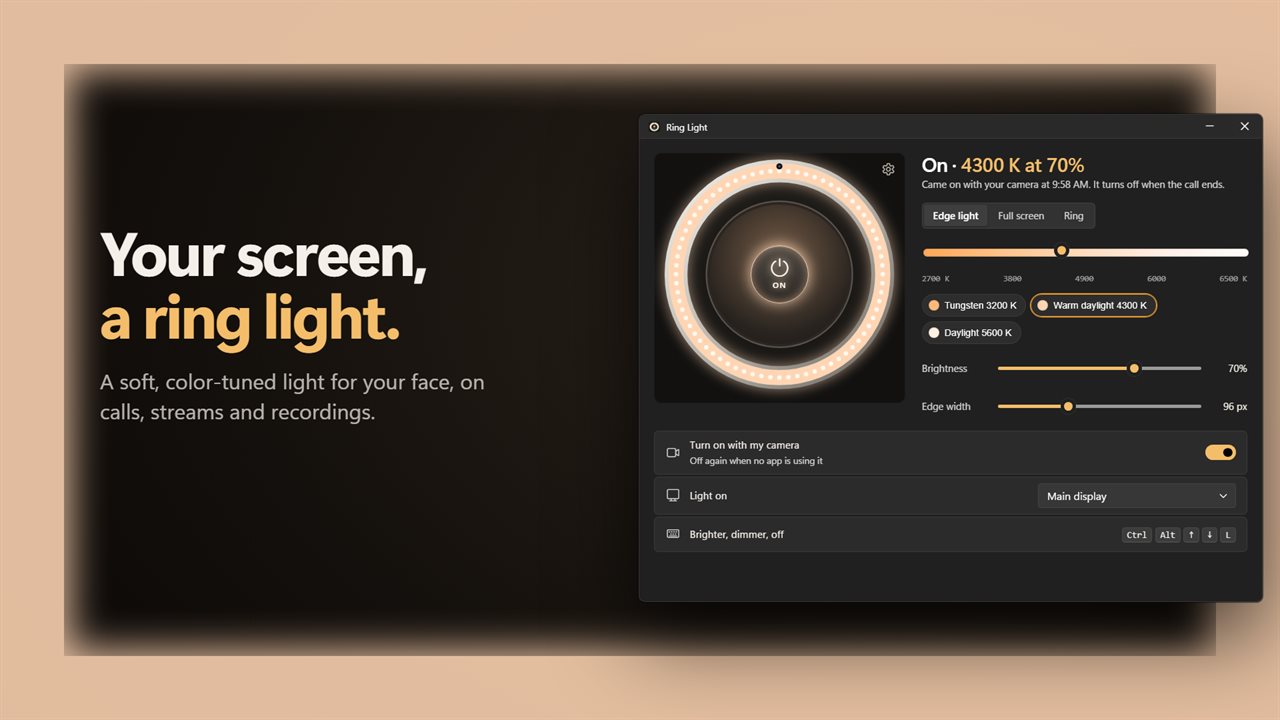
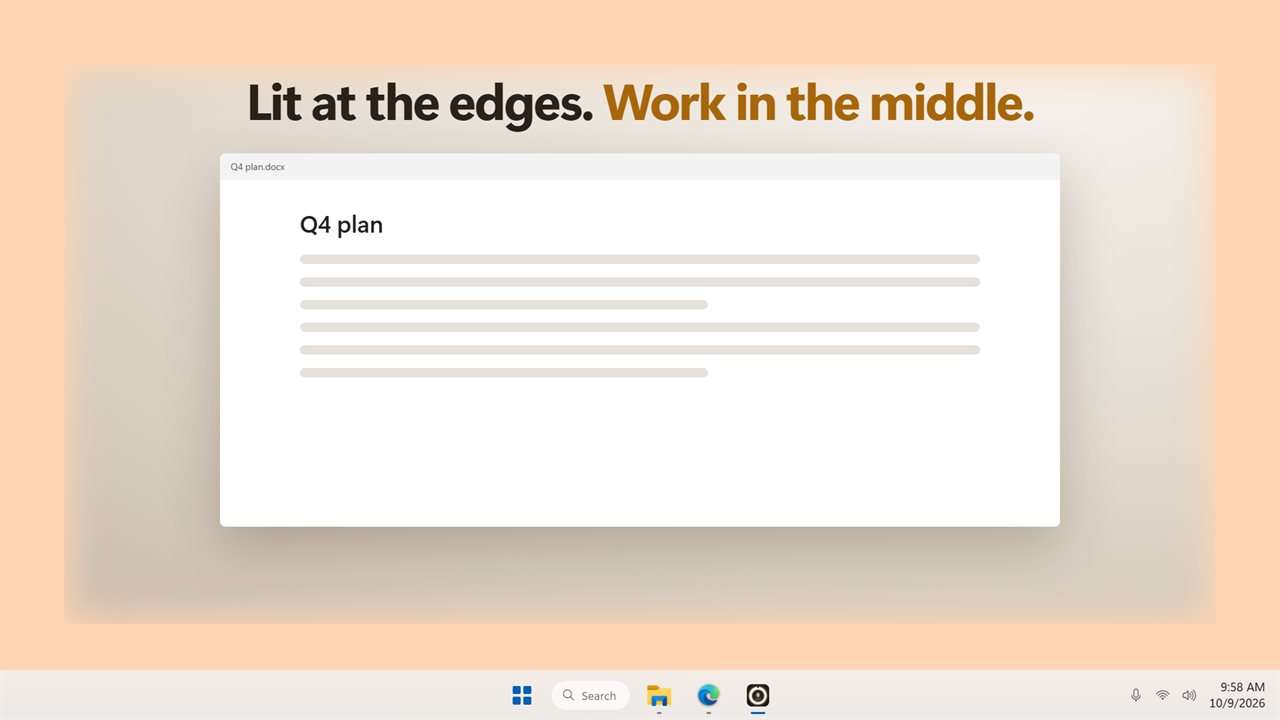
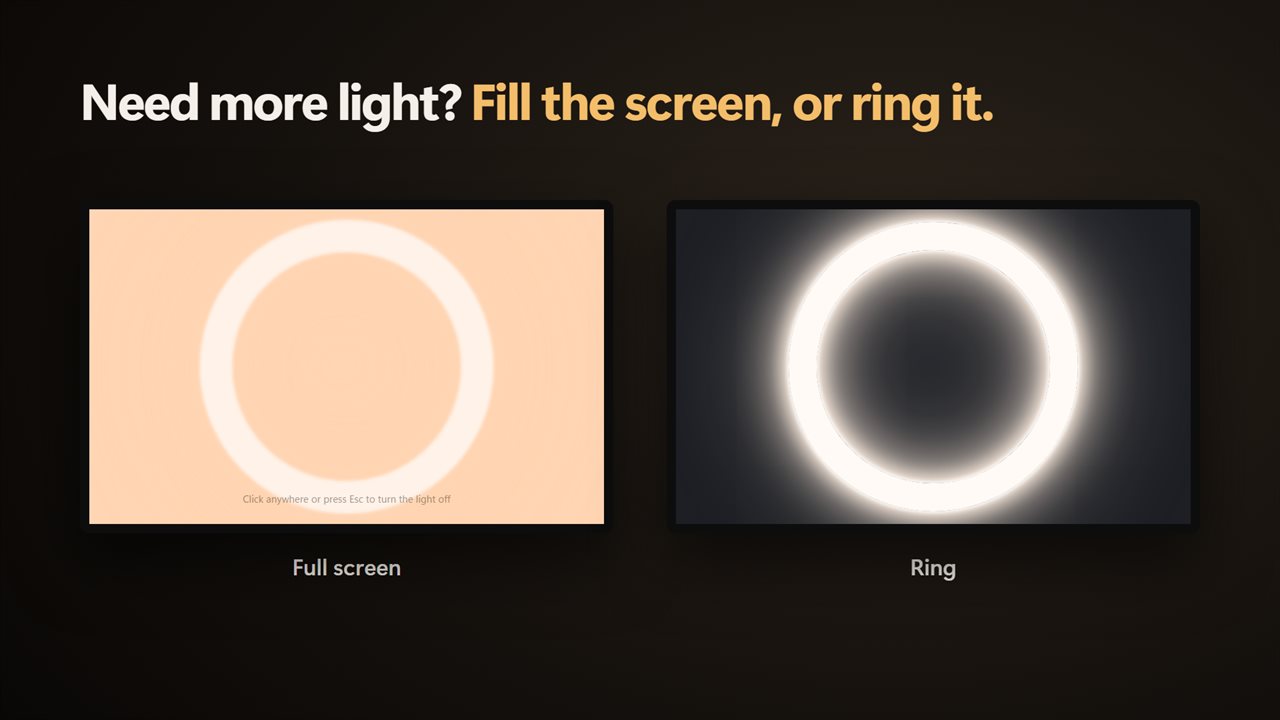
Ring Light gives the display a job. It paints a bright, even glow at a color temperature you choose, so the screen acts as a ring light for your computer without any extra hardware on the desk. Pick Edge light for a glowing frame that leaves the middle of the screen free, Ring for a large circle of light in the center, or Full screen when you want every pixel lighting you.
A preview of your own webcam sits inside the on-screen ring as a mirror, so you can see the effect before anyone else does. It runs only while the window is open, and nothing is recorded.
Better webcam lighting in four settings
A rough guide: match a warm setting to a lamp-lit evening room and a cooler one to a window in daylight, so your face and the background look like they belong in the same scene.
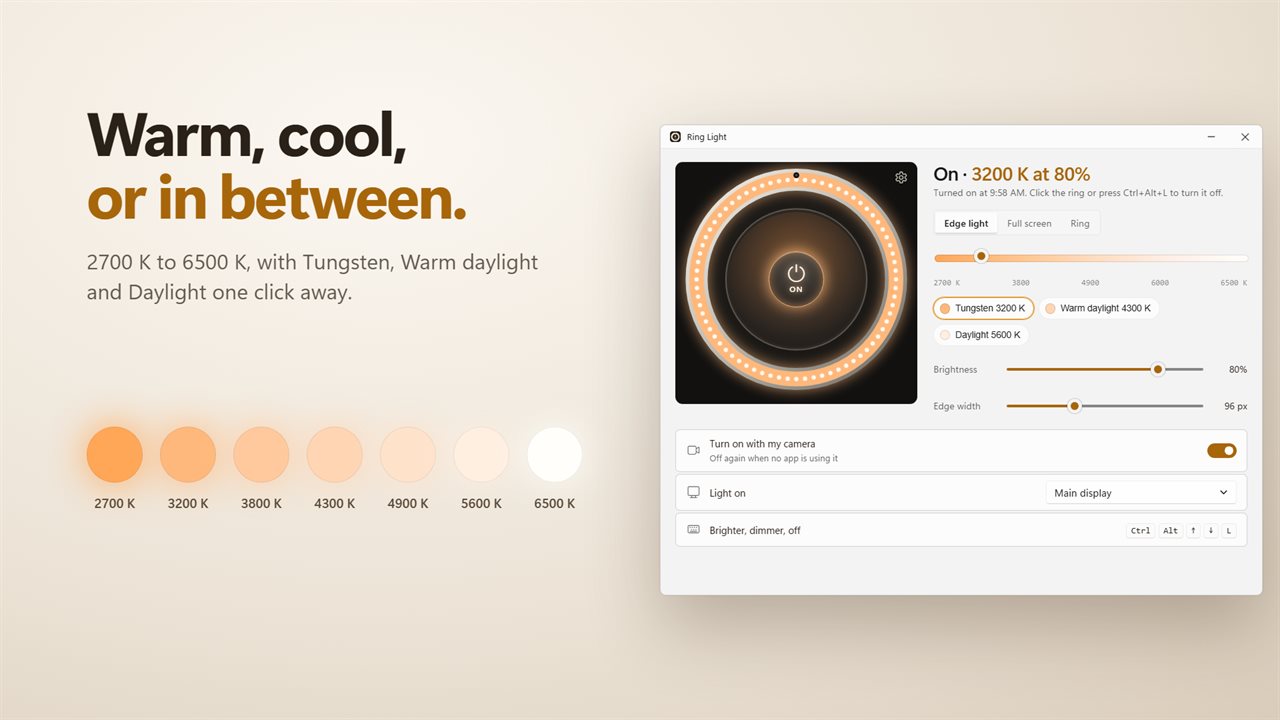
- Color temperature: a slider from 2700 K, close to a household bulb, up to 6500 K, close to overcast daylight, in 50 K steps. Tungsten 3200 K, Warm daylight 4300 K and Daylight 5600 K are one click away.
- Brightness: 5% to 100%. Start high and come down until your forehead stops shining.
- Edge width: 24 to 240 pixels. A wider band throws more light; a narrower one leaves more room to work.
- Light on: Main display, any other connected monitor, or Every display at once for the most output.
A virtual ring light that turns itself on for calls
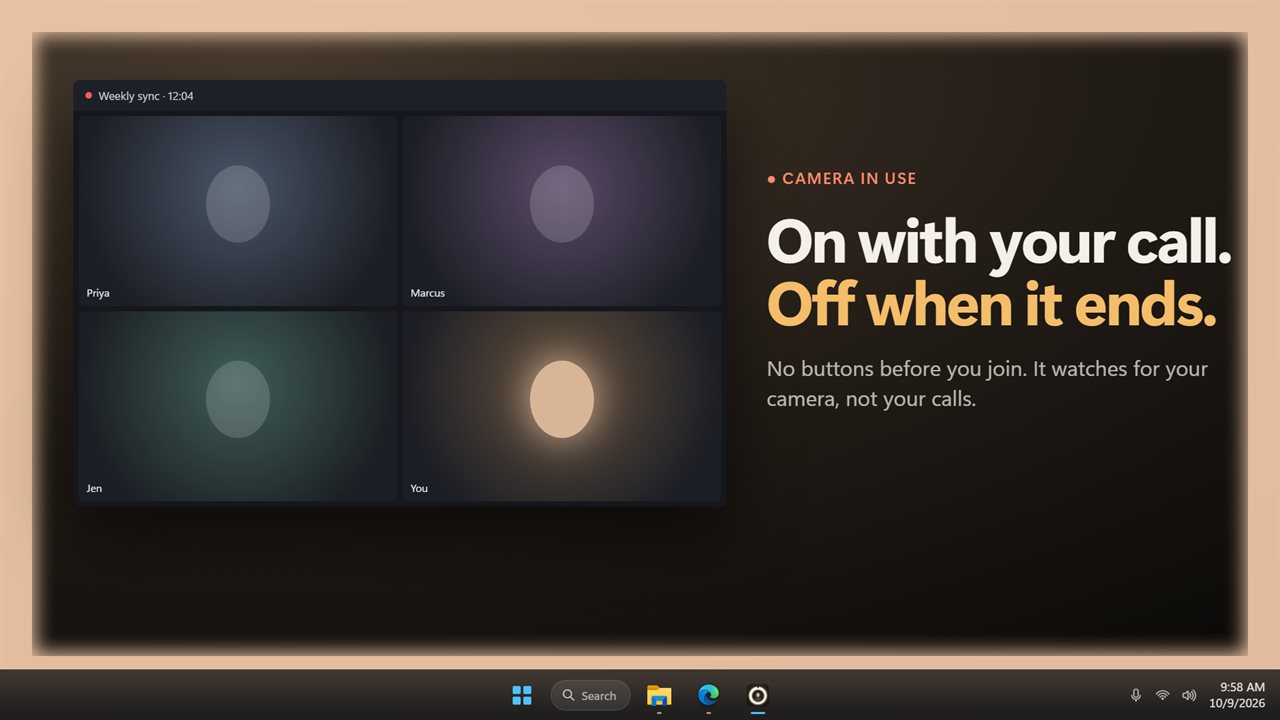
Switch on Turn on with my camera and the app watches whether any program is using the webcam, checking once a second. Join a meeting and the glow appears; hang up and it switches off. Its own mirror preview is ignored, so opening the app does not trigger it.
The light windows are excluded from screen capture. Share your screen during a presentation and viewers see your slides, not a bright frame around them, while your face on camera stays lit.
In Edge light and Ring modes, clicks pass through the glow to the windows beneath, so you can keep notes or a chat open. Full screen is the exception: it covers everything, and a click anywhere or the Esc key ends it.
How to look better on video calls without buying a lamp
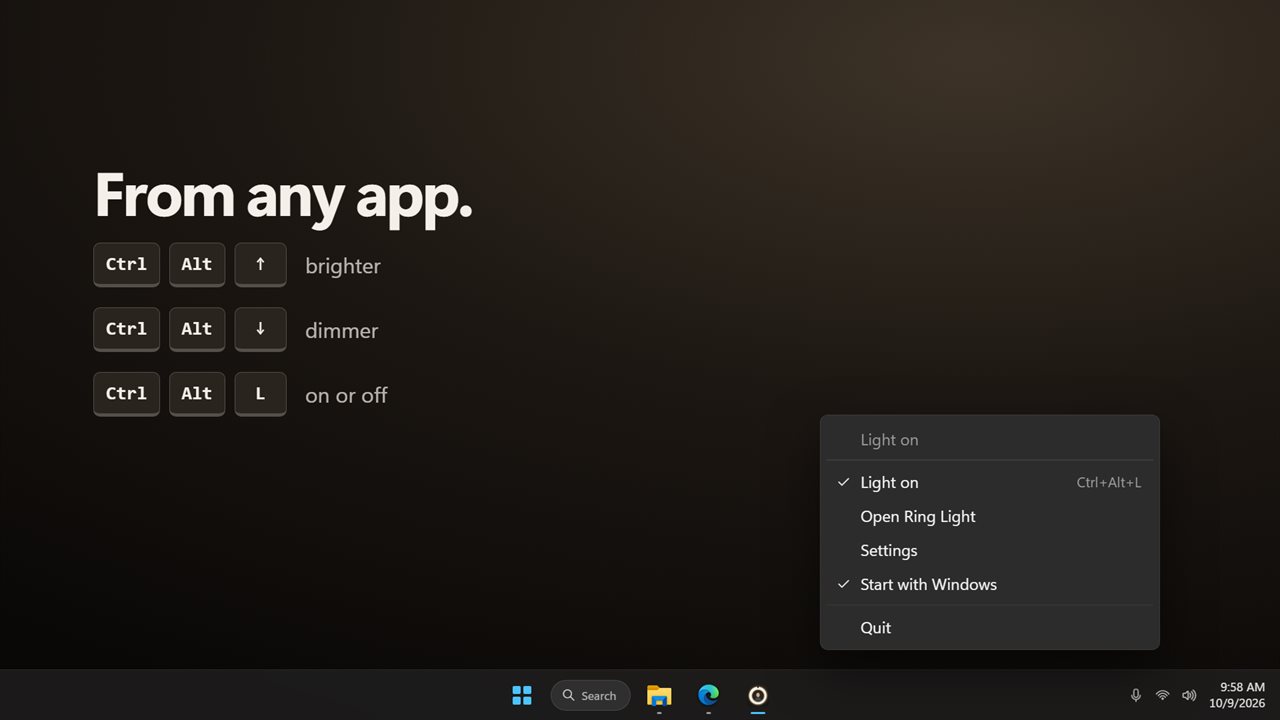
Raise the camera to eye height, face the screen squarely, and dim or close any bright window behind you so the camera exposes for your face. Then let the monitor fill in from the front. With Ctrl+Alt+Up and Ctrl+Alt+Down you can nudge the brightness by 10% mid-call without leaving the meeting window, and Ctrl+Alt+L switches the light on or off.