EEvlarSoft

Encrypted File Sender

Turn files and folders into one AES-256 password-protected zip the recipient can open anywhere, and keep the password off the email that carries it.

Buy for $1.99
One payment. No subscription.
14-day money-back guarantee.
The file goes by email. The password goes another way.
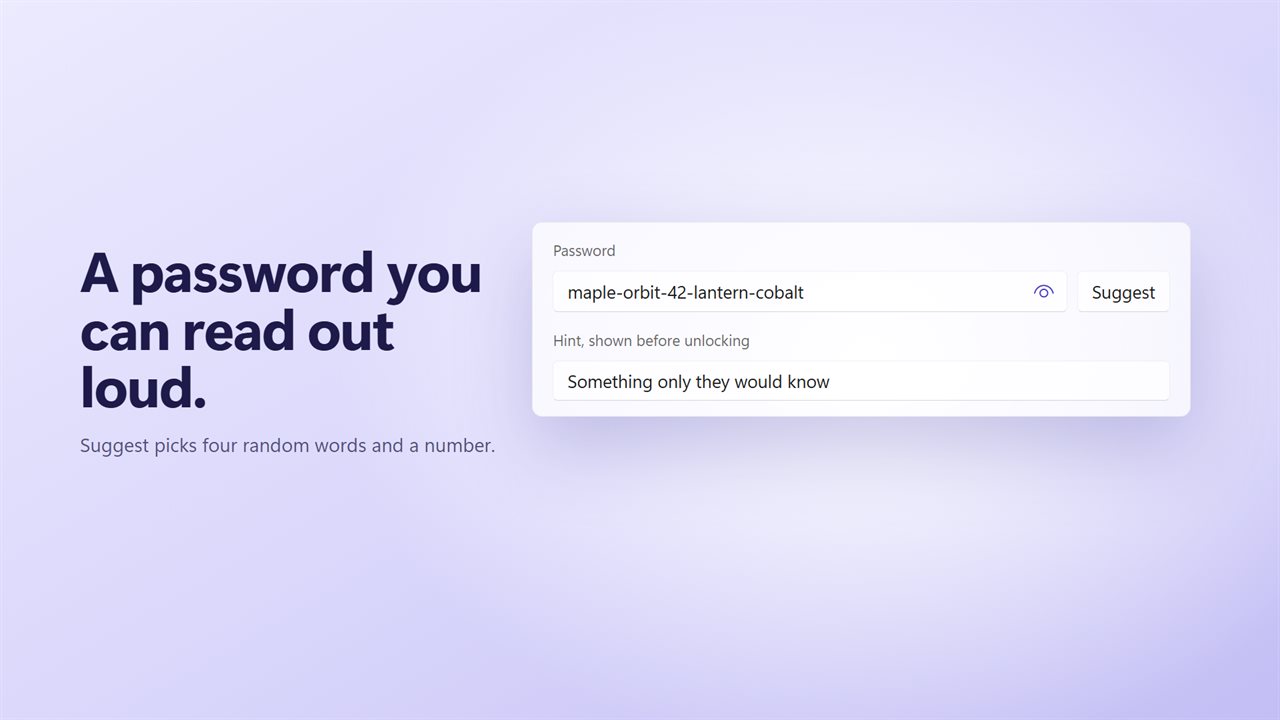
A password of four words and a number, easy to read out.
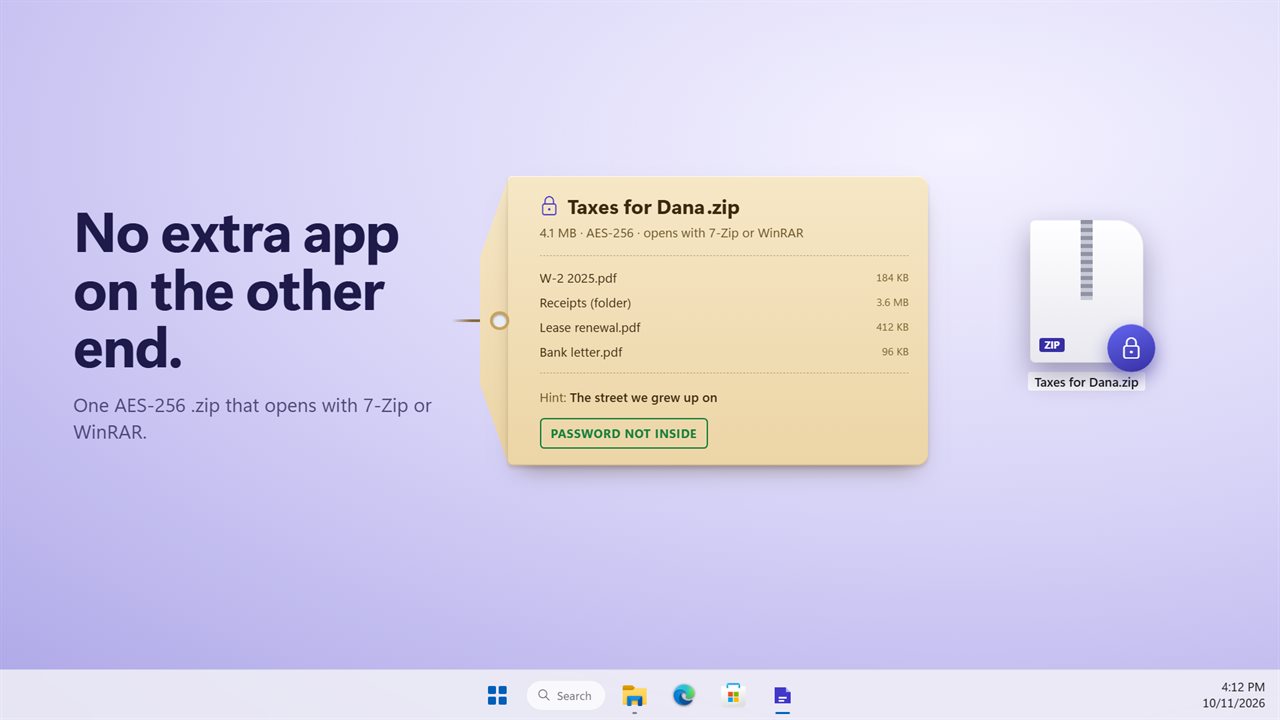
An AES-256 zip that opens with 7-Zip or WinRAR.
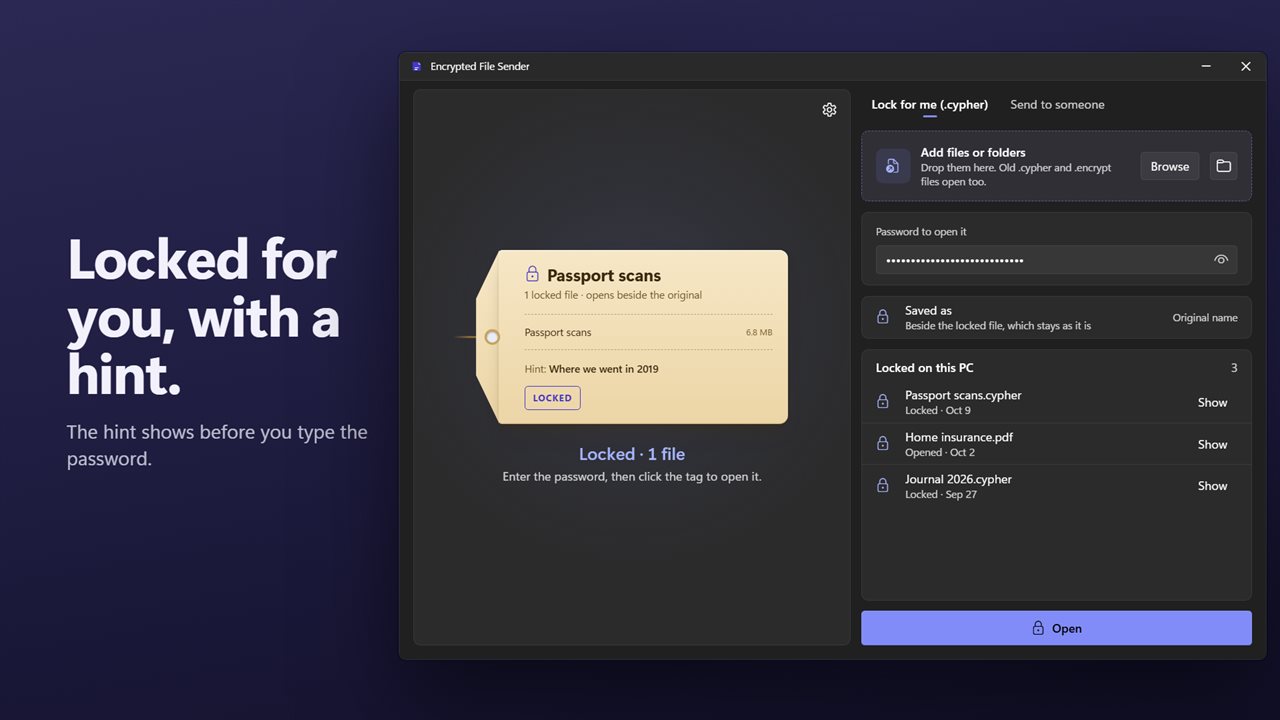
Lock files for yourself, with a hint that shows first.
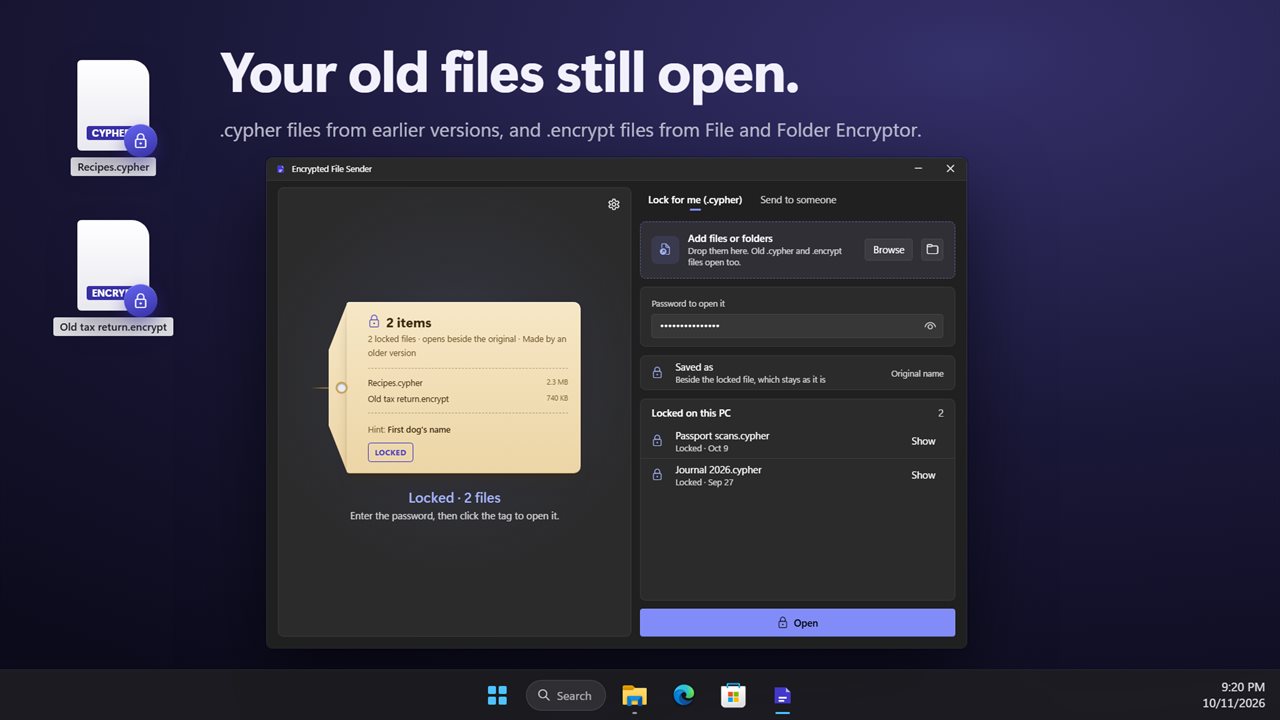
Your old .cypher and .encrypt files still open.

The file goes by email. The password goes another way.

190,000+downloads of EvlarSoft apps
Signed by EvlarSoftVerified US publisher
14-day money-backNo questions asked
Updates includedNo upgrade fees

How to password protect a zip file when Windows will not

The short answer to how to password protect a zip file on Windows: File Explorer cannot. It makes and extracts compressed folders but has no password field, so every guide sends you to a general archiver and its Add to archive dialog, where the encryption method is easy to get wrong.

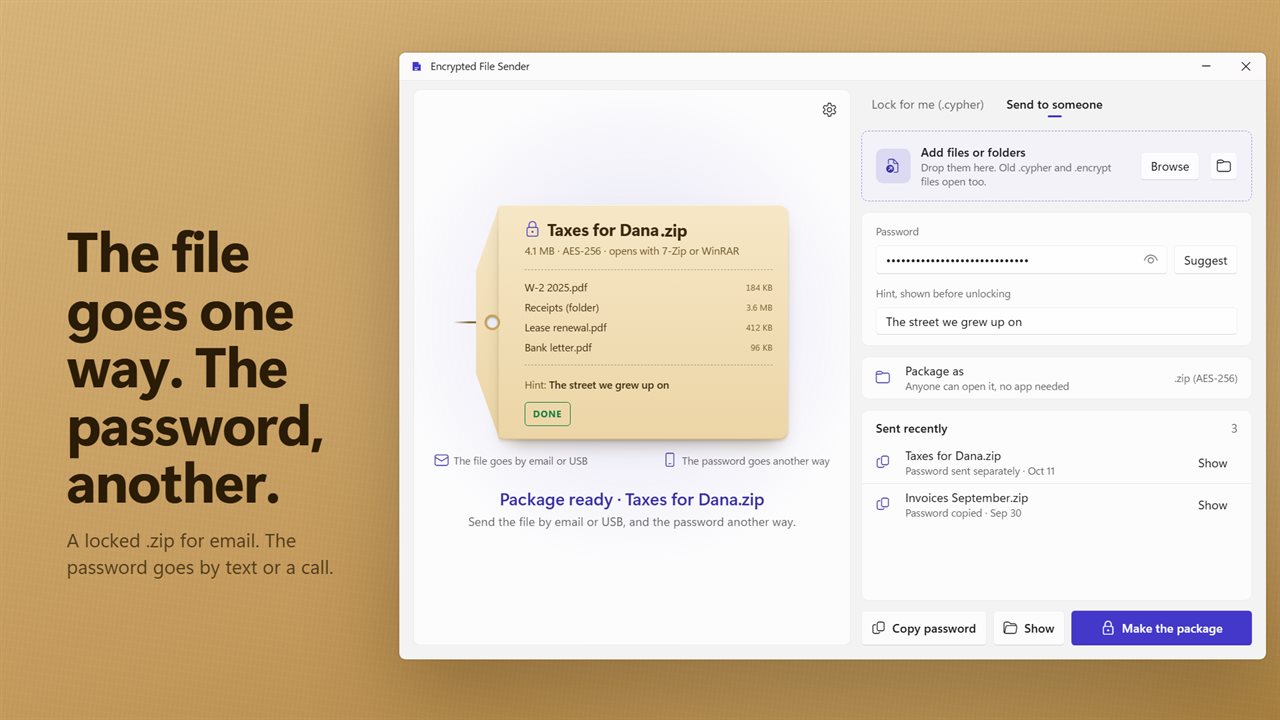
Encrypted File Sender is built for that one job. Drop the documents on the tag, type a name such as Taxes for Dana, set a password and choose Make the package. You get a single .zip with every file compressed and then encrypted with AES-256, not the older ZipCrypto scheme that many archive tools still use by default.

The person receiving it does not need this app. Any archive program that reads AES-encrypted zips will ask for the password and extract the files. File Explorer's built-in zip support is not one of them, so tell them to use an archiver if it refuses.

How to send documents securely via email

An encrypted attachment is only as private as its password. If both travel in the same message, anyone who reads that inbox has both. The app is laid out around that rule: one lane for the file, one for the password.

With Send the password to a phone switched on, a QR code of the password appears as soon as the package is ready. Scan it with your phone and text it, or read it out on a call. With it off, use Copy password; the clipboard is wiped after 30 seconds, 1 minute or 2 minutes, as set under Clear a copied password after, and the copy is kept out of Windows clipboard history.

  • Open Send to someone and add files with Browse, Add a folder, or by dragging them in.
  • Type a name under Name the package. Ending it with for and a name, such as Lease for Sam, labels who the password is for.
  • Choose Suggest for a password, or type your own, and add a hint if it helps.
  • Select Make the package, attach the .zip to your email, then send the password by text or phone.

A strong password that survives being read aloud

Random strings like q7#Lx! are miserable to dictate over the phone, and short ones are easy to crack once the zip leaves your hands. Suggest picks four words from a list of 1,283 with the system's secure random generator and drops a two-digit number into a random slot, giving something like harbor-71-velvet-quarry-signal. It is long enough to resist guessing and simple to spell out.

If you type a short password instead, the app warns you before it packages anything, because a zip that travels by email can be attacked offline at leisure.

File encryption software for files you keep

Not every file is going anywhere. Lock for me (.cypher) encrypts files and folders for your own use: the key is derived from your password with Argon2id and the data is sealed with XChaCha20, and a .cypher file also hides the original file name. Drop a locked file back in and its hint is displayed before you type the password.

In both modes the new file is written next to the original, which is left exactly as it was, and a number is added if a file of that name already exists. Delete the original yourself once you have checked the encrypted copy opens. Recent packages and locked files are listed with a Show button that opens File Explorer at the file.
What it does

  • Packs any mix of files and folders into one AES-256 encrypted .zip, compressed with Deflate
  • Folder structure is kept inside the package, including empty folders
  • Suggest generates a four-word password with a two-digit number, from a 1,283-word list
  • Optional QR code of the password for passing it to a phone
  • Copied passwords clear themselves after 30 seconds, 1 minute or 2 minutes
  • Optional password hint, stored as the zip comment or in the .cypher header
  • Lock for me mode uses Argon2id and XChaCha20 and conceals the original file name
  • Opens .cypher files from earlier versions and .encrypt files from File and Folder Encryptor
  • Originals are never overwritten; output lands beside them
  • Optional setting to show each result in File Explorer when a job finishes

When people use it

Tax documents for an accountant

Bundle W-2s, statements and receipts into one package, email it, then call with the password.

Scans of IDs and passports

Send a copy of a passport or license to a landlord or employer without leaving a readable attachment sitting in two mailboxes.

A USB stick in the post

Put an encrypted zip on the drive and text the password separately, so a lost envelope exposes nothing.

What's new in 2.0.1

  • New: Send to someone. Package files and folders into one AES-256 .zip that 7-Zip and WinRAR open
  • New: Suggest a password of four random words and a number
  • New: .encrypt files from File and Folder Encryptor open here too
  • New: a list of recent packages and locked files
  • New: a copied password clears from the clipboard and stays out of clipboard history
  • Lock for me works as before, and your .cypher files still open with their hints

Questions

Anything else? Ask us

Does the person I send the zip to need this app to open it?

No. Send to someone makes an ordinary .zip with AES-256 encryption, so it opens in 7-Zip, WinRAR or any other program that reads AES-encrypted zips. They only need the password.

Are the file names inside the encrypted zip hidden?

No. The contents of every file are encrypted, but the zip format keeps the file and folder names readable without the password. If a name itself is private, rename the file first or use Lock for me, which hides the original name inside the .cypher file.

Can someone see the password hint without the password?

Yes. A hint is meant to be read before the password is typed, so it is stored unencrypted: in the zip's comment for a package, and in the file's header for a .cypher file. Write a hint that only the right person would understand.

What happens to my original files?

They are left where they are. A package is saved beside the first item you added, a .cypher file is saved beside its original, and an unlocked file is saved beside the .cypher file, with a number added to the name if one already exists.

What does the suggested password look like?

Four random words and a two-digit number joined by dashes, such as tangerine-orbit-42-lantern. The words are drawn from a list of 1,300 using the system's secure random generator.

Can I open .encrypt files from File and Folder Encryptor here?

Yes. Lock for me opens .encrypt files from File and Folder Encryptor and .cypher files from earlier versions of this app, including folders, and shows a saved hint before you type the password.

Can Windows 11 password protect a zip file without extra software?

No. The built-in compressed folder feature can create and extract zip files but has no option to add a password, so you need an app that writes encrypted zips.

Is a password-protected zip file actually secure?

It depends on the method. Older ZipCrypto encryption is weak and can be broken. Packages made here use AES-256 on every file's contents, which is secure as long as the password is long and is not sent in the same message as the zip.

Can I password protect a folder in a zip, not just single files?

Yes. Add a folder and everything inside it is packed with the same folder layout, and every file in it is encrypted with the one password.

Which versions of Windows does it run on?

Windows 10 (version 1809 or later) and Windows 11.

Is it a subscription?

No. Encrypted File Sender is a one-time purchase of $1.99, and updates are included.

How do I get it?

Buy it on this page and your license key arrives by email. If the button says Notify me, Encrypted File Sender is not on sale here yet; leave your email and we will tell you when it is.