What a PC benchmark test tells you, and what it doesn't
A PC benchmark test runs the same fixed workload on every machine and times it, so the numbers can be compared. That is different from a stress test, which loads the hardware for a long time to check heat and stability. A benchmark answers a narrower question: how fast is this PC at these jobs right now?
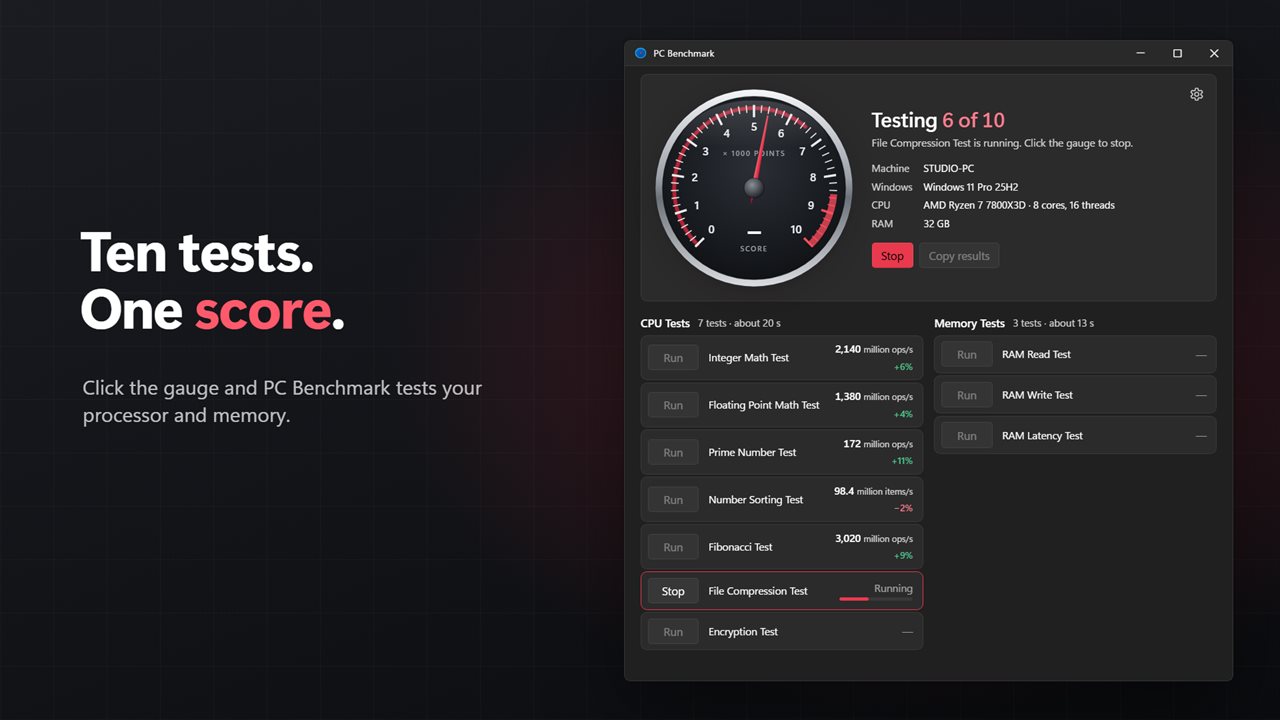
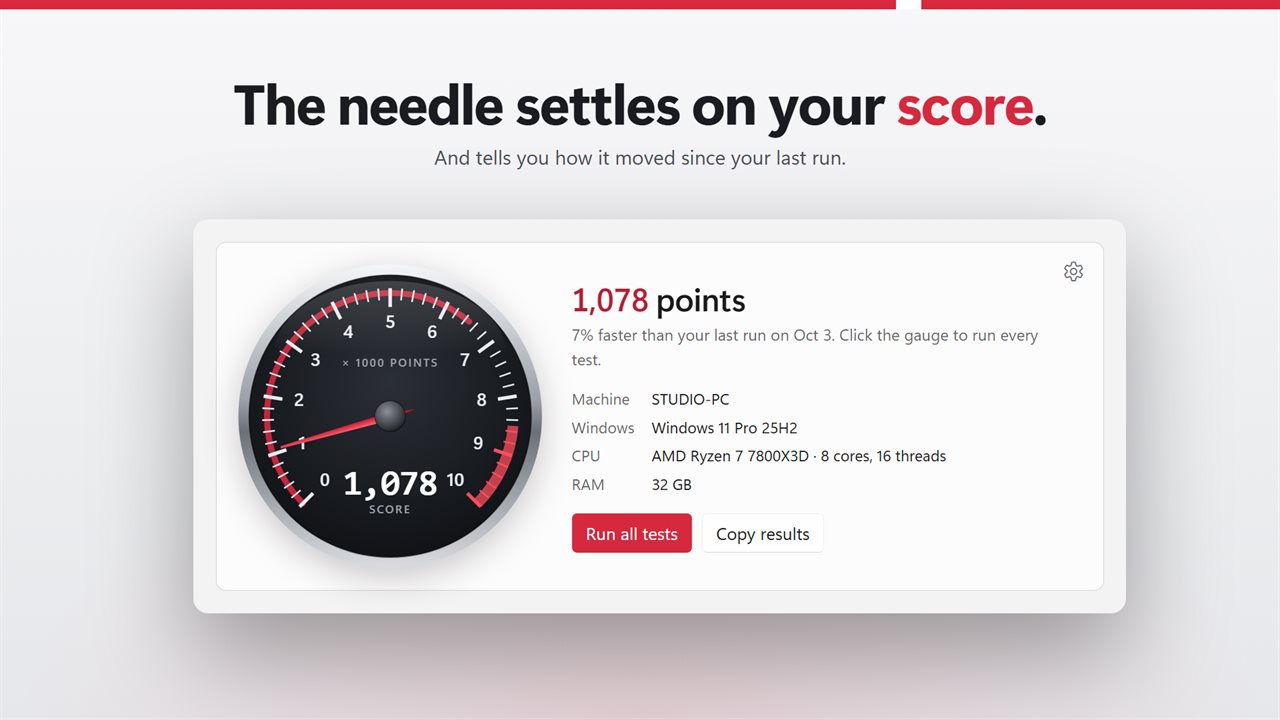
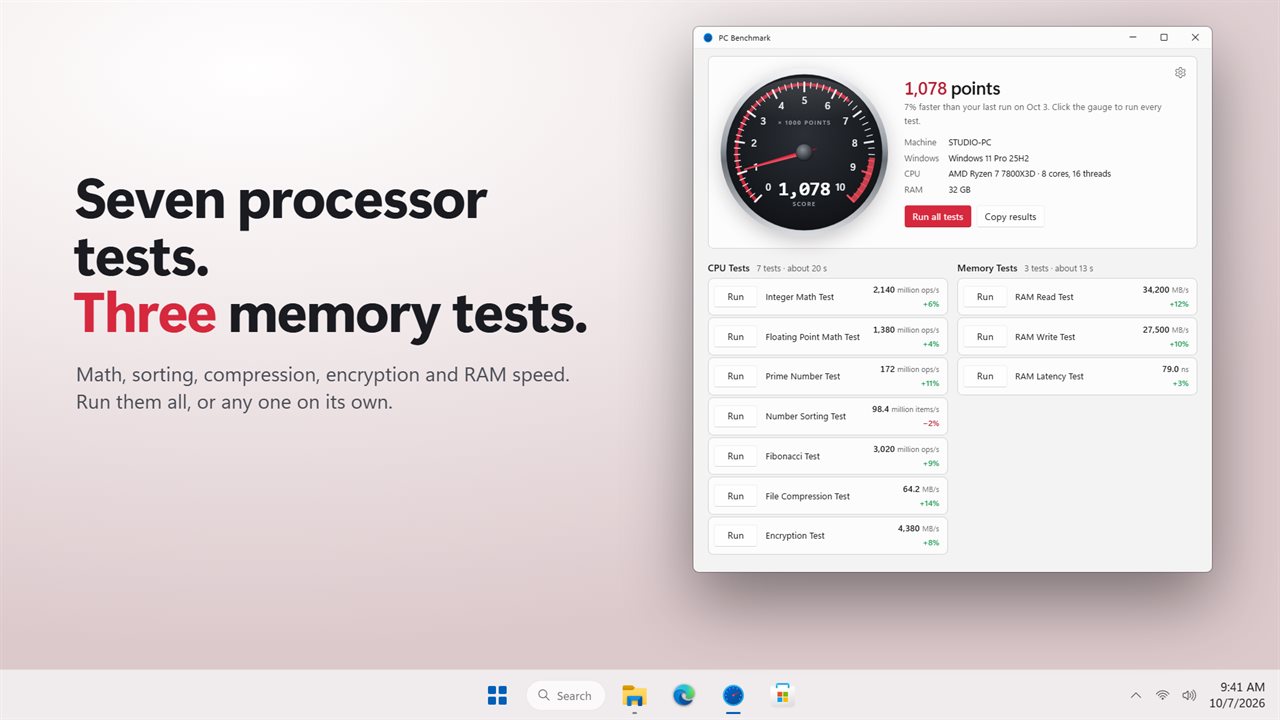
PC Benchmark keeps that question small enough to answer honestly. It measures the processor and memory with ten tests and turns them into one score you can read off a gauge. A full run on the Standard length takes about 30 seconds. It does not test the graphics card or the drive, and the tests run on one thread, so the score reflects how quick a single core and your RAM are rather than how many cores you have. For most everyday work, from opening apps to working through spreadsheets, that is the part you feel.
Where the app earns its place is the second run. Every result is compared with the previous time it was measured, so you can see whether a BIOS setting, a fresh driver, a Windows patch or an added memory stick moved anything.
How to benchmark your PC
- Close heavy apps and plug in a laptop. If battery saver is on, the headline warns you that scores will be low.
- Click the gauge, or press Run all tests. The needle climbs as each test finishes and the headline counts them off.
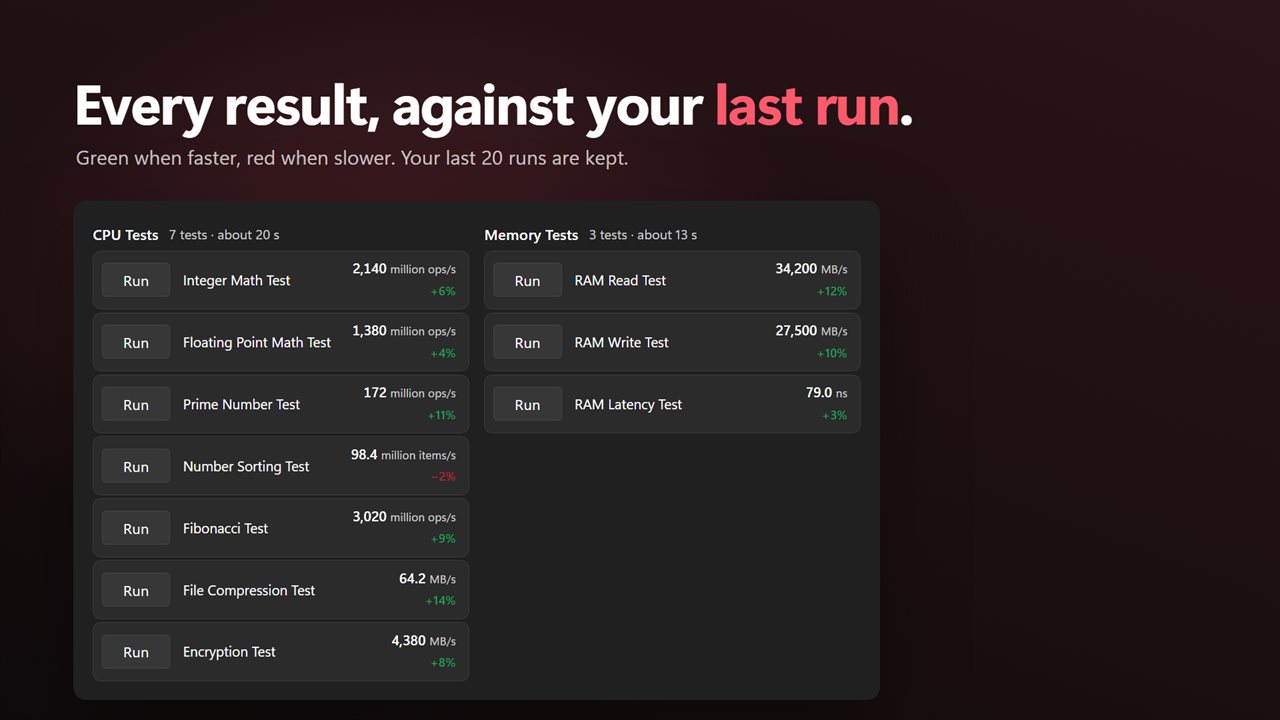
- Read the score in the middle of the gauge and the result beside each test, under CPU Tests and Memory Tests.
- Need just one figure? Use the Run button on a single test instead of the full set.
- Click the gauge again or press Stop to end a run early. Anything already measured is kept.
The ten CPU and RAM tests, in plain units
The processor side has seven tests: Integer Math, Floating Point Math, Prime Number, Number Sorting and Fibonacci, reported in millions of operations or items per second, plus File Compression and Encryption in MB/s. Compression uses Deflate on text, and encryption uses AES-256-GCM, the same kinds of work a PC does when it zips files or talks to a secure website.
The memory side is a RAM speed test in three parts. RAM Read and RAM Write stream a 256 MB buffer and report MB/s. RAM Latency follows a random chain through that buffer so each step misses the cache, and reports nanoseconds per hop, where lower is better.
The overall score compares each result with a reference desktop, a Ryzen 5 7600 with DDR5-5600 memory that scores 5,000, and takes the geometric mean of the ten ratios, so one unusually fast or slow result cannot swing the total on its own. The gauge runs to 10,000. You only get an overall score when all ten tests have a result.
A PC performance test you can repeat and compare
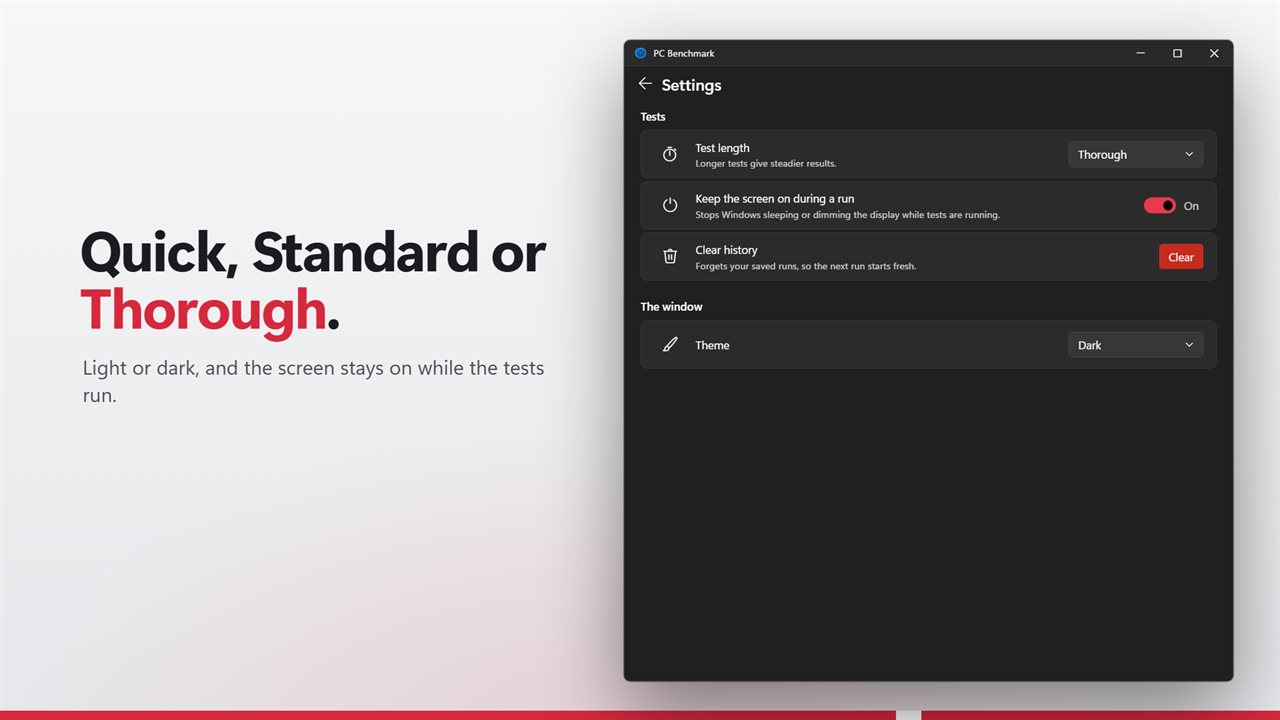
Each finished run is saved, up to the last 20. Next to every result, a percentage shows the change from the previous run that measured it, in green when it improved and red when it slipped, and the headline says how the total moved and on which day. Clear history in Settings wipes the slate before a new comparison.
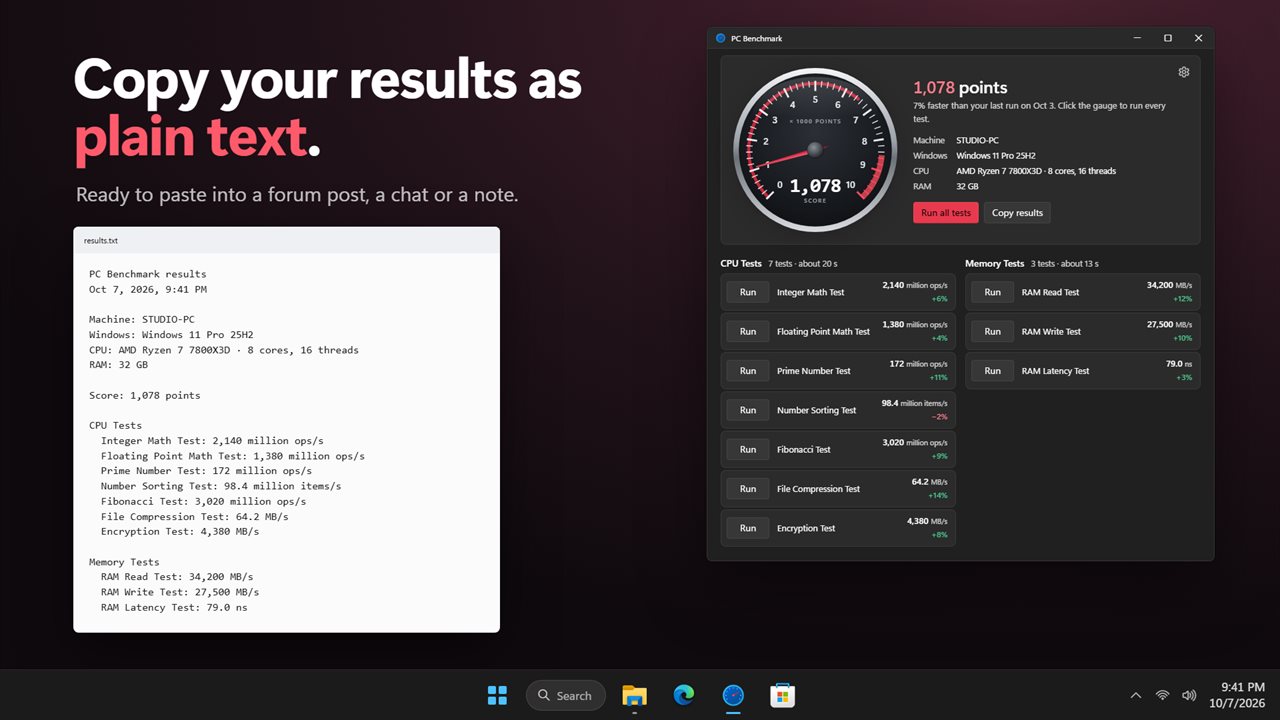
The Copy results button copies the machine name, Windows version, CPU and RAM, the score and each test as plain text for a forum thread or a support ticket. Under Test length, Quick halves the timing and Thorough doubles it for steadier numbers. Keep the screen on during a run is on by default, so Windows cannot sleep or dim halfway through.