EEvlarSoft

Battery Health

Battery health on Windows 11 without typing a command: a small card on your desktop that shows how much your battery has worn, right next to its charge.

Buy for $2.99
One payment. No subscription.
14-day money-back guarantee.
4.1
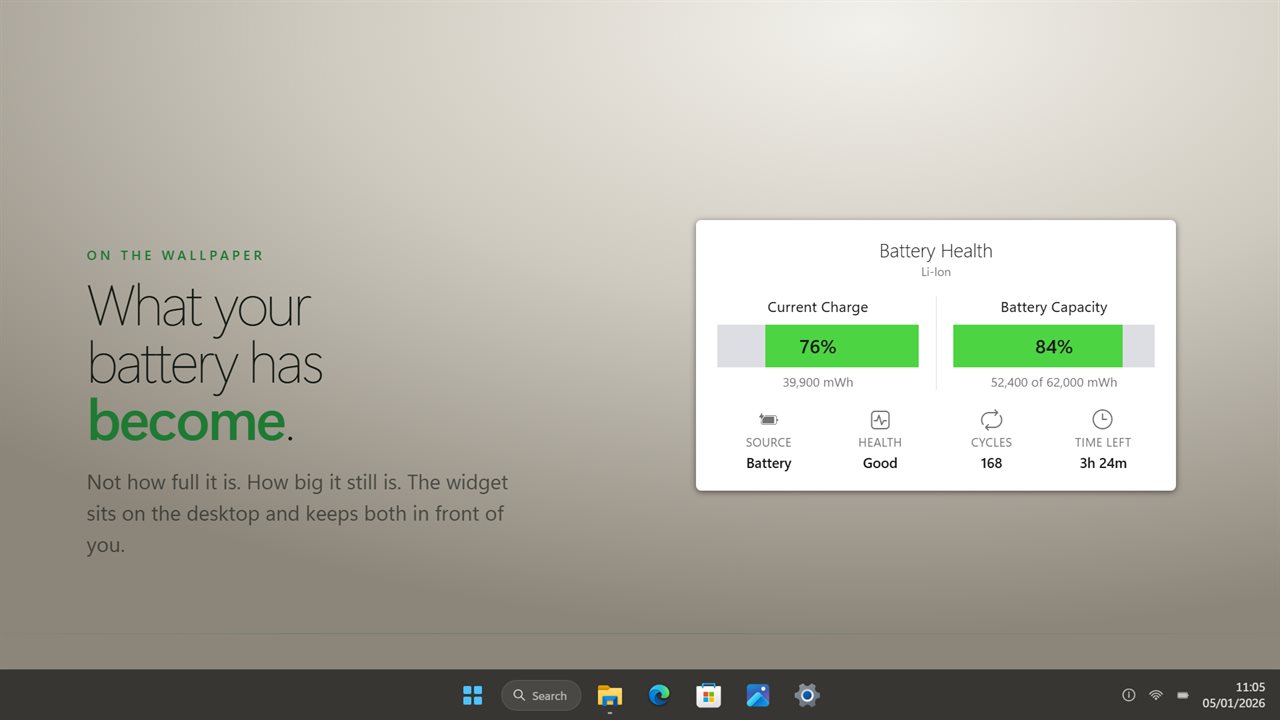
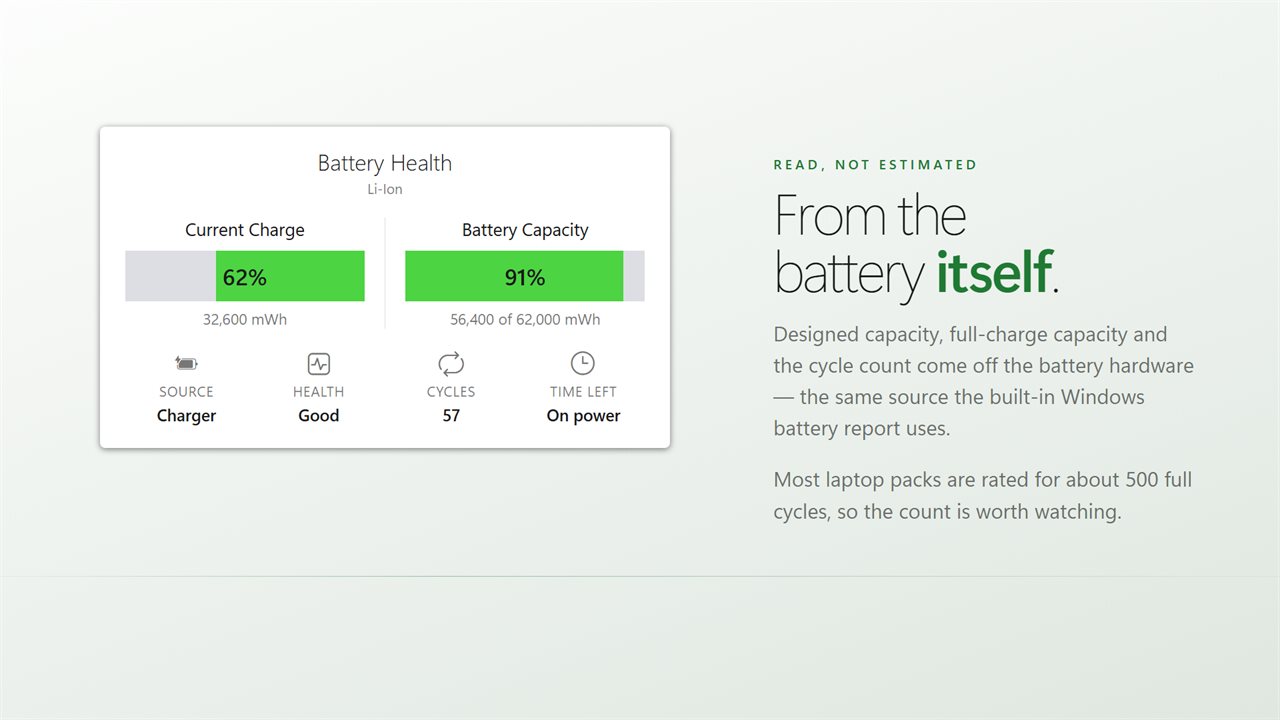
What the battery has become, on the desktop: how full it is, and how big it still is.
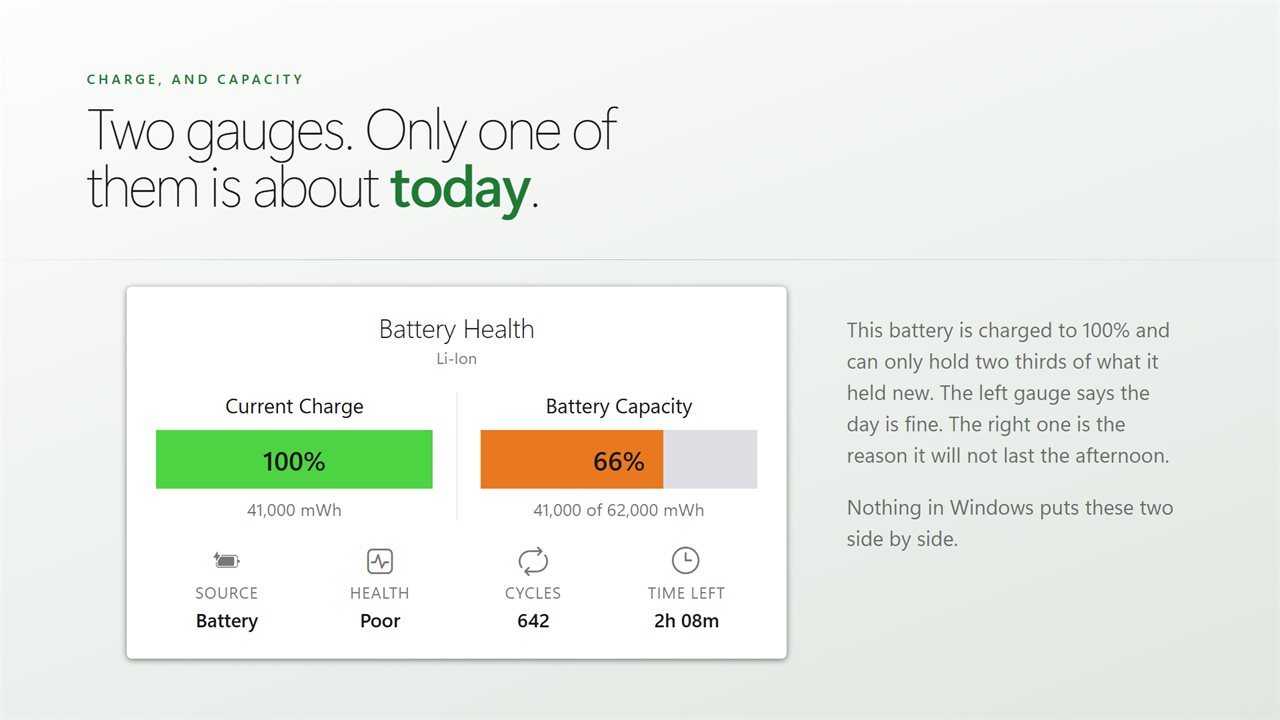
Charged to 100% and holding two thirds of what it held new — the two gauges answer different questions.
Designed capacity, full-charge capacity and cycle count, read from the battery itself.
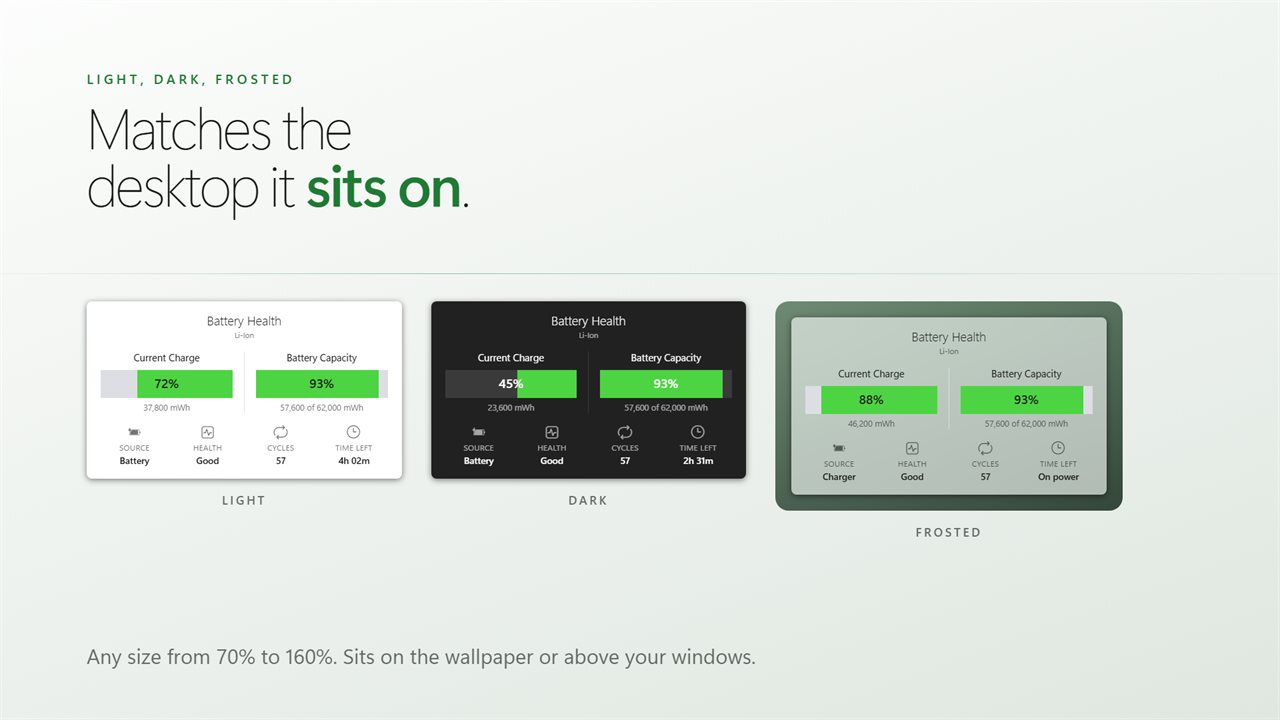
Light, dark or frosted, at any size from 70% to 160%.
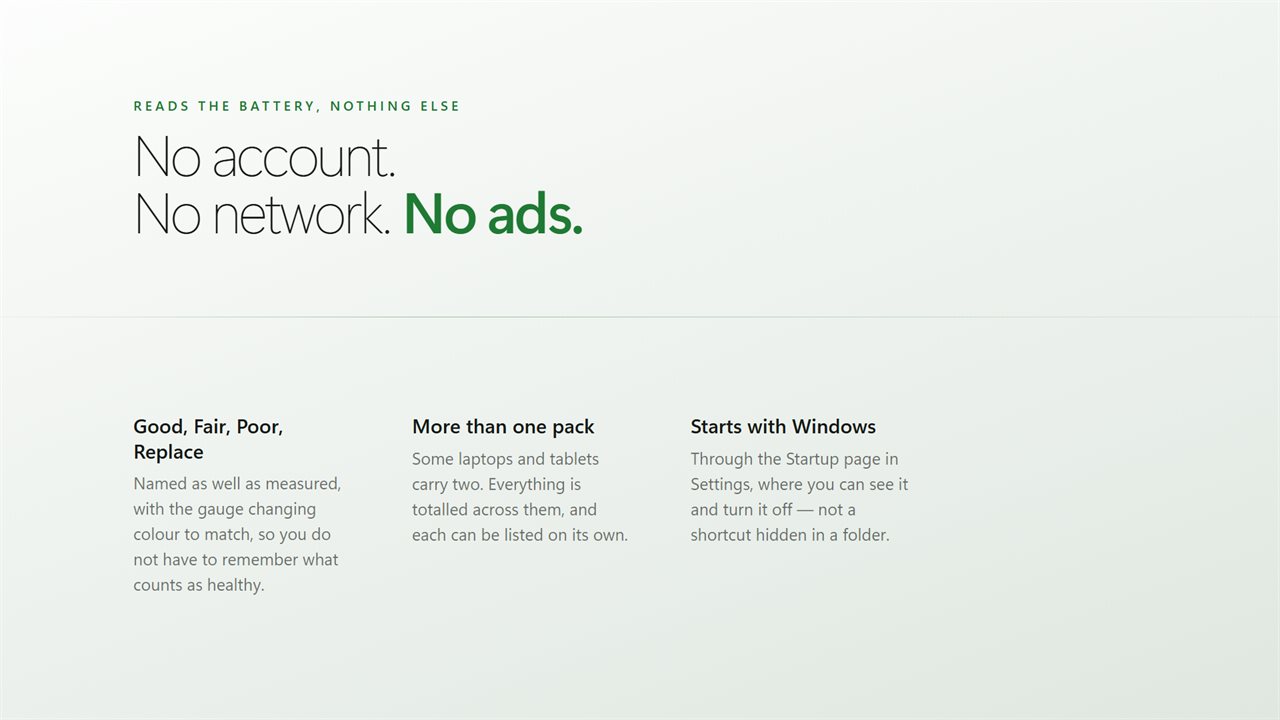
Good, Fair, Poor or Replace, totalled across every pack. No account, no tracking, no ads.

What the battery has become, on the desktop: how full it is, and how big it still is.

190,000+downloads of EvlarSoft apps
Signed by EvlarSoftVerified US publisher
14-day money-backNo questions asked
Updates includedNo upgrade fees

Where is battery health on Windows 11?

On most PCs, not in Settings. Windows 11 lists battery health inside an HTML report produced by a powercfg command, and even then you have to divide two capacity figures yourself. The taskbar icon shows charge, which is something else entirely.

Charge is how full the tank is right now. Health is how big the tank still is. A laptop at 100% charge with 65% health holds about two thirds of the energy it did when new, which is why the same laptop that once lasted a working day now needs the charger by lunch.

This widget keeps both numbers in view as two gauges, Current Charge and Battery Capacity. The second is your battery health percentage: what the pack holds when full, divided by the capacity it was designed with, both read in mWh from the battery itself.

Battery health percentage: what each rating means

The widget rates the wear figure for you and colors the gauge to match, so there is no table to remember:

  • Good: 80% or more of the design capacity. Normal for a battery in its first couple of years.
  • Fair: 60% to 79%. Noticeably shorter runtimes, but still serviceable for most days.
  • Poor: 40% to 59%. Expect to stay near an outlet.
  • Replace: below 40%. Time to price a new pack.

A battery health checker that stays on screen

A report captures one moment. Wear changes slowly, but it does change, and seeing it every day shows whether a pack is gently aging or falling off a cliff after a hot summer. The card also lists Cycles, shown against roughly 500, a typical rating for a laptop pack, or Not counted when the battery does not keep a tally.

Expect the figure to wander a little. Full charge capacity is the battery's own estimate, and it is often revised by a few points after a complete charge or a deep discharge. Judge a battery by its trend over several weeks, not by a single morning's reading.

Alongside those are Source, which reads On battery, Plugged in or Charging, and Time left, calculated from the rate the battery is charging or draining at this moment. Plugged in and holding steady, it simply shows On power.

Laptop battery health with two packs

Some business laptops and tablets carry a second battery. The widget totals every pack into one set of gauges, and List each battery adds a line for each one with its design capacity and wear, so you can tell which of the two is the tired one.

What the card shows

  • Battery health as a percentage of design capacity, read from the hardware
  • Current Charge and Battery Capacity gauges side by side
  • Good, Fair, Poor or Replace rating with a matching gauge color
  • Cycle count compared with a typical 500-cycle rating
  • Power source and time left from the live charge or drain rate
  • Totals across multiple batteries, with an optional line per pack
  • Three themes, Light, Dark and Frosted, at 70% to 160% scale
  • Wallpaper level or always on top, plus a Start with Windows switch

Who keeps an eye on wear

Buying or selling a used laptop

Install it, read the capacity gauge, and both sides know how much battery is really left before money changes hands.

Deciding whether to replace a battery

Watch the figure for a few weeks; a steady slide into Poor is a clear case for a new pack rather than a new laptop.

IT staff and fleet laptops

A visible health rating on each machine flags the units that need a battery before their users start complaining.

What's new in 2.0.10

  • Rebuilt for Windows 11
  • Battery capacity is now measured wear, read from the battery hardware
  • Real cycle count
  • Adds power source, time remaining and per-pack detail
  • Light, dark and frosted themes, and any size from 70% to 160%
  • Lower memory use and a faster start

Questions

Anything else? Ask us

Does it show battery wear, or only the charge level?

Both, side by side. One gauge is the current charge, and the other is how much the battery can hold now as a percentage of what it was designed to hold. Both capacities are read from the battery itself, in mWh.

Can it show my battery's cycle count?

Yes, when the battery keeps one. It shows the count next to about 500, roughly what a laptop pack is rated for. A battery that does not count cycles shows Not counted.

What do Good, Fair, Poor and Replace mean?

They come from the wear figure. Good is 80% or more of the designed capacity, Fair is 60 to 79%, Poor is 40 to 59%, and Replace is below 40%. The gauge changes color to match.

How does it work out the time left?

From the rate the battery reports it is charging or draining at right now. While charging it shows the time to full, and when the PC is plugged in but not charging it shows On power.

Does it work on a laptop with two batteries?

Yes. The figures are totaled across every battery, and the List each battery setting adds a line per pack with its designed capacity and wear.

Does it work on a desktop PC?

No. It reads a battery, so on a PC without one it says No battery on this PC.

Why is my battery health below 100% on a new laptop?

Batteries are rarely built to exactly their rated capacity, and a little wear starts with the first cycles. A new laptop reading in the high 90s is normal and rates as Good.

Is the battery health percentage the same as the one in a Windows battery report?

It comes from the same two figures, full charge capacity and design capacity, read from the battery hardware. The widget does the division and keeps the result on screen.

Which versions of Windows does it run on?

Windows 10 (version 1809 or later) and Windows 11.

Is it a subscription?

No. Battery Health is a one-time purchase of $2.99, and updates are included.

How do I get it?

Buy it on this page and your license key arrives by email. If the button says Notify me, Battery Health is not on sale here yet; leave your email and we will tell you when it is.