EEvlarSoft
Plays SWF without Flash Player

SWF Player for Windows

swf game, cartoon or lesson on Windows and play it again, with a controller if you like.

Buy for $4.99
One payment. No subscription.
14-day money-back guarantee.
4.0
Play the Flash games and cartoons you kept as .swf files.
Play with a controller, mapped your way for each game.
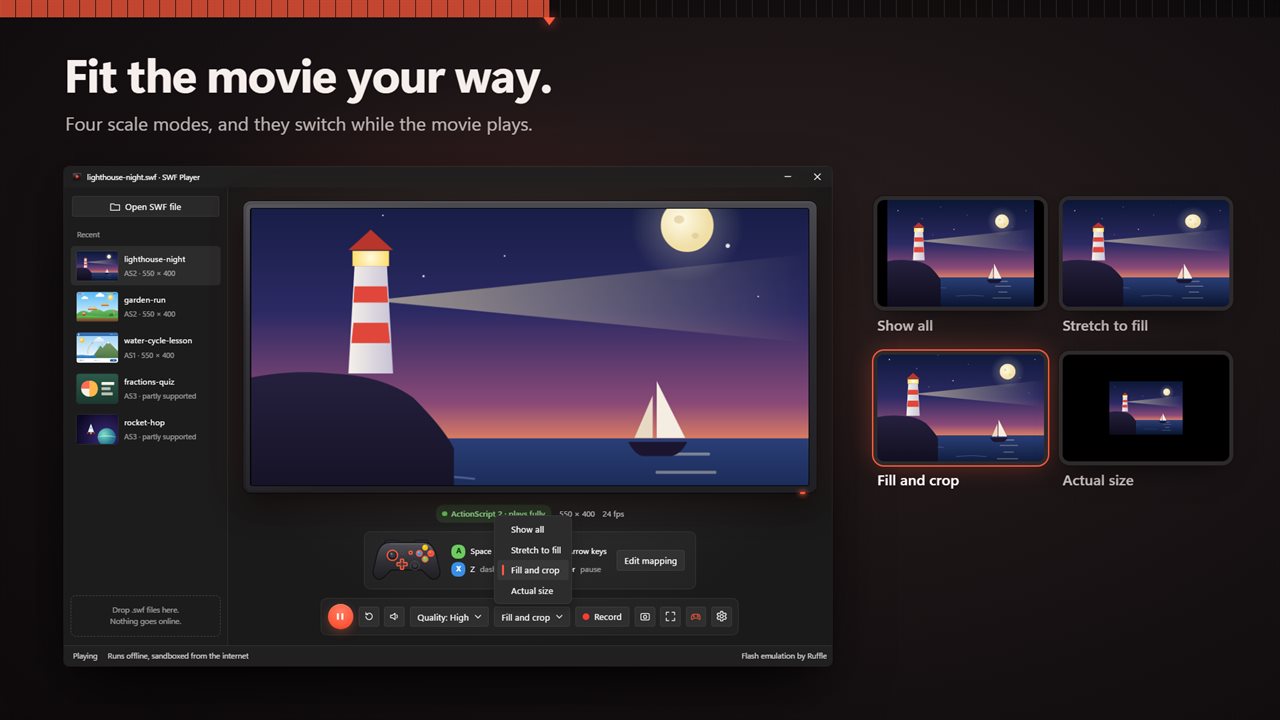
Four scale modes: show all, stretch, fill and crop, or actual size.
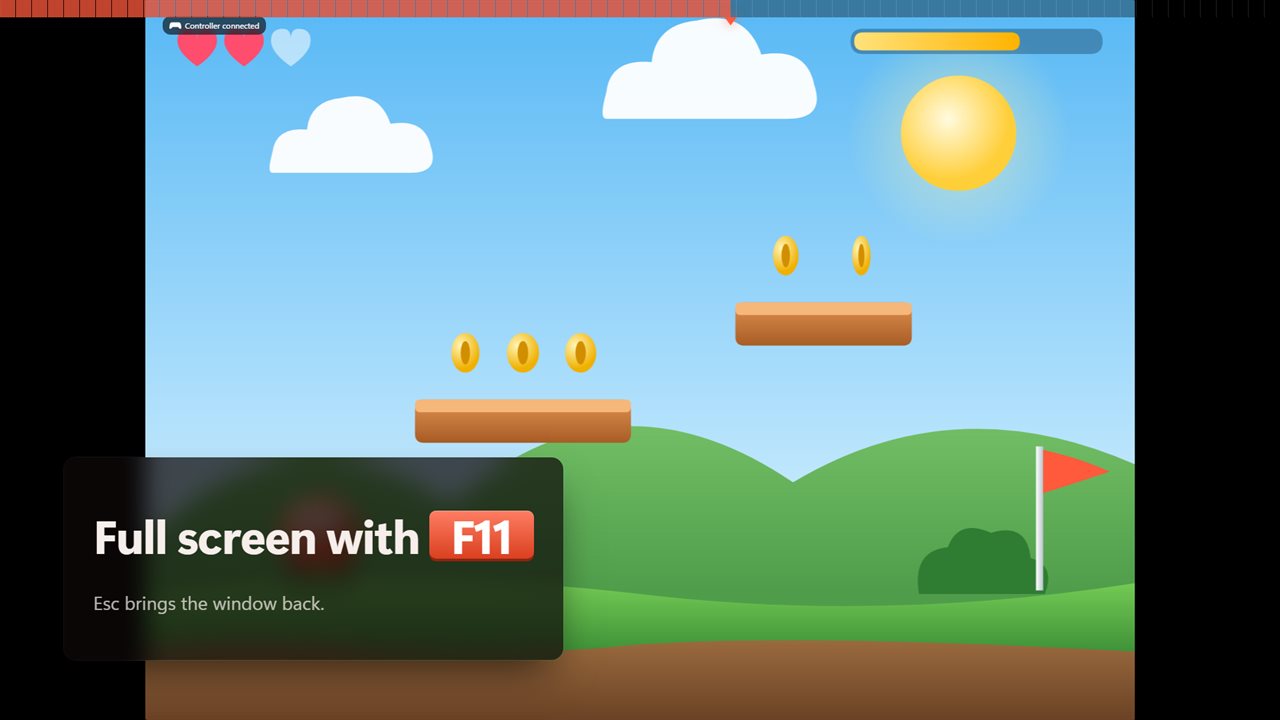
Full screen with F11.
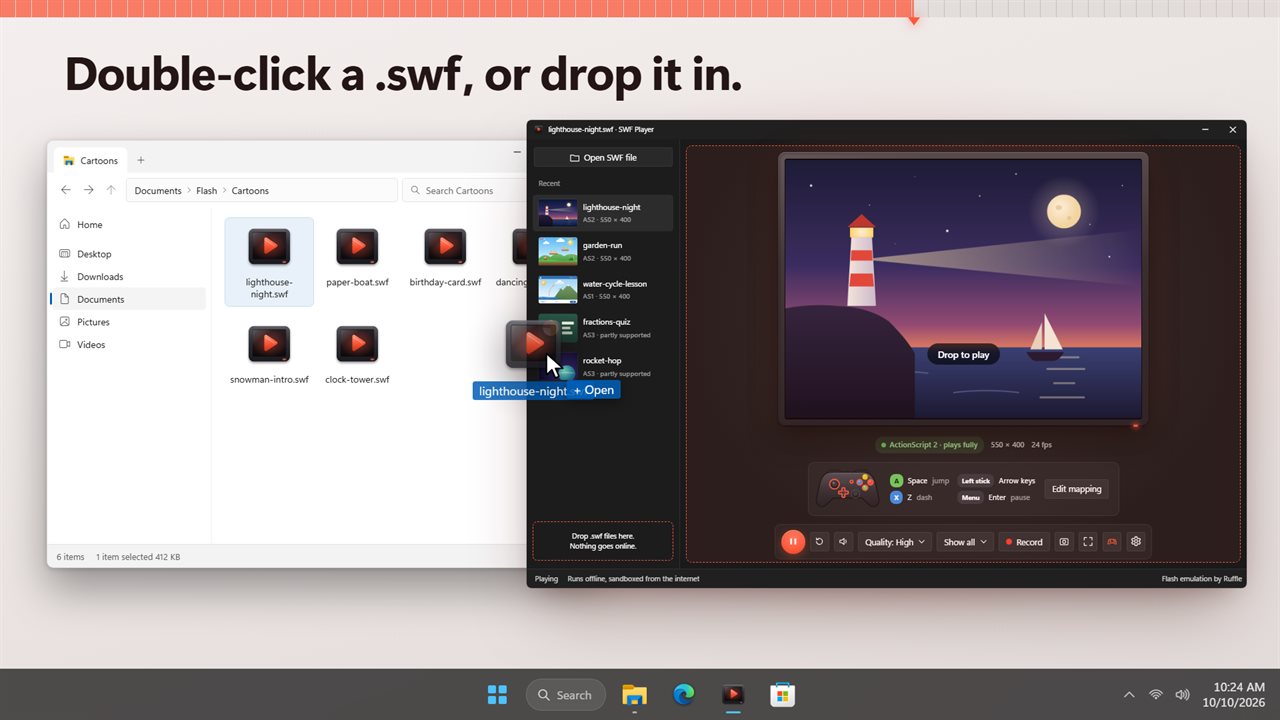
Drop a .swf on the window, or double-click it in File Explorer.
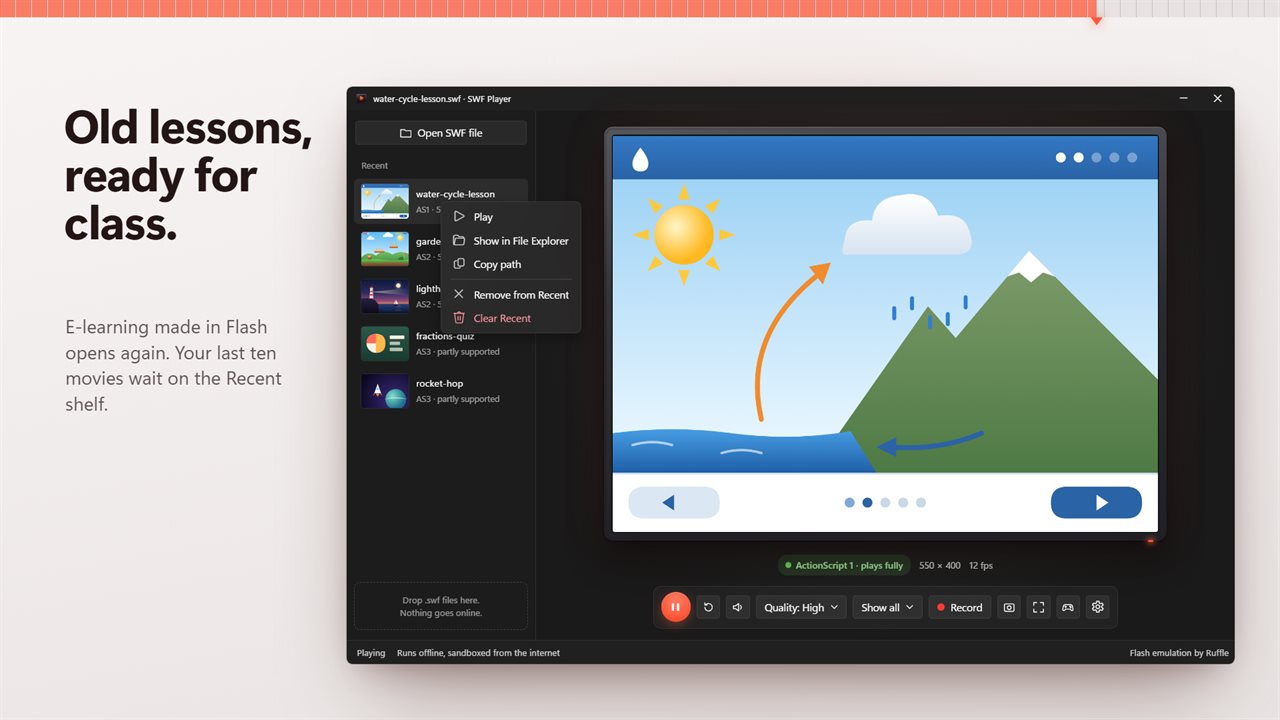
Old e-learning lessons play again, and stay on your Recent shelf.
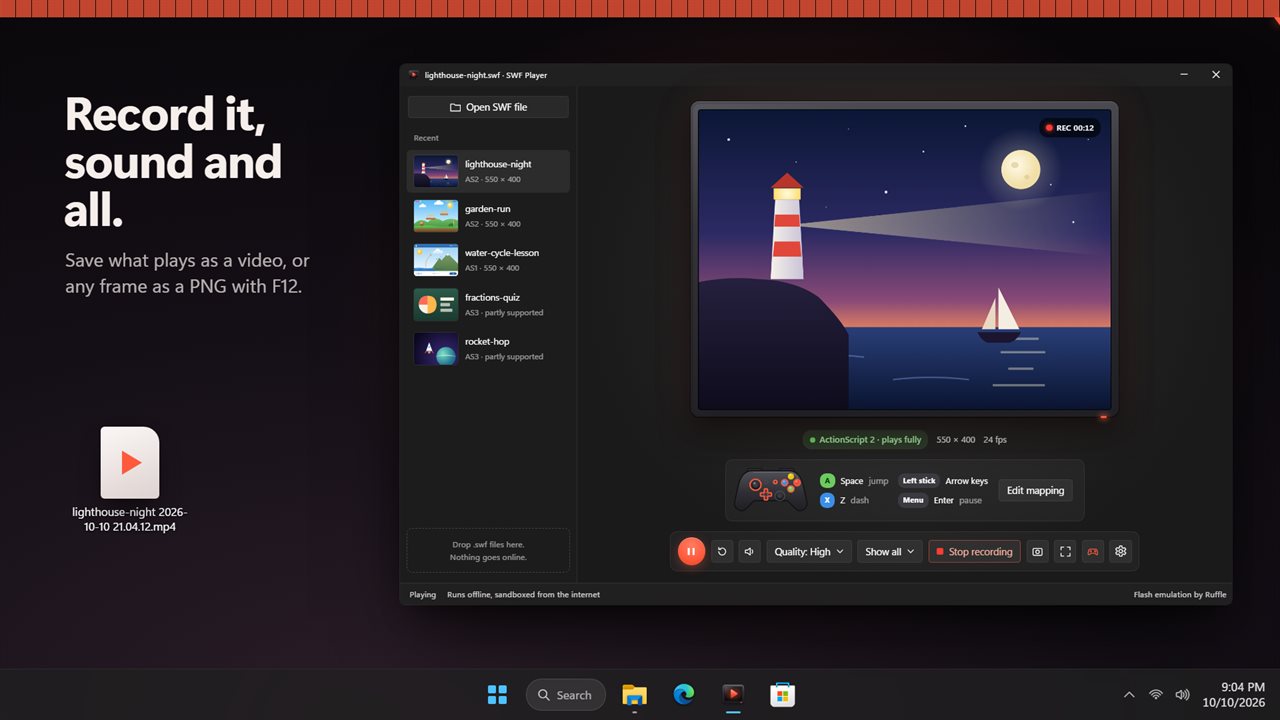
Record what plays, with its sound, to a video.

Play the Flash games and cartoons you kept as .swf files.

190,000+downloads of EvlarSoft apps
Signed by EvlarSoftVerified US publisher
14-day money-backNo questions asked
Updates includedNo upgrade fees

An SWF player for Flash files that stopped opening

An SWF player is what you need once the browser plug-in is gone. Flash support ended in 2020, and since then a .swf file on Windows just sits there: double-click it and nothing knows what to do with it. SWF Player reads the file and runs it in its own window, emulating the Flash runtime rather than reinstalling the old plug-in.

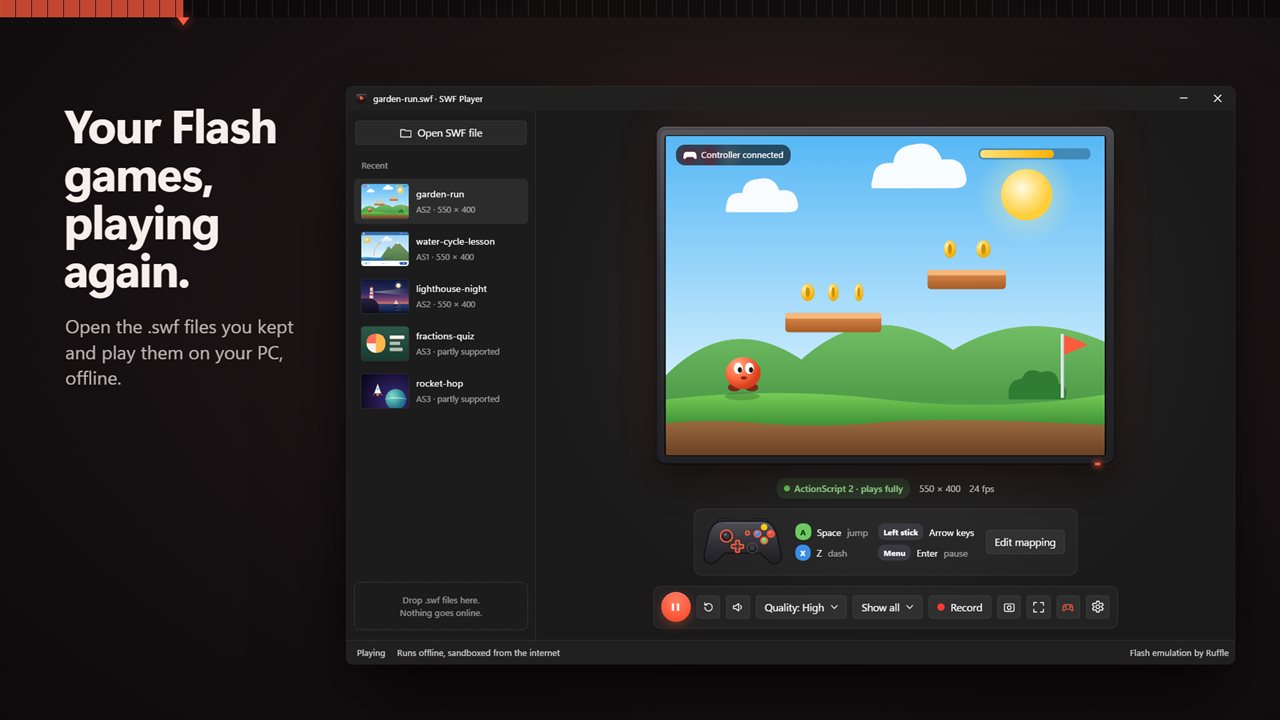
Open a file with Open SWF file or Ctrl+O, drag one onto the window, or set it as the program for .swf files and double-click away. It starts playing straight away, and a Recent shelf keeps your last ten movies with thumbnails so a favorite is one click away next time.

Before you get attached to a file, the player tells you what to expect. Each movie is labeled ActionScript 1, 2 or 3 alongside its stage size and frame rate.

Will an old Flash game play? Reading the ActionScript label

Flash content was written in three generations of ActionScript, and they are not equally easy to recreate. Movies marked ActionScript 1 or ActionScript 2 show plays fully; that covers most games and cartoons from the 2000s. Movies marked ActionScript 3 show partly supported, because that support is still growing: many AS3 games run, and some will not start at all.

Anything that depended on a server will not work either way. Movies are sandboxed from the internet and cannot open web pages, so levels downloaded at runtime, online leaderboards and logins have nothing to talk to. A self-contained .swf, which is what most saved files are, plays offline.

How to play Flash games with a controller

Most Flash games expected a keyboard. Turn on Play with a controller in Settings, plug in a gamepad, and the controller panel beside the stage shows Controller connected.

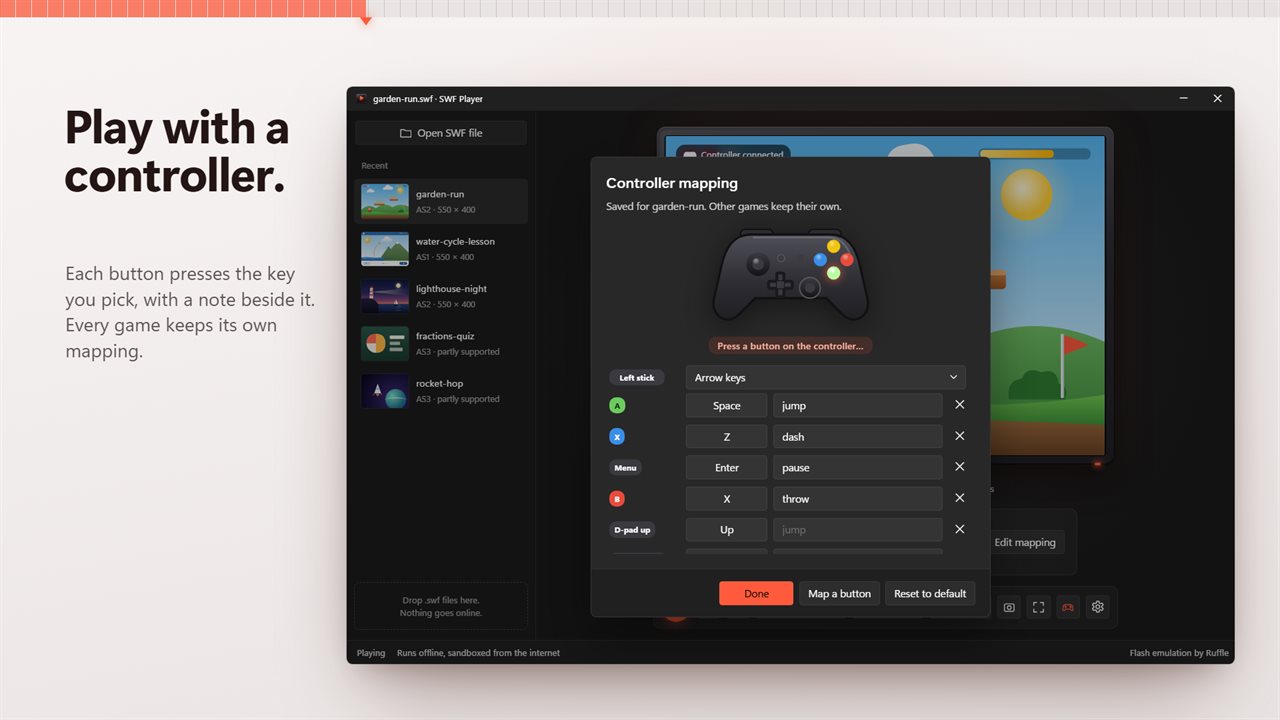
  • Each button sends a keyboard key. Out of the box A is Space, X is Z, Menu is Enter and the D-pad is the arrow keys.
  • Set Left stick to Arrow keys, W A S D or Not used.
  • Choose Edit mapping, then Map a button: press the controller button, then the key it should send. Fill in What it does with a note such as jump.
  • Mappings are saved for that game. Every other game keeps its own, or the starting mapping until you set one up.

Scale, quality and full screen

Old movies were authored at small, fixed sizes. Scale decides how one fits the window: Show all keeps the whole stage visible, Stretch to fill ignores the proportions, Fill and crop covers the stage and trims the edges, and Actual size draws it pixel for pixel. F11 goes full screen and Esc comes back, which is handy for showing a classroom animation on a projector.

Quality has four steps, Low, Medium, High and Best. Lower levels turn smoothing off, which can rescue a game that stutters, and the change applies when a movie starts.

Recording SWF playback to MP4 and taking screenshots

Record, or Ctrl+Shift+R, captures the stage with its sound and saves it as an MP4, or as WebM on a PC that cannot encode MP4. A REC timer shows while it runs. That makes it a practical route from a Flash cartoon to an ordinary video file you can keep or share. F12 saves the current frame as a PNG screenshot.

Features

  • Plays .swf files opened, dropped or double-clicked in File Explorer
  • ActionScript 1, 2 or 3 label with stage size and frame rate
  • Game saves kept between sessions, with a count of used save slots
  • Controller support with per-game button mapping and notes
  • Show all, Stretch to fill, Fill and crop and Actual size scaling
  • Low, Medium, High and Best quality
  • Full screen with F11
  • Video recording with sound, MP4 or WebM
  • PNG screenshots with F12
  • Recent shelf of the last ten movies; movies sandboxed from the internet

Who opens SWF files today

People with a folder of old games

Bring back the browser games you downloaded years ago, save progress intact, and play them with a gamepad on the couch.

Teachers and trainers

Reopen interactive lessons and classroom animations that were built in Flash and run them full screen in front of a class.

Animators and archivists

Check what an old project file contains, then capture its playback to video so it survives in a format anything can open.

Questions

Anything else? Ask us

Will my old Flash game or animation play?

Most likely, if it was made with ActionScript 1 or 2, which covers most older games and cartoons. ActionScript 3 support is partial: many games run, some will not start. The player shows which ActionScript version each movie uses as soon as it loads.

Do Flash games that need the internet work?

No. Movies are blocked from the network and from opening web pages, so games that load levels from a server, show online high scores or need a login will not work. Self-contained .swf files play offline.

Can I play Flash games with a controller?

Yes. Each controller button presses a keyboard key in the game, and the left stick can act as the arrow keys or W A S D. By default A is Space, X is Z, Menu is Enter and the D-pad is the arrow keys. You can change any button and add a note to it, and the mapping is saved for that game alone.

Does it keep my game saves?

Yes. Progress a game saves is kept between sessions, and the player shows how many save slots the current movie has used.

Can I record gameplay to a video?

Yes. Ctrl+Shift+R records the movie with its sound to an MP4 file, or to WebM on a PC that cannot record MP4. F12 saves the current frame as a PNG.

Does it open Flash projector .exe files or .flv videos?

No. It opens .swf files only, by Open, by dropping one on the window, or by double-clicking it in File Explorer.

How do I open SWF files on Windows 11?

Windows 11 has nothing built in that plays them. Install SWF Player, then double-click the .swf in File Explorer, drop it on the player window, or press Ctrl+O and pick it.

Can I play an SWF file full screen?

Yes. Press F11, or the Full screen button, and Esc brings the window back. The Scale setting applies in full screen too, so choose Show all to see the whole stage or Fill and crop to cover the screen edge to edge.

What are the keyboard shortcuts?

Ctrl+O opens a file, Ctrl+P plays or pauses, Ctrl+R restarts, Ctrl+M mutes, Ctrl+Shift+R records, F11 toggles full screen and F12 saves a screenshot.

Which versions of Windows does it run on?

Windows 10 (version 1809 or later) and Windows 11.

Is it a subscription?

No. SWF Player is a one-time purchase of $4.99, and updates are included.

How do I get it?

Buy it on this page and your license key arrives by email. If the button says Notify me, SWF Player is not on sale here yet; leave your email and we will tell you when it is.