EEvlarSoft

Installed Codec Scanner

A video codec checker that lists every codec Windows has and tells you, file by file, whether a video will play, play silently, or fail.

Buy for $1.99
One payment. No subscription.
14-day money-back guarantee.
5.0
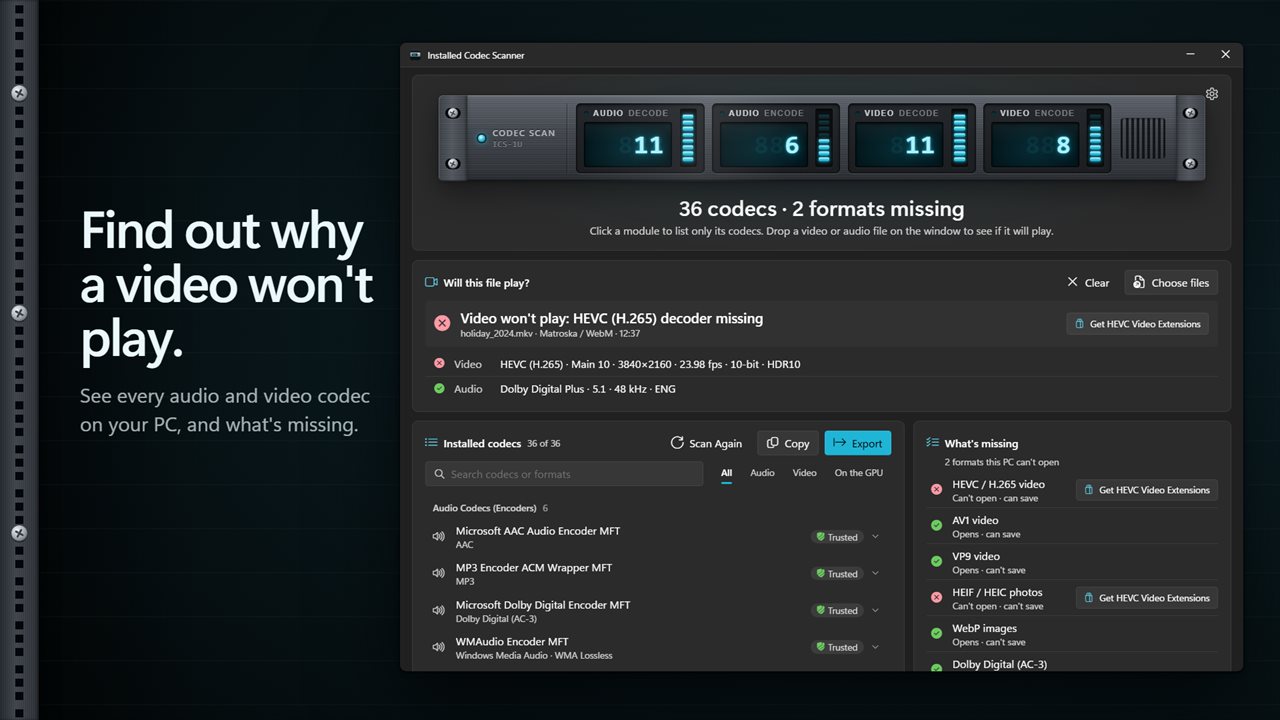
Find out why a video won't play.
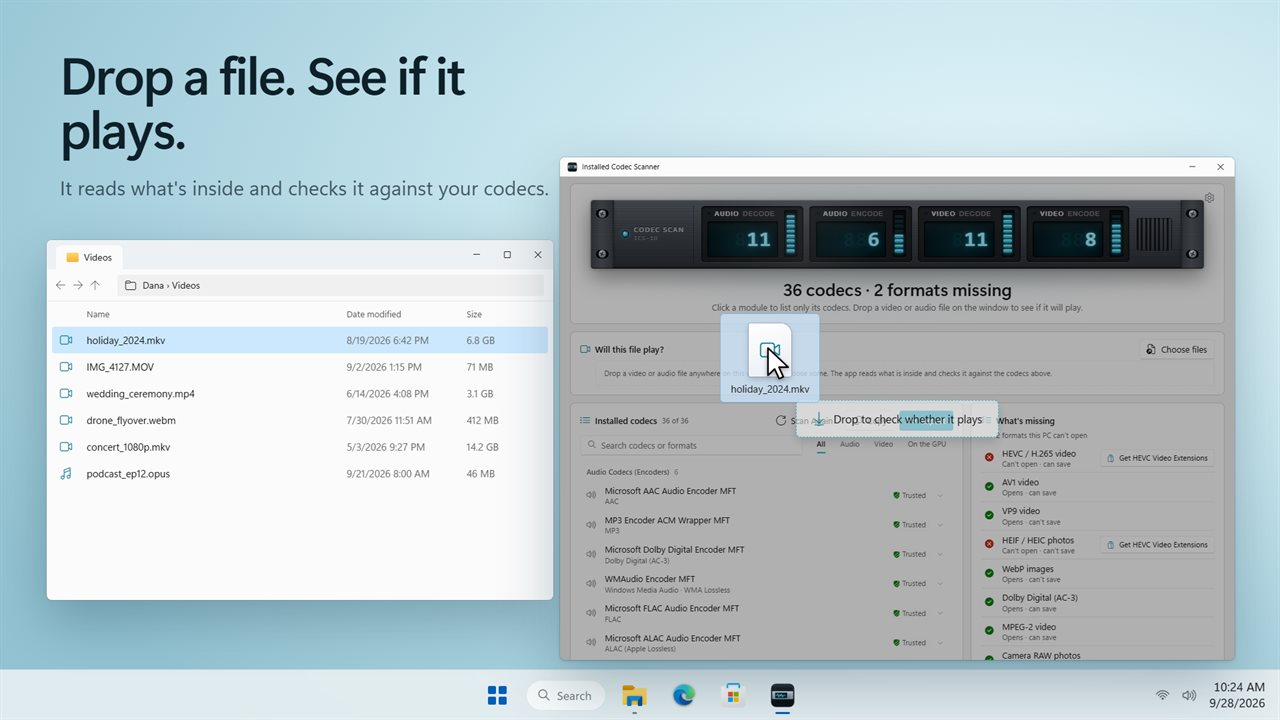
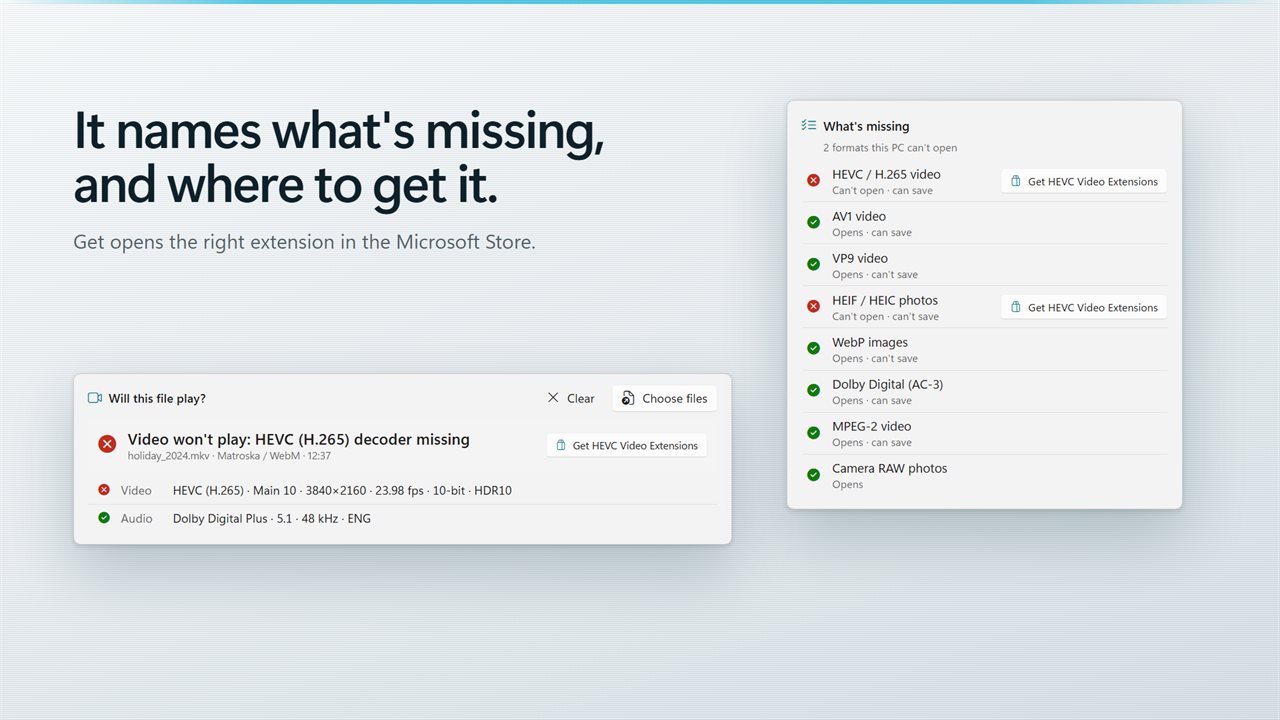
Drop a file on the window to see whether it plays.
It names what's missing, and opens the Store extension that adds it.
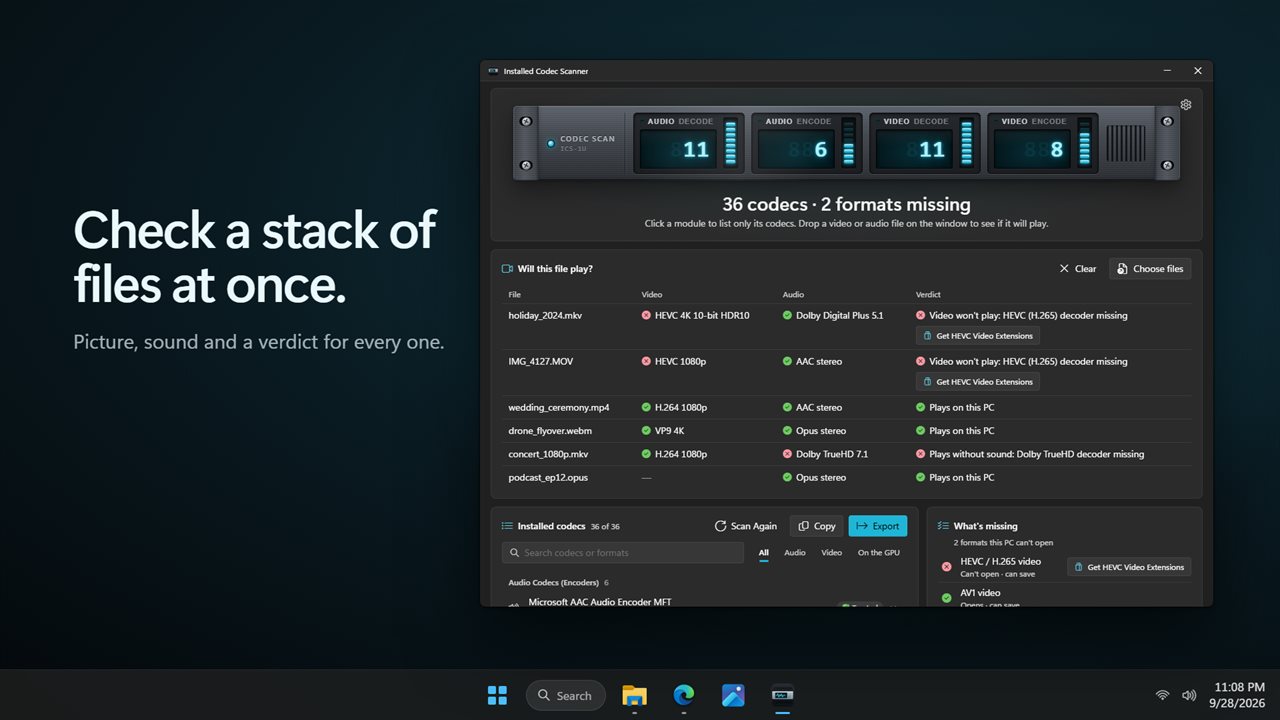
Check a stack of files at once.
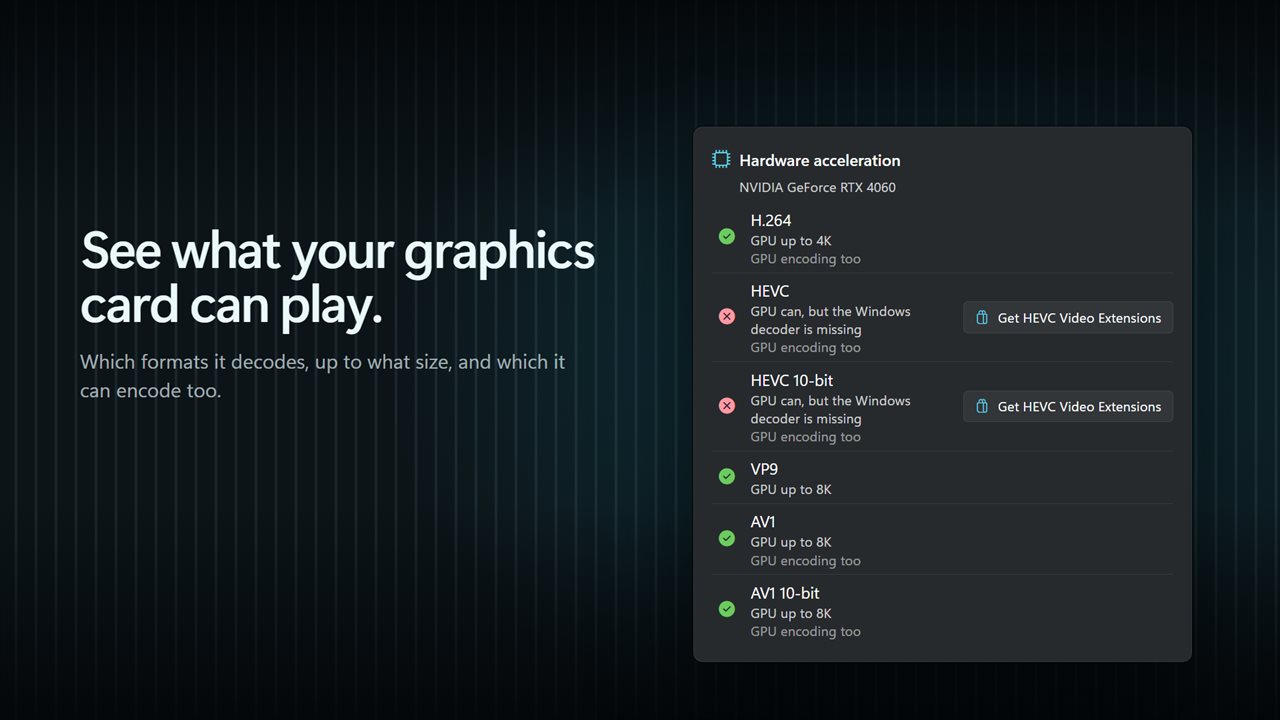
See what your graphics card can play, and at what size.
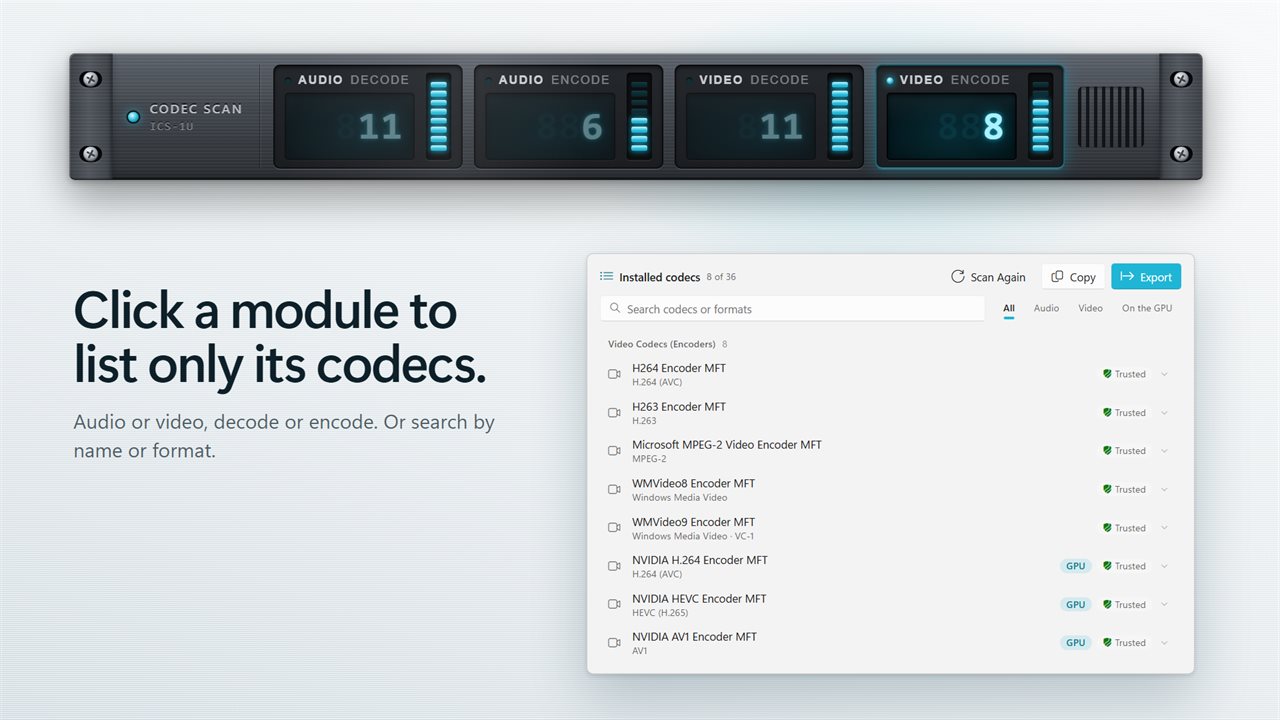
Click a module on the rack to list only its codecs.
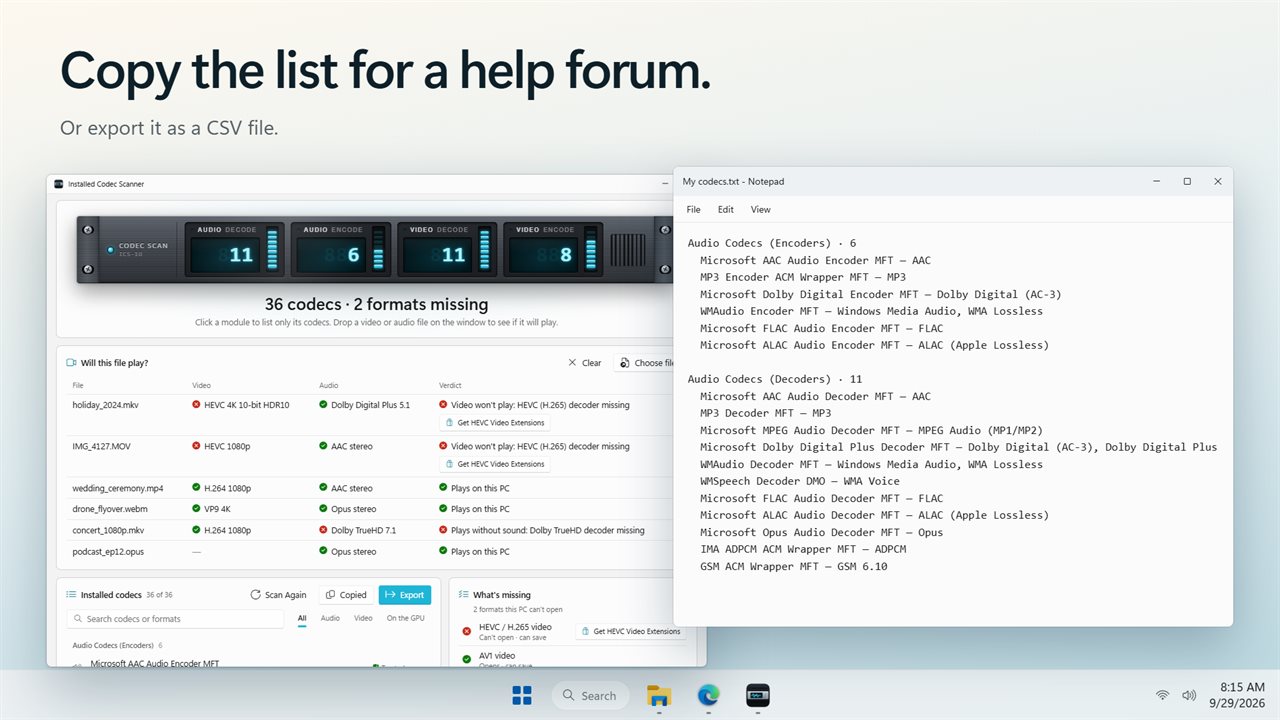
Copy the list for a help forum, or export it as a CSV file.

Find out why a video won't play.

190,000+downloads of EvlarSoft apps
Signed by EvlarSoftVerified US publisher
14-day money-backNo questions asked
Updates includedNo upgrade fees

Find out which codecs are installed, and which one a video needs

A video codec checker answers two questions that Windows itself keeps quiet about: what codecs are on this PC, and which one a particular file is asking for. Without that, the usual advice for a video that will not open is to install a big codec pack and hope.

Click Scan Codecs and the app reads the decoders and encoders that Windows Media Foundation has registered, the same set the built-in players use. The rack at the top splits them into four counts, decoding and encoding for sound and for picture. Encoders and decoders added by your graphics driver are tagged GPU.

Then drag a video or audio file onto the window. The app reads the streams inside, compares them with what is installed, and gives one of four verdicts: Plays, Won't play, Plays without sound, or Can't tell. The missing format is named, so you know exactly what to look for.

Fixing missing codec error 0xc00d5212

Error 0xc00d5212 appears when a player opens a file whose video or audio format has no decoder on the PC. It often shows up with MKV or MP4 files recorded in HEVC, AV1 or with Dolby Digital sound, and the message never says which part is missing.

Drop the file on the checker. If the picture is fine but the sound is not, you see Plays without sound and the audio format at fault. If the video stream is the problem, the verdict is Won't play and the video format is listed. Each file also shows resolution, frame rate, bit depth, HDR type, channels and language where the file records them, which helps when two copies of the same film behave differently.

Some errors with this code come from copy protection or a damaged file rather than a codec. When every stream checks out and the file still fails, that is the likely cause.

Is the HEVC codec installed on Windows 11? Check it and seven more

The What's missing panel tests the eight formats people run into most: HEVC, AV1, VP9 and MPEG-2 video, HEIC, WebP and camera RAW photos, and Dolby Digital sound. Each row says whether this PC can open the format and, for all but RAW, whether it can also save it. A missing one gets a Get button naming the official Windows extension, such as HEVC Video Extensions or AV1 Video Extension. Dolby Digital has no such extension, so it gets no button.

Check GPU video decoding support

Hardware acceleration matters for battery life and smooth 4K playback. The Hardware acceleration report covers H.264, HEVC, HEVC 10-bit, VP9, AV1 and AV1 10-bit. For each it shows the largest size the GPU decodes, such as 1080p, 4K or 8K, or says the work falls back to the processor. It also catches the frustrating case where the card supports a format but Windows lacks the decoder that would use it, and marks the formats the GPU can encode too.

Share the codec list

Someone helping on a forum will usually ask what you have installed. Copy puts the full list on the clipboard as plain text, grouped by role, and Export saves Installed codecs.csv with name, kind, role, formats, hardware and trust columns. Search codecs or formats narrows a long list, and right-clicking a row copies its name, formats or details.

Features

  • Lists every Media Foundation audio and video decoder and encoder
  • GPU-provided codecs marked, with trusted or untrusted status
  • Rack modules filter the list to one of four codec groups
  • Drop one file or a whole batch for a playback verdict per file
  • Spots videos that will play without sound
  • Stream detailsFormat, resolution, frame rate, bit depth, HDR, channels, language
  • Eight-format check with a link to each missing extension
  • GPU decode report with the top resolution per format, plus encode support
  • Copy as text or export to CSV
  • Optional scan when the app opens

What's new in 2.0.3

  • New: drop a video or audio file on the window to find out whether it will play, and what it needs
  • New: the Get button opens the right Microsoft Store extension for a missing format
  • New: a hardware acceleration report for your graphics card
  • New: the codec rack. Click a module to list only its codecs
  • New: search, filters, and copy or export the list
  • New: light and dark themes

Questions

Anything else? Ask us

Can it tell me why a video won't play on my PC?

Yes. Drop the file on the window and it reads the video and audio streams inside, then checks each one against the codecs Windows has. The verdict is Plays, Won't play, Plays without sound, or Can't tell, and it names the format that is missing.

Does it install missing codecs?

No. It installs nothing itself. For HEVC, AV1, VP9, MPEG-2, HEIC, WebP and camera RAW it has a Get button that opens the matching Microsoft extension in the Store, and Dolby Digital is reported without a Store link because Windows has no extension for it.

Which codecs does it list?

The audio and video decoders and encoders that Windows Media Foundation reports, including the hardware encoders and decoders your graphics driver adds. Codecs that a player such as VLC carries inside itself are not registered with Windows, so they do not appear and do not count toward the verdict.

Can I check several files at once?

Yes. Drop or choose a stack of video and audio files and each one gets its own row with its video, its audio and a verdict. Each file also lists format, resolution, frame rate, bit depth, HDR type, channels and language where the file says so.

Does it show what my graphics card can decode?

Yes. The hardware acceleration report covers H.264, HEVC, HEVC 10-bit, VP9, AV1 and AV1 10-bit, and for each one says whether the graphics card decodes it at up to 1080p, 4K or 8K. It also flags a format the card could play while the Windows decoder for it is missing.

Can I export the codec list?

Yes. Copy puts the whole list on the clipboard as text grouped by audio and video encoders and decoders, and Export saves a CSV file with each codec's name, kind, role, formats, hardware and trust columns.

How do I see which codecs are installed on Windows 11?

Windows has no built-in list. Open the app and click Scan Codecs; it reads the registered Media Foundation codecs and shows them grouped as audio and video decoders and encoders.

Why does my MP4 play with no sound?

The audio track uses a format the PC has no decoder for, often a surround format such as Dolby Digital, while the video track decodes fine. Drop the file on the app and it reports Plays without sound and names the audio format.

Which versions of Windows does it run on?

Windows 10 (version 1809 or later) and Windows 11.

Is it a subscription?

No. Installed Codec Scanner is a one-time purchase of $1.99, and updates are included.

How do I get it?

Buy it on this page and your license key arrives by email. If the button says Notify me, Installed Codec Scanner is not on sale here yet; leave your email and we will tell you when it is.