EEvlarSoft

Daily Quotes

An inspirational quotes desktop widget shaped like a paper day calendar, with a fresh, properly credited quote on each page you tear away.

Buy for $1.99
One payment. No subscription.
14-day money-back guarantee.
4.0
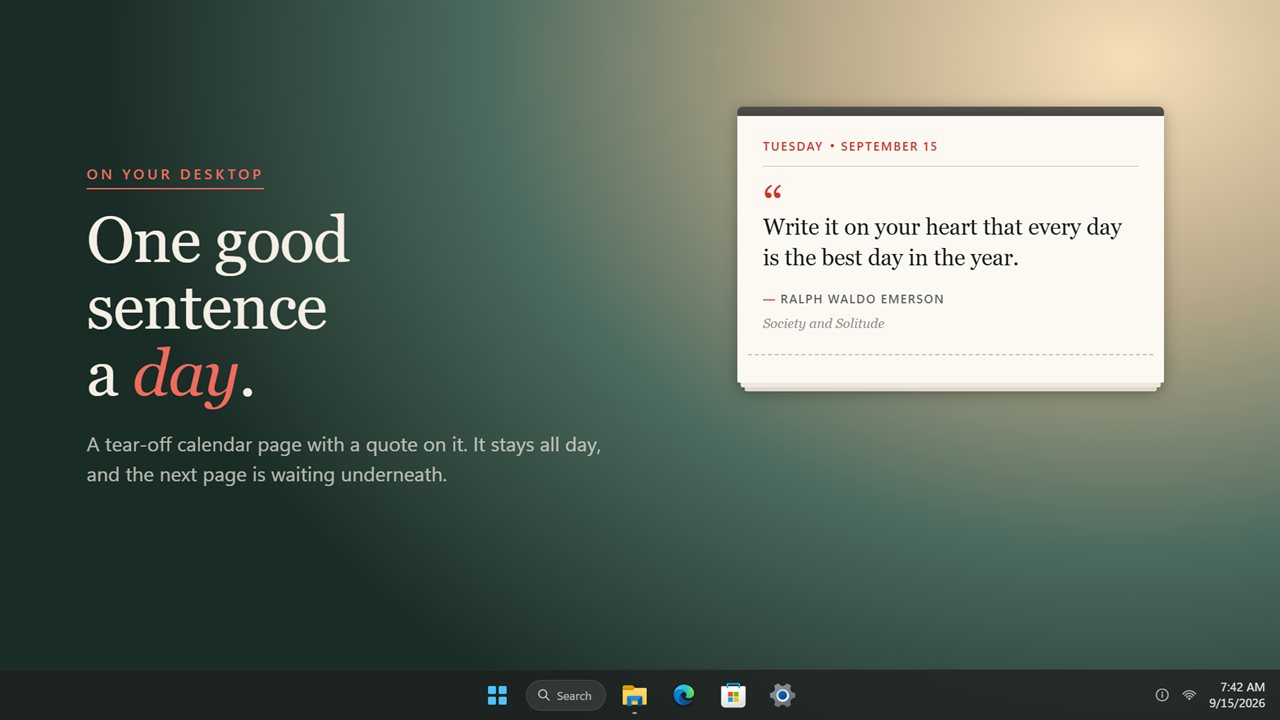
A tear-off calendar page on your desktop, with a new quote every day.
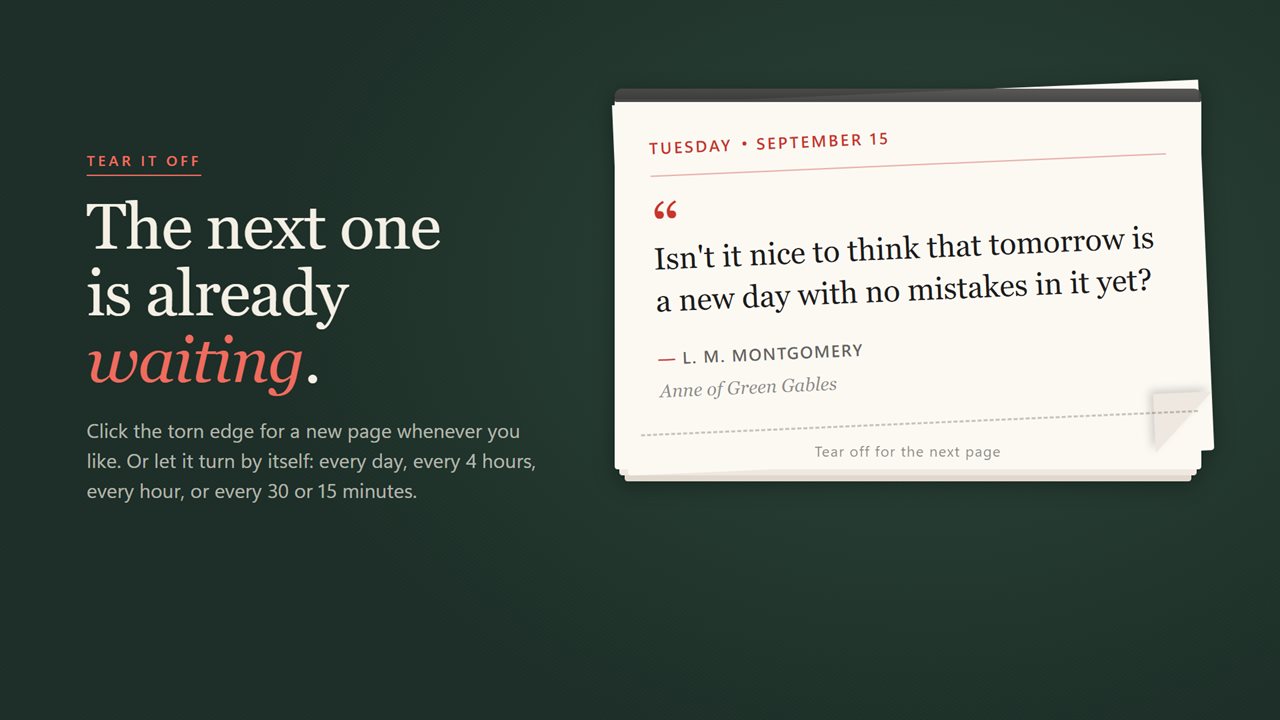
Click the torn edge to tear off the page. The next quote is underneath.
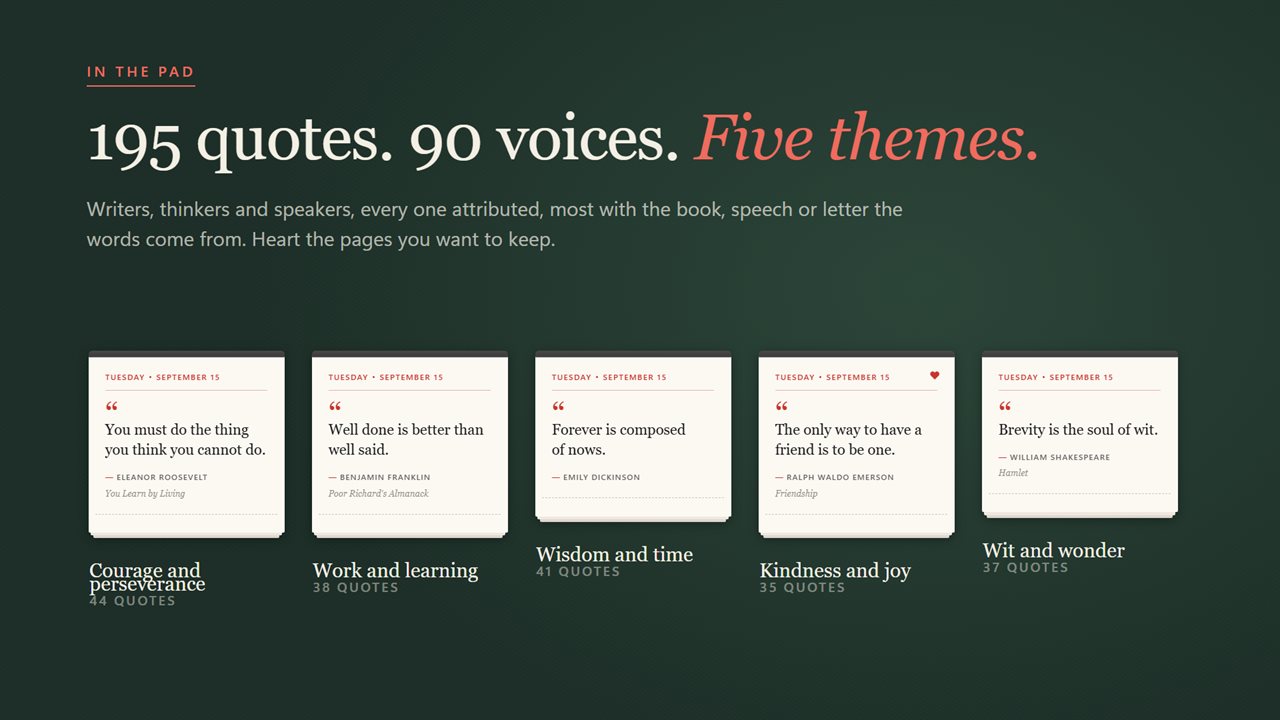
195 attributed quotes from 90 voices, across five themes. Keep the ones you love.
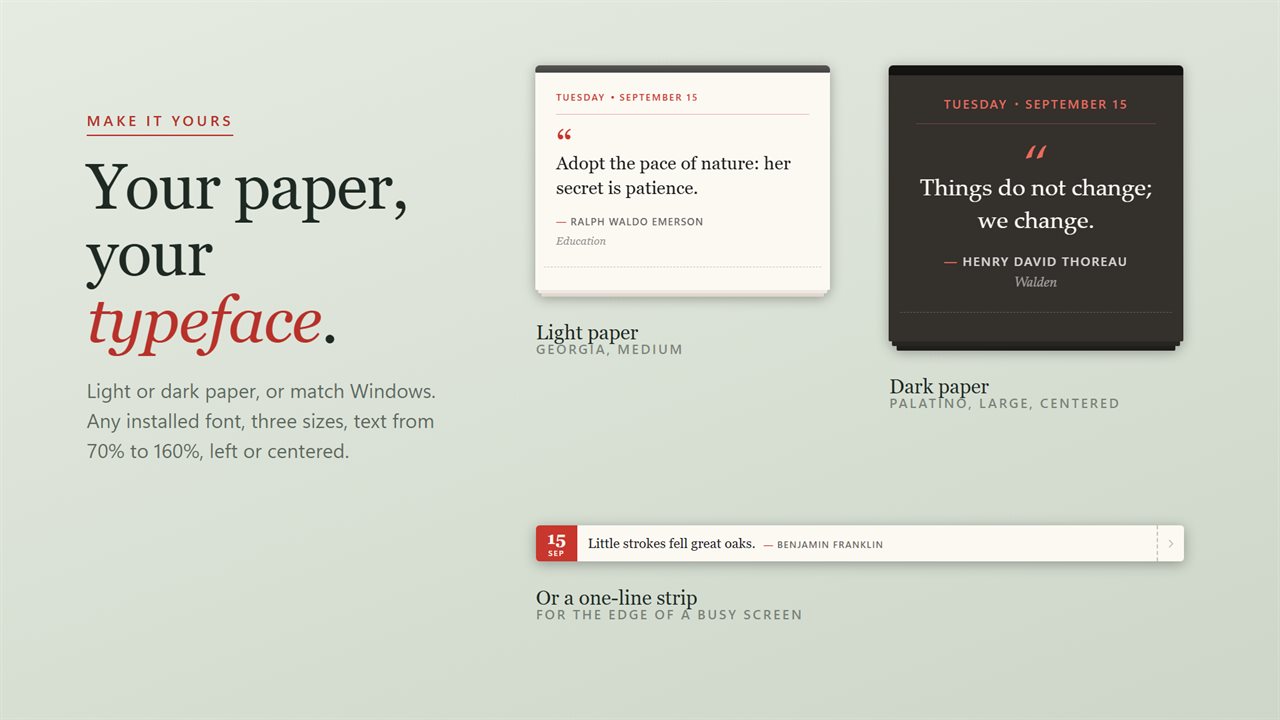
Light or dark paper, any installed font, three sizes, or a slim one-line strip.
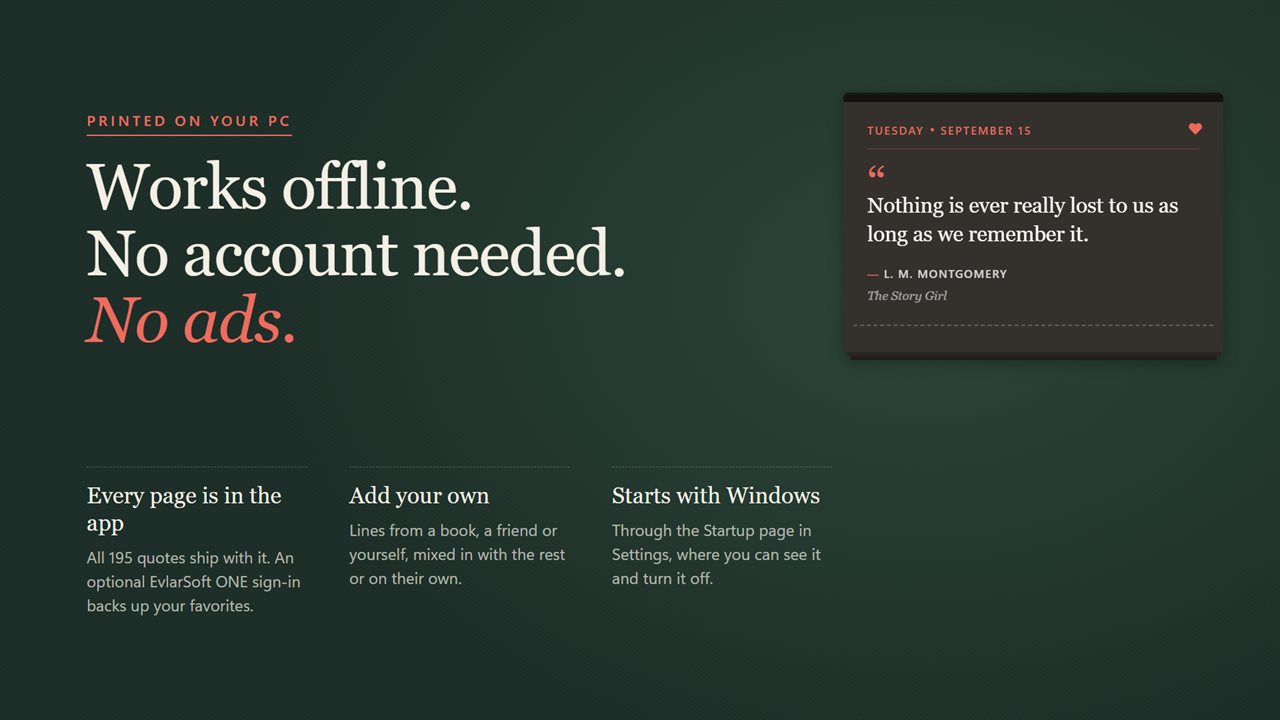
Works offline, no account needed, no ads. Add your own quotes, and start it with Windows.

A tear-off calendar page on your desktop, with a new quote every day.

190,000+downloads of EvlarSoft apps
Signed by EvlarSoftVerified US publisher
14-day money-backNo questions asked
Updates includedNo upgrade fees

An inspirational quotes desktop widget you actually read

A quote of the day buried in a browser tab gets seen once, if that. This inspirational quotes desktop widget puts a small paper calendar page on your Windows desktop instead: today's date at the top, one quote set in large type, and its author credited underneath. It stays on that page until the day changes, then a new sheet takes its place.

The collection is 195 quotes from 90 people, and 167 of them carry a source. Shakespeare, Thoreau, Twain, Emerson, Franklin, Seneca, Marcus Aurelius and Helen Keller are all in there, and with Show where it is from switched on, the book, speech or letter appears under the name. Turn it off if you want only the words and the author.

Every PC shuffles the collection into its own order, and nothing repeats until you have been through everything you have switched on. A week of mornings never shows the same line twice.

Quote of the day for your desktop, or every 15 minutes

The setting called A new page decides the pace. Every day is the default. Every 4 hours, Every hour, Every 30 minutes and Every 15 minutes suit people who like a steady stream, and Only when I tear one off hands the timing to you.

To move on early, click the torn edge at the foot of the page and the sheet comes away to reveal the next one. The right-click menu adds Previous page and Later page for stepping through the 60 pages you saw most recently, plus Copy quote, which copies the words along with the author.

Choose motivational quotes by theme, or write your own

Quotes are grouped into five themes you can switch on or off individually: Courage and perseverance, Work and learning, Wisdom and time, Kindness and joy, and Wit and wonder. Someone after a push at work might keep only the first two; someone who wants a lighter desk can leave Wit and wonder running alone.

Click the heart on any page to save it. Under Quotes from, pick Only my favorites to replay the ones that landed. The Your own quotes section has an Add a quote button with a Quote field of up to 300 characters and a Said by field, so a line from a mentor, a book you are reading or your own resolution can join the rotation or be shown on its own with Only my own quotes.

Three ways to show it on the desktop

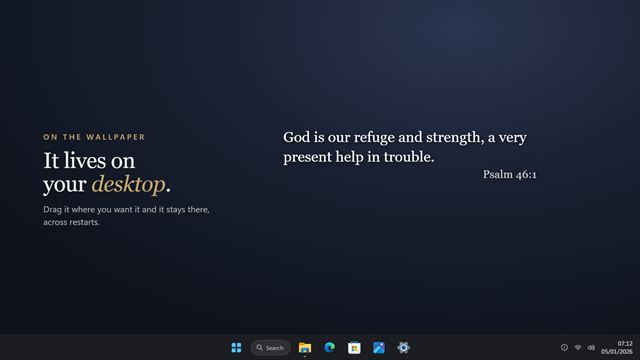
Shape offers Calendar page in Small, Medium or Large, a One-line strip for the top or bottom edge of a monitor, and Just the words, which drops the paper and writes the quote straight onto your wallpaper in a text color you pick.

Typeface accepts any installed font; Georgia gives it the look of print. Text size runs from 70% to 160%, Alignment is Left or Centered, and Paper is Light, Dark or Match Windows. Sits keeps it On the desktop beneath your apps, or Above other windows. It remembers where you dragged it.

What is on the page

  • 195 attributed quotes from 90 people, with sources named where known
  • Five themes that can each be switched off
  • A personal shuffle with no repeats until the set is exhausted
  • New page every day, every 4 hours, hourly, every 30 or 15 minutes, or on demand
  • Click the torn edge to move to the next page
  • Step back through the last 60 pages and copy any quote with its author
  • Favorites, and your own quotes of up to 300 characters
  • Calendar page in three sizes, a one-line strip, or bare text on the wallpaper
  • Any installed typeface, 70% to 160% text, light or dark paper
  • Start with Windows switch

Where a daily quote earns its spot

A home office that needs a lift

One good sentence by the clock each morning is a small, steady reason to start the day well.

Teachers and classroom PCs

Leave Work and learning on, use the strip along the projector screen's edge, and every lesson opens with a credited quote.

Keeping your own sayings close

Add the advice you keep forgetting, set Quotes from to Only my own quotes, and your desktop reminds you of it on schedule.

Questions

Anything else? Ask us

How many quotes does it come with?

195 quotes from 90 people, split across five themes: courage and perseverance, work and learning, wisdom and time, kindness and joy, and wit and wonder. You can switch off any theme you do not want.

Will I see the same quote twice in a week?

No. Each PC gets its own shuffled order, and no quote comes back until every quote in your selection has been shown.

Can I add my own quotes?

Yes. Add a quote of up to 300 characters with the name of who said it, and it joins the calendar. You can also show only your own quotes, or only your favorites.

Can it show a new quote more often than once a day?

Yes. A new page can come every 4 hours, every hour, every 30 or 15 minutes, or only when you tear one off. Click the bottom edge of the page to tear it off at any time.

Can I go back to a quote I saw earlier?

Yes. The right-click menu steps back through your last 60 pages, and from there you can copy a quote with its author or add it to your favorites.

Does it have to look like a calendar page?

No. Besides the calendar page in small, medium or large, there is a one-line strip and a Just the words layout that puts the quote straight on the wallpaper in a color you choose.

Who are the quotes by?

90 different people. The most frequent include William Shakespeare, Henry David Thoreau, Mark Twain, Ralph Waldo Emerson, Benjamin Franklin, Seneca, Oscar Wilde and Confucius.

Can I copy a quote to share it?

Yes. Right-click the page and choose Copy quote. The text goes to the clipboard together with the name of who said it.

Can the widget stay on top of other windows?

Yes. Set Sits to Above other windows. The default, On the desktop, keeps it at wallpaper level under your apps.

Which versions of Windows does it run on?

Windows 10 (version 1809 or later) and Windows 11.

Is it a subscription?

No. Daily Quotes is a one-time purchase of $1.99, and updates are included.

How do I get it?

Buy it on this page and your license key arrives by email. If the button says Notify me, Daily Quotes is not on sale here yet; leave your email and we will tell you when it is.

Prefer widgets? The Daily Quote widget on WidgetSpark does a similar job, alongside over 100 other desktop widgets in one app.