EEvlarSoft

Desktop Verses

A Bible verse desktop widget that writes today's King James verse directly on your Windows wallpaper and keeps it there until tomorrow.

4.1
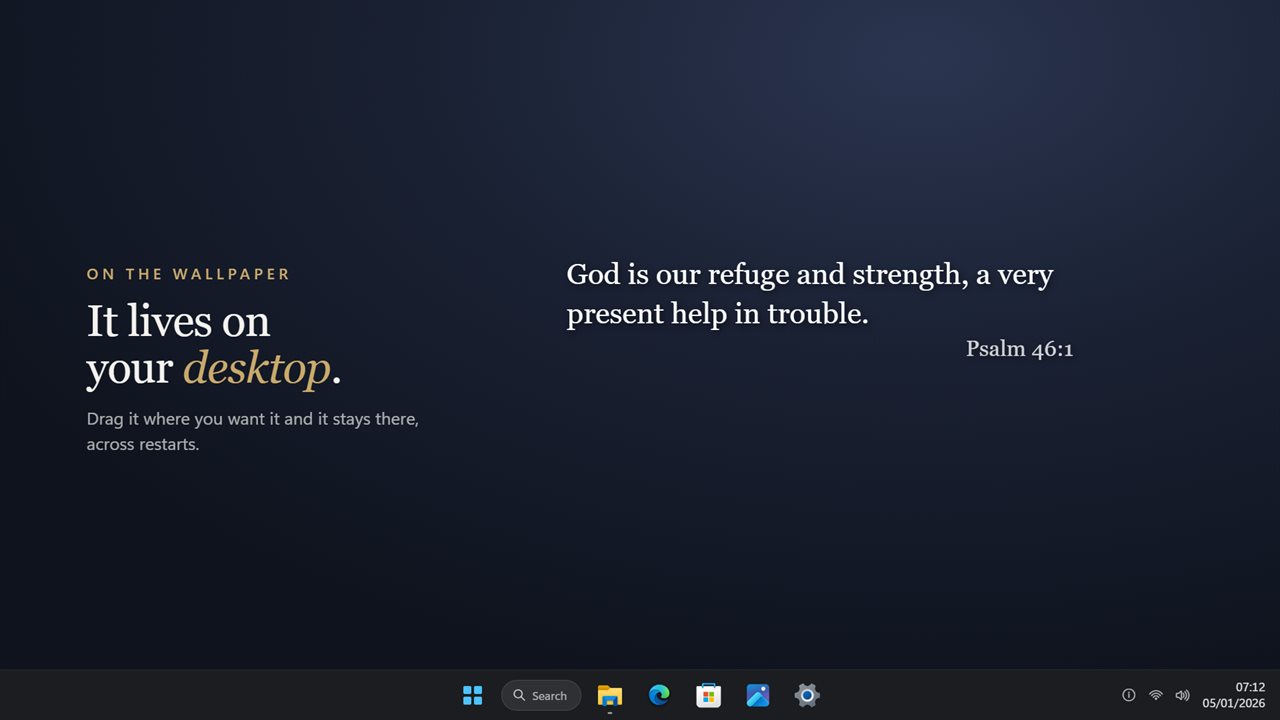
It sits on your desktop, wherever you drag it — and stays there across restarts.
No box, no frame. Just the verse on your wallpaper, with the reference underneath.
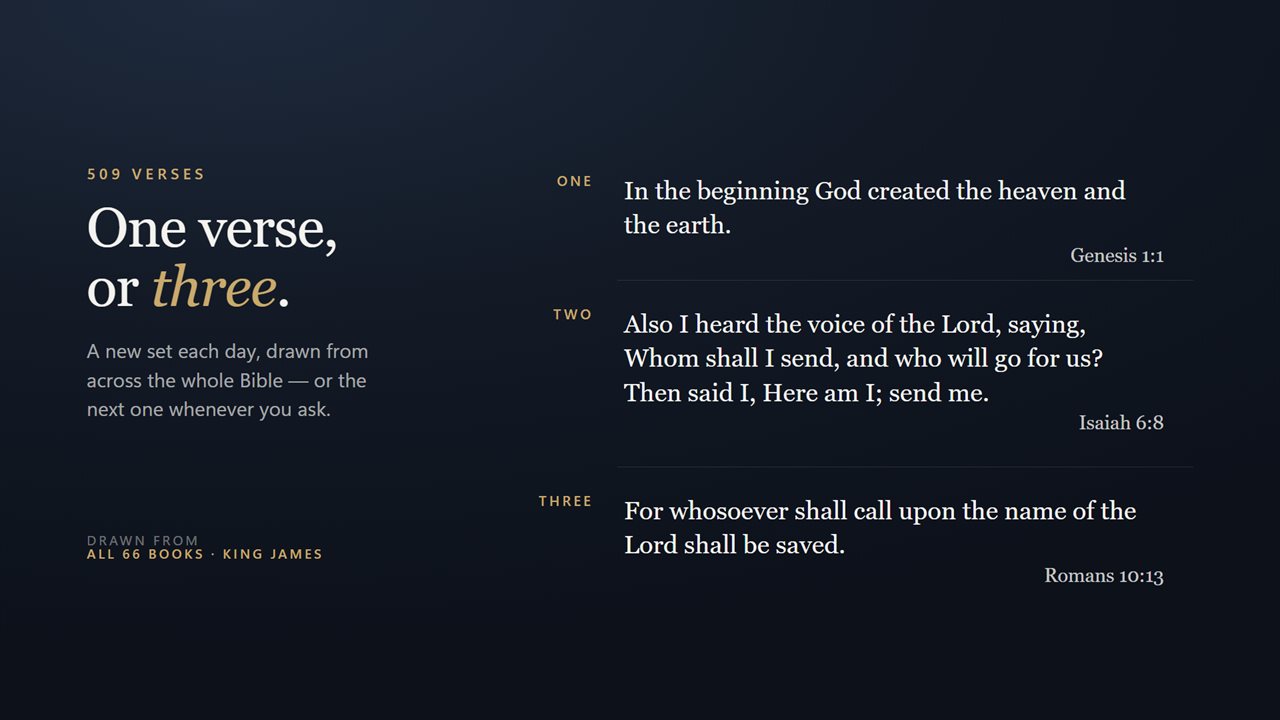
One verse, or two, or three — a new set each day, drawn from across the whole Bible.
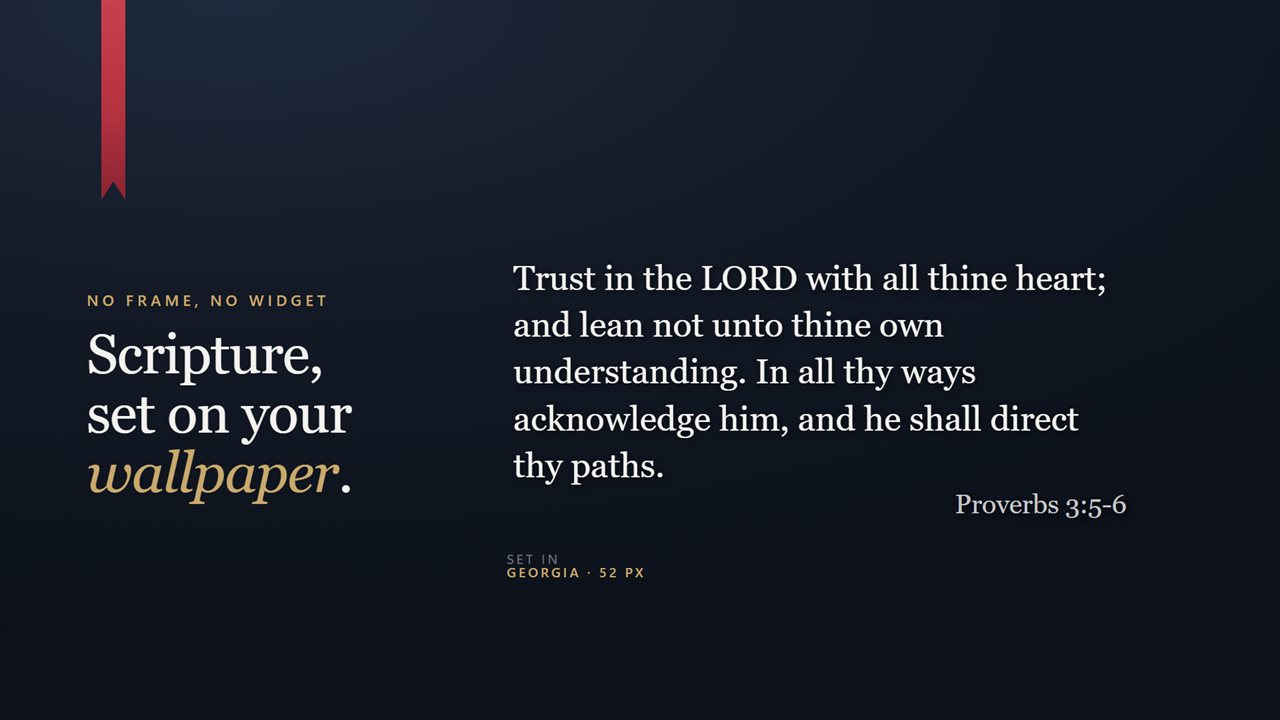
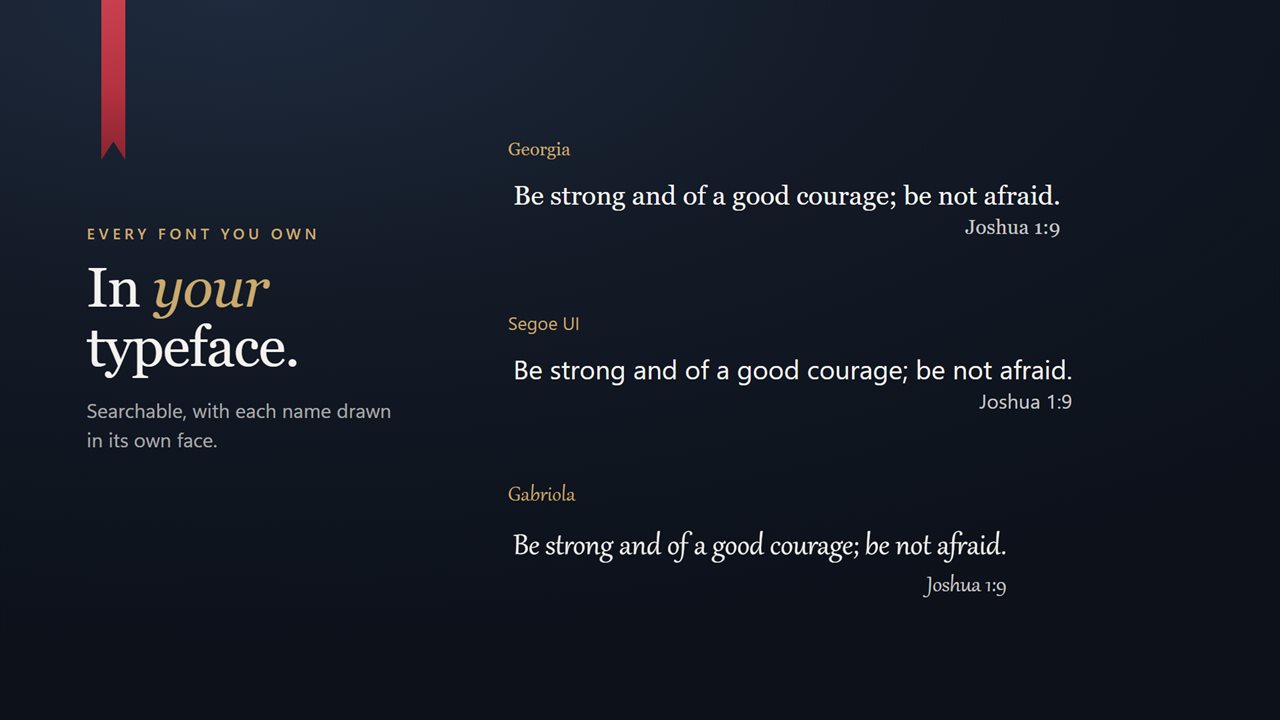
In your typeface. Every font on your PC, searchable, each name drawn in its own face.
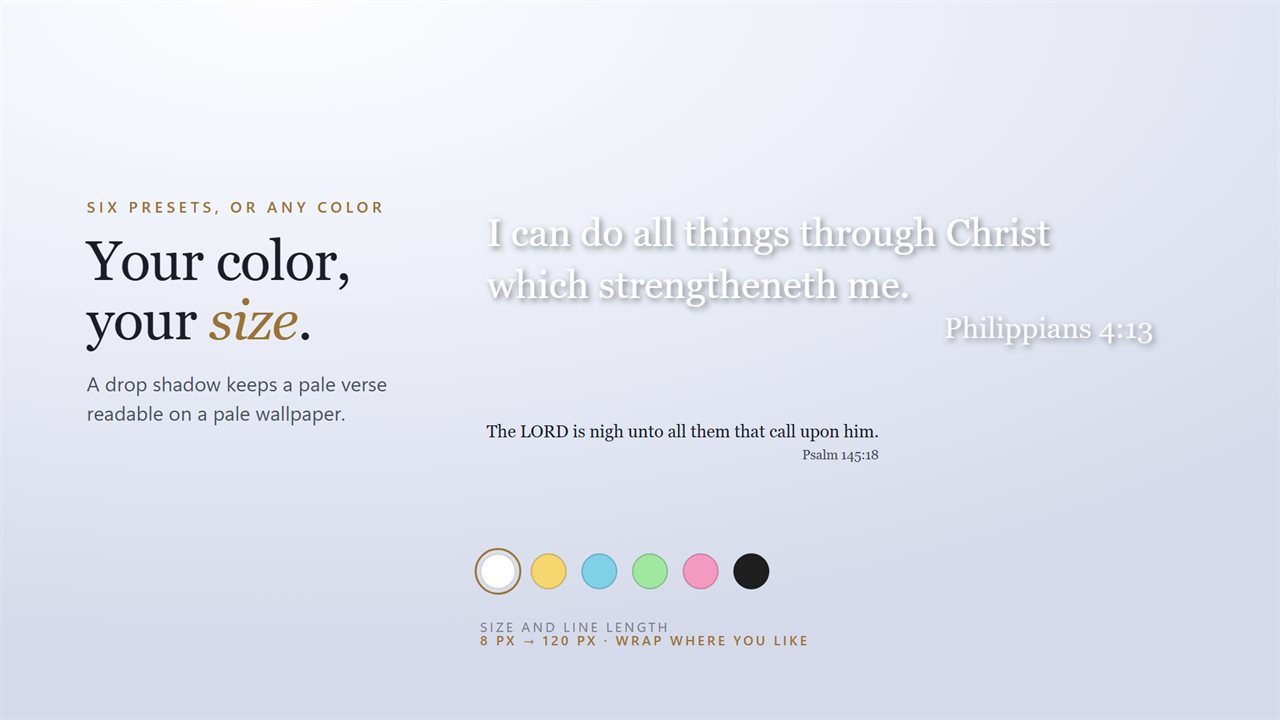
And your color and size, with a drop shadow that keeps a pale verse readable.
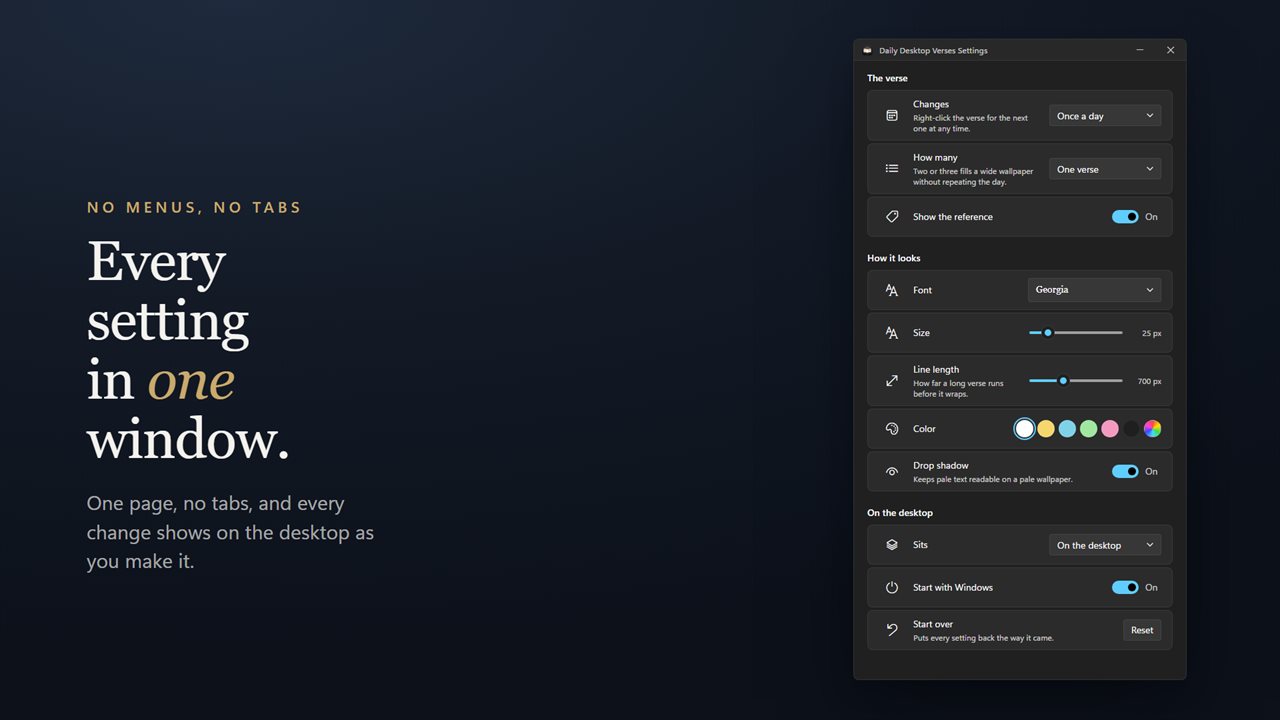
Every setting in one window, and every change shows on the desktop as you make it.

It sits on your desktop, wherever you drag it — and stays there across restarts.

190,000+downloads of EvlarSoft apps
Signed by EvlarSoftVerified US publisher
Free, no stringsNo timer, no sign-up
Kept up to dateEvery version, free

A Bible verse desktop widget that looks like part of your wallpaper

Most ways of keeping scripture on screen involve a card, a sidebar or a browser tab. This Bible verse desktop widget does something simpler: it prints the verse in plain type on top of your wallpaper, with its reference in smaller text below, and nothing else around it. Your icons, your photo and your open windows all stay where they were.

The library holds 509 King James Version verses, and every one of the 66 books contributes at least one, from Genesis to Revelation. That spread is deliberate. You get Leviticus and Habakkuk as well as John 3:16, so the desktop does not cycle through the same dozen favorites.

Which verse you see is worked out from today's date rather than picked at random. Restart the PC at lunchtime and the morning's verse is still there. The order is arranged so that all 509 appear once before any of them returns, which on the daily setting is roughly sixteen months of mornings.

How to put a daily Bible verse on your desktop

Install the app and a verse appears on the desktop straight away. From there, a few minutes in settings makes it yours:

  • Drag the verse to the empty part of your wallpaper where it reads best. It remembers that spot after a restart.
  • Open settings from the tray icon and pick how often it moves on under Changes: Once a day, Once an hour, or Only when you ask.
  • Under How many, choose One verse, Two verses or Three verses. A stack takes passages roughly a third of the library apart, so they come from different parts of the Bible.
  • Turn on Start with Windows so a fresh verse is already waiting when you sign in.
  • Want something new before the day is out? Right-click the text and choose Next verse.

Make the KJV verse of the day match your wallpaper

Because the words sit directly on your background, styling is what makes them legible. The Font row lists every typeface installed on your PC, so a serif you already own can give the King James text the weight it has on a printed page.

Size runs from 8 to 120 px. Line length, from 240 to 1600 px, decides how far a long verse travels before it wraps: keep it narrow for a tidy column beside your icons, or open it up for one wide line across a widescreen monitor.

Color comes with six presets, from white and gold to near-black, plus a picker for any other shade. On a bright photo, switch on Drop shadow and pale lettering stays readable. If you prefer the words alone, turn off Show the reference.

Behind your windows, or on top of them

The Sits setting has two choices. On the desktop keeps the verse at wallpaper level, so it is there each time you minimize everything and never covers your work. Above other windows keeps it visible over every app, which suits a second monitor or a verse you are trying to memorize this week. Either way it stays out of Alt+Tab, and the tray menu has a Show/Hide Verse entry for the moments you want a clean screen.

What the widget does

  • 509 King James Version verses, covering all 66 books
  • Verse is set by the date, so it holds through restarts
  • Changes once a day, once an hour, or only when you ask
  • Shows one, two or three verses at a time, spaced across the Bible
  • Any installed font, sized from 8 to 120 px
  • Adjustable line length from 240 to 1600 px
  • Six color presets plus a custom color picker, with an optional drop shadow
  • Reference line that can be shown or hidden
  • Wallpaper level or always on top, and absent from Alt+Tab
  • Start with Windows switch that registers on the Windows Startup page

Who keeps a verse on their desktop

A morning devotional habit

One verse a day, unchanged until midnight, gives you a single line of scripture to return to between meetings and emails.

Memorizing scripture

Set Changes to Only when you ask and the same passage stays in front of you until you have it by heart, then move on with Next verse.

Church and ministry offices

On a shared front-desk or office PC, a quiet verse on the wallpaper sets the tone without adding another app window to manage.

What's new in 2.0.10

  • 509 verses, up from 233, covering all 66 books. The old list was heavily weighted to a handful of them
  • Every verse now in the King James Version, where the old list mixed translations mid-rotation
  • "Daily" actually holds. The verse is chosen by the date, so it no longer changes every time the app restarts
  • The verse can now change hourly, or stay put until you ask for the next one
  • Show one verse, two or three at once. A stack is spread across the whole Bible rather than taken from one page
  • Right-click for the next verse
  • Size is a slider from 8px to 120px, and line length is adjustable — the old version wrapped at a fixed width
  • The reference can be hidden
  • A drop shadow for pale wallpapers
  • Pin above other windows
  • Start with Windows, registered on the Windows Startup page so you can control it there
  • Your existing settings, including your font and color, are carried over on first launch
  • Lighter on memory

Questions

Anything else? Ask us

Which Bible translation does it use, and how many verses are there?

The King James Version. There are 509 verses, and every one of the 66 books has at least one.

Does the verse change every time I restart my PC?

No. The verse is chosen from the date, so it stays the same all day and is still there after a restart. It goes through all 509 before any verse comes back.

Can it change more or less often than once a day?

Yes. It can change once an hour, or only when you ask. Right-click the verse and choose Next verse to move on at any time.

Can I show more than one verse at a time?

Yes, up to three. A stack is taken from points about a third of the list apart, so the verses come from different parts of the Bible rather than the same chapter.

Will it cover my windows or show up in Alt+Tab?

By default it sits on the wallpaper, underneath your open windows. You can pin it above other windows from the right-click menu or settings. It does not appear in Alt+Tab.

Does it need an internet connection?

No. The verses are built into the app, so it shows them with no connection at all.

How long before a verse repeats on the daily setting?

All 509 verses are shown once before any comes back. At one verse a day, that cycle lasts about sixteen months.

Can I use my own font for the Bible verse?

Yes. The Font setting lists every font installed on your PC, and each name is previewed in its own typeface.

How do I hide the verse for a while without closing the app?

Use Show/Hide Verse in the tray icon's menu. Choosing it again brings the verse back in the same place.

Which versions of Windows does it run on?

Windows 10 (version 1809 or later) and Windows 11.

Is it free?

Yes. Desktop Verses is free to download.

How do I get it?

Download it from this page. If the button says Notify me, Desktop Verses is not ready to download here yet; leave your email and we will tell you when it is.

Prefer widgets? The Bible Verse widget on WidgetSpark does a similar job, alongside over 100 other desktop widgets in one app.