Why use a BMI tracker instead of a BMI calculator?
A BMI calculator answers one question once. A BMI tracker keeps the answers, so you can see whether the number is drifting up, holding steady or coming down. BMI Tracker is a small weight diary for your PC that works out the figure for you on every entry.
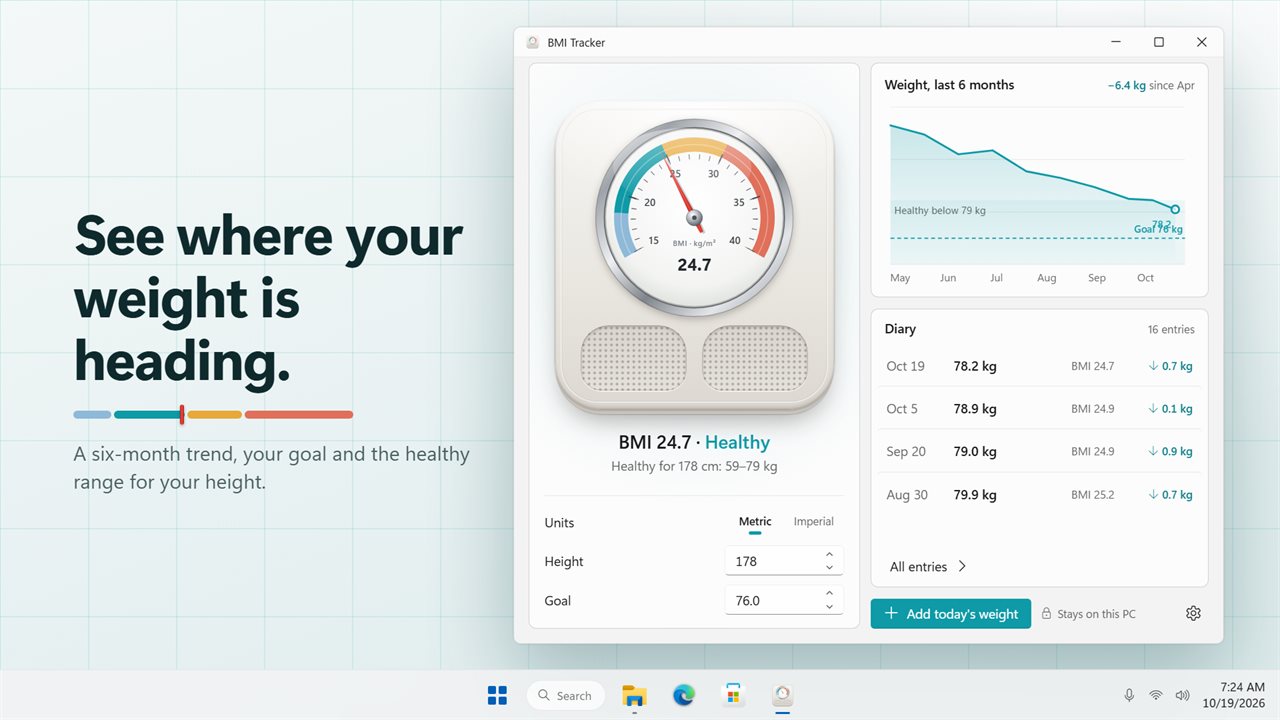
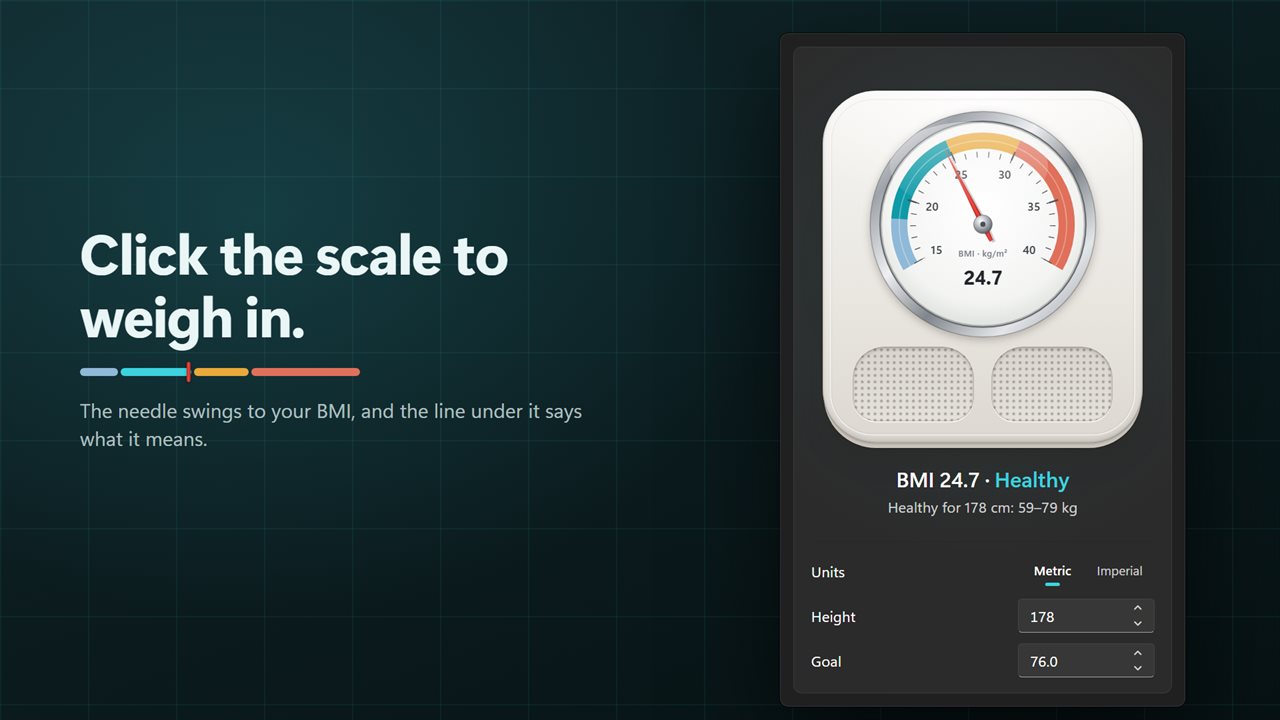
The main window is drawn as a bathroom scale. Click the dial, enter today's weight, and the pointer sweeps around a face that runs from BMI 15 to 40. Underneath, one line gives the reading and its band, for example BMI 24.7 · Healthy, and the span of healthy weights for your height sits below it.
Set your height once under Height, in centimeters or in inches. Every reading after that is calculated from weight and height the standard way: kilograms divided by height in meters squared.
BMI ranges, in plain words
Instead of clinical labels, each reading gets a short description. The bands are the standard adult cut-offs, judged on the one-decimal figure you see on screen:
- Below 18.5: Below healthy, a little under the healthy range for your height.
- 18.5 to 24.9: Healthy, inside the range that suits your height.
- 25 to 29.9: Above healthy, a little over the range.
- 30 and up: Well above healthy, with the reminder that small steps count.
Your healthy weight range for your height
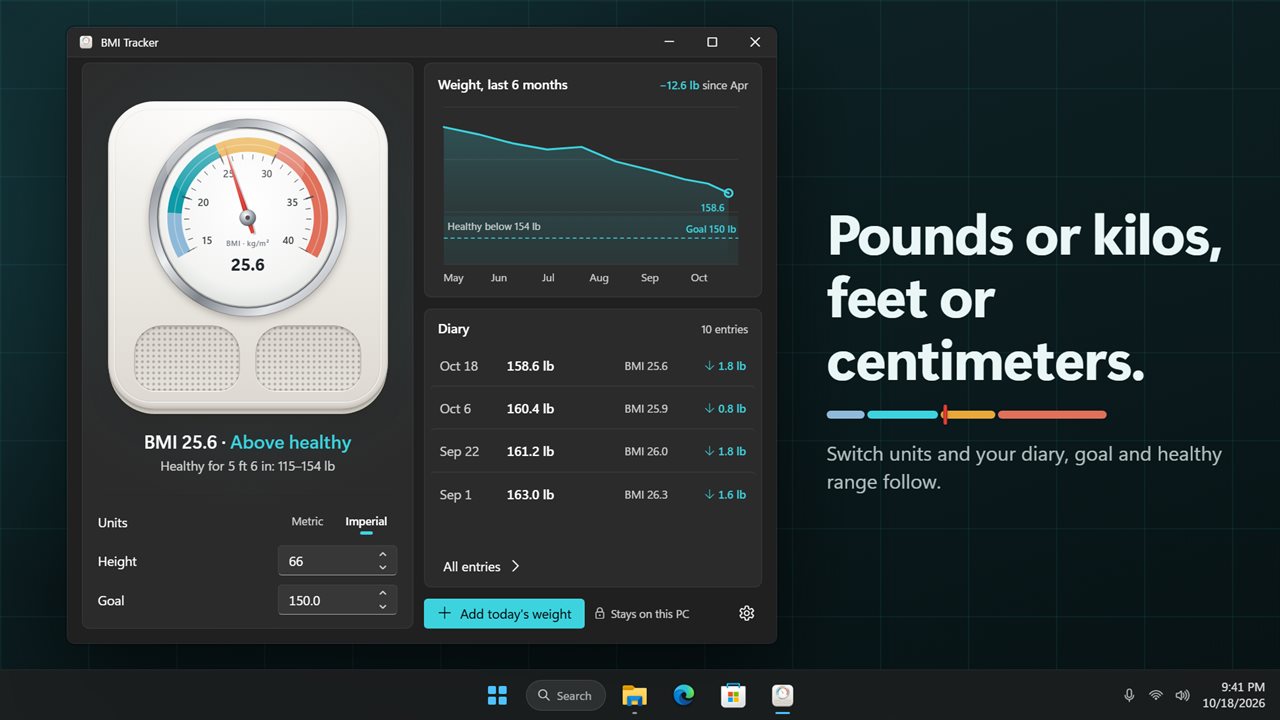
The healthy weight range shown under the dial is the band of weights that gives a BMI from 18.5 to 24.9 at your height. At 170 cm that is roughly 53.5 to 72 kg; at 5 ft 10 in it is roughly 129 to 174 lb. Change your height and the range, the chart shading and the band descriptions all update.
A weight loss chart with your goal on it
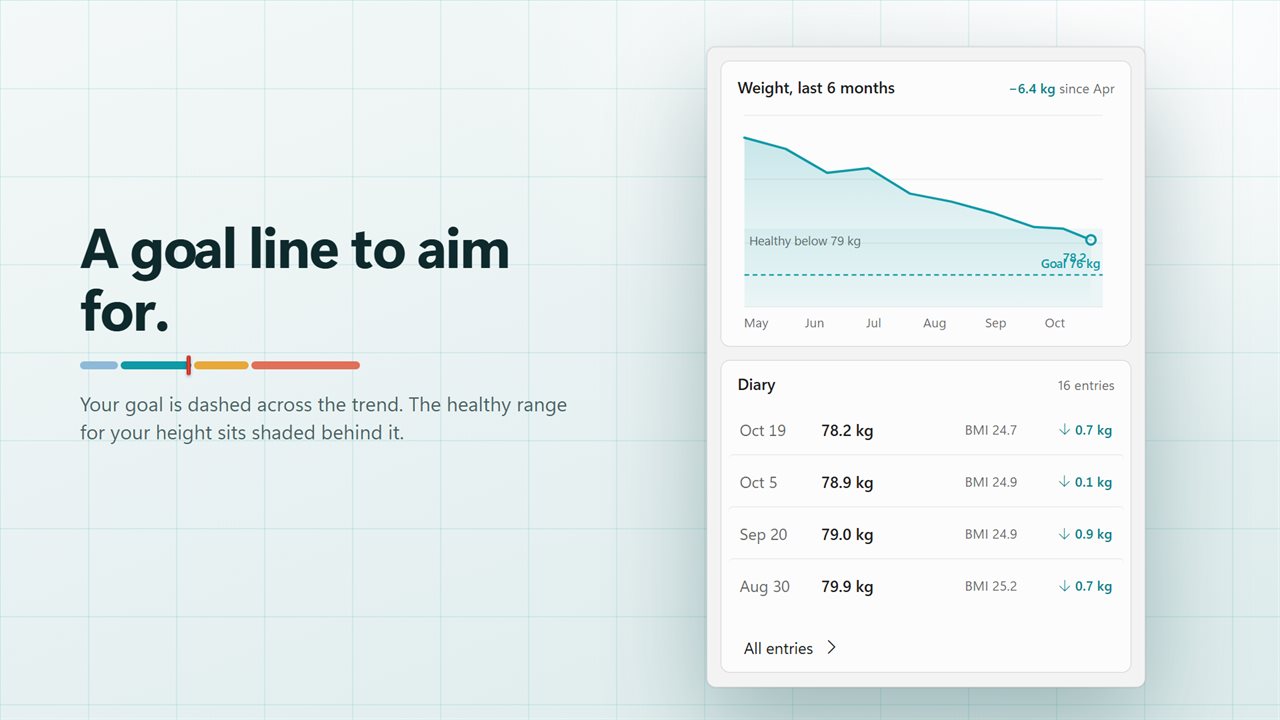
Above the diary, a chart plots Weight, last 6 months. Type a target into Goal and it is drawn as a dashed target line, over a shaded band marking healthy weights, so you can see at a glance how far there is to go. The total change since your first entry in that window sits above the plot.
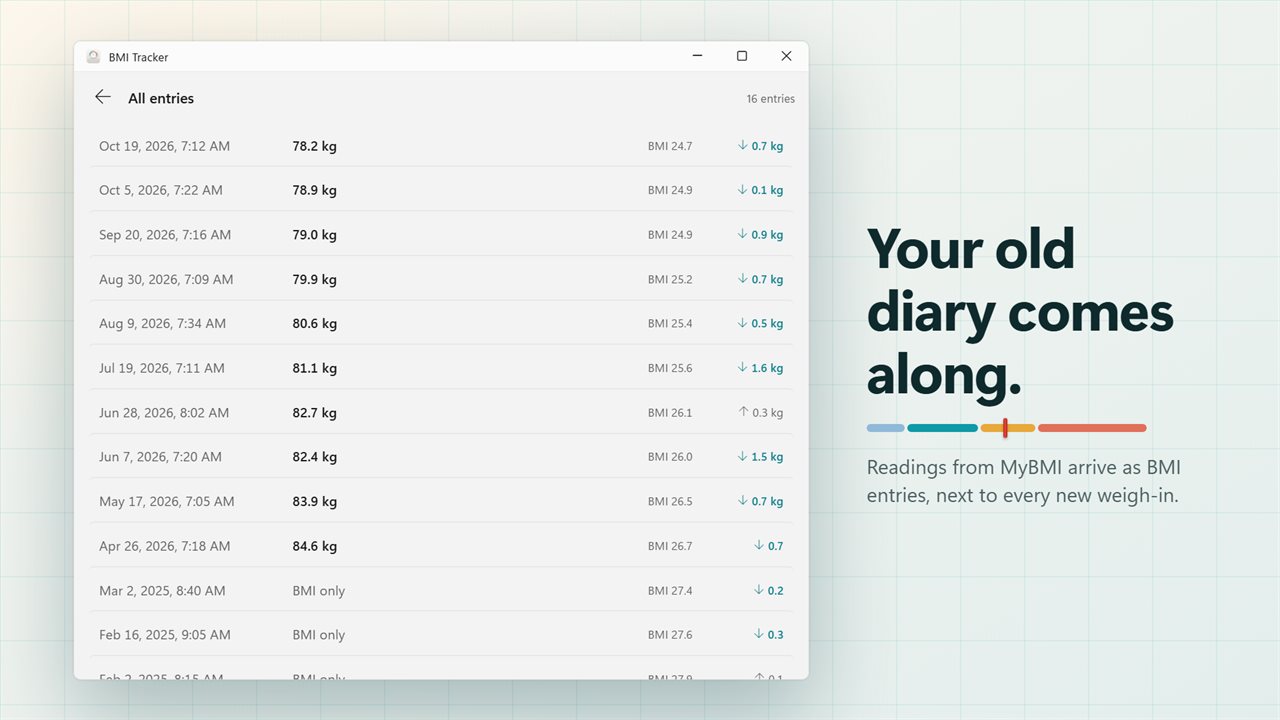
In the diary every row lists when you weighed in, the weight, the BMI and how much it moved since the previous row. A change is highlighted when it moves you toward your goal, or toward the healthy range if you have not set one. Readings carried over without a weight are plotted as BMI instead.
Fixing and managing your weight log
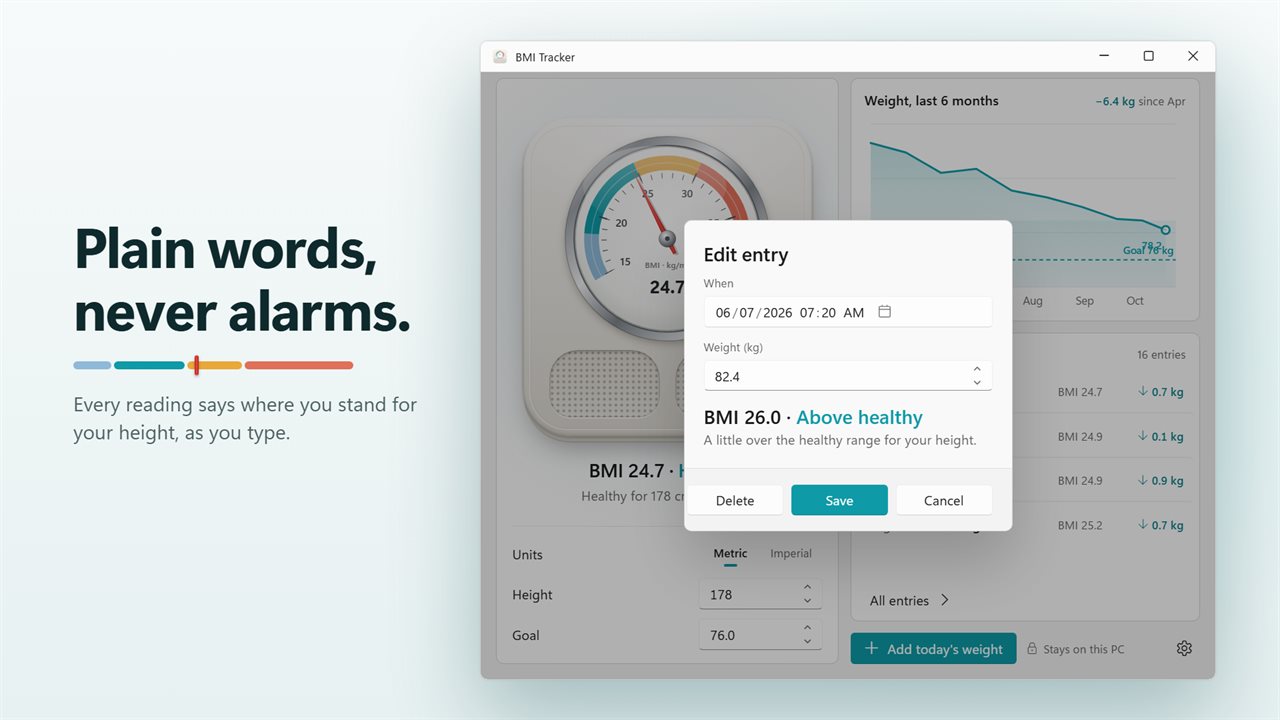
Typed 18.1 instead of 81.1? Click any entry to open Edit entry, where you can change When, the weight, or Delete it. All entries opens the full diary. Units in Settings switches between Metric (kg, cm) and Imperial (lb, in), and the whole log, goal and range convert with it.